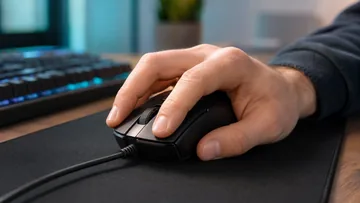
Calculadora de DPI do Mouse
Digite pixels e polegadas, ou arraste no pad para medir.
Arraste dentro da área com o seu mouse e depois digite a distância física exata percorrida. Ou mude para o modo manual e digite os valores de pixels e polegadas diretamente.
Pressione e segure dentro desta área. Mova o mouse por uma distância física fixa (use uma régua) e depois solte.
0 px
Nenhum arraste registrado ainda
DPI Real
800
Precisão do sensor: -
Dica: quanto mais polegadas você deslizar, menor será o erro de medição. Procure fazer de 4-8 polegadas de movimento real.
Mantenha a sensação da sua mira idêntica ao mudar o DPI. Digite seu DPI e sensibilidade atuais, escolha o novo DPI e veja a sensibilidade convertida instantaneamente.
Nova sensibilidade
0.75
eDPI preservado: 1200 → 1200
Análise e dicas
eDPI recomendado
—
faixa profissional: —
Seu eDPI: — (— vs recomendado)
Impacto da mudança de DPI
+100%
DPI mais alto = mais pixels por polegada de movimento. Converter a sensibilidade anula esse efeito no jogo — sua mira percorre a mesma distância por cm físico. Um DPI mais alto ainda traz benefícios em monitores de alta taxa de atualização e na precisão de subpixel.
Informações de movimento do mouse
Centímetros de mousepad necessários para um giro completo de 360° no jogo.
cm por 360°—
polegadas por 360°—
Escolha um jogo acima para ver cm / 360° e o eDPI recomendado.
Histórico de conversões
Suas conversões recentes aparecerão aqui (salvas localmente neste dispositivo).
Referência rápida de conversão
Cada combinação abaixo mantém o mesmo eDPI — você se move exatamente na mesma velocidade no jogo.
| DPI | Sensibilidade |
|---|
Calculadora de DPI do Mouse e uma ferramenta gratuita que funciona direto no navegador. Meça o DPI real do mouse arrastando uma distância conhecida ou digitando pixels e polegadas manualmente.
- Custo: Gratis, sem cadastro
- Instalacao: Nenhuma — roda no navegador
- Privacidade: Roda localmente, sem uploads
- Plataformas: Windows, macOS, Linux, Android, iOS
- Tempo: Menos de um minuto
Calculadora de mouse
Calculadora de DPI do mouse e conversor de sensibilidade
Esta calculadora de DPI do mouse mede o DPI real do sensor (pixels percorridos divididos por polegadas movidas) e ainda converte sua sensibilidade para um novo DPI mantendo o mesmo eDPI e cm/360. É gratuita, roda inteiramente no navegador sem instalar nada e traz presets por jogo com faixas de eDPI recomendadas. Use para descobrir seu DPI verdadeiro e trocar de DPI sem perder a mira.
Tudo é calculado no navegador, sem instalação, e o histórico de conversões fica salvo só no seu dispositivo; desative a aceleração do mouse no Windows antes de medir para um DPI mais preciso.
Perguntas frequentes
Dúvidas sobre a calculadora de DPI do mouse