

Gaming sensitivity calculators

Free Mouse DPI Calculator & Sensitivity Converter

Two tools in one: measure your mouse's real DPI from pixels per inch, or convert your in-game sensitivity between DPI values so your aim feels identical. Built-in game presets (Valorant, CS2, Apex, Fortnite, Overwatch, and more) show cm/360° and recommended eDPI for every shooter.

DPI measure + convert eDPI toggle 10 game presets cm per 360° turn
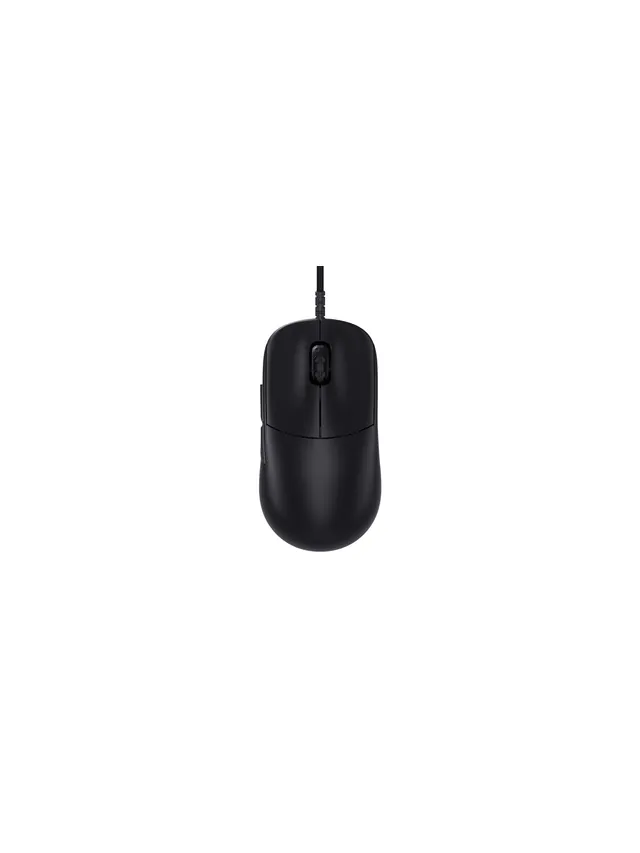
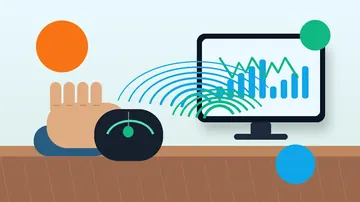
Mouse DPI calculator measuring real sensor DPI

Primary tool

Mouse DPI Calculator & Sensitivity Converter

Measure your real mouse DPI by dragging a known distance, or convert your in-game sensitivity to a new DPI without breaking muscle memory. Game presets (Valorant, CS2, Apex, Fortnite, Overwatch) include cm/360° and recommended eDPI.

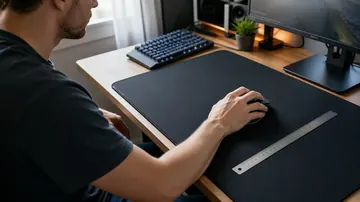
Drag inside the pad with your mouse, then enter the exact physical distance you moved. Or switch to manual mode and type pixel and inch values directly.
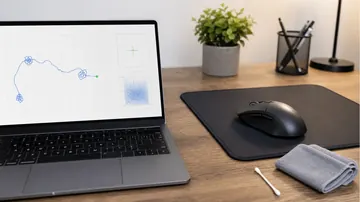
Press and hold inside this pad. Move your mouse a fixed physical distance (use a ruler), then release.
0 px
No drag recorded yet
True DPI
800
Sensor accuracy: -
Tip: the more inches you swipe, the smaller the measurement error. Aim for 4-8 inches of real movement.
Drag to measure
Live pixel tracking on the pad
Manual entry
Pixels + inches input supported
Advertised vs real
See sensor accuracy at a glance
Browser only
No download, no install

More testing tools

Explore the full suite for keyboard, mouse, audio, and utilities.

Language support: All major tools are available in 8 languages - Arabic, Russian, Spanish, French, Portuguese, Japanese, German, and Korean. Select your language from the header menu to switch.

Keyboard
Keyboard Tester

Test keyboard functionality, detect ghosting, measure latency, check for stuck keys

Test your keyboard
Keyboard
Arabic Keyboard Tester

Test Arabic keyboard layout and key response in an Arabic-first interface

Test Arabic layout
Keyboard
Typing Speed Test

Measure WPM, accuracy, and typing consistency

Check typing speed
Keyboard
Latency Checker

Test device and input latency in your browser

Measure latency
Keyboard
Spacebar Speed Test

Count how many spacebar presses you can make in 5, 10, or 30 seconds

Test your spacebar
Keyboard
Key Repeat Rate Tester

Measure your keyboard key repeat rate (Hz) and initial delay (ms) in your browser

Test repeat rate
Keyboard
Typing Rhythm Fingerprint

Visualize your inter-keystroke timing patterns and get a rhythm consistency score

Analyze rhythm
Keyboard
Keyboard Switch Sound Analyzer

Classify your mechanical keyboard switches as linear, tactile, or clicky using mic FFT analysis

Analyze sound
Keyboard
Keyboard Chatter Detector

Find keys that register twice from a single press with configurable threshold and per-key stats

Detect chatter
Keyboard
Keyboard Polling Rate Test

Estimate keyboard Hz using browser auto-repeat timing measurement

Test polling rate
Keyboard
Keyboard Shortcut Identifier

Press any key combination and instantly see what it does on Windows, macOS and Linux

Try a shortcut
Mouse
Mouse Tester

Check mouse buttons, scroll wheel, cursor movement, and responsiveness

Test your mouse
Mouse
Mouse Speed Tester

Measure your click speed (CPM or CPS) with timed tests

Check click speed
Mouse
Mouse Sensitivity / DPI

Test DPI, sensitivity, and tracking accuracy

Test DPI settings
Mouse
Mouse Trail

Visualize mouse movement trails and precision

View mouse trails
Mouse
Ghost Click Detector

Detect unintended or phantom clicks

Detect ghost clicks
Mouse
Mouse Polling Rate Test

Check if your gaming mouse runs at 125Hz, 500Hz, 1000Hz or higher

Test polling rate
Mouse
Mouse LOD Tester

Measure your gaming mouse lift-off distance to optimize sensor performance

Test LOD
Mouse
Mouse Accuracy Test

Aim trainer benchmark — measure hit percentage, average pixel error, and reaction time per target

Test your aim
Mouse
Mouse Drag Click Test

Measure drag-click CPS, peak burst rate, and total clicks with live timeline graph

Test drag clicks
Mouse
Right Click CPS Test

Measure right-mouse-button CPS with browser context menu suppressed

Test right CPS
Mouse
Mouse DPI Calculator

Measure true mouse DPI by dragging a known distance or entering pixel and inch values manually

Measure DPI
Mouse
eDPI Calculator

Calculate effective DPI (DPI x sensitivity) and cm/360 for CS2, Valorant, Apex and other FPS games

Calculate eDPI
Mouse
Mouse Drift Test

Detect idle cursor drift and sensor jitter with a 10s-3min pointer-event sampler and pass/fail verdict

Test drift
Mouse
Mouse Acceleration Test

Compare slow vs fast swipe pixels to catch Windows pointer acceleration or firmware-level sensor acceleration

Test acceleration
Mouse
Mouse Spin Test

Counts full 360° mouse rotations over 15/30/60 s with peak spins-per-second and direction indicator

Start spinning
Display
Screen Tester

Detect dead, stuck, or hot pixels on screens

Test your screen
Display
Monitor Refresh Rate Test

Detect if your display runs at 60Hz, 144Hz, 240Hz or higher

Test refresh rate
Display
Monitor Color Test

Check color accuracy, gradient banding and backlight uniformity

Test colors
Display
Backlight Bleed Test

Check your LCD monitor for backlight bleed, IPS glow, and clouding

Test for bleed
Display
Touch Screen Test

Test for dead zones, ghost touches and multi-touch on phone or tablet

Test touch screen
Display
PWM Flicker Test

Check if your monitor uses PWM backlight dimming that can cause eye strain

Test for flicker
Display
Monitor Gamma Test

Visual gamma calibration check using stripe-blend pattern, target sRGB 2.2

Test gamma
Display
Monitor Ghosting Test

Detect pixel response time issues with adjustable-speed moving box on color backgrounds

Test ghosting
Display
Black Level Test

Check shadow detail with 32 near-black patches, detect crushed blacks

Test black level
Display
White Level Test

Check highlight detail with 32 near-white patches, detect clipped whites

Test white level
Display
Brightness Test

11-step grayscale ladder to verify brightness, contrast, and gamma calibration

Test brightness
Display
Contrast Test

Checkerboard vs 50% gray squint test for contrast and gamma calibration

Test contrast
Display
PPI Calculator

Compute pixels per inch, dot pitch, aspect ratio and megapixels for any display from resolution + diagonal

Calculate PPI
Display
Aspect Ratio Calculator

Type any two of width, height, or ratio. Auto-simplifies to lowest integer terms and renders a live preview

Open calculator
Display
Screen Size Calculator

Compute diagonal, width, height and visible area from aspect ratio plus any one dimension — in inches and cm

Calculate size
Display
Viewing Distance Calculator

Optimal TV/monitor viewing distance by THX (36° FoV), SMPTE (30° FoV), and the 4K/8K resolving-limit

Find distance
Display
FPS Test

Live frame rate measurement with avg/min/max/1%-low plus 60/120/144/165/240Hz detection

Start FPS test
Display
Screen Resolution Test

Live readout of screen resolution, native pixels, device pixel ratio, color depth, and gamut

See resolution
Display
OLED Burn-In Test

Cycle 8 solid colors, fine checkerboard, and scrolling refresher fullscreen to detect OLED burn-in

Test burn-in
Display
Color Range Test

Detect Full RGB (0-255) vs Limited (16-235) via near-black and near-white patch grids

Test RGB range
Display
Screen Uniformity Test

Fullscreen gray/black/white/RGB at any brightness to spot clouding, IPS glow, and backlight bleed

Test uniformity
Display
Frame Skipping Test

Detects dropped or skipped frames at your refresh rate with rAF timestamp analysis and a visual reference bar

Detect skipped frames
Display
Monitor Sharpness Test

Lagom-style 1px pixel grid, multi-size text samples, color-fringing blocks, and an RGB sub-pixel ruler to evaluate display sharpness

Test sharpness
Camera
Webcam Tester

Check webcam quality, resolution, and snapshots

Test your webcam
Camera
Webcam Mirror

Use your webcam as a real-time virtual mirror with horizontal flip, brightness/contrast, grid, and snapshot

Open mirror
Audio
Mic Tester

Verify microphone input and audio levels

Test your microphone
Audio
Headphone / Speaker Tester

Test stereo channels and sound output

Test audio output
Audio
Decibel Meter

Live dB SPL measurement using your microphone with peak and rolling average

Open meter
Audio
Sound Test

Speaker and headphone channel verifier plus 100 Hz → 10 kHz frequency sweep

Test sound
Audio
Bass Test

Subwoofer and low-frequency sweep (20 Hz → 200 Hz) with ISO 1/3-octave bass presets

Test bass
Audio
Frequency Response Test

Full-range 20 Hz → 20 kHz log sweep with hearing-limit logging and manual tone slider

Start hearing test
Audio
Auditory Reaction Time Test

Measure how fast you respond to a sound cue in milliseconds using the Web Audio API

Start sound test
Audio
Surround Sound Test

5.1 and 7.1 channel walk-around to verify speaker wiring, with stereo panning fallback for headphones

Test surround
Audio
Pitch Detector

Sing or play any note. Get live Hz, nearest note (C0-C8), octave, and cents off perfect pitch

Open pitch detector
Audio
Hearing Age Test

Mosquito tone hearing test - 12 frequencies from 8 kHz to 22 kHz to estimate your hearing age

Test hearing age
Utility
OCR Tool

Extract text from images quickly

Extract text now
Utility
QR Code Reader

Scan QR codes with camera or image upload

Scan QR codes
Utility
QR Code Generator

Create custom QR codes instantly

Create QR code
Utility
Password Generator

Create strong, secure passwords instantly

Generate password
Utility
WhatsApp Link Generator

Create clickable WhatsApp chat links

Generate chat link
Utility
WhatsApp Brand Links

Create branded WhatsApp links and QR codes

Create brand link
Utility
WhatsApp Sentiment Analyzer

Analyze chat sentiment and tone

Analyze sentiment
Utility
All Tools

Browse all hardware testing tools in one place

View all tools
Utility
WebRTC Leak Test

Detect IP address leaks through your browser even when using a VPN, IPv4 + IPv6 + local

Check IP leak
Utility
Accelerometer Test

Live X/Y/Z acceleration readout in m/s² with tilt ball, shake counter, and peak-g tracking

Test motion sensor
Utility
Gyroscope Test

Live alpha/beta/gamma rotation readout with 3D cube, compass ring, and calibrate-to-zero

Test rotation sensor
Utility
Vibration Test

Phone haptics patterns (Vibration API) and gamepad rumble per-motor intensity in one tool

Test vibration
Utility
CPU Stress Test

Multi-threaded WebWorker SHA-256 busy loop to load every logical core and report ops per second

Stress the CPU
Utility
AI GPU Test

Check WebGPU, WebGL2, WebNN and browser AI readiness with a safe matrix compute benchmark

Test AI GPU readiness
Utility
GPU Stress Test

WebGL2 Mandelbrot fragment shader benchmark that pushes any GPU and reports FPS, minimum FPS, and software-rendering fallback

Stress the GPU
Utility
Memory Test

Browser heap monitor with live performance.memory readout, allocation stressor, and safe auto-abort

Open memory test
Utility
RAM Latency Calculator

Convert CAS latency (CL) and memory speed (MT/s) to real nanoseconds, compare DDR4 vs DDR5 kits side by side

Calculate RAM latency
Utility
Bandwidth Calculator

Solve for transfer time, file size, or required speed - handles bits vs bytes math automatically

Open bandwidth calc
Utility
Download Time Calculator

Estimate download duration for games, movies, and backups at your connection speed with realistic overhead

Estimate download time
Utility
RAID Calculator

Usable capacity and fault tolerance for RAID 0/1/5/6/10/50/60 with side-by-side level comparison

Calculate RAID
Utility
Online Ruler

Actual-size cm and inch ruler on screen with credit-card calibration (ISO ID-1) and DPI presets

Open ruler
Utility
AI Assistant

Chat with the site's AI helper — it picks the right hardware test, links you to it, and explains the result in 8 languages

Open AI chat
Gaming
Gamepad Tester

Test PS5, Xbox, Switch and PC controller buttons, stick drift and triggers

Test controller
Gaming
Reaction Time Test

Measure how fast you react with a browser-based millisecond reflex test

Test reaction time
Gaming
FoV Calculator

Convert field of view across aspect ratios and games with presets for CS2, Valorant, Apex, CoD and Fortnite

Convert FoV
Gaming
Crosshair Generator

Design a custom crosshair with live preview, PNG export, CS2 console command, and Valorant settings values

Open generator
Gaming
APM Test

Actions-per-minute counter for RTS & MOBA players — live APM, peak, and session average

Measure APM
Gaming
Gamertag Generator

Random gamer names across 6 styles with length limits for Xbox, PSN, Steam, and Discord

Generate names
Gaming
Guild Name Generator

Random MMO guild and clan names across 6 themes and 5 templates, with WoW/FFXIV/Destiny length limits

Generate guild names
Gaming
TTK Calculator

Time-to-kill math for FPS games with body vs head comparison, armor handling, and CS2/Valorant/Apex/CoD presets

Calculate TTK
Gaming
Minecraft Circle Generator

Pixel circle, filled disc, thick ring, and 3D sphere layer plotter for Minecraft builders, radius 1-256

Plot a circle

Guide to DPI Conversion and True DPI Measurement

This tool does two jobs in one. The Measure True DPI tab verifies that your mouse sensor actually reports the DPI it claims (cheap sensors can drift 5-15%). The Convert Sensitivity tab ports your in-game sensitivity to a new DPI value without breaking your muscle memory — your 360° turn distance stays identical. Pros use the converter every time they buy a new mouse, tweak DPI for a high-refresh monitor, or swap between games that use different sens scales.

When to Use This Tool

  • New mouse, same aim: Your old mouse ran 800 DPI @ 2.0 sensitivity. New mouse runs 1600 DPI natively. Plug in 800 → 1600 and the converter returns 1.0 — identical aim, zero muscle-memory reset.
  • Switching games: Your CS2 sens feels wrong in Valorant because Valorant uses a different yaw. Pick the target game, match the recommended eDPI, and the table shows every DPI × sens combo that hits it.
  • Verifying sensor honesty: Run the measure tab before you trust any DPI number. A mouse that reads 810 instead of 800 isn't a big deal. A mouse that reads 720 is lying to every aim trainer you use.
  • Hitting a pro's setup: You found a streamer with 400 DPI @ 0.4 in Valorant. Your mouse only supports 800 minimum. Convert 400 @ 0.4 → 800 and plug in the result (0.2) for the same aim on your hardware.

Understanding DPI (Dots Per Inch)

DPI is how many counts your mouse sensor reports per physical inch of movement. A 1600 DPI mouse moved exactly one inch produces 1600 counts. Higher DPI means finer movement resolution — smaller pointer steps, smoother aim on a high-refresh monitor, better sub-pixel precision for competitive play. But high DPI without a matching sensitivity reduction makes your crosshair overshoot. That's where the converter comes in.

True DPI = pixels moved / inches moved. Measure it with the drag pad above, then compare against whatever your mouse software claims. Most flagship sensors (PixArt 3395, 3950, Logitech HERO 25K) stay within ±1% of the advertised value. Budget sensors and older mice can drift ±10-15%.

Understanding eDPI (Effective DPI)

eDPI = DPI × in-game sensitivity. It's the single number that describes how fast your crosshair actually moves on screen. Two players with identical eDPI but different DPI will turn 360° with the exact same physical mouse movement (assuming the same game). This is why pros quote eDPI instead of raw sens — it's the only number that compares across setups.

Pro averages by game (use as a starting point, not gospel):

  • Valorant — 280 eDPI (200-400 range)
  • CS2 / CS:GO — 800 eDPI (600-1200)
  • Apex Legends — 1600 eDPI (1200-2400)
  • Fortnite — 600 eDPI (400-900)
  • Overwatch 2 — 4800 eDPI (3200-6400)
  • PUBG — 800 eDPI (500-1200)
  • Rainbow Six Siege — 1000 eDPI (800-1400)
  • CoD / Warzone — 4800 eDPI (3200-6400)
  • Quake Champions — 1600 eDPI (1200-2400)

Optimization Tips

  • Disable mouse acceleration first. Windows "Enhance pointer precision" adds a non-linear scale that poisons every measurement and makes consistent aim impossible. Turn it off in Control Panel → Mouse → Pointer Options. Set pointer speed to 6/11 (the middle notch) so Windows applies no scaling.
  • Pick a DPI that matches your screen. On 1080p, 400-800 DPI is plenty for FPS aim. On 1440p, 800-1600 feels more natural. On 4K, 1600+ stops feeling "sluggish" in productivity apps.
  • Stay under 3200 DPI for FPS. Higher DPI means tinier physical movements for the same crosshair travel — small sensor jitter becomes visible at very high DPI. Most pros sit between 400 and 1600.
  • Set polling rate to 1000 Hz (or 4000+ if supported). This controls how often the mouse reports position, not how far it moves per inch. Separate from DPI.
  • Measure on the same surface you play on. Cloth vs. hard pads can shift reported DPI by a few percent. Use the measure tab while the mouse is on your actual mouse pad.

Common Mistakes to Avoid

  • Changing DPI without converting sensitivity. The single biggest aim-wrecker. You double your DPI, your eDPI doubles, every flick overshoots. Use the converter.
  • Trusting advertised DPI without verification. Mouse software DPI settings and actual sensor output can disagree. Always measure first if you're copying a pro's exact setup.
  • Using a tiny swipe to measure. A 1-inch swipe amplifies rounding errors. Aim for 4-8 inches of real movement on the measure tab for an accurate reading.
  • Ignoring the game's yaw value when switching titles. Valorant at sens 0.4 is not Valorant at sens 0.4 in CS2. Yaw differs per game — the converter handles this when you pick a game.
  • Chasing pro eDPI blindly. Pros use low eDPI because they have huge mousepads and room. If you play at a desk with a small pad, 280 eDPI in Valorant may be too low to turn around. Stay in the range, don't copy exact numbers.

Final Recommendations

  1. Run the Measure True DPI tab once to confirm your sensor is honest.
  2. Pick a target eDPI in the Convert Sensitivity tab — use the game's pro range as a starting point.
  3. Save your conversion (the tool stores the last 20 conversions locally so you can compare setups).
  4. Use the quick reference table to see every DPI × sens combo that produces the same aim — pick whichever DPI your mouse supports natively.
  5. Play at that setup for at least a week before tweaking. Muscle memory takes time to re-anchor.

DPI is the foundation of your aim stack. Once it's dialled in, match the visual target too — read how to copy a pro's crosshair in CS2 and Valorant.

Mouse DPI Calculator Guide

Find your mouse's real DPI and compare it to the advertised value.

Drag mode

  1. Place a ruler next to your mousepad.
  2. Press and hold inside the pad.
  3. Move exactly 4 inches (10.16 cm) in a straight line.
  4. Release - the calculator shows true DPI.

Manual mode

  1. Use any app that tracks mouse pixel movement (or a separate tool).
  2. Move a known distance and note pixel count.
  3. Enter pixels and physical distance.
  4. We compute DPI = pixels / inches.

Tips for accuracy

  • Disable in-OS mouse acceleration first (Windows: "Enhance pointer precision").
  • Set Windows pointer speed to the middle notch (6/11).
  • Swipe 4-8 inches for the best signal-to-noise ratio.

Why it matters

  • Advertised DPI can differ by 5-15% from real sensor DPI.

  • eDPI only makes sense if your real DPI is accurate.
  • Quality gaming mice (PAW3395, HERO) stay within 1%.

Windows app

KeyboardTester.click is available from Microsoft Store

Install the official Windows app shortcut, or keep using the same free testing tools in your browser.

Get it from Microsoft Get it from Microsoft