


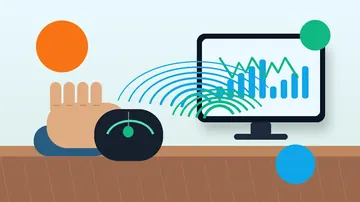







Fast answer: Drag clicking slides one finger across the mouse button so friction makes the switch oscillate and fire many click events from a single motion. To test it, open the Mouse Drag Click Test, pick a 5-second run, and drag your finger across the arena: it reports your average CPS, peak CPS, and a 200ms drag burst peak on a live timeline. A capable mouse shows 20-60 CPS bursts; a mouse that debounces the burst flattens out around 8-12 CPS no matter what you do. Drag clicking is not illegal, but it accelerates switch wear and is banned on some servers, so test for double-clicking afterward with the Ghost Click Detector.
Most "drag click test" pages are just an empty click box with a counter. This one points you at a tool that actually measures the technique - average CPS, peak CPS, a 200ms burst metric, and a click timeline graph - then explains the part the counters never cover: how the technique works mechanically, which mice can do it and why, whether it gets you banned, and what it does to your switches over time. Use the tool to get a number, then use this guide to make that number mean something.
What Is Drag Clicking? (And How It Differs From Jitter and Butterfly Clicking)
Drag clicking is a clicking technique, not a mouse setting. You slide a fingertip across the mouse button so the friction between skin and shell makes the button rapidly oscillate, triggering several electrical click events from one physical drag. It is one of three competitive clicking methods, and they behave very differently. Drag clicking can spike far higher than the others in short bursts, but only on the right hardware.
Drag click vs jitter click vs butterfly click
| Technique | How it works | Typical peak CPS | Mouse needed |
|---|---|---|---|
| Drag click | Slide one finger across the button so friction makes the switch oscillate. | 30-60 in short bursts | Grippy/coated button + drag-friendly firmware |
| Jitter click | Tense the forearm and let the muscle tremor rapidly press the button. | 10-15 sustained | Any mouse (but fatiguing, risk of strain) |
| Butterfly click | Alternate two fingers on the same button so two presses overlap. | 12-20 sustained | Any mouse, but limited by click debounce |
How to Drag Click, Step by Step
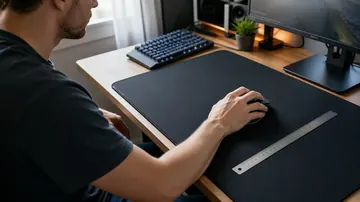
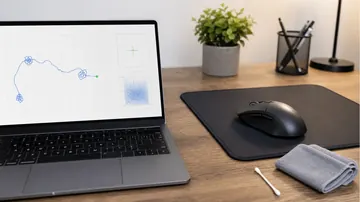
Drag clicking is a learned motion, so expect a few minutes of nothing before it suddenly "catches." Work on a clean, slightly textured button. If your mouse has a glossy or oily shell, wipe it first - oil kills the friction the technique depends on.
- Start with a clean, dry-ish fingertip: You want mild friction. Bone-dry skin glides silently; sweaty skin sticks and stalls. A fingertip with a little natural grip catches best.
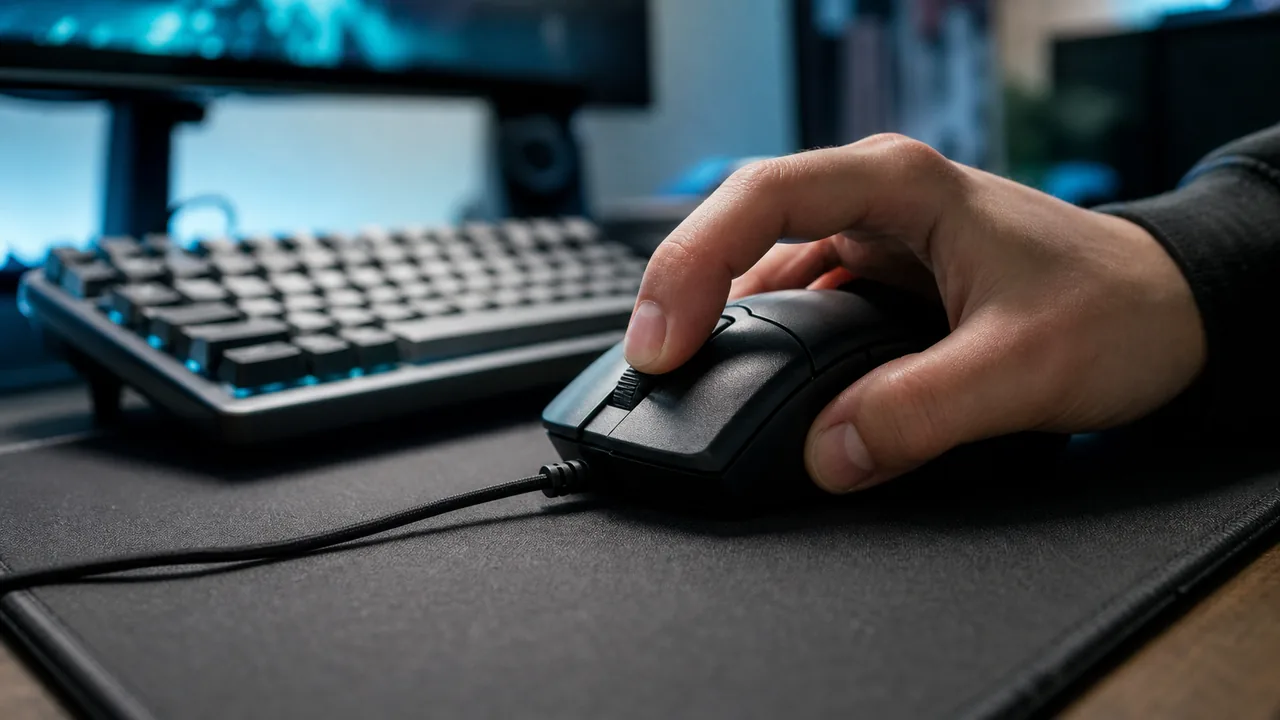
- Rest your finger near the top of the button: Place the pad of your index finger high on the left button, then prepare to pull it down and toward you rather than pressing straight down.
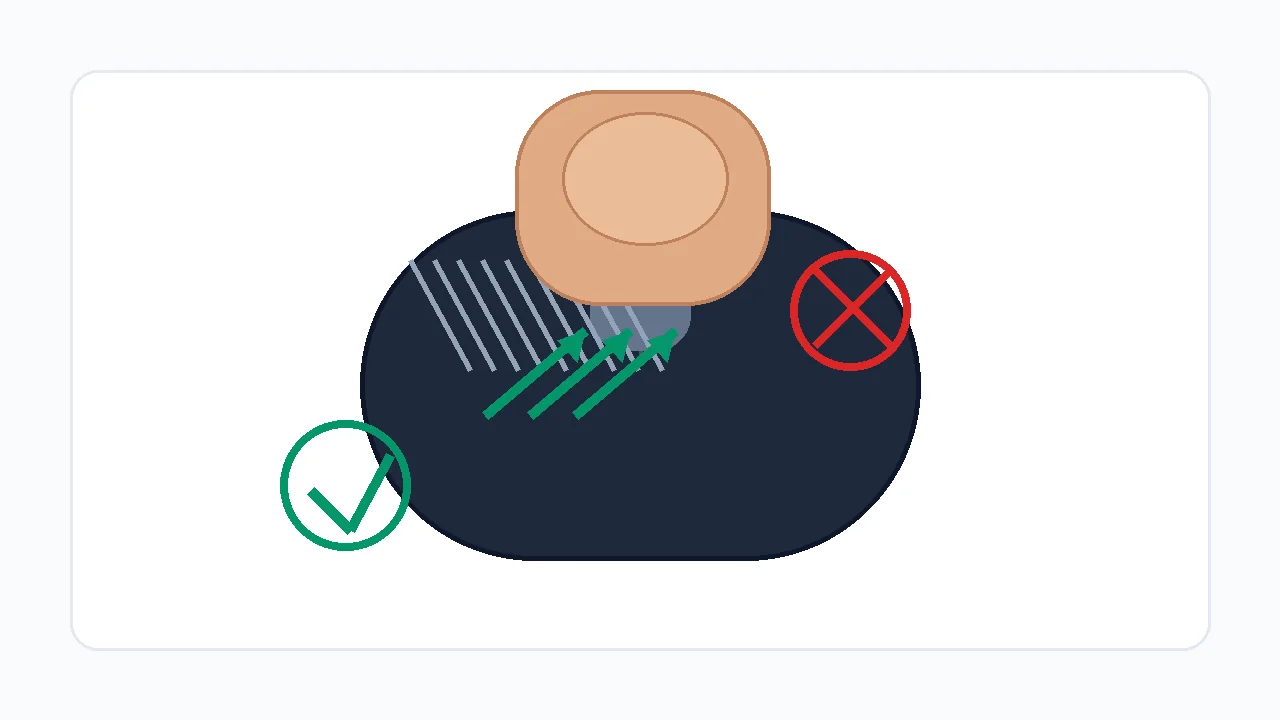
- Drag down at a 30-45 degree angle: Let the fingertip skip across the surface. The friction should make a soft buzzing sound - that buzz is the button oscillating into multiple clicks.
- Use short bursts, not one long drag: Target 0.5-1 second bursts. A long continuous drag usually turns into one held click after the first cluster.
- Brace the mouse so only the button moves: Steady the shell with your thumb and ring finger so the whole mouse does not slide on the pad while you drag.
How to Run a Drag Click Test Correctly
Use one repeatable setup before judging the mouse. Change only one variable at a time: finger moisture, angle, button surface, debounce setting, browser, or mouse.
- Open the drag click test: Use the same browser and the same mouse profile for every run. Close mouse software popups and overlays while testing.
- Choose a short duration first: Start with 5 seconds. Drag clicking is about short bursts, not a 30-second endurance run.
- Hold the mouse steady: Brace the shell lightly with your thumb and ring finger so the button moves but the whole mouse does not slide.
- Drag from back to front: Use a 30-45 degree finger angle and let the fingertip skip across the button. Do not press hard enough to pin the switch down.
- Save the best pattern, not only the highest number: A smooth cluster of separate bars is better evidence than one accidental spike followed by silence.
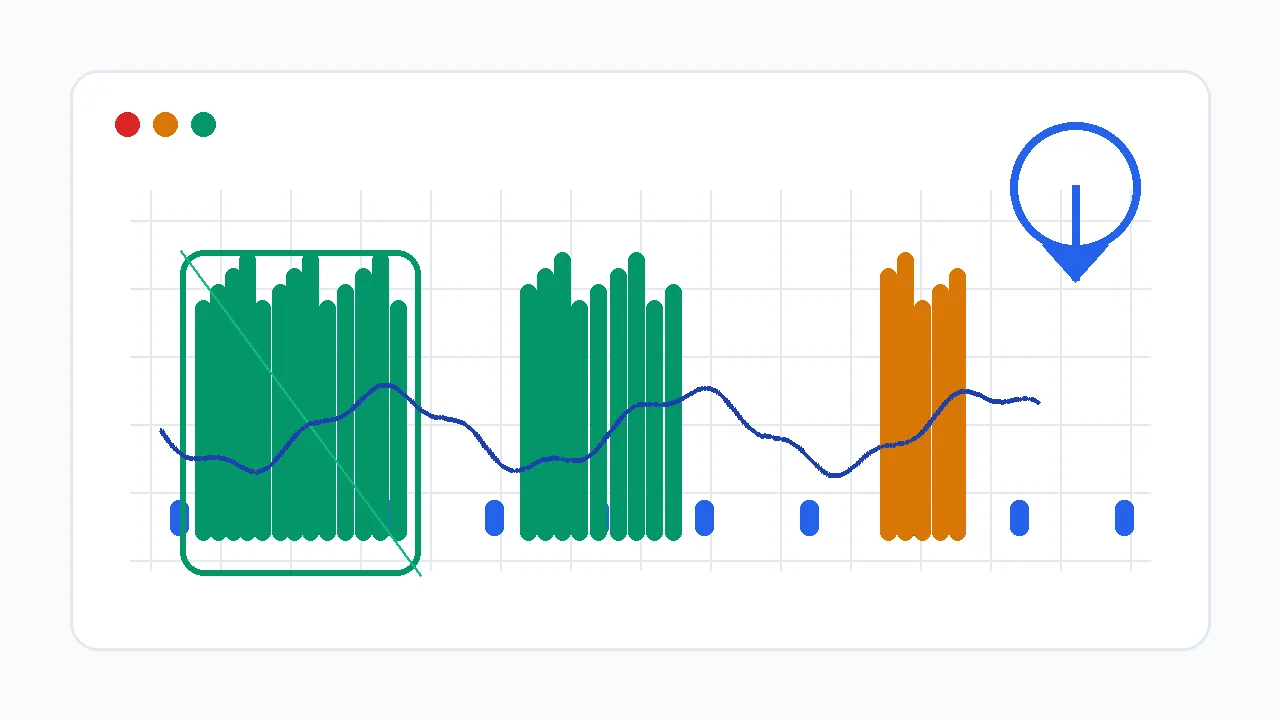
Mouse Drag Click Test: Measure drag-click CPS, peak burst rate, and the live click timeline.
Read Your CPS, Peak Burst, and Timeline
Average CPS is the headline, but the timeline and the 200ms drag burst peak matter more. Drag clicking is a burst technique, so the pattern reveals the problem faster than the final score. On the Mouse Drag Click Test, the burst peak is the clearest signal of real drag-click capability.
| Timeline pattern | Likely meaning | Next check |
|---|---|---|
| Even bars with short gaps | The browser is receiving separate clicks. Your technique works; now tune grip and consistency. | Repeat three runs and compare peak CPS plus total clicks. |
| One tall spike then silence | You caught the button once, then held it down. Pressure is too high or the finger angle is too steep. | Relax pressure and drag with more surface glide. |
| Flat cap around 8-12 CPS | Debounce or firmware may be filtering extra switch bounce. | Check mouse software for debounce, then test another mouse. |
| You hear the drag sound but the graph stays low | The button is vibrating mechanically, but the browser receives a held click instead of click events. | Run the ghost click detector and compare another switch or mouse. |
| High CPS only on right click | Left and right switches can have different wear, debounce, or shell texture. | Run the right-click CPS test and compare both buttons. |
Why Your Drag Click CPS Is Low
Most low-CPS drag-click problems fall into one of four buckets: the motion is not creating enough button vibration, the mouse is filtering bounce, the browser is not receiving separate click events, or the server/game rules do not accept the burst.
| Cause | Symptom | Fix |
|---|---|---|
| Too much pressure | The first click registers, then the button stays held down. | Use less downward force and more forward sliding motion. |
| Finger too dry or too smooth | The finger glides silently with only a few clicks. | Wash and dry hands, then test mild fingertip moisture or a textured button surface. |
| Debounce too high | The sound is rapid but CPS caps near normal clicking speed. | Lower debounce only if your mouse software supports it, then retest for accidental double-clicking. |
| Mouse not drag-click friendly | Every technique produces the same low result. | Try a known drag-click-compatible mouse or a different switch/button surface. |
| Browser or OS path issue | Clicks register differently between browsers or after changing mouse software. | Retest in another Chromium-based browser and confirm the mouse profile is active. |
| Game/server filtering | The browser test is high, but the game ignores or flags bursts. | Respect the server rules and lower burst use where anti-cheat policies are strict. |
Finger Angle, Pressure, and Surface Grip
The goal is controlled friction, not force. Your fingertip should catch and release against the button surface while the switch springs back between micro-clicks.
Start at roughly 30-45 degrees. Too flat creates glide without bounce; too vertical creates pressure without movement.
Press only hard enough to start switch travel. The switch must rebound between micro-clicks.
Use a short, controlled pass across the button. Long drags often become inconsistent after the first burst.
A lightly textured button helps. A glossy or oily shell often needs cleaning before it catches.
Which Mice Can Drag Click? (And Why Smooth Ones Cannot)
Two things decide whether a mouse drag clicks: the button coating and the firmware. Drag clicking needs a shell with enough texture for your finger to catch and release - many gaming mice ship with a lightly grippy or coated top button, while smooth glossy office mice glide silently. The second factor is debounce: firmware deliberately ignores switch signals that arrive too close together to filter out chatter, and aggressive debounce also filters out a drag-click burst, capping CPS around normal clicking speed no matter how good your technique is.
| Check | Good sign | Bad sign |
|---|---|---|
| Debounce control | Mouse software lets you reduce debounce or click latency safely. | No setting exists and CPS is capped on every run. |
| Button texture | The surface gives mild friction without tape or extreme pressure. | The button is glossy, oily, or too smooth to catch your fingertip. |
| Switch behavior | Ghost click tests show clean separate clicks only when you intentionally create them. | The mouse double-clicks during normal use or filters every burst. |
| Polling stability | Polling-rate test stays near the selected Hz in wired or 2.4 GHz mode. | Polling drops or stutters while clicking. |
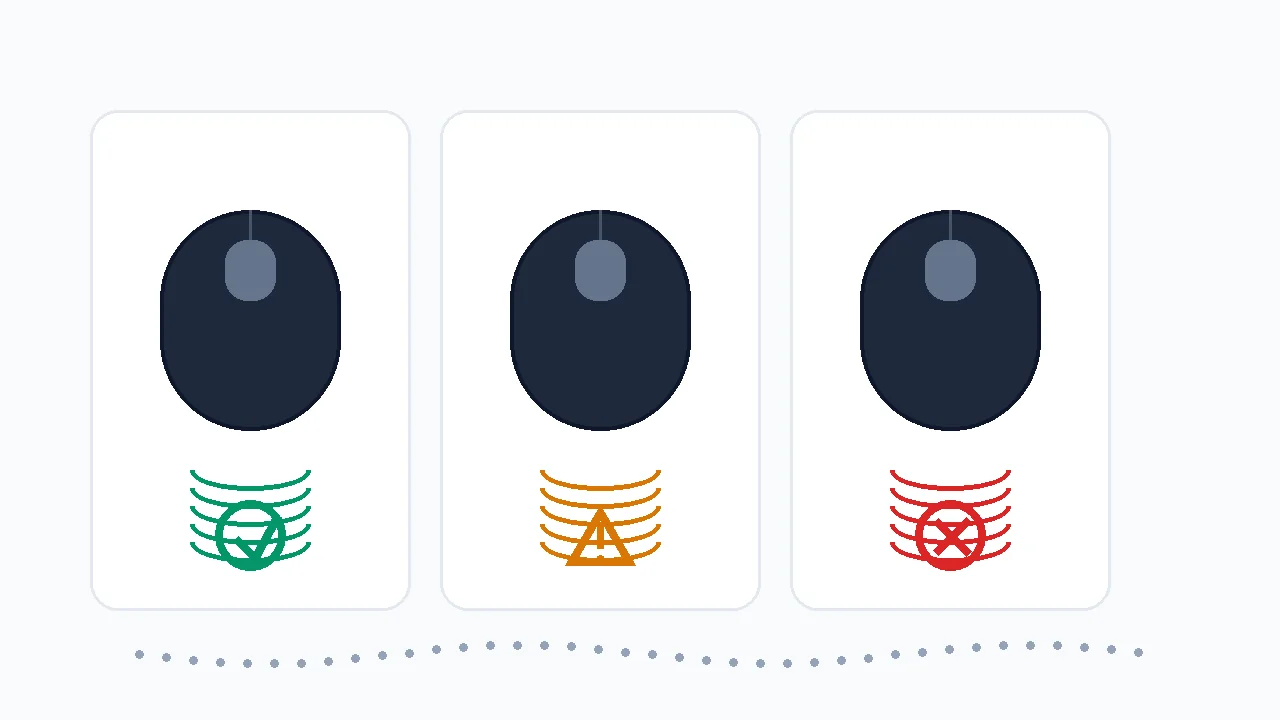
Is Drag Clicking Bannable?
Drag clicking is a physical input technique, so it is not "cheating" in the software sense - you are not injecting clicks the way an autoclicker does. But many servers and anti-cheat systems treat very high CPS the same way regardless of how you produced it, because a burst of 20-30+ CPS is statistically indistinguishable from a macro. A browser test only proves your device can generate the click events; it does not prove a given server will allow them. Rules vary and change, so the only safe answer is to check the current rules of the exact server or tournament you play on.
Minecraft and Server Rules: Do Not Assume Drag Clicking Is Allowed
A browser test only proves that your device can generate click events. It does not prove that a Minecraft server, anti-cheat system, or tournament will allow those clicks. Rules vary by server and can change, so check the current rules before using drag clicking in ranked play. In build-battle modes, keep click legality separate from structure planning: a pixel circle pattern for round builds can map a tower or dome, but it does not tell you whether drag clicking is allowed. For the placement sequence itself, follow the block-by-block Minecraft circle guide.
Does Drag Clicking Damage Your Mouse?
Yes, drag clicking accelerates switch wear, and you should plan for it. Every mechanical mouse switch is rated for a finite number of clicks, and drag clicking multiplies the click count enormously - a single 5-second burst can fire hundreds of switch actuations. That brings the day the switch starts to "chatter" (double-click on one press) much closer. This does not mean you should never drag click; it means you should monitor switch health and know how to test for the failure it causes.
How to test whether drag clicking broke your switch
- Run the ghost click / double-click check: After heavy drag-click sessions, open the Ghost Click Detector and click normally. If single presses register as two clicks, the switch has started to chatter.
- Watch for accidental double-clicks in normal use: Files opening twice, a single shot firing twice, or drag-and-drop breaking are the everyday signs of a worn switch.
- Decide: warranty, switch swap, or new mouse: Within warranty, claim it. Out of warranty, a fresh microswitch (or an optical-switch mouse that has no metal contact to wear) ends the failure mode.
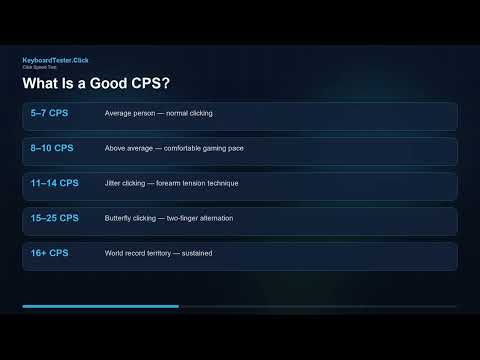
Watch: How to Read CPS Numbers
This KeyboardTester.click video explains CPS measurement basics. Use it for the score-reading part, then use the timeline and debounce checks below for drag-click-specific diagnosis.
Sources and Research Notes
The browser-event guidance comes from MDN documentation for click and mouse events. The debounce and drag-click compatibility guidance is cross-checked against current mouse manufacturer and gaming-mouse support material. The topic was selected from first-party Search Console demand for the Mouse Drag Click Test page.
- MDN: Element click eventDocuments how browsers fire click events after pointer interaction, which is what the drag click test counts.
- MDN: MouseEventReference for mouse event properties and the browser input model used by web-based mouse tests.
- Glorious: Debounce time guideExplains how debounce settings affect rapid clicking techniques such as drag and butterfly clicking.
- Attack Shark: polling and debounce guideGaming-mouse guide covering polling, debounce, and drag-click behavior in Minecraft PvP contexts.
- Hypixel community discussionExample of why server-specific drag-click rules and enforcement risk must be checked before ranked use.
Related Tools
Measure drag-click CPS, peak burst rate, and the live click timeline.
Click Speed TestCompare drag-click bursts against normal clicking, jitter clicking, and butterfly clicking.
Ghost Click DetectorCheck whether your switch is double-clicking, filtering, or missing events.
Polling Rate TestVerify that the mouse reports consistently while you test rapid inputs.
Related Guides
Understand CPS, peak CPS, jitter and butterfly clicking, and why short bursts differ from sustained clicking.
Double Click Test: Check Switch BounceThe handoff guide for "did drag clicking break my switch?" - diagnose and fix a mouse that double-clicks.
Fix Ghost Clicks and Double ClickingSeparate intentional drag-click bounce from a failing switch with the ghost click detector.
How to Test Mouse Buttons and Scroll WheelConfirm left, right, middle, wheel, and basic pointer behavior before blaming your CPS.
Jitter Click vs Butterfly ClickHow drag clicking compares to the other two techniques on speed, aim, fatigue, and ban risk.
FAQ
- How do I drag click?Rest the pad of your index finger high on the left mouse button, then pull it down and toward you at roughly a 30-45 degree angle so the fingertip skips across the surface. The friction makes the button oscillate and fire several clicks from one drag. Use short 0.5-1 second bursts on a clean, lightly textured button, and brace the mouse so only the button moves.
- What is a good drag click CPS score?On a compatible mouse, short bursts above 20 CPS are a solid starting point and 30+ CPS is strong; some drag-clickers spike to 50-60 in a burst. A mouse that filters the burst at firmware level often caps around 8-12 CPS no matter your technique. Consistency on the timeline matters more than one lucky spike.
- Why is my drag click CPS low even though I hear the sound?The sound can come from your finger vibrating on the shell while the switch is still held down. The browser only counts separate click events, so if the timeline stays low, reduce pressure, change finger angle, and test the switch with the ghost click detector. If nothing helps, the mouse is debouncing the burst.
- Can any mouse drag click?No. Drag clicking needs a button with enough texture for your finger to catch and firmware that does not aggressively debounce the burst. Smooth glossy shells glide silently, and some mice filter the vibration into one held click. If several technique changes still cap your score, the mouse is the limiting factor.
- Is drag clicking bannable?Drag clicking is a physical technique, not software cheating, so it is not banned everywhere. But many servers and anti-cheat systems flag very high CPS regardless of how it was produced, because a drag burst looks like a macro. It depends entirely on the server or tournament rules, which vary and change, so check the current rules before using it in ranked play.
- Does drag clicking damage your mouse?Yes, it accelerates switch wear. Every mechanical switch is rated for a finite number of clicks, and drag clicking fires hundreds of actuations in seconds, bringing the day the switch starts to double-click much closer. Monitor switch health with a double-click or ghost click test, and consider an optical-switch mouse, which has no metal contact to wear out.
- Why does right click drag better than left click?Left and right buttons can have different wear, switch feel, debounce behavior, or shell texture. Test both sides separately with the right-click CPS test before assuming your technique is the problem.
Start with the Mouse Drag Click Test to get your real CPS and burst peak. If the score is capped, open the Ghost Click Detector and confirm whether the switch is creating separate clicks before you change your technique again - or before you blame the mouse.





Reader discussion
Comments
Share what worked, what did not, or what you would test next. Every comment is reviewed before it appears.
Loading approved comments…
Leave a comment
No account or sign-in is required. Links and HTML are not accepted.