

Every so often a device starts acting strangely: a key that double-types, a microphone that sounds muffled on calls, a screen with a suspicious dot, headphones that seem quieter on one side. The instinct is to search for a diagnostic app, install it, grant it a pile of permissions — and then forget it exists. For most quick checks, that's overkill. A small set of browser-based testers can answer the question in seconds, with nothing to install.
Why browser-based testers make sense
Modern browsers can talk to most of the hardware you care about — keyboards, microphones, cameras, speakers, screens — with your permission, and only while the page is open. That makes them ideal for quick diagnostics: no install, no background process, nothing left on your machine afterwards. Open, test, close.
Keyboard tester
The classic one. A keyboard tester shows every key on screen and lights it up as you press it, so you can quickly spot keys that don't register, register twice, or get stuck. It's the fastest way to confirm whether a problem is the hardware or the software — and to check a used or new keyboard before you're past the return window.
Microphone and sound level tester
Microphones fail quietly. You often only find out when someone on a call asks you to repeat yourself. A mic test in the browser shows whether input is reaching your computer at all and how strong it is.
A sound level meter takes that a step further: it uses the microphone to estimate how loud your surroundings are in decibels. That's surprisingly useful beyond troubleshooting — checking how noisy a home office is, whether a fan or appliance is louder than it should be, or how loud the music really is. HowLoud does exactly this in the browser, with a live dB readout and nothing to install.
Speaker and headphone tester
Left/right channel tests, frequency sweeps and bass checks quickly reveal a dead driver, a reversed channel or a cable that's cutting out. If one earbud seems quieter, a channel test settles it in ten seconds.
Screen and dead-pixel tester
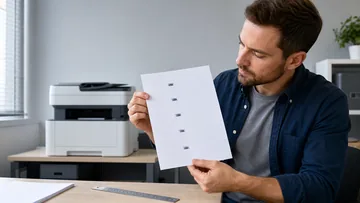
Full-screen solid colours make stuck or dead pixels jump out immediately. Worth running on any new monitor or laptop before you accept it.
Webcam tester
A quick preview confirms the camera works, which app is holding it, and how your lighting looks — useful before an important call rather than during it.
A few tips for using them
- Grant permissions only while testing, and revoke them in your browser settings if you like.
- Test in the conditions you care about. A mic or sound-level check in a quiet room tells you little about a noisy café.
- Remember the limits. Browser and phone readings are good estimates, not calibrated lab instruments.
The takeaway
You don't need a drawer full of diagnostic apps. A short bookmark folder of browser testers — keyboard, mic and sound level, speakers, screen, webcam — covers most of the "is this broken?" moments you'll ever have, and leaves nothing behind once you close the tab.





Reader discussion
Comments
Share what worked, what did not, or what you would test next. Every comment is reviewed before it appears.
Loading approved comments…
Leave a comment
No account or sign-in is required. Links and HTML are not accepted.