Button testing
Track left, middle, and right clicks with precise counters.
Mouse diagnostics suite
Verify left, middle, and right clicks, check scroll direction, and reset instantly. No downloads. No signups.
Track every click with reliable counters.
Confirm wheel behavior and direction instantly.
Primary tester
Use the live tool below to validate clicks, scroll, and status.
Mouse diagnostics
Check clicks, scroll, and responsiveness in a single focused panel.
Track left, middle, and right clicks with precise counters.
Verify scroll wheel input and direction instantly.
See live pressed/released states for each input.
Clear counts and start over with a single action.
Simple workflow
Run a full check in under a minute and confirm every input.
Use left, middle, and right clicks to verify response.
Spin the wheel to confirm direction and count.
Clear counters and retest after adjustments.
Explore the full suite for keyboard, mouse, audio, and utilities.
Language support: The Keyboard Tester is the only tool with translated interfaces (Arabic, Russian, Spanish, French, Portuguese, Japanese, German, Korean). All other tools are currently English-only.
Test keyboard functionality, detect ghosting, measure latency, check for stuck keys
Test your keyboard Arabic Keyboard TesterTest Arabic keyboard layout and key response in an Arabic-first interface
Test Arabic layout Mouse TesterCheck mouse buttons, scroll wheel, cursor movement, and responsiveness
Test your mouse Mouse Speed TesterMeasure your click speed (CPM or CPS) with timed tests
Check click speed Mouse Sensitivity / DPITest DPI, sensitivity, and tracking accuracy
Test DPI settings Mouse TrailVisualize mouse movement trails and precision
View mouse trails Ghost Click DetectorDetect unintended or phantom clicks
Detect ghost clicks Typing Speed TestMeasure WPM, accuracy, and typing consistency
Check typing speed Latency CheckerTest device and input latency in your browser
Measure latency Screen TesterDetect dead, stuck, or hot pixels on screens
Test your screen Webcam TesterCheck webcam quality, resolution, and snapshots
Test your webcam Mic TesterVerify microphone input and audio levels
Test your microphone Headphone / Speaker TesterTest stereo channels and sound output
Test audio output OCR ToolExtract text from images quickly
Extract text now QR Code ReaderScan QR codes with camera or image upload
Scan QR codes QR Code GeneratorCreate custom QR codes instantly
Create QR code WhatsApp Link GeneratorCreate clickable WhatsApp chat links
Generate chat link WhatsApp Brand LinksCreate branded WhatsApp links and QR codes
Create brand link WhatsApp Sentiment AnalyzerAnalyze chat sentiment and tone
Analyze sentiment Password GeneratorCreate strong, secure passwords instantly
Generate passwordAn online mouse tester is a browser-based diagnostic tool that verifies whether your mouse buttons, scroll wheel, and sensor are working correctly. Our free mouse test detects and displays every input in real time, helping you identify hardware problems without installing any software.
The tool monitors left clicks, right clicks, middle clicks, side button presses (Mouse 4/5), and scroll wheel events. Each action highlights visually on screen, making it easy to spot buttons that don't register, double-click issues, or scroll problems.

Use this mouse tester when troubleshooting issues, verifying a new mouse works before the return window closes, or documenting problems for warranty claims. It works with any mouse: wired, wireless, gaming, office, or trackball.
Detecting mouse problems early saves frustration and money.
Follow this systematic approach to check every mouse function.
Here are the issues our mouse tester helps diagnose and how to resolve them.
Single clicks register as multiple clicks. Use our dedicated ghost click detector for detailed diagnosis.
Clicks don't register, especially rapid ones.
Scrolling skips, reverses, or stops working.
Pressing scroll wheel doesn't register.
Pointer moves erratically or without mouse movement.
Competitive gaming demands reliable mouse performance. Here's what gamers should test.
Before competitive play, also test your mouse DPI for optimal sensitivity:
Before ranked matches or tournaments:
Reliable mouse performance prevents productivity loss in professional settings.
If the tester doesn't work as expected, try these solutions.
First, make sure you're clicking inside the test area and the browser window is focused. Try a different browser if clicks still don't register. If the mouse doesn't work anywhere on your computer, check the USB connection or replace batteries for wireless mice.
Yes. Our tester works identically with wired and wireless mice. Ensure your wireless receiver is connected or Bluetooth is paired. If experiencing issues, move the receiver closer to the mouse and check battery level.
Yes. Touchpad clicks, taps, and scrolling register the same as mouse inputs. You can test tap-to-click, physical buttons, and two-finger scrolling. Some touchpad gestures may not register as standard mouse events.
This is usually caused by worn micro-switches inside your mouse. The switch contacts don't properly debounce, sending multiple signals. Try updating drivers and adjusting Windows double-click speed first. If it persists, the switch needs replacement or it's time for a new mouse.
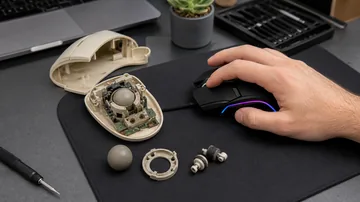
Dust or debris is likely inside the scroll wheel encoder. Try blowing compressed air into the gap around the scroll wheel. If that doesn't help, the encoder may be worn. Some mice allow encoder cleaning with disassembly, but many require replacement.
Replace your mouse if: buttons double-click or miss clicks consistently, scroll wheel is unreliable, sensor causes jumping or drifting on clean surfaces, buttons are physically damaged, or the mouse disconnects frequently despite good batteries/connection.

Our test shows click registration, which helps identify some latency issues (missed clicks during fast input). For precise latency measurement, you'd need specialized hardware like a high-speed camera or dedicated input lag testing equipment.
Some mice program side buttons to send keyboard shortcuts instead of mouse events. Check your mouse software - if Mouse 4/5 buttons are bound to keyboard keys, they won't register as mouse clicks here. Reset them to default "Back/Forward" to test properly.
Yes. We detect the same click and scroll events that reach any application. If clicks register here, they'll register in games. If they don't register here, they won't work in games either. This makes our tester useful for diagnosing game input issues.
Test when you notice problems, after driver updates, or before competitive gaming sessions. For general use, testing every few months or when something feels wrong is sufficient. Heavy gamers may want to test weekly as part of setup verification.
Use this free online mouse tester to check mouse buttons, scroll wheel direction, and click accuracy in seconds.
Make sure the page is focused, then test again. If it still fails, try a different USB port or device.
Scroll up and down and watch the direction indicator and count to confirm consistent wheel input.
Yes. Rapidly click the button and watch the counter for unexpected extra clicks.
It works with trackpads too, but external mice give the most accurate results.
Click Reset to clear the counters and start a fresh mouse test.
All testing runs in your browser and does not upload data.