







Fast Answer
Yes—the PixArt 3327 is an on-paper downgrade from the original M42’s PixArt 3389. Its published ceiling drops from 16,000 to 6,200 CPI, from 400 to 220 IPS, and from 50 to 30 G. That does not prove the M42V2 tracks badly in real play. It means CHERRY traded sensor headroom for a much lighter 45 g solid-shell mouse at a $39.99 US launch price.
Disclosure: KeyboardTester.click did not receive, use, weigh, or benchmark this mouse. This is a source-based launch analysis, not a hands-on review or latency test.
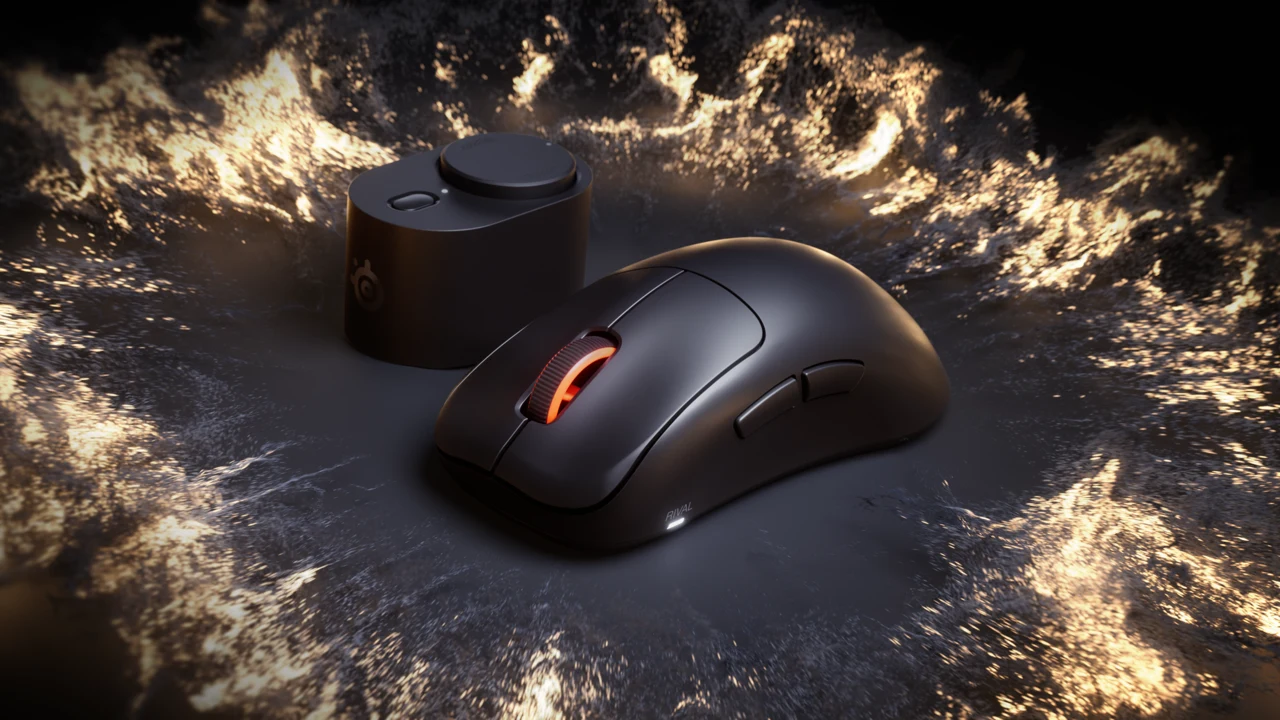
The full product name is CHERRY XTRFY M42V2. “Shell” is a feature, not part of the model name. CHERRY announced it on August 27, 2026 as the first release in a new mouse series. It keeps the compact symmetrical M42 idea and its two rear shapes, then removes the perforations and cuts the stated weight by 14 g.
That creates a more interesting decision than “new model equals better model.” At the official US prices checked on August 31, the M42V2 and discounted original M42 both appeared at $39.99. The new mouse wins clearly on weight and a clean solid body; the old mouse retains substantially higher published sensor limits, RGB, and a familiar track record.
Official M42V2 Product Video
This 36-second clip is CHERRY XTRFY’s own launch presentation. It confirms the exact product and modular-shell positioning; it is not an independent review or KeyboardTester.click test.

Exact Model, US Price, and Availability
The official CHERRY US page identifies the black wired model as JM-4200-2. The launch announcement set the price at $39.99 in the United States, and CHERRY’s US-facing product listing showed that same price when checked on August 31. Retail stock and delivery dates can change, so verify the exact model and seller before paying.
CHERRY XTRFY M42V2, black, wired; model JM-4200-2.
A budget ultra-light mouse—not a wireless or 8,000 Hz flagship.
$39.99 official US launch price, checked August 31, 2026 and re-checked September 4, 2026.
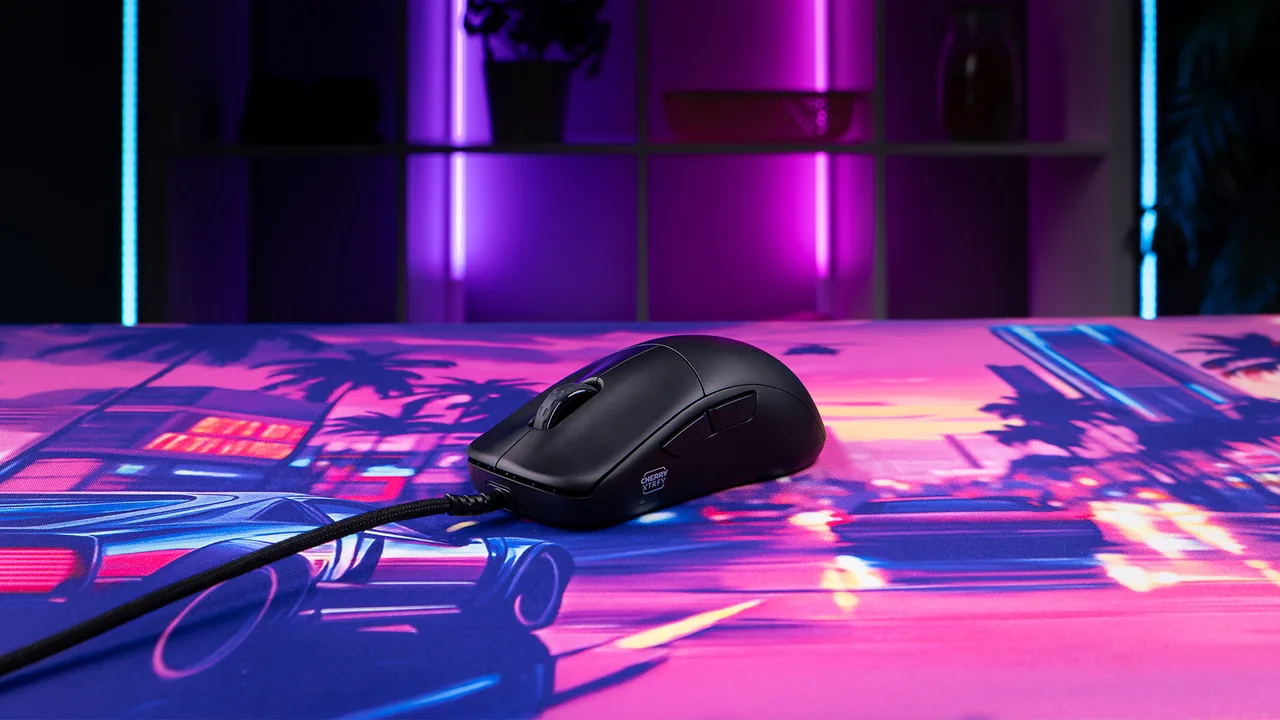
CHERRY XTRFY M42V2 Specifications
| Specification | M42V2 official value | What to notice |
|---|---|---|
| Weight | 45 g excluding cable | Do not compare this with a cable-included retail scale reading. |
| Dimensions | 118 × 62 × 38 mm | Compact symmetrical body with two rear-shell profiles. |
| Buttons | Six | Two main clicks, wheel/middle click, two side buttons, and a settings control. |
| Sensor | PixArt 3327 | Budget sensor with lower published limits than the original M42’s 3389. |
| CPI settings | 400–6,200 | Adjusted on the mouse; no software required. |
| Tracking limits | 220 IPS / 30 G | Published ceilings, not a KeyboardTester.click tracking result. |
| Polling settings | 125 / 250 / 500 / 1,000 Hz | No 2,000, 4,000, or 8,000 Hz mode. |
| Lift-off distance | 1 or 2 mm | Hardware setting; practical behavior can vary with the surface. |
| Debounce | 0 / 2 / 4 / 8 / 12 ms | Lower is not automatically better if it introduces repeat clicks. |
| Main switches | Huano Transparent Blue Shell Pink Dot, rated 80M | A component actuation rating, not a whole-mouse life guarantee. |
| Glides | UHMW-PE, PTFE-free | A material change from the original M42’s PTFE feet. |
| Cable | 1.8 m CHERRY XTRFY EZcord, USB-A | Wired only; actual drag depends on routing and desk setup. |
| Lighting | None | Part of the simpler, lighter design. |
M42V2 vs Original M42: What Changed?
| Feature | CHERRY XTRFY M42V2 | Original XTRFY M42 | Practical reading |
|---|---|---|---|
| Listed weight | 45 g, cable excluded | 59 g | V2 is 14 g lighter on the published figures. |
| Outer shell | Solid, no holes | Perforated | V2 removes the honeycomb openings while reducing weight. |
| Rear shells | Two, tool-free | Two | The adjustable shape is inherited, not invented by V2. |
| Sensor | PixArt 3327 | PixArt 3389 | The older model has the higher-spec sensor on paper. |
| Maximum CPI | 6,200 | 16,000 | Both exceed common 400–1,600 CPI gaming settings. |
| Maximum tracking | 220 IPS / 30 G | 400 IPS / 50 G | Old M42 keeps more high-speed and acceleration headroom. |
| Maximum polling | 1,000 Hz | 1,000 Hz | No headline polling-rate upgrade. |
| Main switches | Huano, 80M-rated | Omron, 20M-rated | Ratings describe switch qualification, not guaranteed lifespan. |
| Lighting | None | RGB | V2 favors simplicity and weight over lighting. |
| Glides | UHMW-PE, PTFE-free | PTFE | Different materials; feel cannot be judged from the spec sheet. |
| US price checked Aug. 31 | $39.99 launch price | $39.99 sale display | Recheck both—old-model discounts and stock can move quickly. |
The cleanest upgrade is physical: a solid body at 45 g. The clearest regression is sensor specification. Everything else is more conditional. Some buyers prefer no RGB and on-mouse controls; others will see them as fewer features. UHMW-PE may be a thoughtful PTFE-free choice, but a material name alone cannot establish glide speed, noise, wear, or consistency.
Is the PixArt 3327 Actually a Bad Choice?
The answer has two levels. As a component comparison, it is lower tier. The M42V2’s 220 IPS rating equals about 5.59 meters per second, while the original M42’s 400 IPS equals 10.16 meters per second. Its 30 G acceleration rating is also lower than 50 G. Calling those published limits equal would be inaccurate.
As a buying decision, the table is not enough. Most players do not use 6,200 CPI, let alone 16,000 CPI. Maximum CPI is therefore a weak proxy for aim quality. IPS and acceleration headroom matter more for low-sensitivity players making very fast swipes, but only controlled testing can show whether a particular implementation maintains clean tracking, stable counts, sensible smoothing, and predictable lift behavior.
A useful position is therefore: the 3327 is a cost-driven downgrade in published capability, but not automatically a deal-breaker at $39.99. Buyers who use moderate CPI and value a 45 g solid shell may accept the trade. Low-sensitivity competitive players who routinely make extreme swipes should wait for reputable instrumented reviews or test within a return window.
The Shell Story: What Is New and What Is Not
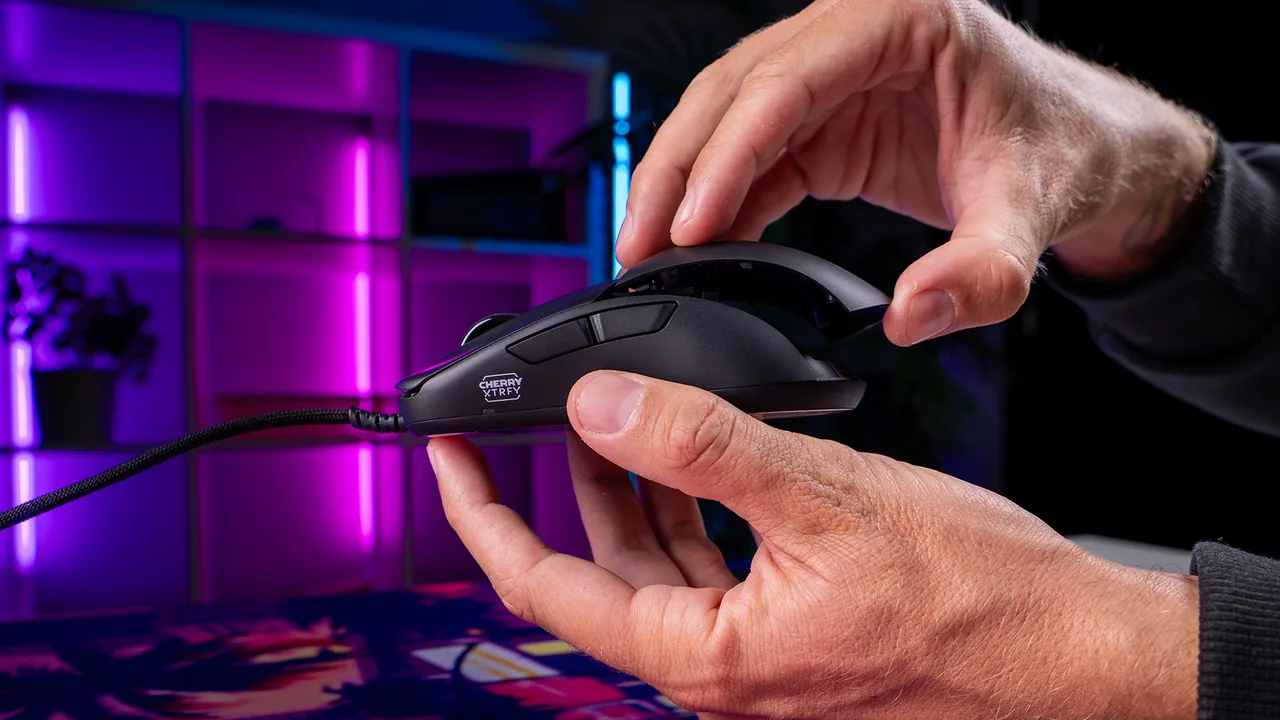
The M42V2 includes two rear shells that change the hump profile without screws or tools. One creates a lower rear; the other gives the palm more support. CHERRY describes support for palm, claw, and fingertip grips, but hand size and grip comfort remain personal and were not tested here.
The important correction is that the original M42 already offered two interchangeable rear shells. V2 does not invent the modular idea. It repackages it in a solid, hole-free body while cutting the published weight from 59 g to 45 g.
CHERRY’s launch testimonial from esports veteran Emil “HeatoN” Christensen says, The shape, the weight and the clicks just feel right.
That is a clearly attributed brand testimonial, not a substitute for independent fit, click-force, shell-flex, or long-term quality-control testing.
Switches, debounce, and no-software controls
The Huano Transparent Blue Shell Pink Dot switches carry an 80-million-actuation rating. That is four times the original M42’s published 20-million Omron rating, but neither number guarantees the assembled mouse will deliver that many flawless clicks. Switch binning, shell geometry, debounce, dust, wear, and electronics all affect the real result.
Debounce can be set from 0 to 12 ms. A 0 ms label sounds fastest, but the sensible target is the lowest setting that stays stable on your unit. CHERRY specifically recommends at least 8 ms for warranty-covered operation. Start there, test, and change one setting at a time.
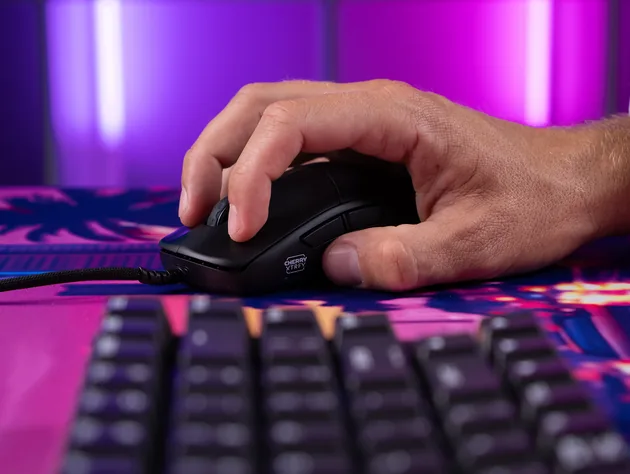
Who Should Buy, Keep the M42, or Wait?
- You want a very light wired mouse at a $39.99 launch price.
- You like the compact M42 shape but want a solid shell.
- 1,000 Hz and up to 6,200 CPI cover your actual settings.
- You prefer on-mouse controls and no configuration software.
- Your current unit tracks reliably and the 59 g weight is comfortable.
- You value the 3389’s higher published IPS/G headroom.
- You want RGB, PTFE feet, or the known behavior of your existing unit.
- A 14 g reduction is not worth replacing a working mouse.
- You are a low-sensitivity arm aimer worried about fast-swipe tracking.
- Click latency, shell rigidity, coating, or cable drag will decide the purchase.
- You need a clearly documented US warranty duration.
- You cannot buy from a seller with a practical return window.
Five Delivery-Day Tests for the M42V2
Run these checks on the same computer, browser, USB port, mouse pad, CPI, and Windows pointer settings. Save a baseline before changing CPI, polling, LOD, or debounce. One variable at a time makes a bad result easier to diagnose.
For the measurement limits behind the first check, read the mouse polling-rate test guide. For the wider 2026 market, the recent gaming-mouse launch roundup keeps broad launch intent separate from this exact-model comparison.
Source-Based Verdict
The CHERRY XTRFY M42V2 is not a straight technical upgrade. It is a deliberate redesign around three priorities: 45 g weight, a solid shell, and a $39.99 price. Those are meaningful, verifiable changes.
The compromise is equally clear: the PixArt 3327 has markedly lower published CPI, IPS, and acceleration limits than the original M42’s 3389. CHERRY also removes RGB and moves to PTFE-free UHMW-PE glides. None of those facts tells us how the retail mouse will feel or benchmark.
Bottom line: the M42V2 makes sense as a lightweight budget mouse for buyers whose real settings fit comfortably inside its 1,000 Hz and 6,200 CPI envelope. Original-M42 owners do not need to replace a reliable unit just because V2 exists. If fast-swipe sensor performance is the deciding factor, wait for independent instrumented data and use the return-window checks above on the exact unit you receive.
Sources and Evidence
Evidence disclosure: KeyboardTester.click did not receive a review sample and did not perform hands-on, weight, shell-flex, coating, click-force, switch-life, glide, USB-polling, sensor, firmware, or latency testing. Official specifications, prices, availability, images, and testimonials are attributed to CHERRY XTRFY. Price and stock facts were checked August 31, 2026, re-checked September 4, 2026, and can change.
- CHERRY XTRFY M42V2 launch announcement — August 27, 2026
Launch date, US MSRP, weight, shell system, sensor range, polling claim, switch rating, cable, on-mouse settings, testimonial, and official press photography.
- CHERRY US M42V2 product page
Exact model identity, dimensions, control ranges, component specifications, OS labels, official product photography, and current US price display.
- CHERRY XTRFY M42V2 product gallery
Official product angles, two-shell presentation, listed technical specifications, and current storefront link.
- Original XTRFY M42 product page
Original-model weight, PixArt 3389 limits, 1,000 Hz setting, Omron switch rating, RGB, PTFE glides, two-shell design, and current sale-price snapshot.
- Notebookcheck Gamescom first impressions
Limited independent launch-floor context. It is not used as the source for official specifications and is not presented as KeyboardTester.click testing.
- Official CHERRY XTRFY M42V2 video
Manufacturer’s 36-second product presentation, uploaded August 27, 2026; embedded above as official media, not an independent review.
CHERRY XTRFY M42V2 FAQ
Is the CHERRY XTRFY M42V2 sensor worse than the original M42 sensor?
On published specifications, yes: the M42V2 PixArt 3327 is rated for 6,200 CPI, 220 IPS, and 30 G, while the original M42 PixArt 3389 is rated for 16,000 CPI, 400 IPS, and 50 G. Those lower ceilings are an on-paper downgrade, but they do not prove that the M42V2 will lose tracking in normal use. That needs independent instrumented testing.
How much does the CHERRY XTRFY M42V2 weigh?
CHERRY lists the M42V2 at 45 g excluding its cable. The original wired M42 is listed at 59 g, so the published difference is 14 g.
Does the M42V2 support 1,000 Hz polling?
Yes. The official settings are 125, 250, 500, and 1,000 Hz. A browser polling test can compare browser-observed pointer-event consistency, but it cannot certify raw USB report rate or end-to-end click latency.
Does the M42V2 need configuration software?
No. CPI, polling rate, lift-off distance, and debounce are adjusted directly on the mouse. That keeps setup simple, but it also means there is no desktop profile editor for remapping or visual configuration.
Does the M42V2 include two rear shells?
Yes. Two tool-free interchangeable rear shells are included. This adjustable-shape idea is not new to the V2; the original M42 also shipped with two rear shells. The V2 change is the lighter solid, hole-free construction.
Is this a hands-on KeyboardTester.click review?
No. KeyboardTester.click did not receive, use, weigh, or benchmark the M42V2. This is a source-based launch analysis built from official specifications, current US listings, an official product video, and clearly labeled outside context.
Test the retail unit, not the marketing ceiling: start with the free Mouse Polling Rate Test at 1,000 Hz, save three repeatable runs, and then change only one M42V2 setting at a time.




Reader discussion
Comments
Share what worked, what did not, or what you would test next. Every comment is reviewed before it appears.
Loading approved comments…
Leave a comment
No account or sign-in is required. Links and HTML are not accepted.