













Quick answer
Keep a working Tartarus Pro if its thumb controls already suit your games. Consider the Tartarus V2 Pro when you specifically want the new TMR thumbstick, wider adjustable actuation range or different wrist-rest adjustment—and can give every essential action a comfortable new binding.
Rapid Trigger alone is not a reason to replace the original Pro: Razer already advertises that feature for it. Before paying the new model’s US$199.99 listed price, map out how you currently move, jump, hold modifiers and change weapons. Prices and specifications below were checked against Razer on September 22.
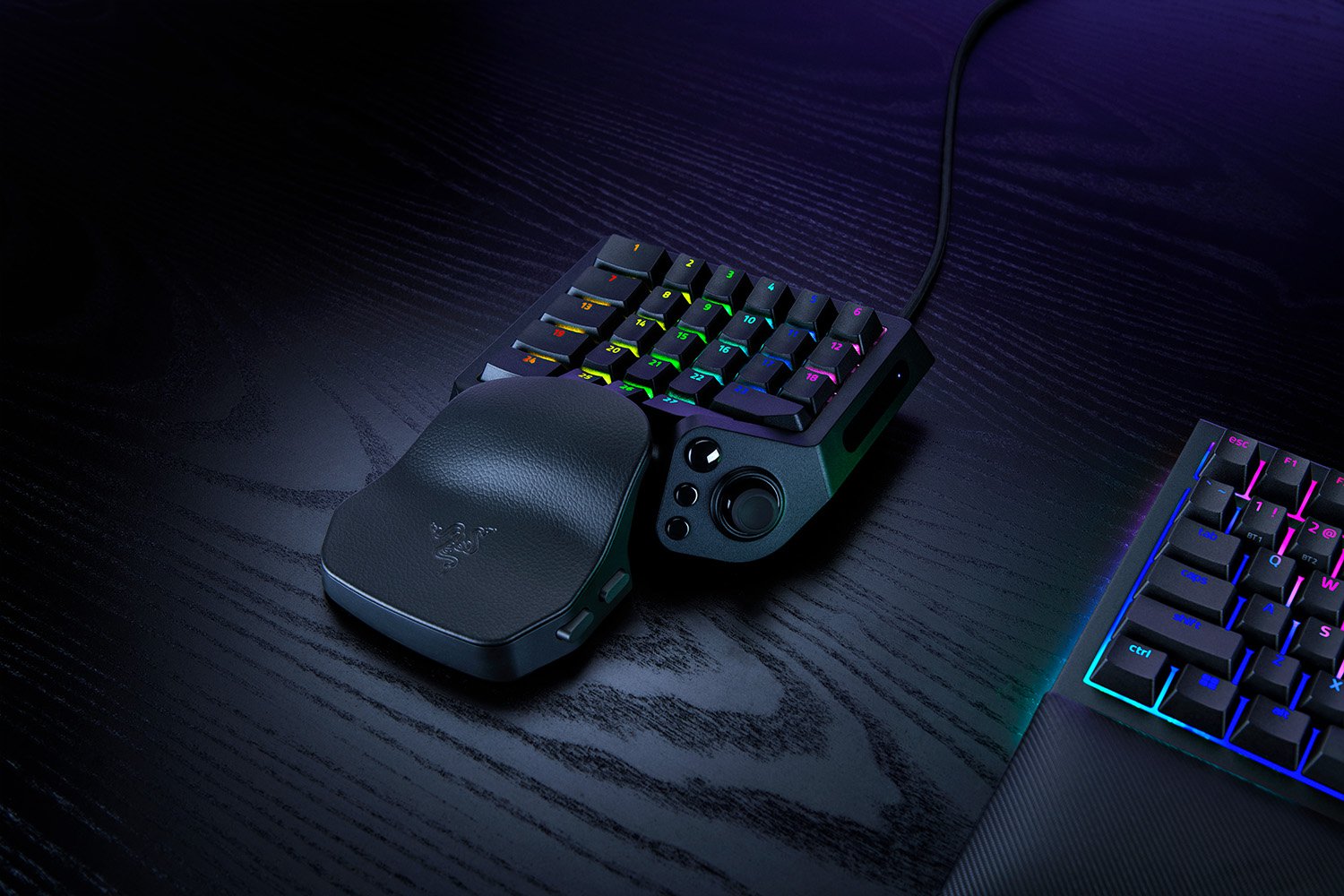
The most useful Razer Tartarus V2 Pro vs Tartarus Pro comparison starts with your left thumb. A familiar wheel, directional pad and jump control can be worth more to you than a newer specification sheet. A different stick can also be exactly the change you wanted—provided your game accepts the way you intend to use it.
This guide focuses on that buying decision. If your current keypad seems faulty, first check whether its mapped keys press and release correctly. For a wider shortlist, the one-handed gaming keyboard buying guide covers alternative designs.
First, make sure you are comparing the right Tartarus
Razer announced the Tartarus V2 Pro on September 17, 2026. Its model family is RZ07-0552. It is distinct from both the original Tartarus Pro and the older Tartarus V2. A search result that casually combines “V2” and “Pro” may be discussing the older devices; check the actual model before following setup advice.
| What matters | Original Tartarus Pro | Tartarus V2 Pro |
|---|---|---|
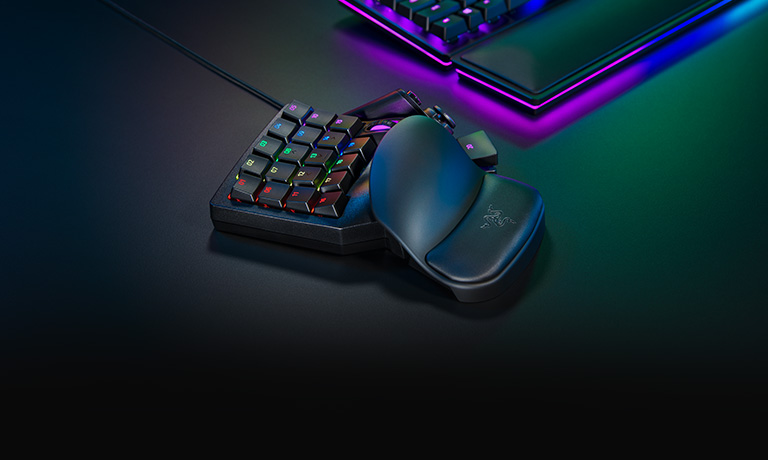
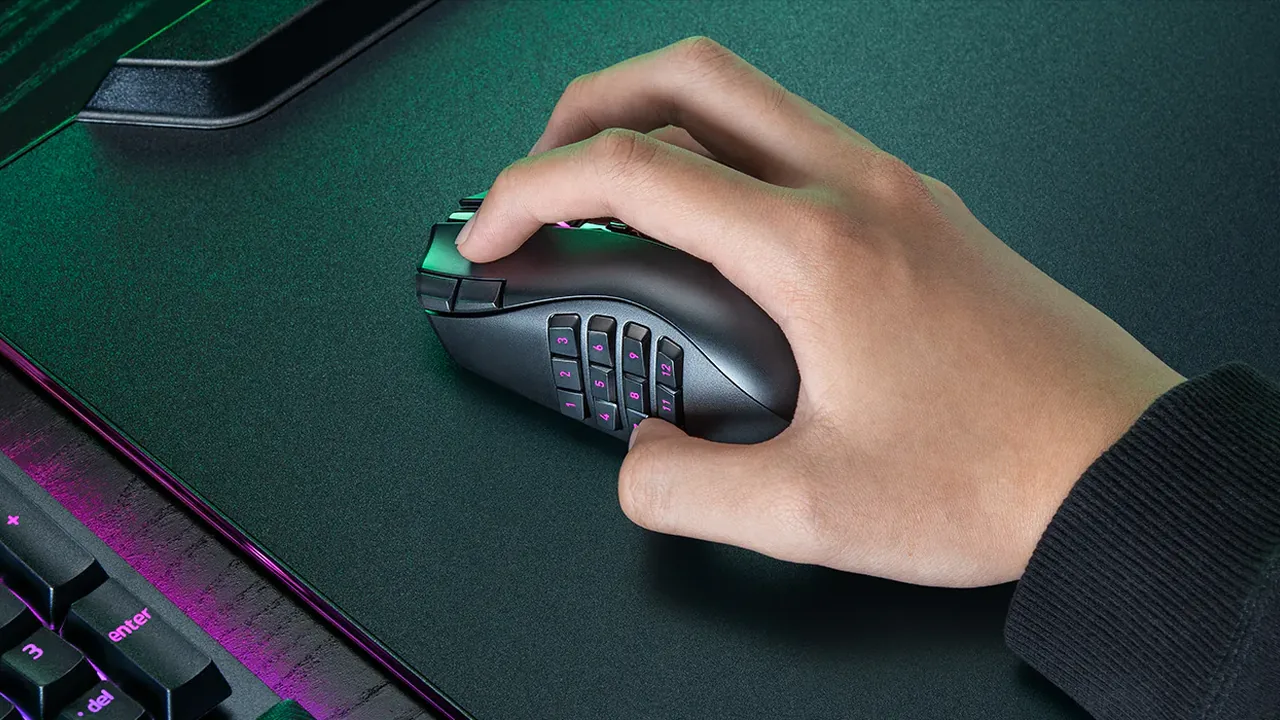
| Thumb controls | Eight-way directional pad; separate thumb button, scroll wheel and spacebar actuator listed in the device guide | TMR analog thumbstick with three dedicated buttons described by Razer; a changed control arrangement |
| Key actuation range | 1.5–3.6 mm | 0.1–4.0 mm |
| Rapid Trigger | Advertised on the current official Pro page; configure with supported Synapse software | Advertised with Analog Optical Switches Gen-2 |
| Advertised input count | 32 programmable keys | 31 programmable controls |
| Main upgrade question | Does the familiar layout already do the job? | Does the new stick and layout solve a specific problem? |
Sources: Razer’s original Pro page, original Pro device guide and V2 Pro product page. The two advertised counts use different wording; neither tells you whether your particular combination of actions fits your hand.
The thumb-control change matters more than the headline count
The original Pro’s directional pad and the new model’s analog stick are different input mechanisms. An eight-way control selects directions. An analog stick can describe displacement across a range, when configured and exposed that way. The original Pro’s analog keys do not turn its directional pad into an analog thumbstick.
Start with the tasks your thumb already performs. Do you hold forward while jumping? Keep a modifier pressed while selecting an ability? Use the wheel for weapon changes or zoom? An action being programmable does not mean its replacement is equally easy to reach while another control is held.
Compare the official physical diagrams before buying. Do not assume a scroll-wheel function or spacebar action keeps the same location, feel or simultaneous reach on the V2 Pro. Razer’s description of a new stick and three nearby buttons is a reason to examine the arrangement—not a guarantee that an old profile transfers unchanged.

Write your binding plan before ordering
Use this worksheet with your most demanding game. The entries are examples to replace with your own actions, not a recommended universal control scheme. A phone note or printed copy is enough; make the combinations explicit rather than relying on memory.
| Action | What must happen together? | Proposed new control | What counts as a pass? |
|---|---|---|---|
| Move | Move diagonally while aiming with the mouse | Choose digital directions or analog stick output | The game accepts the intended movement and mouse aim together |
| Jump | Jump without releasing movement | Pick a reachable button | No awkward release or missed action |
| Crouch or sprint | Hold or toggle while changing direction | Record the button and hold/toggle mode | The action starts and stops as intended |
| Modifier | Hold it while pressing your usual abilities | Check reach with the actual finger combination | Every required combination remains usable |
| Weapon cycle or zoom | Replace any wheel-dependent action | Decide between buttons and another available input | Both directions and any separate press action are covered |
| Extra thumb action | Use it without losing movement or jump | List the exact reassignment | No essential action is left unmapped |
A missing comfortable binding is a reason to wait. Do not buy on the assumption that an unfamiliar layout will automatically become better with practice. Conversely, if a real analog stick resolves the movement problem that sent you shopping, this worksheet gives you a focused way to evaluate it.
Rapid Trigger is shared; the adjustment range is different
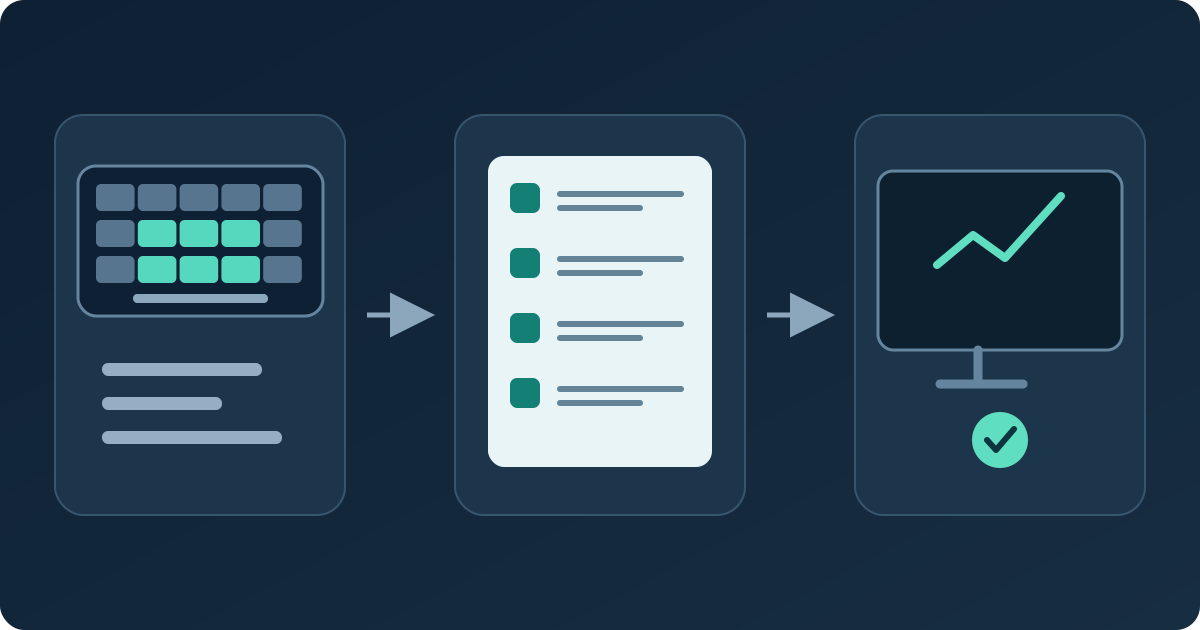
The current Tartarus Pro page already advertises Rapid Trigger and explains enabling it in supported Synapse software. A comparison that marks the old Pro “no Rapid Trigger” misses its present software support.
Actuation depth and Rapid Trigger sensitivity describe different things. Actuation is how far a key travels before activation at the chosen setting. Rapid Trigger changes resetting and reactivation in response to movement. A small number in either setting is not a measured reaction-time improvement for the person playing.
Razer lists the new model’s adjustable actuation as 0.1–4.0 mm, against 1.5–3.6 mm on the old Pro page. That wider range is useful if you need settings outside your current range; it does not make the lightest setting the best starting point. Begin with controllable settings and change one variable at a time. Our guide to actuation and Rapid Trigger settings explains the distinction in more detail.
The V2 Pro also advertises up to 8,000 Hz polling. Treat that as a manufacturer specification. A browser’s key events cannot certify raw USB polling, physical travel or end-to-end latency, and a higher advertised rate does not by itself establish a noticeable advantage in your game.
Switch sensing and switch feel are separate choices. Our guide to optical, magnetic and mechanical switch types explains that background without treating an analog thumbstick as a keyboard switch.
An analog stick does not guarantee mixed-input compatibility
A stick can be mapped to keyboard directions, or used through a controller-style configuration where supported. Those choices are not interchangeable. If it emits W, A, S and D, a browser sees digital keyboard events; it does not receive the stick’s full travel as an analog keyboard signal.
If your aim is analog movement plus mouse aiming, check the actual game with both inputs active. Try moving slowly, diagonally and at full travel while turning the camera. Then use jump, menus and the combinations from your worksheet. Some games handle mixed input differently, so success in a tester is not a compatibility certificate for every title.
Use the manufacturer’s current software and exact device instructions for setup. Confirm that your operating system and required configuration features are supported before purchase. Also check your game or competition rules before enabling input-automation features; the presence of a switch in software is not permission to use it everywhere.
Razer’s public pages differ on some profile-memory and onboard-configuration details at this check. We have not used those disputed claims to justify the purchase. If storing a particular setup without software is essential, obtain confirmation for that exact workflow before ordering.
Keep, consider upgrading, or wait?
The official US V2 Pro listing showed US$199.99 on September 22, 2026. Check the current offer and final delivery/tax total at checkout. That is a US reference price, not a converted local quote or a guarantee of stock in another country.
Keep the original Pro
Your essential combinations are comfortable, the device works correctly, and Rapid Trigger is the main feature you wanted. A familiar layout needs no replacement merely because a newer model exists.
Consider the V2 Pro
You want the new analog thumbstick or an actuation setting your Pro cannot provide, and the new control arrangement has a sensible place for every essential action.
Wait for clearer evidence
Your purchase depends on an unconfirmed game, operating system, profile-storage workflow or physical reach. Resolve that dependency before treating the upgrade as a solution.
Before ordering, save the exact seller’s return conditions and identify what you can realistically check during that period. “TMR” describes the sensing technology; it is not proof that the complete stick assembly can never wear, fail or need calibration. Likewise, adjustable wrist support is a feature to assess for fit, not a promise of comfort for every hand.
Check the delivered keypad in layers
- Start with simple keyboard mappings. Map a few controls to ordinary letters. In the keyboard event display, press and release each control separately. Check the expected key appears and does not remain held after release. Keep the test page focused.
- Try the combinations you actually use. Hold movement and your chosen modifier, then add jump or an ability. The simultaneous-key check can show which keyboard events reach the page. A failure here can involve mapping or browser/OS shortcuts as well as hardware.
- Check analog output only where exposed. If the configured device is presented as a controller to the browser, the gamepad axes display can show movement and return to center. If it is absent, first check the software mode and browser support; absence alone does not establish a defective stick.
- Practice digital movement, if that is your setup. With actual W/A/S/D mappings, use the short WASD movement games to spot awkward reaches or accidental direction changes. This is practice with digital inputs, not an analog-stick calibration or hardware-speed benchmark.
- Finish in your real game. Repeat the worksheet with mouse aiming, menus and your usual abilities. That final step answers the question a browser cannot: does the complete control scheme work for the way you play?
For a repeatable comparison, note the software version, mappings and settings, then change only one setting between attempts. You are checking behavior and usability—not deriving millimeters or milliseconds from a browser animation.
Tartarus upgrade questions
Is the Tartarus V2 Pro the same device as the Tartarus V2?
No. The V2 Pro announced in September 2026 is model family RZ07-0552. The older Tartarus V2 and original Tartarus Pro are separate products. Check the full model name before comparing specifications or following setup instructions.
Does the original Tartarus Pro have Rapid Trigger?
Yes. Razer’s current original Pro page advertises Rapid Trigger with supported Synapse software. Do not treat Rapid Trigger as a feature exclusive to the V2 Pro.
Will my old Tartarus bindings transfer unchanged?
Do not assume so. Even if the same actions can be assigned, the physical control arrangement and simultaneous reach may differ. Write down wheel, thumb-button, modifier and movement functions and verify each on the new layout.
Will the new analog stick work with mouse aiming in every game?
That is not guaranteed. It depends on the selected mapping, how the device is exposed and the game’s handling of mixed inputs. Test movement and mouse aiming together in the intended game.
Can a browser verify 8,000 Hz polling or 0.1 mm actuation?
No. Browser keyboard events can reveal received presses, releases and combinations, but do not certify physical actuation travel, raw USB report rate or end-to-end latency.
Who should keep an original Tartarus Pro?
An owner whose keypad works reliably, whose bindings are comfortable and whose required features already work has a strong reason to keep it. Upgrade for a specific useful change after checking the new layout, not simply for a newer model name.
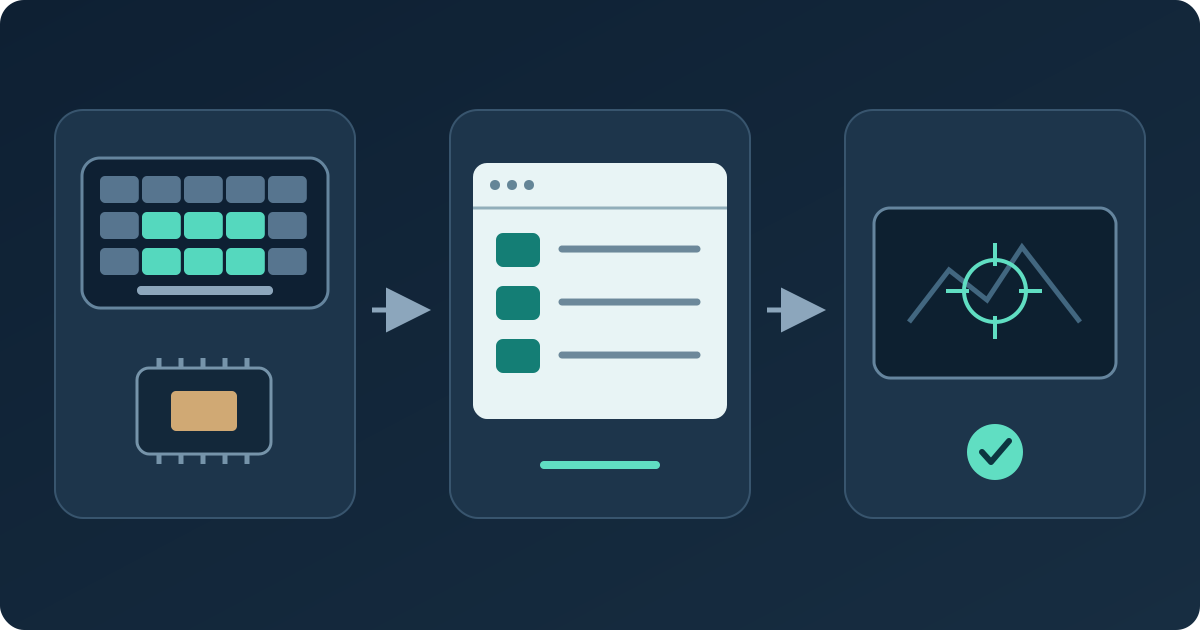
Research basis: official Razer pages and browser API documentation checked September 22, 2026. We have not handled or benchmarked either device for this comparison. The worksheet and checking sequence are editorial guidance. Product images credited to Razer are official Razer images; the explanatory diagrams are original KBT schematics, not product photographs. Price and software information can change.
Sources and verification
Manufacturer figures are attributed specifications. The API references explain what the browser can observe.
- Razer — September 17 Tartarus V2 Pro announcement
- Razer — Tartarus V2 Pro features and current US offer
- Razer — original Tartarus Pro features and Rapid Trigger
- Razer Support — original Tartarus Pro device overview
- Razer Support — V2 Pro overview and configuration details
- Wooting Support — game-dependent mixed-input limitations
- MDN — KeyboardEvent
- MDN — Gamepad axes
Start with the bindings you already have
Check ordinary mapped keys on your current keypad, then use the worksheet to decide what a replacement really needs to improve.
Check my mapped keys



Reader discussion
Comments
Share what worked, what did not, or what you would test next. Every comment is reviewed before it appears.
Loading approved comments…
Leave a comment
No account or sign-in is required. Links and HTML are not accepted.