












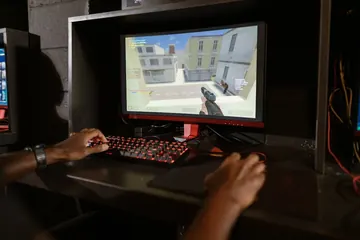




You're playing a fast-paced game. You hold W to run, tap Shift to sprint, hit Space to jump — and your character keeps running off ledges because the jump never fires. Or you're typing quickly and one letter in a three-key combo just… vanishes. That silent, intermittent key drop is keyboard ghosting, and it isn't a driver bug or a Windows problem — it's a hardware limitation baked into how your keyboard is wired.
This guide covers what keyboard ghosting actually is, the difference between ghosting and anti-ghosting keys, how to test your keyboard for it in 60 seconds, and every practical fix for desktop, gaming, and laptop keyboards — including exactly what to do on Windows 11.
An anti-ghosting keyboard is wired so common multi-key combinations register together instead of dropping a key. Full N-Key Rollover (NKRO) is the stronger version: every key can be held at once and still register. Test your board with the keyboard ghosting test, then confirm rollover limits with the N-key rollover test.
- What is keyboard ghosting? (simple + technical)
- Anti-ghosting keyboard meaning
- Anti-ghosting keys vs. N-Key Rollover (NKRO)
- How to test keyboard ghosting
- How to enable anti-ghosting / NKRO
- How to disable (or work around) ghosting
- Laptop keyboard ghosting — the real fix
- Keyboard ghosting fix for Windows 11
- What Reddit gets right (and wrong) about ghosting
- FAQ
What Is Keyboard Ghosting? (Simple + Technical)
Simple version: keyboard ghosting is when you press multiple keys at the same time and one or more of them fail to register on the computer. The key physically goes down — you feel the click — but the letter never arrives on screen. That missing keypress is the "ghost."
Technical version: inside every keyboard, the keys are wired into a matrix — a grid of rows and columns. A single keypress closes one row-column intersection and the controller reports that letter. When you press two keys on different rows and columns, the controller reads both correctly. But when you press three keys that form a rectangle on the matrix grid, current can flow in a loop that makes a fourth "phantom" key look pressed — and to prevent that false positive, the controller deliberately blocks one of the real keys. That blocked real key is the ghost.
Three things follow from this:
- Ghosting is hardware, not software. No driver update, OS setting, or BIOS tweak can create anti-ghosting on a keyboard that was wired without it.
- It's combination-specific. The same keyboard can handle W+A+S but drop W+A+D. Which combos ghost depends entirely on how the matrix is laid out.
- It's not random. The keys that ghost on your board will ghost consistently. If you can figure out which combo is failing, you can usually work around it.
Three different problems people confuse: Ghosting is missing keys during multi-press. Key chatter is one press that registers as two (double letters). Stuck keys is a key firing continuously without being held. Each has its own fix — if you're getting double letters, see our guide on how to fix key chatter, not this one.
Anti-Ghosting Keyboard Meaning
An anti-ghosting keyboard is not a keyboard that creates extra keys or blocks accidental inputs. It is a keyboard whose matrix is designed to avoid dropped keys in important multi-key combinations. On a gaming board, the protected cluster usually includes WASD, Shift, Ctrl, Space, number keys, and nearby action keys. That is why two keyboards can both say “anti-ghosting” but behave very differently in a real game.
The practical way to read the term is this: anti-ghosting usually means “important combos are protected,” while NKRO means “all keys are protected.” If your keyboard box only says anti-ghosting, test the exact keys you use. If it says NKRO, verify that NKRO mode is enabled, especially over USB.
Anti-Ghosting Keys vs. N-Key Rollover (NKRO)
Once you understand ghosting, the marketing terms on keyboard boxes start making sense. Here's what each one actually means:
| Term | What It Actually Means | Typical Use |
|---|---|---|
| Anti-ghosting (partial) | A specific cluster of keys — usually WASD + Shift, Ctrl, Space — is wired so any combination of those keys registers. The rest of the keyboard still ghosts. | Mid-range gaming keyboards, most laptop gaming models. |
| 6-Key Rollover (6KRO) | Any 6 keys held at once will register (plus modifiers like Shift/Ctrl/Alt/Win). This is the USB HID specification default. | Standard wired office keyboards, default mode on many gaming boards. |
| N-Key Rollover (NKRO) | Every single key on the keyboard can be pressed simultaneously and all will register. No ghosting anywhere. | High-end mechanical keyboards, most custom QMK/VIA builds. |
A common mistake: people assume "anti-ghosting" always means NKRO. It doesn't. A keyboard advertised as "anti-ghosting" might only guarantee 6–12 anti-ghosting keys in the gaming cluster and still ghost everywhere else. If you need zero ghosting anywhere on the board, look specifically for "N-Key Rollover" or "NKRO" on the spec sheet.
Wireless keyboards often drop from NKRO on USB to 6-Key Rollover over Bluetooth because the BT HID profile only carries 6 keys. If your keyboard ghosts on BT but not on cable, that's why — not a defect.
How to Test Your Keyboard for Ghosting
Before spending money on a new keyboard — or blaming software — confirm it's actually ghosting. A 60-second test tells you exactly which combos your keyboard can and cannot handle.
Use the free Keyboard Ghosting Test. Here's the protocol:
- Open the ghosting test page and click anywhere in the test area to focus it.
- Press and hold these keys all at once: W + A + Shift + Space.
- Look at the on-screen keyboard. Every key you're pressing should light up in real time. If one is missing, that combination is being ghosted.
- Release, then try W + A + D (this is the classic test — many budget keyboards drop the D).
- Try your most-used gaming combinations: Ctrl + Shift + W, Space + Ctrl + W, and any three-key macro you rely on.

If every combination registers, your keyboard is either fully anti-ghosting in those clusters or supports NKRO. If any single key is missing, you've reproduced ghosting. Write down which combos fail — you'll need that list to decide whether the keyboard is usable for your workflow or needs replacing.
Don't just test WASD. Test the exact combinations your game binds use — melee attack while running and reloading, crouch + strafe + fire, or whatever your muscle memory chains together. A keyboard can pass the WASD test but still ghost on your three-key bind.
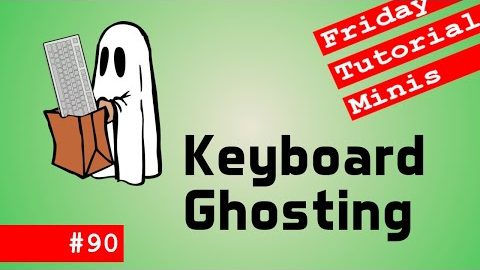
Watch this short explainer (under 3 minutes)
If you prefer a quick visual rundown of what's happening inside the keyboard matrix, this NERDfirst video walks through ghosting with clear diagrams:
How to Enable Anti-Ghosting on a Gaming Keyboard
If your keyboard supports anti-ghosting or NKRO but ghosting still happens, the feature is probably disabled. Most gaming keyboards ship in 6-Key Rollover mode by default because BIOS-level compatibility requires it — they need to be switched to full NKRO mode manually. Here's where the toggle lives for the major brands:
| Brand | Software / Shortcut | Setting Path |
|---|---|---|
| Razer | Razer Synapse 3 | Keyboard → Performance → N-Key Rollover: On |
| Corsair | iCUE | Keyboard → Performance → BIOS mode / Full key rollover |
| Logitech | G HUB | Keyboard → Game Mode settings → N-Key Rollover |
| SteelSeries | SteelSeries GG | Keyboard → Illumination → Anti-Ghosting toggle |
| HyperX | NGENUITY | Keyboard → Game Mode → N-Key Rollover |
| Ducky / Keychron (QMK) | Function-key shortcut | Fn + N (Ducky) or Fn + Backspace (Keychron) toggles NKRO |
| ASUS ROG | Armoury Crate | Keyboard → Game Mode → NKRO |
After switching to NKRO, run the ghosting test again to confirm the change actually took effect — manufacturer software sometimes saves the setting but fails to push it to the keyboard's firmware until you unplug and replug.
A small number of older or embedded BIOSes can't read a keyboard in full NKRO mode. If enabling NKRO means your keyboard stops working in the BIOS setup screen or boot menu, switch back to 6KRO — you'll still have anti-ghosting on the gaming cluster, which covers 99% of real-world combos.
How to Disable Keyboard Ghosting
Strictly speaking, you can't "disable" ghosting — ghosting is the absence of anti-ghosting hardware, not a feature you can turn off. What people usually mean when they search "how to disable keyboard ghosting" is: stop my keys from being dropped during multi-press. Here's the ordered list of things to try:
- Enable NKRO mode in your keyboard's software (see table above). This is the only true fix on supported hardware.
- Update the keyboard firmware. Some ghosting issues are bugs in older firmware. Check the manufacturer's site for the latest version.
- Switch from Bluetooth to USB cable. BT HID only supports 6-Key Rollover on most keyboards; wired drops the bottleneck.
- Try a different USB port (preferably a direct motherboard port, not a hub). Some USB 2.0 hubs cap polling in ways that look like ghosting.
- Rebind the problem combo in your game to keys that don't ghost. If W+A+D ghosts but W+A+E doesn't, rebind "move right" to E. This is free and instant.
- Replace the keyboard if NKRO is unavailable and rebinding isn't acceptable. Any modern mechanical gaming keyboard under $80 has full NKRO over USB.
How to Fix Laptop Keyboard Ghosting
Here's the hard truth about laptop keyboard ghosting: most laptops will always ghost, and there's no firmware or software fix. Laptop manufacturers use a cost-reduced membrane matrix that supports only 2–3 simultaneous keypresses reliably. The keyboard has to fit in a 5mm chassis and cost under $10 to build — anti-ghosting circuitry adds thickness and cost that doesn't justify itself for the average user.

The three laptop categories
- Standard laptops (MacBook, ThinkPad, Dell XPS, HP Spectre, etc.): No anti-ghosting. Expect key drops on any three-key combo. Fine for typing and productivity — not for gaming.
- Gaming laptops with advertised anti-ghosting (Razer Blade, ASUS ROG, MSI Raider, Alienware m-series): The WASD cluster plus modifiers is guaranteed. Other keys still ghost. Good enough for most gaming.
- Gaming laptops with per-key mechanical switches (MSI Titan GT77, a few high-end Raiders): Full NKRO, identical to a desktop gaming keyboard. Very rare, costs $2,000+.
The practical fix
If ghosting is blocking your gaming or heavy typing on a laptop that doesn't advertise anti-ghosting, the only real solution is an external USB or wireless keyboard. Any gaming keyboard under $80 will fix this entirely and work alongside the built-in laptop keyboard — Windows and macOS both support multiple keyboards with no configuration. Verify the new keyboard with our ghosting test the moment you plug it in so you know exactly what combinations it can handle.
Keyboard Ghosting Fix for Windows 11
Searches for "keyboard ghosting fix Windows 11" imply the problem is an OS-level issue — it isn't. Ghosting happens inside the keyboard before Windows ever sees the signal. But Windows 11 does have three settings that make ghosting symptoms worse, and turning them off is a useful first step before blaming the hardware.

- Turn off Filter Keys. Press Win + I → Accessibility → Keyboard. Toggle Filter Keys to Off. Filter Keys intentionally ignores keystrokes that come in too fast — exactly what looks like ghosting.
- Turn off Sticky Keys. Same menu. Sticky Keys makes modifiers behave unpredictably during multi-key combos.
- Disable the Sticky Keys keyboard shortcut (press Shift 5 times). If you accidentally triggered Sticky Keys during gameplay, disabling the shortcut prevents it happening again.
- Update the keyboard driver. Device Manager → Keyboards → right-click → Update driver. Rarely the fix, but worth 30 seconds.
- Disable USB Selective Suspend for the keyboard's USB hub. Control Panel → Power Options → Advanced → USB settings. This stops Windows 11 from powering down the keyboard controller between inputs.
After those five settings, run the ghosting test again. If the same combinations still drop keys, the bottleneck is the keyboard itself — move to the NKRO toggle section above or accept that the board doesn't support full rollover.
What Reddit Gets Right (and Wrong) About Keyboard Ghosting
"What is keyboard ghosting reddit" is one of the top searches around this topic, and the community threads get a lot right — plus a few things worth fact-checking.
What Reddit gets right
- Most membrane keyboards, including all standard office boards, will ghost on three-key combinations somewhere on the board. Almost every r/MechanicalKeyboards thread on the topic agrees.
- NKRO over USB is effectively universal on modern gaming mechanical boards. You do not need to spend $200 for it — $70 gets you NKRO from brands like Keychron, Redragon, or Akko.
- Rebinding in-game keys is free and instantly fixes the specific combo your keyboard can't handle.
Common Reddit myths worth correcting
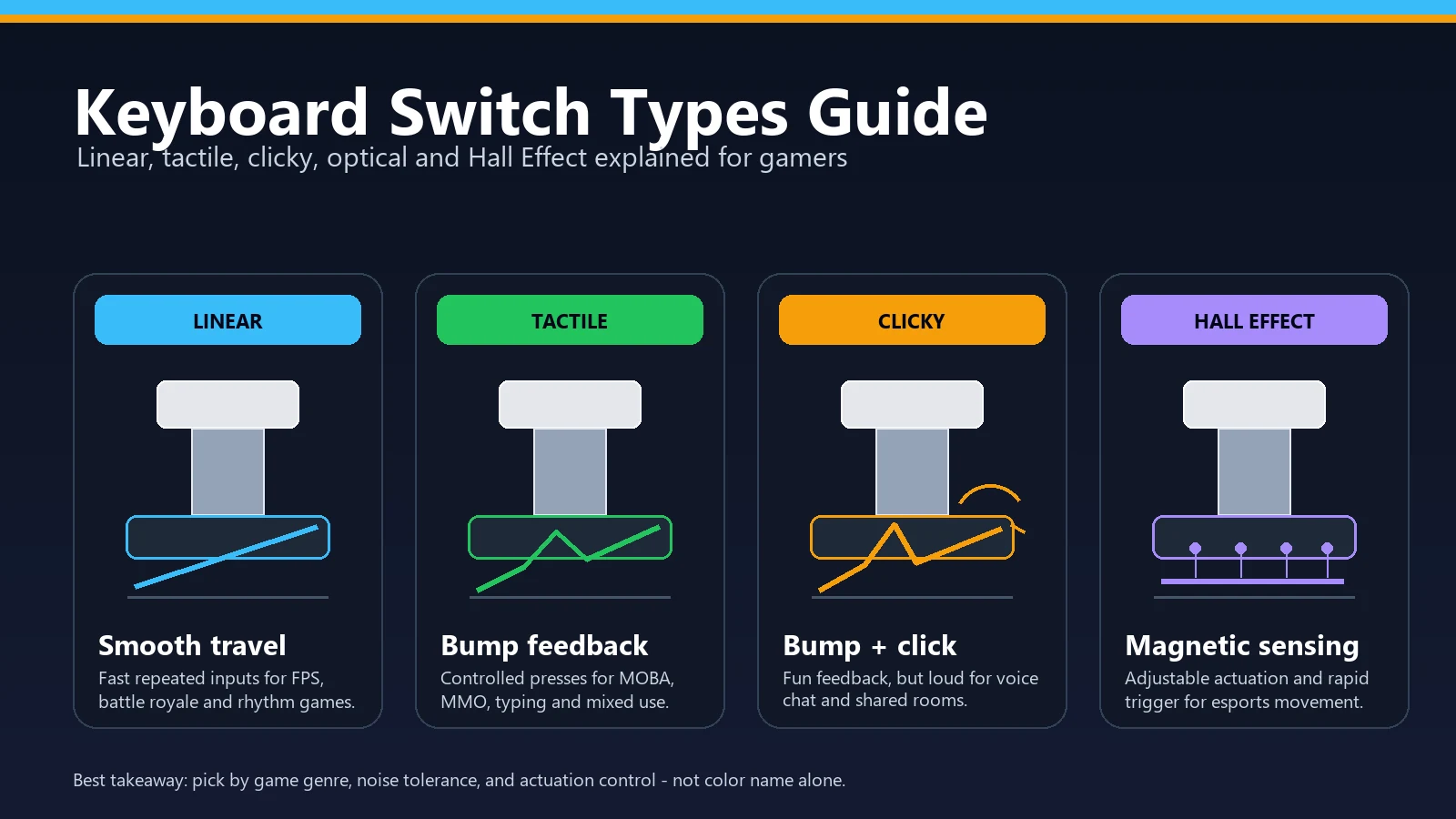
- "Optical switches fix ghosting." False. Optical switches (Razer, Wooting, Keychron K Pro) eliminate debounce, which affects key chatter — not ghosting. Ghosting depends on the matrix wiring, which is independent of switch type.
- "Ghosting gets worse as the keyboard ages." False. A keyboard's ghosting behaviour is fixed by its matrix design and does not change over time. What does get worse with age is key chatter, which is often confused for ghosting.
- "Windows has a 'max keys' setting I can change." False. The 6-key cap on 6KRO keyboards is the USB HID specification, not a Windows setting. There's no registry tweak that fixes this.
Not sure if your keyboard is ghosting or chattering? Here's the tell: ghosting drops keys you're pressing (missing letters). Chatter adds keys you didn't press (double letters). Run the ghosting test for the first, and the ghost-click detector (for mice) or our key chatter guide for the second.
FAQ — Quick Answers
Is keyboard ghosting dangerous for my keyboard?
No. Ghosting is a detection limit, not damage. Pressing many keys at once on a non-NKRO keyboard does nothing harmful — the keyboard simply stops reporting extra keys. The keyboard itself is fine.
Why do gaming keyboards have anti-ghosting but not the full keyboard?
Anti-ghosting on a partial cluster is dramatically cheaper to engineer than full NKRO on all 104 keys. Since 95% of competitive gaming uses only the WASD + modifier cluster, manufacturers hit the good-enough point at that subset. Cheap option, covers the use case.
Can I tell if a keyboard ghosts before buying it?
Yes. Check the spec sheet for the exact phrase "N-Key Rollover" or "NKRO" — anything less (including "anti-ghosting" on its own) guarantees only partial ghosting resistance. Also check the wired-vs-wireless spec — many wireless boards are NKRO only on USB and 6KRO over Bluetooth.
Does mouse ghosting exist too?
Kind of — but the term refers to something different. On a mouse, "ghost clicks" mean the mouse registers clicks the user did not make, usually from a failing switch or debounce bug. That's closer to keyboard chatter than keyboard ghosting. If you're seeing spurious mouse clicks, run the ghost-click detector.
My keyboard ghosted on the test — do I need a new one?
Depends on whether the ghosted combos matter to you. If ghosting shows up on combos you never actually use, ignore it. If it blocks your gaming binds or your programming shortcuts, the fastest path is a $60–80 mechanical gaming keyboard with NKRO over USB. Retest the new keyboard with our ghosting test the moment you plug it in to confirm.
How do I test my keyboard for ghosting?
Use a free online keyboard ghosting test. Open keyboardtester.click/keyboard-ghosting-test.php, then hold 3–5 keys down at the same time — for example W + A + Shift + Space. If every key you pressed lights up on the on-screen keyboard, no ghosting. If some keys are missing, those combinations are being ghosted and the keyboard cannot handle that specific multi-key press.
How to disable keyboard ghosting?
You cannot "disable" ghosting because ghosting is the absence of anti-ghosting hardware. What you can do is switch the keyboard to N-Key Rollover mode if it supports it, so no keys are dropped. On keyboards that do not support NKRO at all, the only fix is to replace the keyboard with one that advertises NKRO or full anti-ghosting.
Related guides & tools
- Free Keyboard Ghosting Test — live browser tool to find the exact combos your keyboard drops.
- Ghost Click Detector — do the same test for your mouse's double-click and phantom click behaviour.
- Keys Typing Double Letters? Key Chatter Fix Guide — if your problem is extra keystrokes rather than missing ones.
- Keyboard Not Typing, Lagging, or Sticky? — for broader keyboard-input issues.
- Main Keyboard Tester — test every key on your board.
Quick Action Checklist
- Test once in a clean browser tab.
- Retest after changing ports, wireless mode, or device settings.
- Use the focused tool that matches the symptom, not only the general tester.
- Keep screenshots or notes when comparing hardware.





Reader discussion
Comments
Share what worked, what did not, or what you would test next. Every comment is reviewed before it appears.
Loading approved comments…
Leave a comment
No account or sign-in is required. Links and HTML are not accepted.