Keyboard rollover diagnostics

Free Open Source N-Key Rollover Test Online

Measure how many simultaneous key presses your keyboard can handle. Check whether your board behaves like 2KRO, 6KRO, or full NKRO using the live tester below.

Simultaneous keys Gaming friendly Browser based
2KRO+ Compare limits
Live Key feedback
0 Software installs
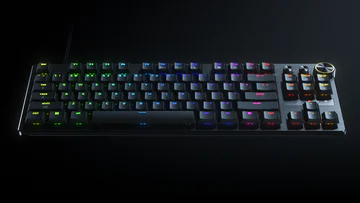
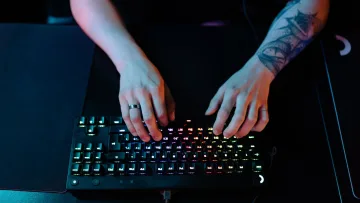
N-key rollover checker showing multiple key press feedback
Good for gamers

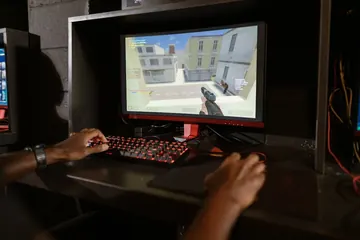
Check whether movement, sprint, crouch, and ability combos register together.

Good for typists

Fast typists can verify whether heavy key overlap causes missed inputs.
Live keyboard test

N-Key Rollover Checker

Use the full keyboard tester below and hold more keys together each round to find your keyboard rollover limit.

Key History
🐟
💧
🐭
🧶
🥫
🍗
🍬
🪙
🏆
🐱
Press keys to feed me!
😺 Hungry
Treats: 0/10 0%
📱 Mobile Keyboard Tester
Q
W
E
R
T
Y
U
I
O
P
A
S
D
F
G
H
J
K
L
Z
X
C
V
B
N
M
1
2
3
4
5
6
7
8
9
0
Space
.
,
@
!
?
Characters Typed 0
Unique Keys 0/42
Tip: Use your device's keyboard (appears when you tap the input field above). Each key you press will light up on the visual keyboard!
Caps
Num
Scroll
Immediate feedback
Count how many keys stay lit during each combo
Works on common keyboards
Useful for office, laptop, wireless, and gaming boards
No setup friction
Open the page and start testing rollover
Repeatable results
Try different rows, modifiers, and layouts

Rollover-focused testing

What an NKRO Test Tells You

Rollover testing is about how many keys the hardware can report together without dropping inputs.

2KRO vs 6KRO vs NKRO

Understand whether your keyboard is limited to a few keys or handles large combinations well.

Gaming readiness

Some keyboards advertise anti-ghosting but still fail on specific movement combinations.

Modifier stability

Test how Ctrl, Shift, Alt, and Space affect the total number of recognized presses.

Shortcut reliability

Work users can verify whether complicated shortcuts fail during heavy use.

Simple workflow

How to Check N-Key Rollover

Start small, then keep adding keys until the on-screen keyboard stops matching what your fingers are pressing.

N-key rollover test step 1 verify normal single key input
01

Verify single keys first

Make sure the board works normally before testing large combinations.

N-key rollover test step 2 hold more keys together
02

Add keys gradually

Start with two keys, then three, four, and more while watching the live highlights.

N-key rollover test step 3 compare how many keys stay active
03

Find the limit

When a held key disappears, you have reached the rollover boundary for that zone or combo.

More testing tools

Explore the full suite for keyboard, mouse, audio, and utilities.

Language support: All major tools are available in 8 languages - Arabic, Russian, Spanish, French, Portuguese, Japanese, German, and Korean. Select your language from the header menu to switch.

Keyboard
Keyboard Tester

Test keyboard functionality, detect ghosting, measure latency, check for stuck keys

Test your keyboard
Keyboard
Arabic Keyboard Tester

Test Arabic keyboard layout and key response in an Arabic-first interface

Test Arabic layout
Keyboard
Typing Speed Test

Measure WPM, accuracy, and typing consistency

Check typing speed
Keyboard
Latency Checker

Test device and input latency in your browser

Measure latency
Keyboard
Spacebar Speed Test

Count how many spacebar presses you can make in 5, 10, or 30 seconds

Test your spacebar
Keyboard
Key Repeat Rate Tester

Measure your keyboard key repeat rate (Hz) and initial delay (ms) in your browser

Test repeat rate
Keyboard
Typing Rhythm Fingerprint

Visualize your inter-keystroke timing patterns and get a rhythm consistency score

Analyze rhythm
Keyboard
Keyboard Switch Sound Analyzer

Classify your mechanical keyboard switches as linear, tactile, or clicky using mic FFT analysis

Analyze sound
Mouse
Mouse Tester

Check mouse buttons, scroll wheel, cursor movement, and responsiveness

Test your mouse
Mouse
Mouse Speed Tester

Measure your click speed (CPM or CPS) with timed tests

Check click speed
Mouse
Mouse Sensitivity / DPI

Test DPI, sensitivity, and tracking accuracy

Test DPI settings
Mouse
Mouse Trail

Visualize mouse movement trails and precision

View mouse trails
Mouse
Ghost Click Detector

Detect unintended or phantom clicks

Detect ghost clicks
Mouse
Mouse Polling Rate Test

Check if your gaming mouse runs at 125Hz, 500Hz, 1000Hz or higher

Test polling rate
Mouse
Mouse LOD Tester

Measure your gaming mouse lift-off distance to optimize sensor performance

Test LOD
Display
Screen Tester

Detect dead, stuck, or hot pixels on screens

Test your screen
Display
Monitor Refresh Rate Test

Detect if your display runs at 60Hz, 144Hz, 240Hz or higher

Test refresh rate
Display
Monitor Color Test

Check color accuracy, gradient banding and backlight uniformity

Test colors
Display
Backlight Bleed Test

Check your LCD monitor for backlight bleed, IPS glow, and clouding

Test for bleed
Display
Touch Screen Test

Test for dead zones, ghost touches and multi-touch on phone or tablet

Test touch screen
Display
PWM Flicker Test

Check if your monitor uses PWM backlight dimming that can cause eye strain

Test for flicker
Camera
Webcam Tester

Check webcam quality, resolution, and snapshots

Test your webcam
Audio
Mic Tester

Verify microphone input and audio levels

Test your microphone
Audio
Headphone / Speaker Tester

Test stereo channels and sound output

Test audio output
Utility
OCR Tool

Extract text from images quickly

Extract text now
Utility
QR Code Reader

Scan QR codes with camera or image upload

Scan QR codes
Utility
QR Code Generator

Create custom QR codes instantly

Create QR code
Utility
Password Generator

Create strong, secure passwords instantly

Generate password
Utility
WhatsApp Link Generator

Create clickable WhatsApp chat links

Generate chat link
Utility
WhatsApp Brand Links

Create branded WhatsApp links and QR codes

Create brand link
Utility
WhatsApp Sentiment Analyzer

Analyze chat sentiment and tone

Analyze sentiment
Utility
All Tools

Browse all hardware testing tools in one place

View all tools
Gaming
Gamepad Tester

Test PS5, Xbox, Switch and PC controller buttons, stick drift and triggers

Test controller
Gaming
Reaction Time Test

Measure how fast you react with a browser-based millisecond reflex test

Test reaction time

What Is N-Key Rollover?

N-key rollover, commonly abbreviated NKRO, describes how many keys a keyboard can register simultaneously and report to the computer without dropping any input. A full NKRO keyboard can report every single key independently no matter how many are held at once, while lower rollover designs stop after two, six, or some other limited count of simultaneous presses.

This matters for competitive gamers who need sprint, crouch, and ability keys held together, fast typists whose finger overlap generates multiple simultaneous signals, rhythm game players who hold several notes at once, and professionals who rely on complex multi-key shortcuts.

USB vs PS/2 — Why Protocol Limits Matter for Rollover

The original PS/2 keyboard interface transmitted each key state independently in a continuous stream, so a PS/2 keyboard could naturally report every key held simultaneously — true NKRO by design. USB changed this.

The USB Human Interface Device (HID) specification for keyboards uses a fixed-size report packet. The standard boot-protocol packet reserves six bytes for simultaneous non-modifier key codes. That is where the "6KRO" limit for most USB keyboards comes from — not a hardware flaw, but a protocol constraint baked into the original HID report descriptor.

Keyboard manufacturers can work around this in two ways. First, they can define a custom HID report descriptor that uses a bitmask covering every key on the board, allowing NKRO over USB. Second, they can expose a PS/2-compatible mode over USB using an adapter. Both methods exist and work, but they require deliberate engineering choices. A budget USB keyboard that ships with the default boot-protocol descriptor will be limited to 6KRO for regular keys regardless of whether it uses mechanical switches.

2KRO, 6KRO, and NKRO Explained

  • 2KRO: Only two non-modifier keys are guaranteed to register simultaneously. Modifier keys (Shift, Ctrl, Alt, Win) are usually handled separately and do not count against this limit. Common on very old or inexpensive membrane keyboards.
  • 6KRO: Up to six non-modifier keys are registered at once. This is the USB HID default and is sufficient for the vast majority of typing and most gaming scenarios.
  • NKRO: The keyboard can register every key on the board simultaneously. Required for rhythm games, advanced gaming combos, and professional use cases where many keys are held at once.

Even keyboards marketed for gaming can behave differently depending on the specific keys involved. A keyboard that claims anti-ghosting may only guarantee NKRO in a specific gaming cluster (WASD, a few function keys) while the rest of the board stays at 6KRO. A live test is always more reliable than a marketing claim.

How to Find Your Keyboard's Rollover Limit

Use the live tester above. Start with two keys held simultaneously, then three, then four, increasing until the on-screen keyboard stops matching what your fingers are pressing. When one of the held keys disappears from the display, you have found the practical rollover limit for that particular combination and zone.

Important: rollover limits are often zone-specific. The WASD cluster may handle more simultaneous keys than the number row, or a keyboard may show full NKRO in a diode-protected gaming zone and 6KRO everywhere else. Test the specific keys you care about.

For a focused combo check instead of a maximum-capacity check, use the keyboard ghosting test. For checking individual stuck or repeating keys, see the stuck key test.

Common Problems and Solutions

  • Rollover limit drops after connecting via USB hub: Powered USB hubs generally do not affect HID rollover. Unpowered or poorly shielded hubs can occasionally corrupt HID packets. Test directly in a motherboard USB port to rule out the hub.
  • Keyboard advertises NKRO but test shows 6KRO: Many keyboards require a firmware switch or a special key combination to enable NKRO mode (often a Fn + key combo listed in the manual). Check the manufacturer's documentation for a gaming mode or NKRO toggle.
  • Modifier keys seem to reduce the non-modifier limit: Modifiers use separate bytes in the HID report, so they typically do not consume the six non-modifier slots. If you see limit changes with modifiers held, the keyboard may have a firmware quirk rather than a protocol issue.
  • Test shows fewer keys on wireless mode than wired: Wireless HID profiles sometimes use compressed report formats to reduce packet overhead. Check whether the keyboard has a wired + NKRO mode option that can be enabled via firmware.

N-Key Rollover FAQ

Do I need NKRO for normal typing?

Usually not. Most everyday typing and office shortcuts work comfortably within the 6KRO limit, since it is rare to hold six non-modifier keys simultaneously during normal text input. Gamers, rhythm game players, and users with complex shortcut needs are the most likely to benefit from full NKRO.

Why does the rollover result change with different keys?

Because the internal keyboard matrix assigns keys to different rows and columns. Rollover limits are often enforced per matrix zone rather than globally. Some rows and columns have diodes protecting every intersection; others rely on the default protocol limit.

Can I test rollover on a laptop keyboard?

Yes. Laptop keyboards are often exactly where users notice rollover and ghosting limits, particularly during gaming. The slim switch mechanisms and compact matrix designs in laptops frequently show lower rollover than standalone gaming keyboards.

Is 6KRO enough for gaming?

For most games, yes. Typical real-time game inputs rarely exceed four or five simultaneous keys. 6KRO becomes insufficient in rhythm games, fighting games with complex input sequences, or MMOs where many ability bindings are held together with modifiers.

How is N-key rollover different from anti-ghosting?

Anti-ghosting is a hardware design that prevents false phantom key signals in a matrix keyboard by adding diodes. NKRO is the practical result: with full anti-ghosting across every key, the keyboard can report all simultaneously held keys without dropping any. A keyboard can have partial anti-ghosting (only in specific zones) and therefore not achieve full NKRO on the whole board.

Online Keyboard Tester Guide

Use our free online keyboard tester to test every key with real-time feedback. Verify your layout and spot issues like ghosting or stuck keys in just seconds.

Start a keyboard test fast

  1. Click inside the tester and press any key on your keyboard.
  2. Confirm the key highlights and appears in the key history.
  3. Use Reset to clear results and run another test.

Pick layout + OS labels

  • Select QWERTY, AZERTY, Dvorak, or Colemak layout.
  • Toggle Windows or Mac labels to match your keyboard.
  • Your layout choice is remembered automatically.

Advanced checks + export

  • Open Advanced Options for stats, heatmap, and ghosting checks.
  • Run Test All Keys to confirm full key coverage.
  • Export results if you need a record for support.
Why doesn’t a key register in the keyboard tester?

Make sure the page is focused, press the key firmly, and confirm your OS language matches the selected layout.

Why are special keys not detected?

Keys like Fn and some media controls are handled by hardware and may not send browser events.

Does the keyboard tester work on mobile devices?

The tool works best on desktop keyboards. Mobile and tablet virtual keyboards may not send full key events.

Can I test keyboard ghosting or multiple key presses?

Yes. Press several keys together to see which keys register and identify ghosting issues.

How do I reset the keyboard test?

Click Reset, then refresh the page to clear any saved preferences.

Is the keyboard test private?

Tests run in your browser and are not uploaded to a server.