Free online frequency response and hearing test. Sweep 20 Hz to 20 kHz to find your personal audible range, test speaker and headphone response, and map hearing roll-off. Browser-based, no install.
Sweep 20 Hz to 20 kHz to map your personal hearing range and check how cleanly your speakers or headphones reproduce every band — from sub-bass to air.
🎧 Use good headphones or full-range speakers. Start at a low volume — sine tones at high volume can damage hearing fast, especially above 10 kHz.
0Hz
Ready
201005001k5k10k20k
Manual tone
Your hearing limits
Lowest audible—
Highest audible—
Audible span—
Age-typical ceiling—
Healthy 20-year-olds hear up to ~18-20 kHz; this drops ~2 kHz per decade (presbycusis). A 1 kHz ceiling likely means your speaker is rolling off, not your ears.
Was this tool helpful?Rate Frequency Response Test:5.0(1 rating)Thanks for rating!
Frequency Response Test is a free, browser-based frequency response and hearing test.
Cost: Free, no signup
Install: None — runs in the browser
Privacy: Runs locally, no uploads
Platforms: Windows, macOS, Linux, Android, iOS
Time: Under a minute
What the Frequency Response Test Measures
This tool generates pure sine tones from 20 Hz (the low edge of human hearing) up to 20 kHz (the high edge) using the Web Audio API. The sweep ramps logarithmically — the same scale audio engineers use for speaker response graphs — so equal portions of the readout represent equal ratios of frequency. When you mark the points where you first hear a tone and where it fades back into silence, you are measuring two things at once: the low and high limits of your hearing, and the low and high limits of whatever speaker, headphone, or earbud is playing it back. Whichever limit is tighter wins.
How Human Hearing Changes With Age
A healthy ear at 20 years old hears up to roughly 18-20 kHz. That ceiling drops by about 2 kHz per decade of life in a process called presbycusis — gradual, natural high-frequency loss. A 30-year-old typically hears to ~17 kHz, a 40-year-old to ~15 kHz, a 60-year-old to ~11-12 kHz. Hearing loss at the top of the spectrum is normal and usually does not affect music enjoyment much, because fundamentals of most instruments sit between 80 Hz and 5 kHz. But consistent results below 10 kHz can indicate damage from noise exposure, earbud-at-high-volume habits, or medication, and are worth discussing with an audiologist. For a guided version of this age check, run the hearing age test — it steps through 12 fixed tones from 8 to 22 kHz, including the 17.4 kHz mosquito tone, and estimates the age band your ears match.
Interpreting Your Low-End Limit
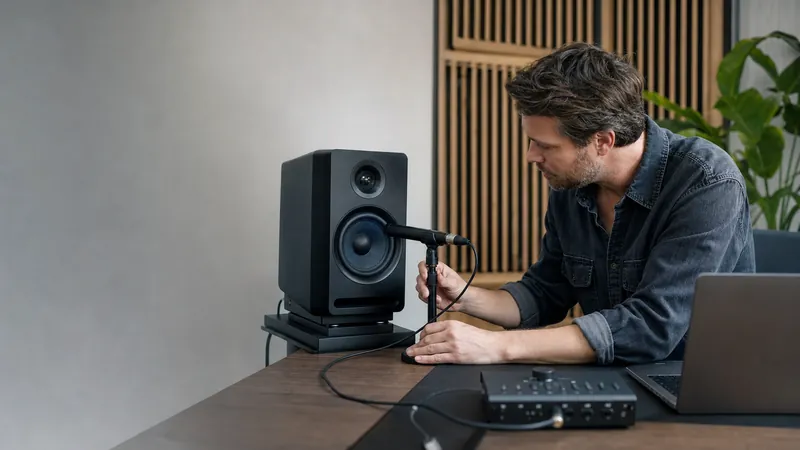
The low-end limit this tool reports is rarely a limit of your ears. Human hearing extends down to 20 Hz in theory, but most playback hardware cannot reproduce frequencies below 60-80 Hz because the drivers are too small to move enough air. If your low-end marker lands at 120 Hz on a laptop speaker, your laptop is rolling off — not your ears. To measure your true low-end hearing, run the test on over-ear headphones or full-range studio monitors. The Bass Test (20-200 Hz only) is a finer tool for verifying what your subwoofer or bass-capable driver actually reproduces.
Why Sine, Not Music
Music is a mix of many frequencies at once, so if your system sounds dull you cannot tell which frequencies are weak. A pure sine is one frequency, period — if 6 kHz plays clearly and 10 kHz is silent, the roll-off is somewhere between 6 and 10 kHz. That is also why speaker and headphone manufacturers publish frequency-response graphs measured with sine sweeps: the results from this test are directly comparable to the graph in your headphone's spec sheet.
Safety Warning
High-frequency sine tones above 10 kHz can be damagingly loud without feeling loud — the outer ear is less sensitive up there, so the sense of "this is too much" arrives after the damage has started. Start the sweep at 20-30% volume. If the tone becomes uncomfortable, stop. Never do this test on speakers with children or pets in the room — their hearing extends further into the ultrasonic range than yours does, and what sounds like silence to you can be painful to them.
What frequency range does this hearing test cover?
From 20 Hz (the lower edge of human hearing) up to 20 kHz (the upper edge). The sweep ramps logarithmically so equal portions of the readout represent equal ratios of frequency, matching how audio engineers chart speaker response.
Why can I only hear up to 14 kHz?
Human hearing loses high-frequency range with age. Healthy 20-year-olds reach 18-20 kHz; 30-year-olds ~17 kHz; 40-year-olds ~15 kHz; 60+ ~11 kHz. A 14 kHz ceiling is normal for the mid-30s to 40s range, or it can indicate hardware roll-off.
Why is the low end silent on my laptop?
Most laptop, phone, and earbud drivers are physically too small to reproduce frequencies below 60-80 Hz. Silence at 20-40 Hz on those devices is expected, not a hearing problem. Use over-ear headphones or full-range monitors to test the true low end.
Is the test safe for my hearing?
At moderate volume, yes. High-frequency sine tones above 10 kHz can be damagingly loud without feeling loud. Start at 20-30 percent volume, stop if the tone becomes uncomfortable, and never run this test around children or pets whose hearing extends further than yours.
01 / 10Hearing age testYour ears have an age of their ownThe highest tones fade first. A two-minute test shows roughly where yours stop.02 / 10Why it happensHigh frequencies fade firstThe hair cells that detect the highest pitches wear out earliest, usually unnoticed.03 / 10The mosquito toneA sound most adults cannot hearAround 17 kHz sits near the edge of adult hearing. Teenagers often hear it easily.04 / 10Before you startHeadphones on, volume lowStart quiet and raise slowly. A tone you cannot hear can still be loud enough to harm.05 / 108 kHzAlmost everyone hears thisIf 8 kHz is silent for you, that points to hearing loss rather than age. Get it checked.06 / 1012 kHzMost under-50s still hear itLosing 12 kHz is common past midlife and rarely affects speech or everyday listening.07 / 1015 kHzRoughly an under-40 markerMany adults lose this with no noticeable change to music or conversation.08 / 1017 kHzMostly under-30 territoryHearing 17 kHz suggests young or well-protected ears. Missing it is completely normal.09 / 10Read it honestlyA screening, not a diagnosisPhone speakers, cheap headphones and room noise all shift the result.10 / 10Your turnFind where your hearing stopsPlay each tone from 8 kHz upward and mark the last one you can hear.