Free online WebRTC leak test. Detect IP address leaks through your browser even while using a VPN. Checks IPv4, IPv6, mDNS and STUN. Fast, instant, private.
Click Start scan to see what IP addresses your browser exposes via WebRTC.
WebRTC can leak your real local and public IP addresses to websites even when you are using a VPN. Click Start scan to detect what your browser exposes.
Public IP-
The IP address websites see. With a VPN on this should match your VPN server, not your ISP.
Local IPs-
Your private network address (192.168.x, 10.x). Modern Chrome hides this behind an mDNS hash ending in .local.
IPv6-
Your IPv6 address. If your VPN does not tunnel IPv6, this leaks even when IPv4 is protected.
Status-
How to fix a WebRTC leak
If your real public IP appeared above while you had a VPN active, your VPN is leaking. Pick the section for your browser and follow the steps.
Chrome and Edge
Chrome has no built-in WebRTC toggle. Install the official "WebRTC Network Limiter" extension from the Chrome Web Store (made by Google) and set it to "Use default public and private interfaces." Or switch to a VPN with built-in WebRTC leak blocking (Mullvad, ProtonVPN, NordVPN, ExpressVPN all advertise it).
Firefox
Type about:config in the address bar and accept the warning. Search for media.peerconnection.enabled and double-click to set it to false. This disables WebRTC entirely - video calls in Google Meet, WhatsApp Web, and Discord browser will stop working until you turn it back on.
Brave
Paste brave://settings/privacy into the address bar, scroll to "WebRTC IP handling policy," and change it to "Disable Non-Proxied UDP." Brave is the only major browser with this option in the UI, no extension required.
Safari (macOS / iOS)
On macOS: Safari > Settings > Advanced > Show features for web developers > Feature Flags > disable WebRTC Platform UDP Sockets. On iOS: Settings > Safari > Advanced > Experimental Features > toggle WebRTC mDNS ICE candidates on.
Best long-term fix: a VPN that blocks WebRTC at the app level
If you need video calls to keep working, do not disable WebRTC - switch to a VPN that routes WebRTC traffic through the tunnel or blocks it at the OS level. Mullvad, ProtonVPN, NordVPN, and ExpressVPN all do this correctly. Many cheap and free VPNs do not.
Seeing a .local address? That is not a leak
Chrome replaces your real local IP with a hashed mDNS string like a1b2c3d4.local. This is a privacy feature added in Chrome 76 (2019) - the hash cannot be tracked back to your real network and does not help fingerprinting.
Was this tool helpful?Rate WebRTC Leak Test:5.0(1 rating)Thanks for rating!
WebRTC Leak Test is a free, browser-based online utility that lets you detect IP address leaks through your browser even when using a VPN.
Cost: Free, no signup
Install: None — runs in the browser
Privacy: Runs locally, no uploads
Platforms: Windows, macOS, Linux, Android, iOS
Time: Under a minute
What Is a WebRTC Leak?
WebRTC (Web Real-Time Communication) is the browser API that powers Google Meet, Zoom in the browser, Discord voice, WhatsApp Web calls, and most screen-sharing tools. To negotiate a peer-to-peer connection, WebRTC needs to know every IP your device has. It does that by asking a STUN server over UDP — and critically, the STUN request can bypass your VPN tunnel unless the VPN is specifically built to catch it. That is the leak: a website with a few lines of WebRTC JavaScript can see your real public and local IP addresses, even when your VPN says you are protected.
This tool runs a STUN query inside your browser (no data leaves your machine) and reports every IP WebRTC exposes — so you know exactly how much privacy your setup is really giving you.
How to Read Your Result
Public IP — should match your VPN server. If you see your ISP-assigned IP here, your VPN is leaking.
Local IPs — your private network addresses (192.168.x, 10.x, 172.16-31.x). Chrome since version 76 and Safari on recent macOS replace these with a hashed .local string by default; that hash is safe and cannot be tracked.
IPv6 — many VPNs tunnel only IPv4. If your ISP gives you IPv6 and your VPN does not handle it, WebRTC can leak v6 even when v4 looks clean.
Why WebRTC Leaks Even With a VPN On
A regular VPN reroutes your browser's HTTP and DNS traffic through an encrypted tunnel. WebRTC uses a different channel: direct UDP to a STUN server. Unless the VPN intercepts that UDP traffic specifically, your real IPs slip through. This is why not every VPN is equal — the good ones (Mullvad, ProtonVPN, NordVPN, ExpressVPN) catch WebRTC; many cheap or free VPNs do not.
The practical fix is either (a) pick a VPN that blocks WebRTC at the app or tunnel level, or (b) disable WebRTC in the browser. Disabling is a bigger trade-off than most guides admit: it also breaks every browser-based video call.
Per-Browser Fix Summary
Chrome / Edge — no built-in toggle. Install the official Google "WebRTC Network Limiter" extension, or use uBlock Origin with its Prevent WebRTC from leaking local IP option checked.
Firefox — about:config → set media.peerconnection.enabled to false. This is the cleanest off switch but disables video calls.
Brave — brave://settings/privacy → "WebRTC IP handling policy" → Disable Non-Proxied UDP. Only major browser with an in-UI control.
Safari — disable "WebRTC Platform UDP Sockets" under Develop > Feature Flags (macOS) or toggle "WebRTC mDNS ICE candidates" on iOS.
Any browser — a VPN with correct WebRTC handling fixes this transparently without disabling video calls.
Seeing a .local Address? That Is Not a Leak
Since Chrome 76 (mid-2019) and on recent versions of Safari, your local IP is replaced by a hashed string like a1b2c3d4-e5f6-7890-abcd-ef1234567890.local. This mDNS ICE candidate is a privacy feature, not a leak — the hash rotates and cannot be resolved outside your local network. If that is the only thing in the Local IPs field, your browser is doing the right thing.
Common Myths Worth Busting
"Incognito mode stops WebRTC leaks." False. Incognito only clears local history and cookies. WebRTC still runs and still leaks.
"Any VPN will stop WebRTC leaks." False. Many free and budget VPNs route TCP through the tunnel but let WebRTC UDP slip past.
"I must disable WebRTC to be safe." Not always. A good VPN routes WebRTC correctly and preserves video calls.
"The .local string is my real IP." No. It is a Chrome mDNS hash that cannot be tracked or resolved remotely.
Read the Full Guide
For a deeper walkthrough with screenshots, a fix video, and browser-by-browser troubleshooting, see our full article: What Is a WebRTC Leak and How to Fix It.
A WebRTC leak test reveals which IP addresses your browser exposes through WebRTC. Click Start scan and the test gathers connection candidates via a STUN request, showing any public IPv4, public IPv6, and local or mDNS addresses your browser hands out.
Can WebRTC expose my real IP while I use a VPN?
Yes. WebRTC can query a STUN server outside the VPN tunnel, revealing your real ISP-assigned IP even though websites see the VPN IP. Run the WebRTC leak test with your VPN connected: if an address that is not your VPN IP appears, your setup is leaking.
What is an mDNS .local address in my results?
Modern browsers replace your device's private LAN IP with a randomized mDNS hostname ending in .local. Seeing a .local entry instead of an address like 192.168.x.x means the browser's local IP protection is working.
How do I fix a WebRTC leak?
Use a VPN or browser extension with WebRTC leak protection, or disable WebRTC where the browser allows it - for example the media.peerconnection.enabled flag in Firefox. Re-run the WebRTC leak test afterward to confirm the real IP no longer appears.
Is the WebRTC leak test private?
Yes. The scan runs in your browser and the detected addresses are displayed only on your screen - they are not stored or sent to our server. The test is free, with no download or signup.
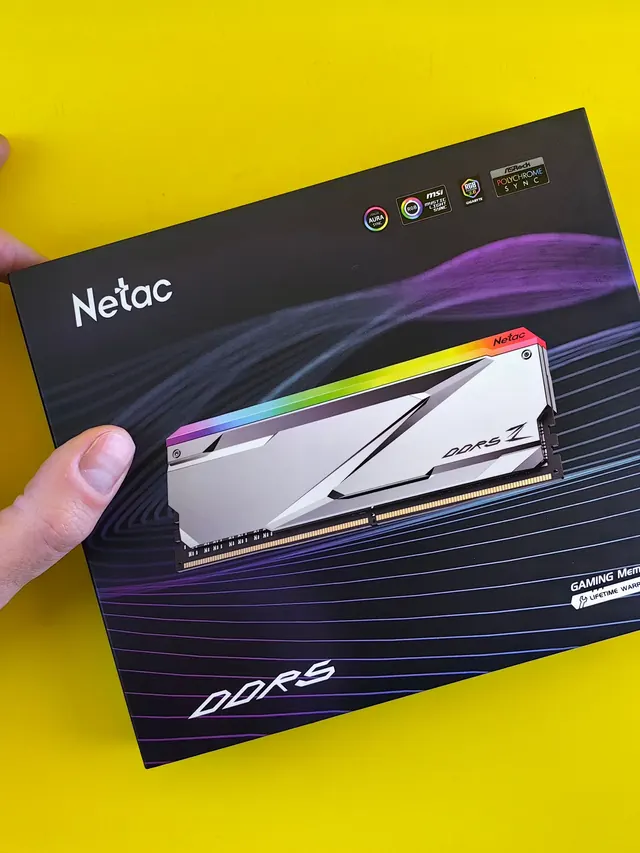
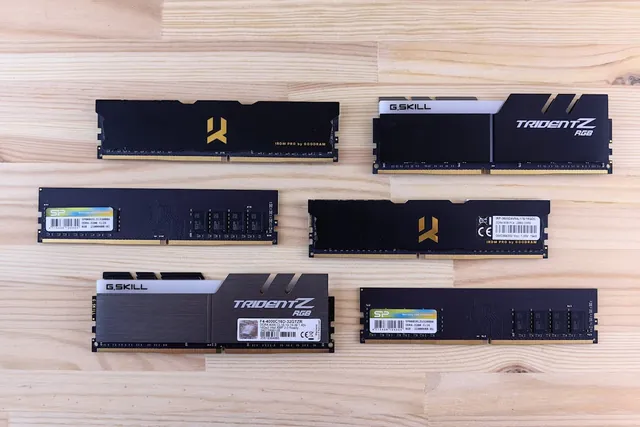
01 / 10DDR5 buying mathPay $120 more for 2 nanoseconds?CL30 vs CL36 looks big on the box. The real difference is 2 nanoseconds.02 / 10What CL really isCAS latency counts cycles, not timeCL is how many clock ticks the RAM waits before answering. Ticks get faster with speed.03 / 10The one-line formulans = 2000 x CL / MT/sTrue latency in nanoseconds. DDR5-6000 CL30: 2000 x 30 / 6000 = 10.0 ns.04 / 10CL30 vs CL36 at 600010.0 ns versus 12.0 nsSame speed, different CL: the whole debate is about 2 nanoseconds of wait time.05 / 10The tie surprise7200 CL36 is also 10.0 nsSo is 6400 CL32. A higher CL on a faster kit can match a lower CL exactly.06 / 10What 2 ns buys in gamesRoughly 1-4% average FPSOnly when CPU-bound, and benchmarks disagree. Smoother 1% lows are the steadier win.07 / 10Price check, Aug 11, 2026The CL30 premium: $120G.Skill CL30 $599.99 vs CL36 $479.99. A Patriot CL30 kit: $429.99. Shop across brands.08 / 10The EXPO/XMP gotchaYour CL30 may be running CL40Kits boot at JEDEC defaults until you enable EXPO or XMP in BIOS. Check yours today.09 / 10The X3D exceptionBig cache blunts CLOn 7800X3D-class CPUs, the stacked cache blunts CL gains. Buy CL36 and save.10 / 10The verdictSmall delta: yes. Upgrade: no.Compare your two kits in real nanoseconds - presets loaded, math done for you.
01 / 10Phone vibration testYour phone stopped buzzingBefore you book a repair, find out whether it is the motor or just a setting.02 / 10The symptomMissed calls and silent alertsA dead motor is easy to miss. You only notice the calls you never felt arrive.03 / 10What is insideA tiny weight on a motorMost phones spin an offset weight or drive a linear actuator to make the buzz.04 / 10Check this firstSettings fake a dead motorSilent mode, Do Not Disturb and per-app vibration all switch the buzz off.05 / 10Run the testOne tap, three patternsThe browser asks the phone to vibrate in short, long and pulsed patterns.06 / 10Result: weakYou feel it, but barelyA faint buzz often means a loose motor mount or a case damping the vibration.07 / 10Result: nothingNo buzz on any patternWith settings ruled out, silence points at the motor or its connector.08 / 10Result: on and offIt works, then it does notIntermittent buzzing usually means a failing solder joint or a worn motor.09 / 10One honest limitiPhones cannot run this testSafari on iOS does not support the browser vibration API, so use Android.10 / 10Your turnFind out in thirty secondsRun the three patterns, then decide whether it is a setting or the hardware.