Free online accelerometer test for phones and tablets. Live X/Y/Z acceleration readout in m/s2, shake counter, and tilt visualizer using the DeviceMotion API. Browser-based, no app install.
Live X, Y, and Z acceleration in m/s², a tilt-ball visualizer, a shake counter, and peak tracking — everything you need to verify a phone or tablet motion sensor without installing an app.
⚠️ Not supported: This device does not expose DeviceMotionEvent, which usually means you are on a desktop without an accelerometer. Open this page on a phone or tablet to run the test.
Live sensor readout
Not started
On iOS 13+ you must tap "Start" to grant motion permission. The page cannot request it automatically.
X (lateral)0.00 m/s²
Y (vertical)0.00 m/s²
Z (depth)0.00 m/s²
Tilt visualizer
+
Peak |a|
0.00 m/s²
Shake count
0
Samples
0
Rate
— Hz
Bars clamp at ±20 m/s². Gravity alone is ~9.81 m/s² when the device is stationary and flat.
Was this tool helpful?Rate Accelerometer Test:3.7(7 ratings)Thanks for rating!
Android app
Need native phone tests? Use the KBT Measure Suite APK
The Android app adds camera measurement, ruler, level, touch, vibration, accelerometer and gyroscope checks that run as native phone tools.
Accelerometer Test is a free, browser-based online utility that runs the full check instantly in your web browser.
Cost: Free, no signup
Install: None — runs in the browser
Privacy: Runs locally, no uploads
Platforms: Windows, macOS, Linux, Android, iOS
Time: Under a minute
What The Accelerometer Test Measures
This tool reads the accelerometer in your phone or tablet using the browser's DeviceMotionEvent API. The sensor reports proper acceleration along three orthogonal axes (X, Y, Z) in metres per second squared. "Acceleration including gravity" is what you see in the main readout: when the device is stationary and flat, the Z axis reads about 9.81 m/s² because gravity is pulling the sensor's proof mass downward, and the sensor interprets that as an upward acceleration of 1 g. The "shake count" uses linear acceleration (gravity removed), which is why putting the device on a desk does not trigger shakes.
How To Tell If The Sensor Is Broken
A healthy accelerometer, laid flat screen-up, reads approximately X ≈ 0, Y ≈ 0, Z ≈ +9.8 m/s². Tilting the device shifts gravity between axes in a smooth, continuous way. Fault patterns: all axes reading zero while the device is clearly moving usually means the browser did not get motion permission (iOS requires a user-initiated tap), or the hardware has failed. One axis permanently pinned to a fixed non-zero value regardless of orientation is a hardware fault. Values jumping to >100 m/s² while the device sits still indicate sensor noise beyond normal (typical noise is under 0.3 m/s² for a good IMU). If auto-rotate does not work in other apps but the accelerometer reads fine here, the problem is in the OS or the gyroscope, not the accelerometer.
iOS Motion Permission
Starting with iOS 13, Safari gates DeviceMotionEvent behind an explicit user grant. A webpage cannot sniff motion data without the user tapping a button that calls DeviceMotionEvent.requestPermission() — this tool's "Start" button does exactly that. If you tap Start and nothing happens, check Settings → Safari → Motion & Orientation Access, or try a different browser. Android does not require this permission dance on most devices; Chrome and Samsung Internet expose motion events immediately once the user interacts with the page.
Why It Only Works On Mobile
Desktop computers and most laptops have no accelerometer. A few convertible laptops do (for auto-rotate in tablet mode), and Chrome will expose their data, but the readings tend to be noisier and the sample rate lower because the sensor is designed for coarse orientation detection, not fine motion tracking. For a real test, use a phone or tablet from the last 10 years — every one of them has a 3-axis IMU capable of at least 30 Hz sampling.
When Tilt Works But Gyroscope Apps Fail
If this accelerometer page responds to tilt but AR, VR, PUBG, CODM, or Pokemon GO still says orientation is unavailable, use the companion guide Does My Phone Have a Gyroscope?. It shows how to confirm real gyro-style rotation instead of accelerometer-only tilt.
Accelerometer vs Gyroscope
Not sure which of the two motion sensors your problem actually lives in? The deep-dive guide on how an accelerometer differs from a gyroscope explains what each chip measures, walks through the flat-table 9.8 m/s² pass check you can run on this page, and finishes with a step-by-step fix list for broken auto-rotate on Android and iPhone.
Laid flat screen-up, a healthy accelerometer reads approximately X ≈ 0, Y ≈ 0, Z ≈ +9.8 m/s² (gravity). Tilting the device smoothly shifts gravity between the axes.
Why does my desktop show "not supported"?
Most desktops and laptops have no accelerometer hardware. A few convertible laptops do, but the test is designed for phones and tablets, which all ship with a 3-axis inertial measurement unit (IMU).
Why does iOS need permission for motion?
Since iOS 13, Safari gates DeviceMotionEvent behind an explicit user tap to prevent covert motion-based fingerprinting. Our Start button calls DeviceMotionEvent.requestPermission(), which is the only way to ask.
What does the shake counter detect?
It counts events where total linear acceleration (with gravity removed) exceeds 15 m/s², with a 250 ms lockout to avoid counting a single shake as many. Brisk hand-shakes will trigger it; sitting the device on a desk will not.
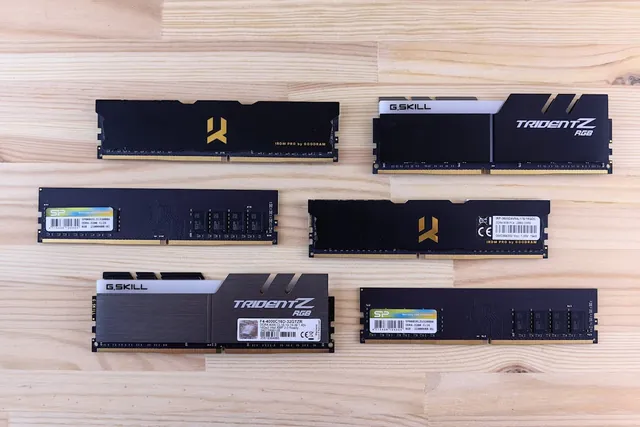
01 / 10DDR5 buying mathPay $120 more for 2 nanoseconds?CL30 vs CL36 looks big on the box. The real difference is 2 nanoseconds.02 / 10What CL really isCAS latency counts cycles, not timeCL is how many clock ticks the RAM waits before answering. Ticks get faster with speed.03 / 10The one-line formulans = 2000 x CL / MT/sTrue latency in nanoseconds. DDR5-6000 CL30: 2000 x 30 / 6000 = 10.0 ns.04 / 10CL30 vs CL36 at 600010.0 ns versus 12.0 nsSame speed, different CL: the whole debate is about 2 nanoseconds of wait time.05 / 10The tie surprise7200 CL36 is also 10.0 nsSo is 6400 CL32. A higher CL on a faster kit can match a lower CL exactly.06 / 10What 2 ns buys in gamesRoughly 1-4% average FPSOnly when CPU-bound, and benchmarks disagree. Smoother 1% lows are the steadier win.07 / 10Price check, Aug 11, 2026The CL30 premium: $120G.Skill CL30 $599.99 vs CL36 $479.99. A Patriot CL30 kit: $429.99. Shop across brands.08 / 10The EXPO/XMP gotchaYour CL30 may be running CL40Kits boot at JEDEC defaults until you enable EXPO or XMP in BIOS. Check yours today.09 / 10The X3D exceptionBig cache blunts CLOn 7800X3D-class CPUs, the stacked cache blunts CL gains. Buy CL36 and save.10 / 10The verdictSmall delta: yes. Upgrade: no.Compare your two kits in real nanoseconds - presets loaded, math done for you.
01 / 10Phone vibration testYour phone stopped buzzingBefore you book a repair, find out whether it is the motor or just a setting.02 / 10The symptomMissed calls and silent alertsA dead motor is easy to miss. You only notice the calls you never felt arrive.03 / 10What is insideA tiny weight on a motorMost phones spin an offset weight or drive a linear actuator to make the buzz.04 / 10Check this firstSettings fake a dead motorSilent mode, Do Not Disturb and per-app vibration all switch the buzz off.05 / 10Run the testOne tap, three patternsThe browser asks the phone to vibrate in short, long and pulsed patterns.06 / 10Result: weakYou feel it, but barelyA faint buzz often means a loose motor mount or a case damping the vibration.07 / 10Result: nothingNo buzz on any patternWith settings ruled out, silence points at the motor or its connector.08 / 10Result: on and offIt works, then it does notIntermittent buzzing usually means a failing solder joint or a worn motor.09 / 10One honest limitiPhones cannot run this testSafari on iOS does not support the browser vibration API, so use Android.10 / 10Your turnFind out in thirty secondsRun the three patterns, then decide whether it is a setting or the hardware.