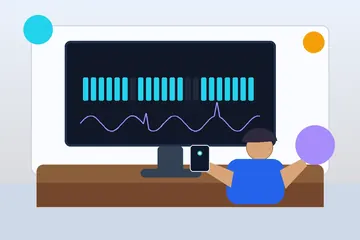
Person using an online screen tester to inspect a display for dead pixels and panel defects

KeyboardTester.click

Free Dead Pixel Test & Screen Tester

Free open source dead pixel test online. Check monitor, laptop, or phone for dead and stuck pixels using fullscreen color cycling. No install or download needed.

Download from Microsoft Store Download from Microsoft Store

Dead Pixel Test & Screen Tester

Use the live tool below to complete your test.

🖥️ Screen Test Preview
Click to Start Full Screen Test
Black
Click anywhere to test
💡 Pro Tip: Clean your screen first! Use arrow keys (← →) or click to cycle through colors in full-screen mode. Press ESC to exit.

📊 Test Statistics

Tests Run
0
Colors Tested
0

🎯 What to Look For

  • Dead Pixels: Permanent black dots (all colors)
  • Stuck Pixels: Dots stuck on one color (red/green/blue)
  • Hot Pixels: Always white pixels
  • Color Uniformity: Even color across entire screen

Testing Best Practices

  • Clean your screen with a microfiber cloth
  • Test in a dark or dimly lit room
  • View from your normal distance
  • Test all 8 colors thoroughly
  • Look at edges and corners carefully
  • Take your time - don't rush
🔒 Privacy First: This test runs entirely in your browser. No data is collected or sent to any server.
Screen Test Active
Use arrow keys (← →) or click to cycle colors • Press ESC to exit
Rate Screen Tester: Be the first to rate
KeyboardTester.click assistant

Free for your site

Embed this Screen Tester on your website

Add this free, no-signup tool to your own page or blog post in one click — just keep the small credit link.

Screen Tester is a free, browser-based screen testing tool that lets you detect dead pixels, stuck pixels, and display issues.

  • Cost: Free, no signup
  • Install: None — runs in the browser
  • Privacy: Runs locally, no uploads
  • Platforms: Windows, macOS, Linux, Android, iOS
  • Time: Under a minute

Dead Pixel Test

A dead pixel test displays solid colors across your full screen to reveal defective pixels. Dead pixels appear as permanently black dots on every color. Stuck pixels are fixed on one color — red, green, or blue. Click Full Screen and cycle through each color to find any dead or stuck pixels on your monitor, laptop, phone, or TV screen.

What an Online Screen Tester Checks

An online screen tester helps you cycle through solid colors so you can inspect a monitor for dead pixels, stuck pixels, hot pixels, and uneven color areas. It is one of the simplest ways to check a new screen without installing software.

If you already know the exact problem you are chasing, jump to our focused black screen test, white screen test, dead pixel test, or stuck pixel test pages.

When to Use a Screen Tester

  • After buying a new monitor or laptop
  • Before the return window closes
  • After shipping, travel, or office moves
  • When you notice a bright or dark dot on the panel
  • When checking display uniformity before design or editing work

Why Full-Screen Color Tests Work

Solid colors remove distractions and make tiny defects much easier to see. A dead pixel stays black. A stuck pixel often stays red, green, blue, or white. Testing both black and white screens plus the main RGB colors gives you the clearest quick diagnosis.

If you only need a clean dark background for edge glow or bleed checks, open the black screen test. If you need a bright inspection surface for stuck pixels or tint, use the white screen test.

Screen Tester FAQ

Common screen tester questions

How do I find dead pixels on my monitor?

Use solid color test screens (red, green, blue, white, black) and look closely for pixels that don't match the background color.

What is a stuck pixel vs a dead pixel?

Dead pixels are always black. Stuck pixels are always lit in one color (red, green, or blue).

Can stuck pixels be fixed?

Sometimes. Try pixel-fixing tools that rapidly flash colors. Dead pixels usually cannot be fixed.

Windows app

KeyboardTester.click is available from Microsoft Store

Install the official Windows app shortcut, or keep using the same free testing tools in your browser.

Download from Microsoft Store Download from Microsoft Store