BlogDisplay

Display

16 guides

Digital artist troubleshooting stylus pressure on a drawing tablet 5.0 (5) Display

Pen Pressure Not Working? Fix Windows Ink, Drivers & Apps

July 19, 2026 Nasir A. AwanBy Nasir A. Awan

Use a browser result to separate brush settings, Windows Ink or WinTab, tablet drivers, connections and hardware before replacing a Wacom, Huion or XP-Pen device.

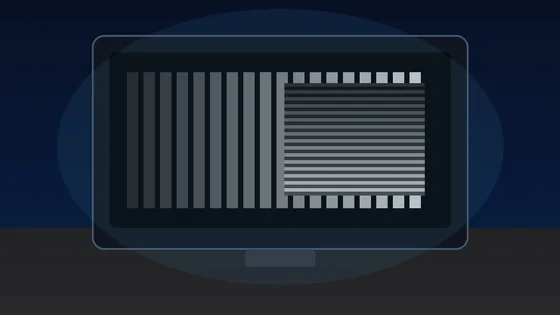
Dark monitor showing grayscale gamma bars and a stripe-blend pattern for a monitor gamma test 5.0 (1) Display

Monitor Gamma Test: Check Gamma 2.2 and Fix Washed-Out or Too-Dark Screens

July 10, 2026 Nasir A. AwanBy Nasir A. Awan

Run a monitor gamma test, read the sRGB 2.2 pattern, and fix washed-out or too-dark screens with monitor presets, OS color profiles, GPU settings, HDR checks, and room-light control.

Yellow tape measure, fabric sewing tape and steel ruler lying side by side on a white desk Rate Display

How to Measure Without a Ruler: 8 Accurate Methods (Phone, Card & On-Screen)

July 7, 2026 Nasir A. AwanBy Nasir A. Awan

No ruler in the drawer? Every bank card is exactly 85.6 x 53.98 mm, coins and paper have published sizes, and your thumb is roughly an inch. Learn 8 ways to measure without a ruler - from wallet references and phone AR apps to turning your screen into a calibrated actual-size ruler accurate to about half a millimetre.

Person leaning toward a computer monitor to inspect blurry, soft-looking text at a desk 4.8 (4) Display

Why Does My Monitor Look Blurry? Scaling, Resolution & OLED Text Fringing (with a Live Sharpness Test)

July 4, 2026 Nasir A. AwanBy Nasir A. Awan

A blurry monitor almost always comes down to one of five things: non-native resolution, DPI scaling, monitor over-sharpening, chroma subsampling, or OLED text fringing. Diagnose each cause and verify your fix by eye with the live sharpness test - no score, just the patterns that reveal the problem.

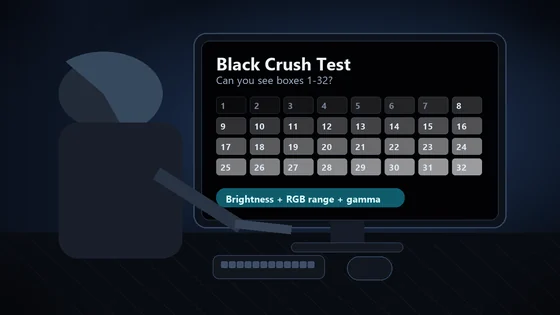
Person checking a black crush test pattern on a monitor in a dim room 5.0 (1) Display

Black Crush Test: Check Monitor Shadow Detail and Fix Crushed Blacks

June 22, 2026 Nasir A. AwanBy Nasir A. Awan

Run a black crush test, count near-black patches, and fix crushed shadows with brightness, HDMI black level, Full RGB, gamma, HDR, and OLED settings.

A gamer checking fast motion on a monitor before tuning overdrive and ghosting settings 5.0 (1) Display

Monitor Ghosting Test: Find the Right Overdrive Setting

June 19, 2026 Nasir A. AwanBy Nasir A. Awan

Run a monitor ghosting test, compare overdrive levels, spot inverse ghosting and overshoot, and choose the response-time setting that gives the cleanest motion.

A person in glasses leaning in close to inspect a computer monitor for a faint ghost image, the moment people reach for an OLED burn-in test 5.0 (2) Display

OLED Burn-In Test: Image Retention vs Permanent Burn-In (and How to Recover It)

June 19, 2026 Nasir A. AwanBy Nasir A. Awan

Run a free OLED burn-in test, tell temporary image retention from permanent burn-in, try the pixel-refresher recovery step, and know when it is RMA time.

Person checking frame skipping on a high refresh monitor with a phone camera 5.0 (1) Display

Frame Skipping Test: Check if Your Monitor Is Dropping Frames

June 18, 2026 Nasir A. AwanBy Nasir A. Awan

Run a frame skipping test, read dropped-frame results, and learn when a phone or camera photo is needed to prove 144Hz, 165Hz, or 240Hz monitor frame skipping.

A person in a dim room looking closely at a glowing computer monitor to inspect it for backlight bleed and IPS glow 5.0 (1) Display

How Much Backlight Bleed Is Normal? Test It and Decide If You Should Return Your Monitor

June 17, 2026 Nasir A. AwanBy Nasir A. Awan

How much backlight bleed is normal? Run a free full-screen black test, tell bleed from IPS glow, and use a clear decision tree to know if you should RMA your monitor.

A monitor glowing in a dark room, the setting where blacks that look gray on a monitor are most obvious 5.0 (1) Display

Blacks Look Gray on Monitor? How to Fix Washed-Out Blacks in Minutes

June 10, 2026 Nasir A. AwanBy Nasir A. Awan

Blacks look gray on your monitor? Prove the Full vs Limited RGB mismatch (0-255 vs 16-235) with a live color range test, then fix the GPU setting, monitor black level, HDMI handshake, and Windows HDR washout step by step.

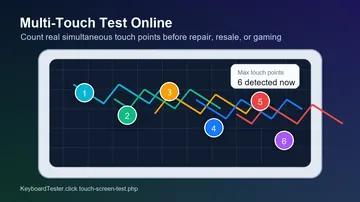
Multi-touch test online showing six simultaneous touch points on a touchscreen diagnostic grid 5.0 (1) Display

Multi-Touch Test Online: How Many Fingers Can Your Screen Detect?

June 10, 2026 Nasir A. AwanBy Nasir A. Awan

Run a multi-touch test online to count your screen's real touch points, spot 3-finger or 5-finger failures, and save proof before repair or resale.

A high-refresh gaming PC and monitor setup with RGB lighting, the kind of rig where a 144Hz monitor can get stuck at 60Hz 5.0 (2) Display

144Hz Monitor Stuck at 60Hz? How to Fix It and Verify Your Real Refresh Rate

June 8, 2026 Nasir A. AwanBy Nasir A. Awan

Fix a 144Hz monitor stuck at 60Hz with the exact Windows path, a cable bandwidth table, the monitor OSD overclock, GPU driver reinstall, and the laptop MUX trap, then verify your real Hz with a live in-browser test.

A tired person rubbing their eyes in front of a glowing laptop screen, a common sign of PWM flicker eye strain 5.0 (2) Display

Is PWM Flicker Hurting Your Eyes? How to Test It on Any Monitor or Phone

June 6, 2026 Nasir A. AwanBy Nasir A. Awan

Prove whether your eye strain is PWM flicker: a 60-second symptom check, a phone-camera test with exact settings, a live on-page flicker tool, and a Hz safety table for monitors and phones.

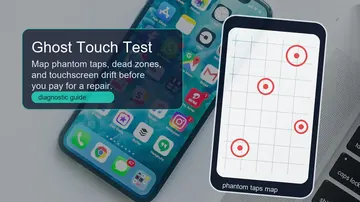
Ghost touch test online guide showing phantom tap markers on a touchscreen grid 5.0 (3) Display

Ghost Touch Test Online: Find Phantom Taps, Dead Zones and Touchscreen Drift

May 13, 2026 Nasir A. AwanBy Nasir A. Awan

A practical ghost touch test guide for mapping phantom taps, touchscreen dead zones, drift, charger interference, screen protector faults, and repair evidence.

Free OCR Tool: Extract Text from Images Online 5.0 (1) Display

Free OCR Tool: Extract Text from Images and Screenshots Online

March 28, 2026 Nasir A. AwanBy Nasir A. Awan

Extract text from images, screenshots, and photos using free browser-based OCR. No upload to servers — all processing happens locally.

Dead Pixel Test: How to Check Your Monitor 5.0 (1) Display

Dead Pixel Test: How to Check Your Monitor for Defective Pixels

March 28, 2026 Nasir A. AwanBy Nasir A. Awan

Test your monitor for dead and stuck pixels with free fullscreen color panels. Works on LCD, LED, OLED, and IPS displays.

Windows app

KeyboardTester.click is available from Microsoft Store

Install the official Windows app shortcut, or keep using the same free testing tools in your browser.

Download from Microsoft Store Download from Microsoft Store