













Fast Answer
The most reliable everyday reference is a bank or credit card: every ISO/IEC 7810 ID-1 card is exactly 85.6 × 53.98 mm (3.370 × 2.125 in). Coins, banknotes and A4/letter paper cover longer distances, and an adult thumb is roughly 1 inch wide. For on-screen precision, open the free online ruler, calibrate it against that same card, and it reads true to about ±0.5 mm - no download, no guessing.
A parcel to declare, a screw to match at the hardware store, a frame to centre on the wall - and the one drawer that should hold a ruler never does. The good news: your wallet, your pocket change, a sheet of printer paper and even the screen you are reading this on are all precision references, because each of them is manufactured to a published standard size.
This guide walks through 8 ways to measure without a ruler, ordered roughly from exact (a bank card, coins) to estimate (your hand span), says plainly which numbers you can trust and which are ballpark, and shows how to turn your phone or laptop screen into a calibrated ruler when the job needs real millimetre accuracy.
Context for the on-screen method: the KeyboardTester.click screen ruler draws centimetre and inch scales in your browser, on any phone, tablet or desktop. Uncalibrated, a browser can only assume a default of 96 pixels per inch, so the tool includes a bank-card calibration mode and per-device DPI presets - one 10-second calibration against a card makes the marks true actual size for your specific display.
Method 1: A Bank or Credit Card - the 85.6 mm Anchor Fact
Every payment card on the planet follows one standard: ISO/IEC 7810, format ID-1. Credit cards, debit cards, gift cards, hotel key cards, most national ID cards and driving licences all share exactly the same footprint - which turns any wallet into a certified measuring gauge.
Credit card size in mm: 85.6 mm wide × 53.98 mm tall (3.370 × 2.125 in), with roughly 3 mm rounded corners and a thickness close to 0.76 mm. The long edge is a touch over 8.5 cm, the short edge just under 5.4 cm, and the diagonal comes to about 101 mm - almost exactly 10 cm and a touch under 4 inches.
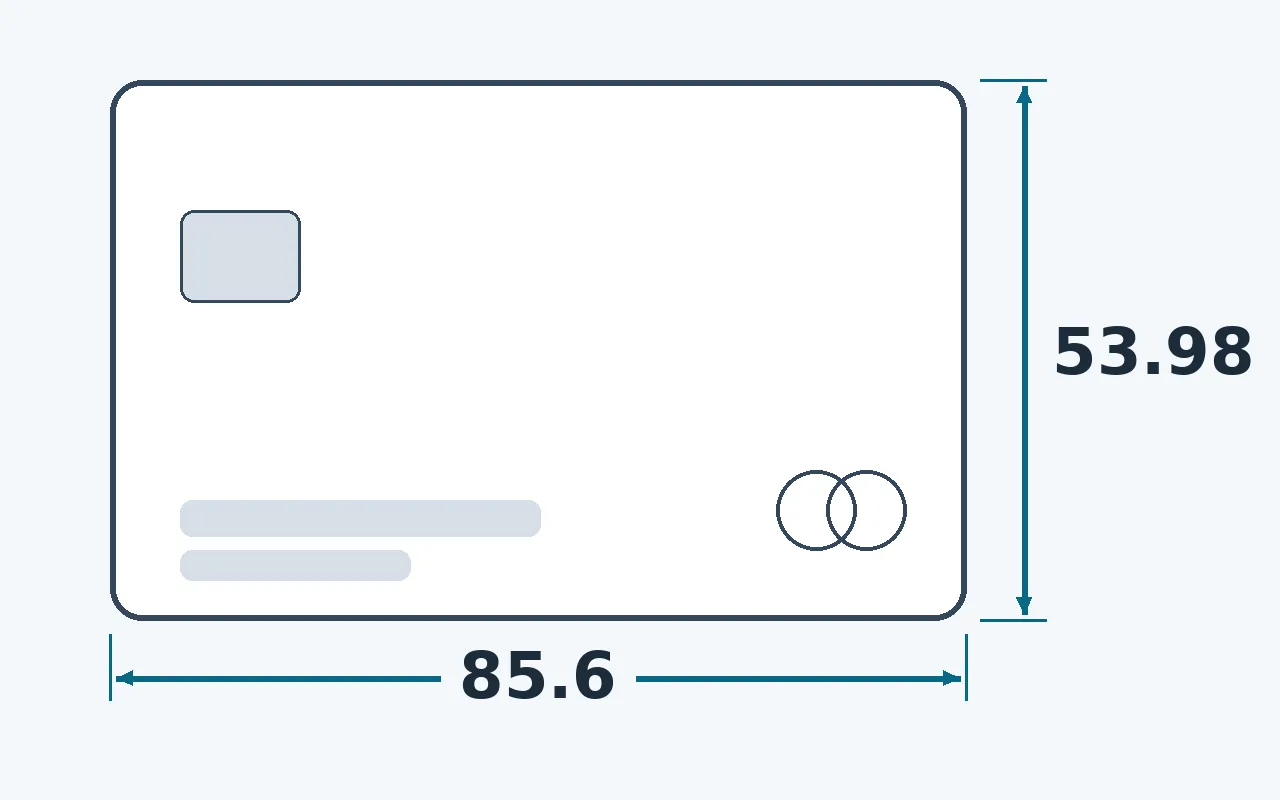
To measure with it, count in card units: an object two card-lengths long is about 171 mm; half a card-width is about 27 mm. Mark where the card ends with a fingernail or pencil dot, slide it along, and keep counting. The dead-straight long edge doubles as a short straightedge for drawing lines, and the 0.76 mm body works as a feeler gauge for gaps - two stacked cards are about 1.5 mm.
The card is also the reason several other methods in this guide work at all: it is the portable reference you can use to check a printed ruler, scale a photo, or calibrate an on-screen scale. If you remember one number from this article, make it 85.6 mm.
Keep an expired card in your desk drawer or glovebox as a permanent gauge - and use the same card to make an on-screen ruler true to size in about ten seconds.
Method 2: Coins - Small, Exact Diameters
Coins are minted to tight, published tolerances, which makes them trustworthy references for anything small. These diameters come straight from the U.S. Mint's coin specifications and the European Central Bank's euro specs:
| Coin | Diameter | Handy because |
|---|---|---|
| US quarter | 24.26 mm (0.955 in) | A whisker under 1 inch across - the classic one-inch stand-in. |
| US nickel | 21.21 mm | A clean 2.1 cm; its 1.95 mm thickness is a useful spacer, too. |
| US penny | 19.05 mm (0.750 in) | Exactly three-quarters of an inch across. |
| US dime | 17.91 mm | The smallest US coin - fits where nothing else will. |
| €1 coin | 23.25 mm | The eurozone quarter-substitute, about 2.3 cm. |
| €2 coin | 25.75 mm | Just over 2.5 cm - one coin is roughly one inch. |
For longer distances, line coins up edge to edge: four US quarters in a row span about 97 mm, and ten pennies almost exactly 19 cm. Coins wear at the design, not the rim, so old coins still measure true.
Method 3: Banknotes and Paper Sizes
Paper money and office paper are cut to official specifications, and they cover the mid-range lengths a card is too short for:
| Reference | Size | Good for |
|---|---|---|
| Any US bill | 156 mm × 66.3 mm (6.14 × 2.61 in) | Every denomination is the same size; folded in half it is about 78 mm. |
| A4 paper | 210 × 297 mm | The default sheet in most of the world - the short edge is exactly 21 cm. |
| US letter paper | 8.5 × 11 in (215.9 × 279.4 mm) | The North American default - a full 11 inches of straight edge. |
A sheet of paper also folds accurately: fold A4 in half along the long side and you get 148.5 mm; fold letter paper in half and you get 5.5 in. Each fold is a division by two you can trust.
Method 4: Your Hands and Body (Honest Estimates)
Body benchmarks are the fastest method and the least precise - they vary from person to person, so treat every figure here as practical guidance, not a lab fact. Measure your own body once against a card or a calibrated ruler, and these become dependable personal references:
An adult thumb across the knuckle is close to one inch - the original "rule of thumb". Yours might run 2.2-2.8 cm, so check it once.
Thumb tip to little-finger tip with the hand stretched wide. Consistent for one person, different between people.
Elbow to wrist is close to a foot for many adults - the ancient cubit's modern cousin. Good for furniture-scale guesses.
Fingertip to fingertip roughly equals your height, so a known height gives you a room-scale tape measure.
Calibrate yourself once: press your thumb against a bank card (53.98 mm covers about two thumb-widths) or against a calibrated on-screen scale, note your personal numbers, and keep them in your notes app.
Method 5: Phone AR Measuring Apps (Apple Measure & Android AR)
Every recent iPhone ships with Apple's Measure app, which uses the camera and ARKit motion tracking to lay virtual tape measures over real objects - point, tap the endpoints, read the length. Android offers the same idea through ARCore-based measuring apps. Apple's own guide describes the results the same way this article does: as estimates.
As practical guidance, expect roughly 3-5% error in good lighting on well-textured surfaces - a 2 m sofa might read 1.94-2.06 m. That is excellent for furniture, rooms and shipping boxes, and the wrong tool entirely for a 12 mm screw thread. iPhones with LiDAR do noticeably better on straight edges and corners, but the output is still an estimate, not a caliper reading.
Two habits raise AR accuracy: measure the same span two or three times and keep the reading only when the attempts agree, and hold the phone slowly and steadily while the app builds its tracking map. If attempts disagree by more than a few percent, trust a physical reference instead.
Method 6: Turn Your Phone or Laptop Screen into a Calibrated Ruler
The screen you are reading on is a grid of precisely spaced pixels - which means that once you know the true size of one thing on it, it can display a genuinely accurate ruler. That is exactly what the free on-screen ruler on this site does, and the bank card from method 1 is the calibration key:
- Open the on-screen ruler
Load the free screen ruler in any browser - phone, tablet or desktop. Nothing installs, and it works offline once loaded.
- Pick centimetres or inches
Toggle the unit you need. The scale redraws instantly, so you can read the same object in both cm and inches.
- Calibrate with a bank card
Hold any ISO ID-1 card flat against the screen and drag the calibration control until the on-screen outline matches the card's real edges exactly. That one adjustment tells the tool your display's true pixel density.
- Or pick a DPI preset
If you know your device model or its PPI, the presets get you close without a card - but a card calibration is always the exact option.
- Measure against the glass
Hold the object to the scale and read it like a normal ruler. Check your browser zoom is at 100% (Ctrl/Cmd + 0) before trusting the marks.
Phone screens work especially well here: the glass is flat, the bezels are thin, and a calibrated 6-inch display gives you a pocket ruler that is always with you.
Methods 7 & 8: Printable Rulers and the Photo-Ratio Trick
Method 7: Printable rulers - only at 100% scale
Printable PDF rulers work, with one non-negotiable condition: the print dialog must be set to 100% / actual size. The common defaults - "Fit to page", "Shrink to fit", "Fit printable area" - rescale the page by several percent to dodge the printer's margins, and a ruler that is silently 5-10% short is worse than no ruler at all.
Verify every printout before trusting it: lay a bank card on the printed scale. If the card does not read 85.6 mm, reprint at 100% or bin it.
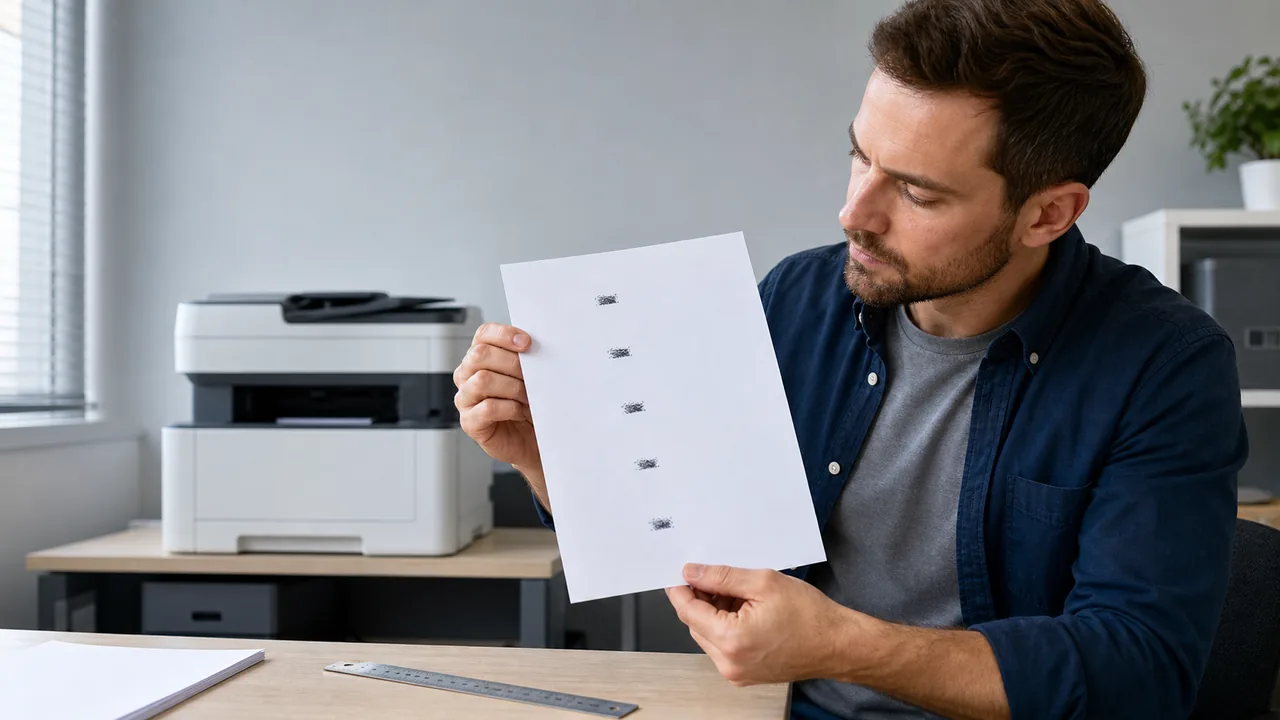
If you are printing a scale to diagnose evenly spaced laser-printer marks, follow the repeating-defect measurement workflow: print at 100% / actual size, measure matching points center-to-center, then consult the service or image-quality table for your exact printer model before buying a drum or fuser.
Method 8: The known-object photo ratio trick
When the object is somewhere you are not - or only exists in a photo - put a known reference in the frame and use proportions. Photograph the object with a bank card beside it, square-on to the camera. Measure both in the photo (screen pixels or on a print, it does not matter which), then scale: object size = reference size × (object px ÷ reference px). A card measuring 400 px next to a phone measuring 700 px means the phone is about 85.6 × 700 ÷ 400 ≈ 150 mm tall.
Treat the result as an estimate: camera angle and lens distortion add error fast. Keep the object and the reference in the same plane, near the centre of the frame, and shoot as straight-on as you can - done carefully, the trick lands within a few percent.
1 cm and 1 Inch at Actual Size - Why Screens Disagree
If you searched for "1 cm actual size", here is the honest answer: no website can draw a true centimetre on every screen without calibration, and any page that claims otherwise is guessing.
The reason is pixel density. A 24-inch 1080p monitor packs about 92 pixels into every inch; a 27-inch 4K panel about 163; a modern phone anywhere from 350 to over 500. The same "96-pixel" line is therefore a different physical length on each of them - over 2.5 cm on the office monitor, well under 1 cm on the phone.
Browsers cope by convention: CSS defines lengths against an assumed 96 pixels per inch, a figure inherited from early desktop displays. An uncalibrated on-screen mark is only true on a display that really is close to 96 PPI - on everything else it is systematically wrong, sometimes by half.
That is why actual-size marks need calibration. The actual-size cm and inch ruler on this site calibrates once - with a bank card or a device preset - and from then on draws a true 1 cm and 1 inch for your exact display.
Quick references: 1 inch = 2.54 cm exactly; 1 cm ≈ 0.394 in. A US penny (19.05 mm) is just under 2 cm, a US quarter (24.26 mm) just under 1 inch, and an adult thumb is roughly 1 inch wide.
How Accurate Is Each Method? (Plus: Calibrating an Online Ruler Properly)
All eight methods work; they differ in how much you should trust the number. The figures below are practical guidance from the standards and behaviour described above, not laboratory certifications:
| Method | Typical accuracy | Best for |
|---|---|---|
| Bank card (ISO ID-1) | Exact reference: 85.6 × 53.98 mm | Calibrating everything else; objects under ~9 cm |
| Coins | Exact minted diameters | Small objects under ~3 cm |
| Banknotes & paper | Exact nominal size | Mid-range lengths, straight edges |
| Hands & body | Rough estimate, varies per person | Instant ballpark when nothing else is at hand |
| Phone AR apps | Estimate, roughly 3-5% in good conditions | Furniture, rooms, boxes |
| Calibrated on-screen ruler | About ±0.5 mm after card calibration | Small flat objects, precise cm/inch reads |
| Printable ruler | Good only at verified 100% print scale | When you can print and check against a card |
| Photo ratio trick | Estimate; depends on angle and lens | Objects you cannot reach |
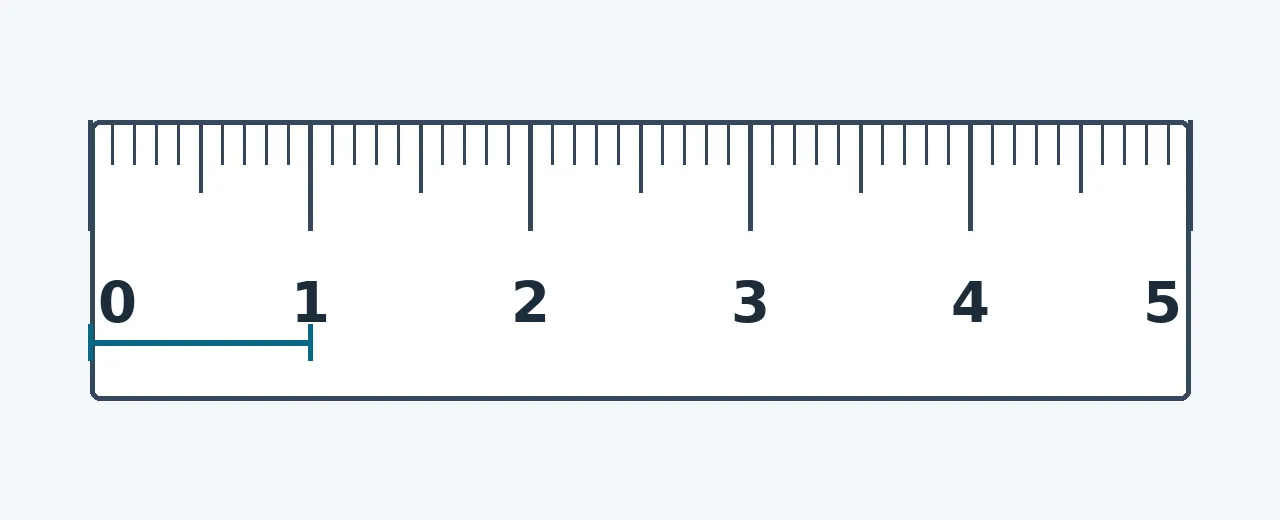
Why an uncalibrated online ruler misses: the browser cannot see your panel's physical size, so it falls back on the 96 pixels-per-inch CSS convention. Calibration replaces that guess with your display's real density. After a careful bank-card calibration the remaining error is mostly how precisely you dragged the control - in practice about ±0.5 mm across the card's 85.6 mm length, which holds across the rest of the scale.
Calibration is per display state, not per lifetime. Recalibrate whenever you change browser zoom (return to 100% first), move the tab to a different monitor, or change the operating system's display scaling - each of those changes how many physical pixels one CSS pixel covers.
Two adjacent points worth keeping straight: screen sharpness is not screen size - if fine patterns look soft at 100% zoom while you calibrate, run through the monitor blurry guide to find out why. And a screen's PPI has nothing to do with a mouse's DPI; measuring that is its own first-principles job, covered in how to check your mouse DPI.
- Keep one expired bank card in your desk or glovebox as a permanent 85.6 mm gauge.
- Measure your own thumb width, hand span and forearm once - write them in your notes app.
- On screen, press Ctrl/Cmd + 0 to reset zoom to 100% before trusting any on-screen scale.
- Verify printable rulers against a bank card before using them; reprint at 100% if they fail.
- When the number matters, cross-check with a second reference - card against coins, screen against card.
Watch: Measuring With Your Hand
This short demonstration shows the hand-benchmark method from this guide in action - how to use a calibrated hand span to pace out real measurements when nothing else is available.
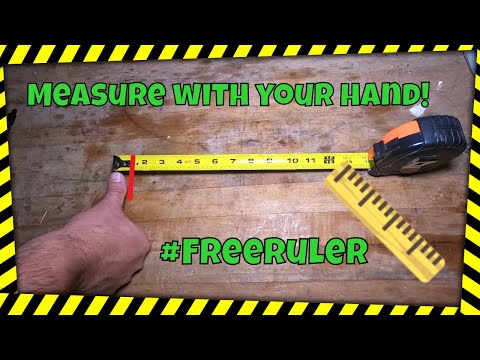
The video walks through measuring with your hand span - the same body-benchmark method covered above. Pair it with the card calibration habit: check your own hand once against a known reference, and the estimate becomes a dependable personal unit.
Tools That Continue the Workflow
Centimetre and inch scales on your screen, calibrated with a bank card or DPI presets - accurate to about half a millimetre.
Mouse DPI TesterMeasure your mouse's real DPI by moving it a known physical distance - the same measure-it-yourself idea, applied to sensors.
Monitor Sharpness Test1px grids and sub-pixel patterns that show whether your display draws single pixels cleanly - useful before fine on-screen measuring.
Dead Pixel TestFull-screen solid colours that reveal dead or stuck pixels while you are giving your screen a checkup.
Related Guides
Scaling, resolution and OLED fringing - why on-screen detail can look soft, and the live patterns that diagnose each cause.
How to Check Mouse DPIThe same first-principles trick as this article: move a known physical distance, count what the sensor reports, calculate the real value.
Sources and References
The exact dimensions in this guide come from the published standards and official specifications below; accuracy ranges for AR apps, body benchmarks and screen calibration are labelled as practical guidance in the text.
- ISO/IEC 7810 - Identification cards, physical characteristics
The ID-1 standard behind the 85.6 x 53.98 mm bank-card size, with the full card-size table.
- Apple Support: Measure dimensions with iPhone
Apple's official guide to the Measure app used in the AR method.
- U.S. Mint: Coin specifications
Official diameters and thicknesses for the penny, nickel, dime and quarter.
- W3C CSS Values and Units Level 4
The specification behind the 96 pixels-per-inch convention browsers assume for absolute lengths.
FAQ
- How accurate is an online ruler?
Uncalibrated, an online ruler can be far off, because the browser assumes a default of 96 pixels per inch while real displays range from about 92 to over 500 PPI. Calibrated against an ISO ID-1 bank card, the practical accuracy is about plus or minus 0.5 mm - the remaining error is mostly how precisely you matched the card outline. Recalibrate after changing zoom, monitor or display scaling.
- What size is a credit card in mm?
Exactly 85.6 x 53.98 mm (3.370 x 2.125 in), about 0.76 mm thick, with roughly 3 mm rounded corners. The size is defined by the ISO/IEC 7810 ID-1 standard and is shared by debit cards, gift cards, hotel key cards and most ID cards worldwide.
- How can I measure 1 inch without a ruler?
Three quick options: an adult thumb across the knuckle is roughly 1 inch (check yours once - it varies); a US quarter is 24.26 mm, a whisker under 1 inch; and a calibrated on-screen ruler shows an exact inch after a 10-second bank-card calibration.
- Is my phone's Measure app accurate?
It is an estimator, not a precision tool. In good lighting on textured surfaces expect roughly 3-5% error as practical guidance - fine for furniture and rooms, unsuitable for small parts. LiDAR-equipped iPhones do better on straight edges. Measure two or three times and keep the reading only when the attempts agree.
- Why does an on-screen ruler need calibration?
Because pixel density differs on every display and the browser cannot detect the physical panel size. CSS assumes 96 pixels per inch, so an uncalibrated centimetre is only true on a display close to 96 PPI. Calibrating against a bank card measures your display's real density once, after which the marks are actual size.
- How do I measure cm on my screen?
Open a browser-based screen ruler, switch it to centimetres, and calibrate it by holding a bank card to the display and matching the on-screen outline to the card's real 85.6 mm edge. Keep browser zoom at 100%, then hold the object against the glass and read the scale like a normal ruler.
Need the measurement right now? Grab any bank card for 85.6 mm of certainty - or measure it on your screen: calibrate once with the card, and your display becomes a true actual-size ruler in centimetres and inches.




Reader discussion
Comments
Share what worked, what did not, or what you would test next. Every comment is reviewed before it appears.
Loading approved comments…
Leave a comment
No account or sign-in is required. Links and HTML are not accepted.