









Fast answer
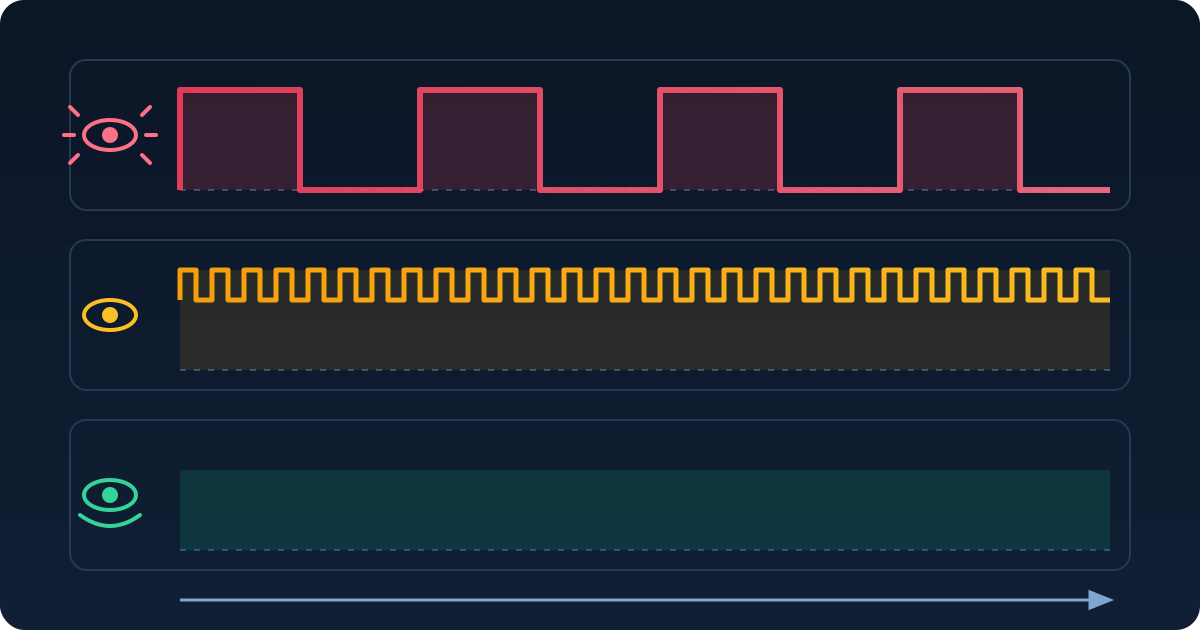
There is no phone that can be guaranteed comfortable for every PWM-sensitive buyer. For a lower-cost US comparison, start with the TCL NXTPAPER 70 Pro ($199.99) or Moto G 2026 ($299.99); Android Central reported no perceivable modulation on the units it tested. For OLED, compare the Motorola Razr+ 2026 or Razr Fold 2026 with Flicker prevention enabled, and the Nothing Phone (4a) Pro ($449 sale / $499 list). A high Hz number alone is not enough: modulation depth, waveform, duty cycle, brightness, measurement method and individual response also matter. Use our PWM comparison tool only for a brief same-settings comparison, and confirm the seller's return deadline before paying.
This guide ranks display strategies, not cameras or processors. Every current recommendation needs two things: defensible US availability and a documented or independently measured dimming behavior. That is why OnePlus 15 and 15R have been removed from the buy list: the official US store is sold out, OnePlus has ended new product rollouts in North America, and no restock has been announced.
If you first need to understand camera bands and brightness thresholds, read our PWM flicker testing guide. This buying guide focuses on the exact model, setting, price and return-window checks to make before you keep a phone.
Pixel 11, Galaxy S26 and iPhone 17: read the measurement, not the marketing
These popular US families are useful reference points, but none is an automatic recommendation for a PWM-sensitive buyer. Exact figures below apply only to the independently reviewed model named, not every phone in the family.
| Phone family | Published display evidence | Control | US price/status | Practical conclusion |
|---|---|---|---|---|
| Galaxy S26 series | Samsung representatives stated 480 Hz. Notebookcheck measured the S26 Ultra at a 240 Hz worst case, 480 Hz secondary component and 13.99% amplitude. | No DC-dimming or flicker-reduction setting was documented for the series. | S26 Ultra from $1,299. | Only the S26 Ultra has the exact independent figures quoted here; compare the exact model and brightness before keeping it. |
| Pixel 11 / 11 Pro / 11 Pro XL | An August 19 Pixel 11 Pro review described low-frequency PWM but published no numeric Hz. Do not transfer Pixel 10 rates to Pixel 11. | Google's sensitive-eyes support page lists the Pixel 10 Pro family, not Pixel 11. | Starts at $899 / $1,099 / $1,299; on sale since Aug 20. Pixel 11 Fold starts separately at $1,899. | Wait for a model-specific instrumented result or buy only with a clear return option. |
| iPhone 17 family | Notebookcheck measured the iPhone 17 Pro at 240 Hz base, 480 Hz secondary and 14.89% amplitude. | Display Pulse Smoothing flattened response only through roughly the bottom 25% in independent testing; frequency did not change and PWM remained above. | iPhone 17 from $799 with carrier connection; Apple return period is 14 days from receipt. | Treat the control as a limited low-brightness alternative, not a full PWM replacement. |
Current US shortlist by display strategy
This is a comparison shortlist rather than a universal ranking. Prices and stock were checked August 21, 2026. A favorable measurement on one review unit is useful evidence, but it does not predict an individual response.
LCD starting points under $300
LCD does not automatically mean no pulsing, but these tested units produced no perceivable modulation in Android Central's comparison.
- TCL NXTPAPER 70 Pro — $199.99 through T-Mobile and Metro. Its 120 Hz matte LCD and low-brightness reading mode make it a useful budget comparison; check carrier lock, activation cost and temporal dithering.
- Moto G 2026 — $299.99 and in stock on Motorola US. The 120 Hz LCD is the lower-cost unlocked option; 4 GB RAM and a 720p-class panel are the main trade-offs.
OLED with a user control
Motorola provides Flicker prevention on selected models, but it is not equivalent to universally steady DC output.
- Motorola Razr+ 2026 — $1,099.99 and in stock. Independent comparison reports DC-like behavior at medium/high brightness and 720 Hz PWM at low brightness. Test Flicker prevention on the exact phone.
- Motorola Razr Fold 2026 — $1,899.99 and in stock. Testing found 720 Hz PWM below about 30%; with Flicker prevention, refresh-linked output and high modulation remained. Grain or color shifts can also appear.
OLED with automatic or manually enabled high-frequency modes
A larger frequency number can be useful comparison evidence, but modulation and waveform still decide what the number means.
- Nothing Phone (4a) Pro — $449 sale / $499 list on Nothing US. Android Central reported DC-like behavior above 50% and 2,160 Hz PWM below, with moderately high modulation; compare it rather than trusting the number alone.
- Honor Magic8 Pro — Honor advertises a manually enabled 4,320 Hz mode for low light. It is an import-only US choice without official US warranty/support; verify the exact SKU, cellular bands, seller support and returns.
- OnePlus 15 and 15R are display-measurement examples only, not current US picks. Official US stock is sold out and no restock is announced.
| Candidate | Measured or documented behavior | Control | US price/status |
|---|---|---|---|
| TCL NXTPAPER 70 Pro | Android Central testing: no perceivable modulation on the reviewed LCD unit; temporal dithering still needs comparison. | No PWM control required for the reported unit. | $199.99 at T-Mobile / Metro. |
| Moto G 2026 | Android Central testing: no perceivable modulation on the reviewed 120 Hz LCD; light dithering on some greys. | No model-specific flicker control needed for the reported unit. | $299.99, in stock at Motorola US. |
| Motorola Razr+ 2026 | DC-like at medium/high brightness; 720 Hz PWM at low brightness in independent testing. | Settings > Display > Flicker prevention. | $1,099.99, in stock at Motorola US. |
| Motorola Razr Fold 2026 | 720 Hz below about 30%; refresh-linked output/high modulation remained with the setting in independent testing. | Settings > Display > Flicker prevention. | $1,899.99, in stock at Motorola US. |
| Nothing Phone (4a) Pro | DC-like above 50%; 2,160 Hz PWM below, with moderately high modulation in independent testing. | Automatic behavior; no user toggle. | $449 sale / $499 list at Nothing US. |
| Honor Magic8 Pro | Manufacturer advertises manually enabled 4,320 Hz PWM in low light. | High-frequency mode must be enabled manually. | Import only; no official US warranty/support. |
The shortlist deliberately excludes an unavailable favorite. OnePlus says existing devices continue to receive support, but its 15 and 15R are sold out on the official US site after the company ended new regional product rollouts. Do not build a 2026 US buying recommendation around old or grey-market stock.

What the display controls actually change
Brand labels can sound equivalent while changing different parts of the waveform. Read the limitation beside the setting before treating it as a reason to buy.
| Brand | Setting path | Evidence-based limitation | Applicable models | Source |
|---|---|---|---|---|
| Motorola | Settings > Display > Flicker prevention | Model-dependent. Razr Fold testing still showed refresh-linked output and high modulation; picture grain or color shifts may change. | Razr+ 2026 and Razr Fold 2026 in this guide; Motorola says the option is not on all models. | Motorola Support; Android Central |
| Apple | Settings > Accessibility > Display & Text Size > Display Pulse Smoothing | Independent testing found flatter response only through about the bottom 25%; frequency was unchanged and PWM remained above. | iPhone 17, Air, 17 Pro and 17 Pro Max. | Apple Support; Notebookcheck |
| Samsung | No corresponding setting documented | No DC-dimming or higher-frequency user mode was documented for Galaxy S26. | Galaxy S26 series. | Android Authority |
| Nothing | Automatic; no user toggle | DC-like above 50% and 2,160 Hz below on the reviewed 4a Pro, but modulation remained material. | Phone (4a) Pro. | Android Central |
| Honor | Eye-comfort/display menu | The advertised 4,320 Hz mode must be enabled and applies in low light; it is not a comfort guarantee. | Magic8 Pro. | Honor |
Motorola describes the intended use of its setting this way:
If you're using your phone in dark environments and the screen flicker is irritating your eyes, use Flicker prevention.
The same support page says the option is not available on all models. On the Razr Fold review unit, it changed the dimming pattern but did not remove every form of periodic output or high modulation. Test the exact model rather than treating the label as a guarantee.
A brief, repeatable store or return-window comparison
A browser animation and phone-camera bands are rough same-camera, same-settings comparisons only. They cannot establish panel PWM, infer Hz or modulation from band count, or diagnose sensitivity. Use the PWM comparison tool to keep the visual task consistent between two phones.
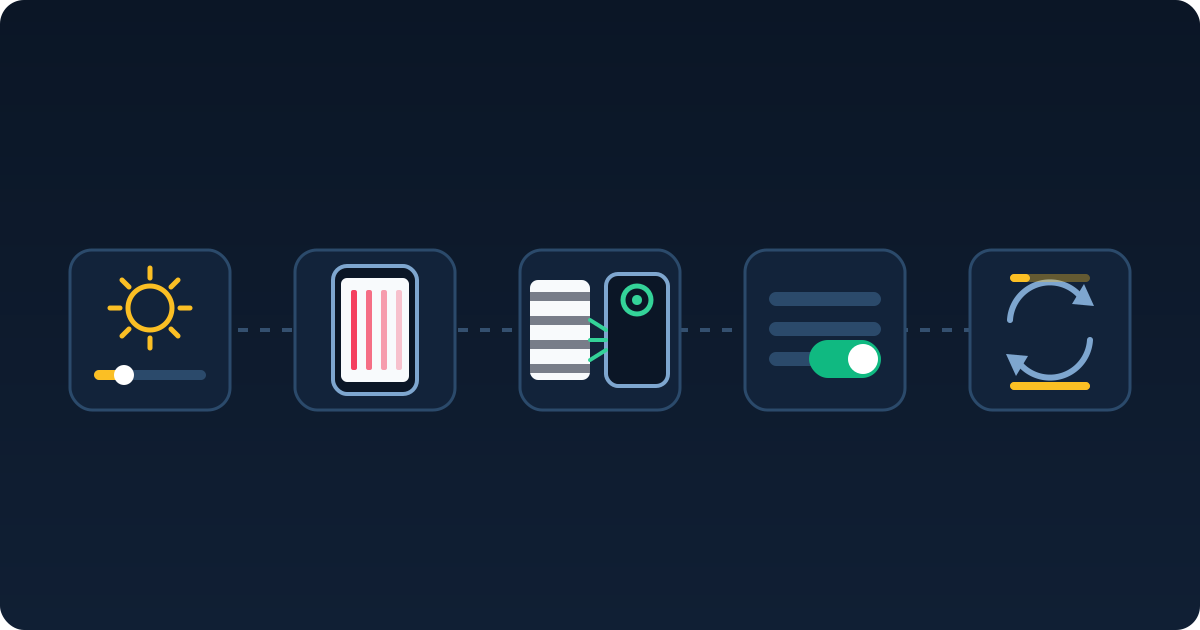
Check for automatic brightness, extra-dim or eye-comfort modes that would invalidate the comparison.
Do not count copies and convert them into a Hz claim.
Different cameras or automatic exposure can reverse the apparent result.
No visible change does not prove the control is broken, and a change does not prove comfort.
Do not use a prolonged exposure challenge as a buying test.
Protect the return deadline
Apple allows 14 calendar days from receipt and Google Store allows most returns within 15 days; both policies were checked August 21, 2026. Other sellers set their own activation, restocking and packaging rules. Save the policy at checkout, keep all packaging and perform the brief comparison early enough to return the device.
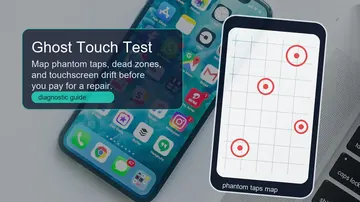
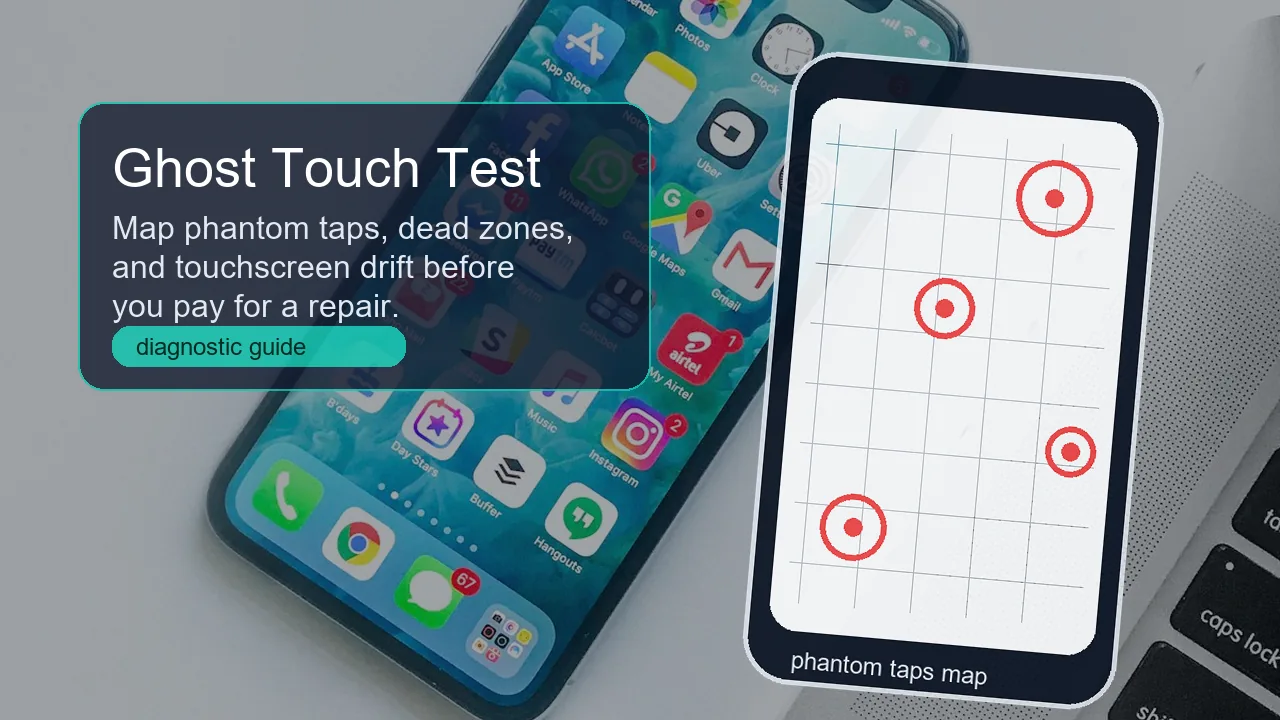
Also run a touchscreen dead-zone check on the exact unit. If input fails, use the ghost-touch guide; if a static mark appears, compare it with the OLED retention guide.
What this comparison cannot tell you
Budget LCD candidates and their trade-offs
An LCD can still use a pulsed backlight or temporal dithering. These two models are starting points because Android Central reported no perceivable modulation on its tested units, not because LCD is automatically better for everyone.
- US availability through T-Mobile and Metro; verify lock status and activation cost.
- Matte 120 Hz LCD and a low-brightness reading mode.
- Test text and grey backgrounds because temporal dithering is a separate variable.
- In stock unlocked on Motorola US when checked August 21.
- No perceivable modulation reported on the reviewed unit; light dithering on some greys.
- 4 GB RAM and a 720p-class panel are meaningful performance/display compromises.
Already bought it? Finish these checks before the deadline
Repeat the same short task and settings, but never extend an uncomfortable session to prove tolerance. Our PWM testing guide explains camera artifacts and browser-test limits.
Return-window checklist
- Record the exact model, firmware, brightness and display-control state.
- Use the same animation, camera and settings for every comparison.
- Check normal reading and scrolling briefly; stop if discomfort appears.
- Save the seller's deadline, packaging conditions and restocking terms.
- If the phone does not suit you, compare a different display strategy rather than only a larger advertised Hz number.
Watch the TCL NXTPAPER 70 Pro display comparison
Nick Sutrich's April 2026 video demonstrates camera-banding and dithering checks on one TCL NXTPAPER 70 Pro. It supports the comparison workflow; it does not guarantee that every unit or viewer responds the same way.

Sources and methodology
Manufacturer pages establish settings, US price and availability. Independent instrumented reviews establish measured behavior. Time-sensitive facts were rechecked August 21, 2026; original photo credits are included.
- Android Central — Best phones for PWM/flicker sensitivity (May 27, 2026)
Independent comparison used for the TCL, Moto G, Nothing, Honor and Motorola display context.
- Android Authority — Galaxy S26 PWM and display controls (March 16, 2026)
Samsung representatives stated 480 Hz and no DC-dimming or higher-frequency user setting for Galaxy S26.
- Notebookcheck — Galaxy S26 Ultra PWM measurement (April 19, 2026)
S26 Ultra-only measurement: 240 Hz worst case, 480 Hz secondary and 13.99% amplitude.
- Android Authority — Pixel 11 launch, prices and availability (August 12, 2026)
Starting prices: $899 base, $1,099 Pro, $1,299 Pro XL and $1,899 Fold; on sale from August 20.
- Android Central — Pixel 11 Pro review (August 19, 2026)
August 19 Pixel 11 Pro review: low-frequency PWM described, exact numeric rate not published.
- Notebookcheck — iPhone 17 Pro PWM measurement (October 17, 2025)
iPhone 17 Pro-only measurement: 240 Hz base, 480 Hz secondary and 14.89% amplitude.
- Notebookcheck — Display Pulse Smoothing limits (October 5, 2025)
Flatter response only through roughly the bottom 25%; frequency unchanged and PWM remained above.
- Apple Support — Display Pulse Smoothing
Apple documents the Display Pulse Smoothing path and low-brightness performance caveat.
- OnePlus — North America and Europe business adjustment
OnePlus ended new product rollouts in North America and Europe while retaining existing-device support commitments.
- 9to5Google — OnePlus 15 and 15R sold out in the US (August 3, 2026)
Official US OnePlus 15/15R stock sold out with no announced restock.
- Motorola Support — Flicker prevention
Motorola documents Flicker prevention and says it is not available on all models.
- Android Central — Razr Fold display measurement
Razr Fold review: 720 Hz below about 30%; refresh-linked output/high modulation remained with the setting.
- Motorola US — Razr+ 2026 product page
Razr+ 2026 listed at $1,099.99 and in stock on August 21.
- Motorola US — Razr Fold 2026 product page
Razr Fold 2026 listed at $1,899.99 and in stock on August 21.
- Motorola US — Moto G 2026 product page
Moto G 2026 listed at $299.99 and in stock on August 21.
- Honor — Magic8 Pro display specification
Manufacturer advertises a manually enabled 4,320 Hz low-light mode; no US support claim.
- TCL — NXTPAPER 70 Pro US availability and price (April 7, 2026)
Confirms $199.99 US availability through T-Mobile and Metro.
- Nothing US — Phone collection and current price
Nothing US showed $449 sale / $499 list on August 21.
- Apple US — Buy iPhone 17
iPhone 17 from $799 with carrier connection; other purchase configurations can cost more.
- Apple — Returns and refunds: 14 days from receipt
Apple Store: 14 calendar days from receipt.
- Google Store Help — most returns within 15 days
Google Store: most items within 15 days.
- Notebookcheck — PWM Ranking: measured frequency and amplitude per device
Model-specific public PWM measurement database.
- Pexels — photo by Mustapha Damilola
Text-free hero photo by Mustapha Damilola, Pexels free-use license.
- Pexels — photo by Lombe K
Text-free low-light photo by Lombe K, Pexels free-use license.
- Nick Sutrich — TCL NXTPAPER 70 Pro display review (YouTube, April 25, 2026)
TCL NXTPAPER 70 Pro camera-banding and dithering demonstration.
Browser checks for the phone in your hand
These tools make a rough comparison repeatable; they do not turn a browser into laboratory equipment.
Compare the same moving reference at matched brightness.
Brightness TestHold a consistent white or grey reference while filming.
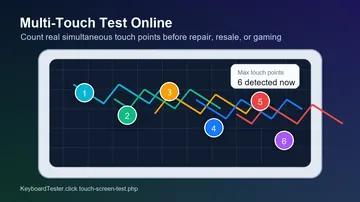
Touch Screen TestCheck dead zones and ghost input before the return deadline.
Related guides
Camera artifacts, brightness thresholds and test limitations.
OLED image retention versus burn-inSeparate temporary retention from a permanent panel problem.
Ghost-touch and dead-zone guideVerify the touch layer on the exact phone you may keep.
Phone PWM buying FAQ
What is the best phone for PWM sensitivity in 2026?
There is no universal winner. Compare the TCL NXTPAPER 70 Pro or Moto G 2026 as lower-cost LCD starting points; for OLED, compare the Razr+ or Razr Fold control and Nothing Phone (4a) Pro behavior on the exact unit before the deadline.
Does a higher PWM frequency always mean less noticeable flicker?
No. Modulation depth, waveform, duty cycle, brightness, measurement method and individual response also matter. A headline Hz number does not predict individual response.
Are LCD phones automatically free of display flicker?
No. LCD backlights can pulse and panels can use temporal dithering. The TCL and Moto G statements describe reviewed units, not every LCD.
Does iPhone Display Pulse Smoothing replace PWM?
Not across the full brightness range. Independent testing found a flatter response only through roughly the bottom 25%; frequency did not change and PWM remained above.
Does Motorola Flicker Prevention eliminate flicker?
Do not assume that. It is model-dependent, and Razr Fold testing still found refresh-linked output and high modulation with the setting.
What PWM frequency does Pixel 11 use?
Google has not published a rate. An August 19 Pixel 11 Pro review describes low-frequency PWM but provides no numeric Hz, and Pixel 10 numbers should not be assigned to Pixel 11.
Can a browser or phone camera diagnose PWM sensitivity?
No. They only provide a rough same-settings comparison and cannot establish panel PWM or infer Hz/modulation from band count. Stop if discomfort appears.
Before you pay: open the PWM comparison tool, match brightness and settings, make a brief side-by-side check, and record the return deadline.





Reader discussion
Comments
Share what worked, what did not, or what you would test next. Every comment is reviewed before it appears.
Loading approved comments…
Leave a comment
No account or sign-in is required. Links and HTML are not accepted.