

















Fast answer: Use this guide as a practical checklist for dead pixel test: how to check your monitor for defective pixels. Start with the main browser tool, confirm the result with one focused follow-up test, then change only one device, browser, or setting at a time so you know what actually fixed the issue.

Dead and stuck pixels are tiny defects on your screen where individual pixels fail to display the correct color. A dead pixel stays permanently black, while a stuck pixel shows a fixed red, green, or blue dot. These defects are most common on new monitors and can often be grounds for a warranty return.

Dead vs Stuck Pixels
- Dead pixel: Always black (the pixel is completely non-functional)
- Stuck pixel: Always shows one color (red, green, or blue) regardless of what should be displayed
- Hot pixel: Always white (all sub-pixels stuck on)
Stuck pixels can sometimes be fixed. Dead pixels usually cannot.
How to Test for Dead Pixels
- Open the screen tester
- Select a solid color (start with white to find dead pixels)
- Go fullscreen and carefully examine the entire display
- Switch to black to find stuck/hot pixels
- Test red, green, and blue to identify stuck sub-pixels
Specialized Screen Tests
- Dead Pixel Test — Focused test for finding dead pixels
- Stuck Pixel Test — Identify stuck sub-pixels
- Black Screen Test — Check for backlight bleed and IPS glow (and read how much backlight bleed is normal to decide if you should RMA)
- White Screen Test — Test uniformity and clean your screen
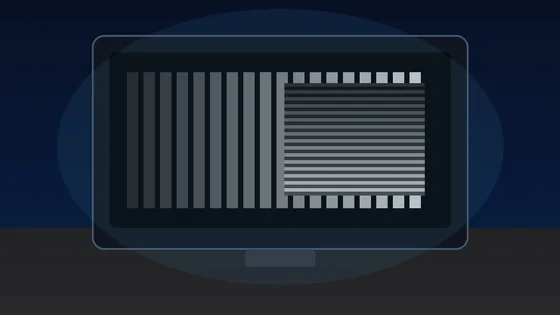
- Monitor Sharpness Test — Check text clarity, color fringing, and sub-pixel layout
- Online Ruler — Measure on-screen objects in cm and inches with credit-card calibration
Can You Fix Dead Pixels?
For Stuck Pixels (Sometimes)
- Pressure method: Gently press on the stuck pixel with a soft cloth while turning the display off and on
- Pixel exerciser: Run rapidly flashing colors over the stuck pixel to unstick it
For Dead Pixels (Usually Not)
Dead pixels indicate physical damage to the transistor. Most manufacturers have a dead pixel warranty policy — check if yours qualifies for a replacement.
FAQ
How many dead pixels is acceptable?
ISO 9241-307 defines classes. Class 0 allows zero defects. Most consumer monitors are Class 1 (allows up to 1-2 defects). Premium brands like Dell and ASUS offer zero-dead-pixel guarantees on select models.
Test your screen: Open the screen tester now.
Quick Action Checklist
- Clean the display first so dust is not mistaken for a pixel issue.
- Use full-screen mode where possible.
- Test several solid colors, not only black or white.
- Compare screenshots only after checking the screen directly.





Reader discussion
Comments
Share what worked, what did not, or what you would test next. Every comment is reviewed before it appears.
Loading approved comments…
Leave a comment
No account or sign-in is required. Links and HTML are not accepted.