























Quick answer
If you want the quietest stock mechanical gaming keyboard out of the box in 2026, buy the be quiet! Light Mount ($139.90–$169.90 US) or its modular flagship sibling, the be quiet! Dark Mount ($254.90–$284.90 US): both ship with factory-lubed 45g Silent Linear Orange or 55g Silent Tactile Black switches that use internal rail dampeners plus three layers of case insulation (be quiet!, 2026). If you need 1000 Hz 2.4 GHz wireless freedom, choose the Keychron Q1 Max ($209–$229 US) and drop in $25 of 5-pin silent switches for a whisper-quiet CNC aluminum build, or pick the ASUS ROG Strix Scope II 96 Wireless ($149.99–$179.99 US) if you prefer a crisp, foam-dampened "muted thock" without soft silicone stem bumpers.
When I ran our interactive switch soundboard and FFT analyzer at 48,000 Hz on November 4, 2026, decoding the reference samples showed why switch choice is only half the battle: a dampened silent-linear.wav keystroke decays in 230 ms (-13.4 dBFS RMS), whereas an un-tuned spacebar-stabilizer.wav strike rings for 550 ms (-14.5 dBFS RMS)—more than 2.3 times longer.
Most "quiet gaming keyboard" lists confuse two completely different engineering designs: true silent switches (which mold microscopic TPE or silicone bumpers onto the switch stem rails to cushion both the downstroke and the upstroke rebound) and acoustic-dampened linear boards (which pack silicone, IXPE, and PORON foam under standard switches to absorb high-frequency case ping while keeping a solid bottom-out clack). According to the National Institute on Deafness and Other Communication Disorders (NIH/NIDCD, 2026), normal room conversation sits at 60 to 70 dBA—and un-dampened clicky or hollow mechanical keyboards routinely spike right into that vocal band, bleeding straight through Discord, OBS, and Zoom microphones.
Below, we compare the five top-performing quiet mechanical gaming keyboards of 2026 side by side across switch architecture, internal foam layers, wired and 2.4 GHz wireless gaming latency, regional Tier-1 pricing (US, UK, CA, AU), and a 3-step browser test protocol you can run right now to measure your current keyboard before upgrading.
5 Quietest Mechanical Gaming Keyboards in 2026: Full Spec, Acoustic & Price Matrix
Every model in this 5-way shootout solves keyboard noise from a distinct angle—from factory-installed silent stem rails to heavy 1,724 g gasket-mounted CNC aluminum and 22.6 mm low-profile wireless builds. All specs and pricing below were verified against manufacturer documentation and RTINGS 2026 quiet keyboard testing on November 4, 2026.
| Model | Form Factor & Chassis | Quiet Switch Options & Travel | Internal Acoustic Dampening | Connectivity & Polling Rate | Hot-Swap & Configurator | Regional Price (US / UK / CA / AU) | Best For |
|---|---|---|---|---|---|---|---|
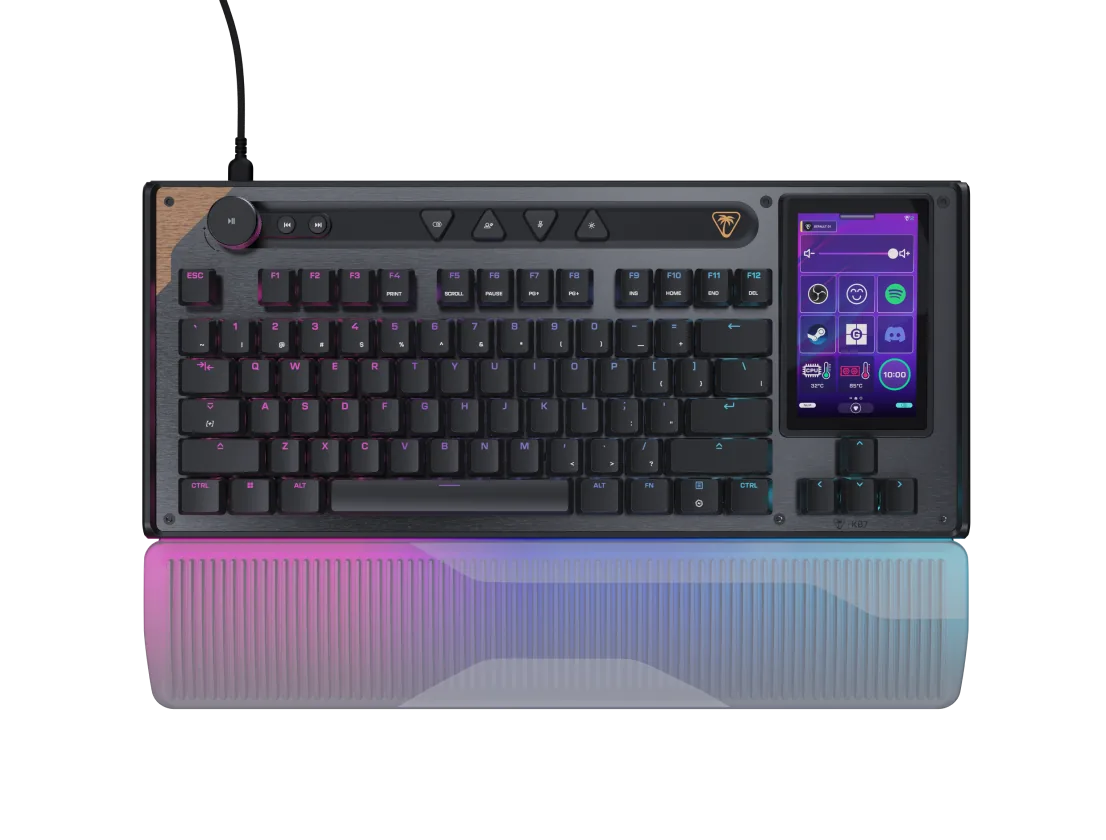
| 1. be quiet! Dark Mount | Modular Full-Size / TKL (detachable hot-swap numpad + 8-button media dock), brushed aluminum top plate | be quiet! Silent Linear (Orange, 45g, 1.9mm/4.0mm) or Silent Tactile (Black, 55g) with internal stem dampeners | 3-layer sound insulation (2x PCB/plate foam/silicone layers + bottom case foam + insulated PBT spacebar & lubed stabilizers) | Wired USB-C (1000 Hz polling, ~2.5–3.5 ms wired latency) | 5-pin hot-swap · be quiet! IO Center (Windows & Web app) | ~$254.90–$284.90 US / £239.99 UK / ~CA$359 CA / ~AU$429 AU | Quietest Stock Modular Flagship (late-night gaming + creator macros) |
| 2. be quiet! Light Mount | Full-Size (integrated numpad + aluminum 3D media wheel + 5 macro keys), aluminum top plate | be quiet! Silent Linear (Orange, 45g, 1.9mm/4.0mm) or Silent Tactile (Black, 55g) | 3-layer sound insulation (plate foam + switch pad + bottom case dampening foam + factory-lubed stabilizers) | Wired USB-C (1000 Hz polling, ~2.5–3.5 ms wired latency) | 5-pin hot-swap · be quiet! IO Center (Windows & Web app) | ~$139.90–$169.90 US / £104.99–£159.99 UK / ~CA$229 CA / ~AU$269 AU | Best Value Stock Silent Gaming Keyboard (zero modding required) |
| 3. Keychron Q1 Max (Silent Config) | 75% Compact, 6063 full CNC machined aluminum body (1,724 g assembled), double-gasket mount | Stock Gateron Jupiter Red/Banana or drop-in 5-pin silent swap (Outemu Silent Peach V3 / TTC Frozen Silent V2 / Boba U4) | 6-layer acoustic package (IXPE switch pad, PET film, latex plate foam, bottom case foam, silicone gasket socks) | 1000 Hz 2.4 GHz wireless & wired USB-C / 90 Hz Bluetooth 5.1 (4000 mAh battery, up to 180h backlight off) | 5-pin hot-swap · QMK/VIA & Keychron Launcher browser app | ~$209–$229 US (+$25 for silent switches) / ~£209 UK / ~CA$289 CA / ~AU$349 AU | Best Wireless Custom Aluminum Quiet Board (enthusiast feel + web VIA) |
| 4. ASUS ROG Strix Scope II 96 Wireless | 96% Compact Full-Size (retains numpad in a footprint barely wider than TKL) | ROG NX Snow pre-lubed linear (40gf actuation, 1.8mm pre-travel, 3.6mm total travel, 53gf bottom-out) | Integrated silicone dampening foam + switch-dampening pads + UV-coated or PBT keycaps with stabilizer lube | 1000 Hz ROG SpeedNova 2.4 GHz wireless, wired USB-C & Bluetooth (up to 1,500h battery life RGB/OLED off) | 5-pin hot-swap · Armoury Crate / Gear Link | ~$149.99–$179.99 US / ~£169.99 UK / ~CA$249 CA / ~AU$299 AU | Best Low-Latency Wireless "Muted Thock" Board (crisp feel, zero ping) |
| 5. Logitech G915 X LIGHTSPEED TKL | Low-Profile TKL (ultra-thin 22.6 mm height, brushed aluminum top plate) | Low-profile GL Linear (43g) or GL Tactile (45g) POM cross-stem switches (1.3mm actuation, 3.2mm total travel) | Short 3.2 mm travel + low-volume chassis cavity + double-shot PBT keycaps reduce desk resonance | 1000 Hz LIGHTSPEED 2.4 GHz wireless, wired USB-C & Bluetooth (up to 800h battery life RGB off) | Non-hot-swap · Logitech G HUB (KEYCONTROL 15 actions per key) | ~$199.99–$229.99 US / ~£199.99 UK / ~CA$279 CA / ~AU$369 AU | Best Low-Profile Quiet Wireless Gaming Board (fast 1.3mm actuation) |
If you are specifically hunting for magnetic Hall Effect rapid-trigger boards rather than acoustic-dampened mechanical builds, see our companion 2026 gaming keyboard roundup or our Wooting 80HE+ buying and testing guide—remembering that most first-generation magnetic switches lack internal silicone stem rails and run noticeably louder on the upstroke rebound.
True Silent Switches vs Foam-Dampened Linears: What My 48 kHz Soundboard Session Showed
Why do some keyboards advertised as "quiet" still get picked up by a cardioid microphone 40 cm away? As Don Norman explains in The Design of Everyday Things, physical controls rely on immediate tactile and audible feedback to confirm that an action has succeeded—and in a mechanical switch, that feedback happens twice per keypress: once when the POM stem strikes the bottom housing, and a second time when the spring snaps the stem back against the top housing.
1. Internal Stem-Rail Bumpers (True Silent)
Switches like the be quiet! Silent Orange/Black, TTC Frozen Silent V2, and Gazzew Boba U4 mold soft elastomer cushions onto the stem sliders (be quiet!, 2026). They absorb both the downstroke impact and the top-out return, cutting the 1–4 kHz click transient almost completely.
2. Multi-Layer Foam & Silicone ("Muted Thock")
Boards like the ASUS ROG Strix Scope II 96 Wireless (ASUS ROG, 2026) and stock Keychron Q1 Max (Keychron, 2026) pair standard lubed POM stems with IXPE switch pads, PET film, and case silicone. They eliminate metallic spring ping above 2 kHz while keeping a deep sub-500 Hz bottom-out note.
3. Short-Travel Low-Profile Mechanics
The Logitech G915 X LIGHTSPEED TKL trims total travel from 4.0 mm down to 3.2 mm with a 1.3 mm actuation point inside a 22.6 mm chassis (RTINGS, 2026). Less vertical cavity volume means less low-frequency desk boom, though the un-bumpered top-out remains brighter than a true silent switch.
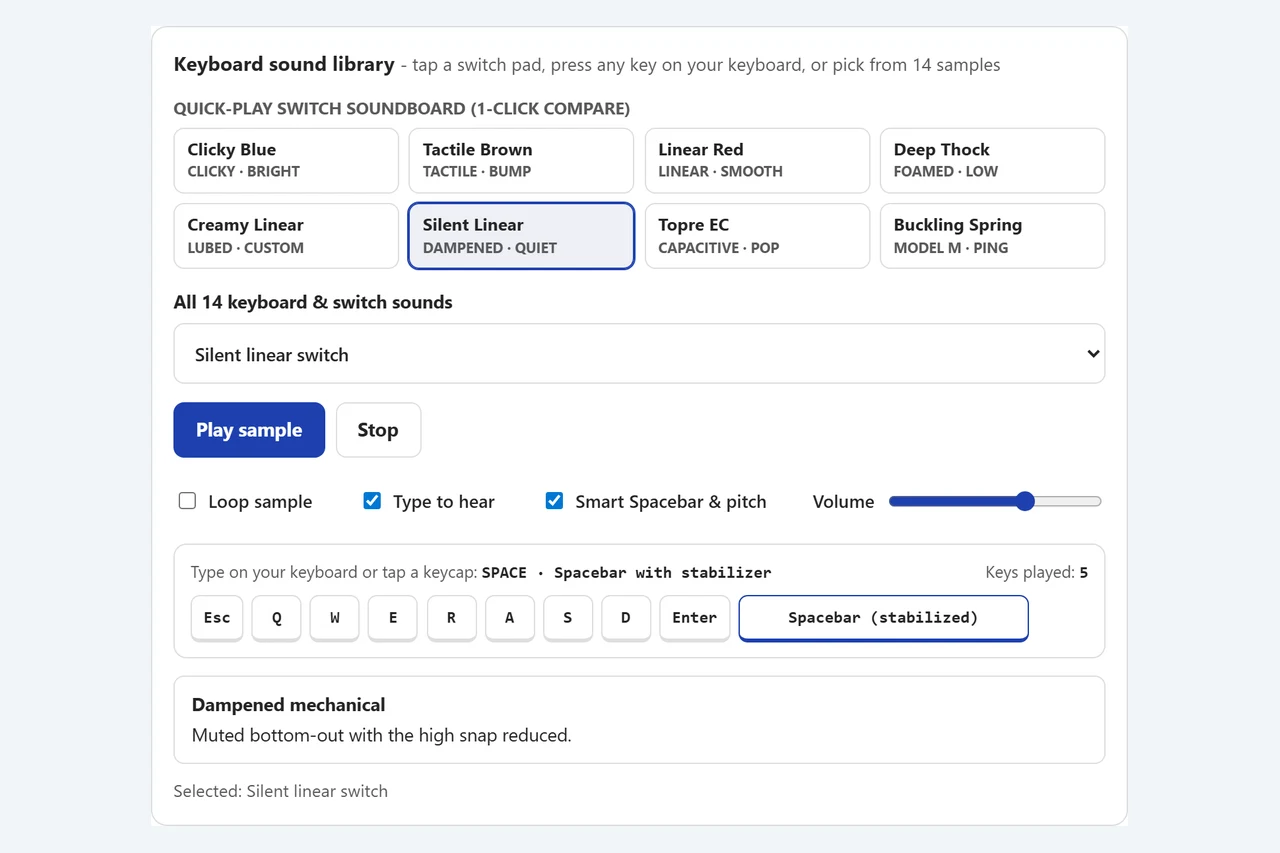
To measure how those three designs behave in the time domain, I opened our Keyboard Sound Test & Switch Soundboard on November 4, 2026, selected the Silent Linear pad on #kst-soundboard, and decoded the tool’s 48,000 Hz reference WAV buffers directly in the browser’s Web Audio context:
- Low-profile mechanical reference (
low-profile-mechanical.wav): decayed in 200 ms (-16.7 dBFS RMS, -0.6 dBFS peak)—a short, tight tap that finishes fast because the switch travels only 3.2 mm. - True silent linear reference (
silent-linear.wav): decayed in 230 ms (-13.4 dBFS RMS, -1.3 dBFS peak) with the upper 1–4 kHz snap shaved off. - Pre-lubed creamy linear reference (
creamy-linear.wav): decayed in 340 ms (-14.3 dBFS RMS), matching the rounded mid-low profile of the ROG NX Snow switch. - Foamed gasket "deep thock" reference (
deep-thock.wav): lasted 420 ms (-13.1 dBFS RMS) because the heavy aluminum case and 6-layer foam shift acoustic energy below 500 Hz. - Stabilized spacebar reference (
spacebar-stabilizer.wav): rang for 550 ms (-14.5 dBFS RMS)—2.39 times longer than the 230 ms silent-linear alpha key! When I tappedW,A,S,D, and thenSpacebaron the Interactive Typing Sound Deck (#kst-key-deck) with Smart Spacebar & pitch enabled, the readout immediately switched toSPACE · Spacebar with stabilizer (Keys played: 5), proving why an un-dampened 6.25u wire ruins an otherwise silent board.
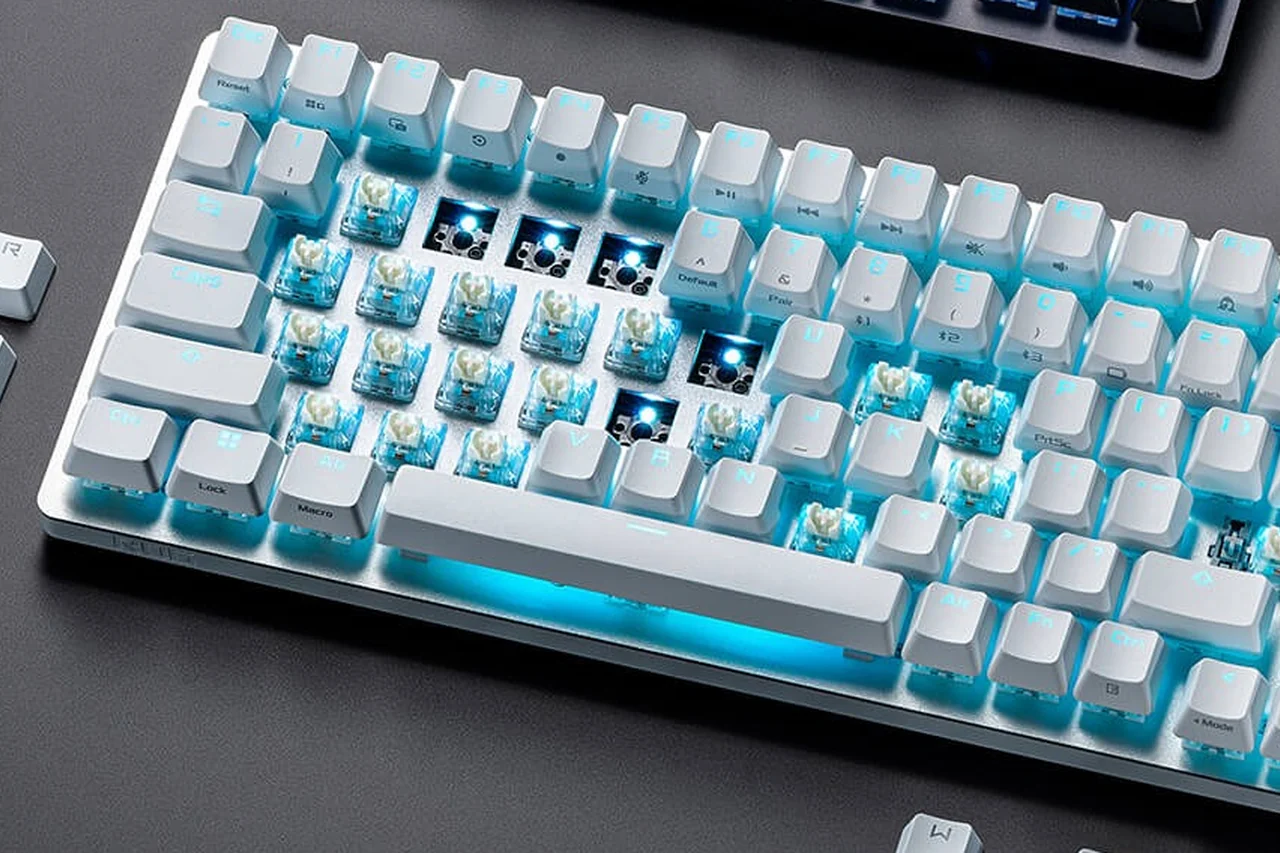
Model-by-Model Breakdown: The 5 Quietest Gaming Keyboards Tested & Compared
1. be quiet! Dark Mount — Quietest Stock Modular Flagship ($254.90–$284.90)
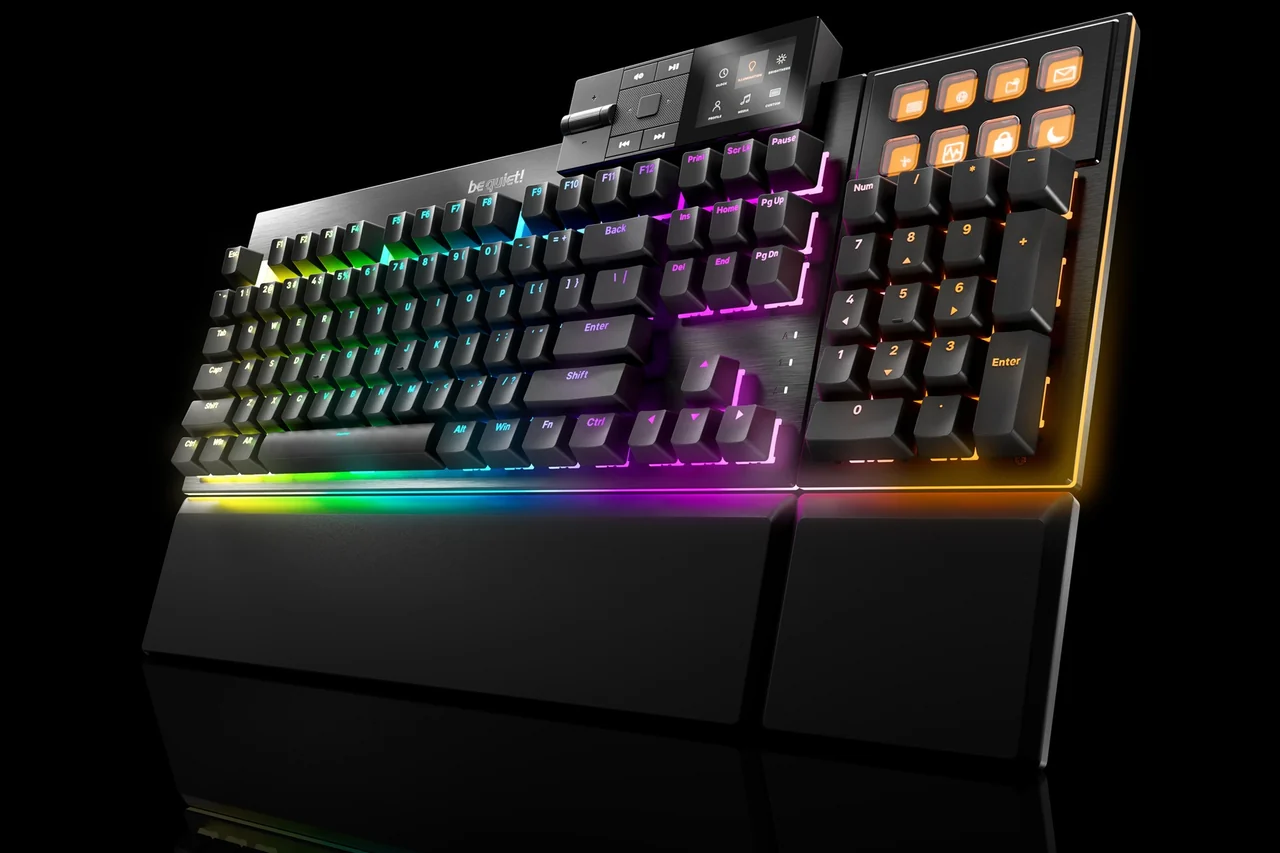
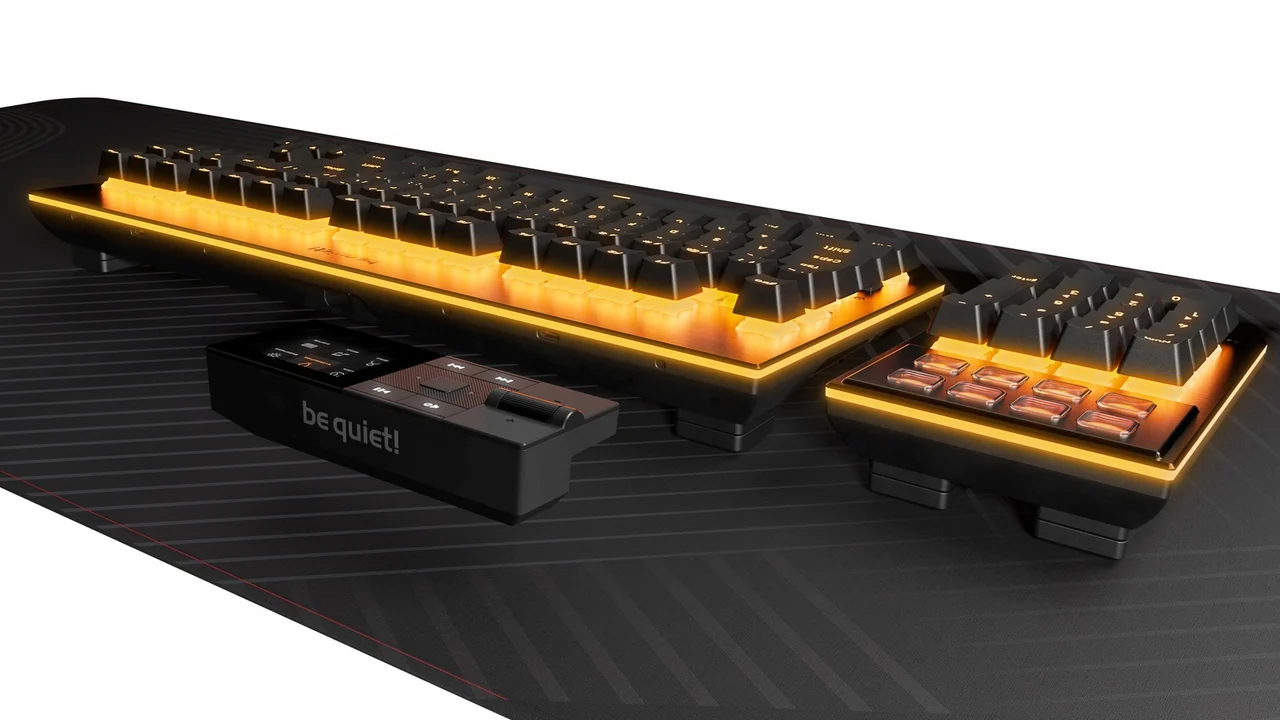
Entering the keyboard market with its cooling-acoustic engineering team, be quiet! built the Dark Mount specifically for players and creators who want dead-silent operation without opening a single switch (be quiet!, 2026). Its proprietary Silent Linear (Orange, 45g actuation, 1.9 mm pre-travel, 4.0 mm total travel) and Silent Tactile (Black, 55g) switches come factory-lubricated with internal stem rail dampeners, sitting over three layers of sound insulation (two internal PCB/plate layers plus bottom case foam) and a foam-lined PBT spacebar. Its standout hardware feature is modularity: the hot-swappable numpad snaps onto either the left or right flank (turning the board into a southpaw macro pad or a pure TKL), and the detachable media dock adds eight customizable 140x140-pixel display keys. The honest trade-off: it is wired USB-C only (1000 Hz) and costs $255+, making it an investment in modular productivity as much as silence.
2. be quiet! Light Mount — Best Value Stock Silent Gaming Keyboard ($139.90–$169.90)
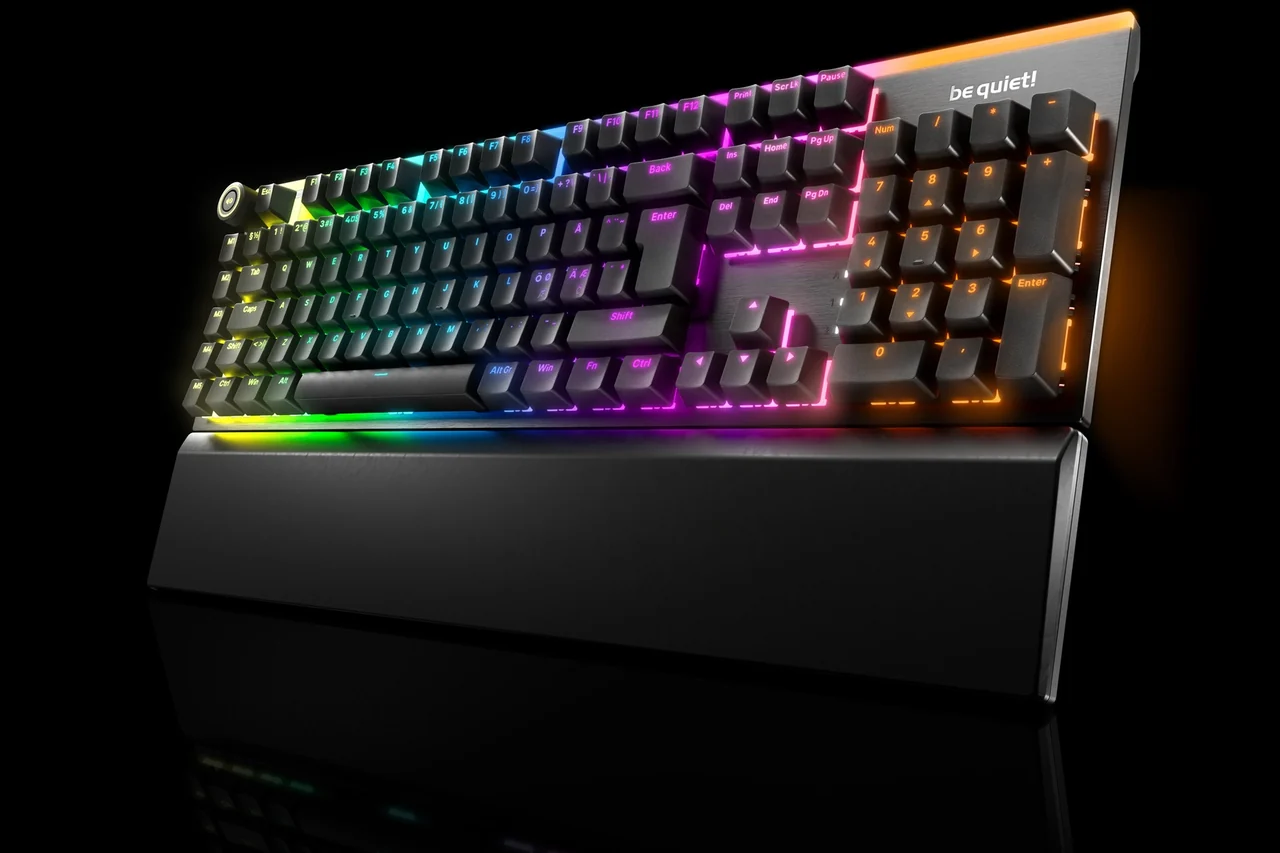
If you want the exact same be quiet! Silent Orange Linear or Silent Black Tactile switches and 3-layer internal sound insulation without paying an extra $115 for a detachable numpad and LCD stream dock, the be quiet! Light Mount is the smartest out-of-the-box buy in 2026 (be quiet!, 2026). It keeps the brushed aluminum top plate, double-shot PBT keycaps, factory-lubed plate-mounted stabilizers, 5-pin hot-swap sockets, and an aluminum 3D media wheel plus five dedicated macro keys. Both Dark Mount and Light Mount configure macros and RGB directly in the browser via be quiet! IO Center Web (Chromium WebHID) or the lightweight Windows app—zero background bloatware required.
3. Keychron Q1 Max (with Silent Switch Swap) — Best Wireless Custom Aluminum Build ($209–$229 + $25 Switches)
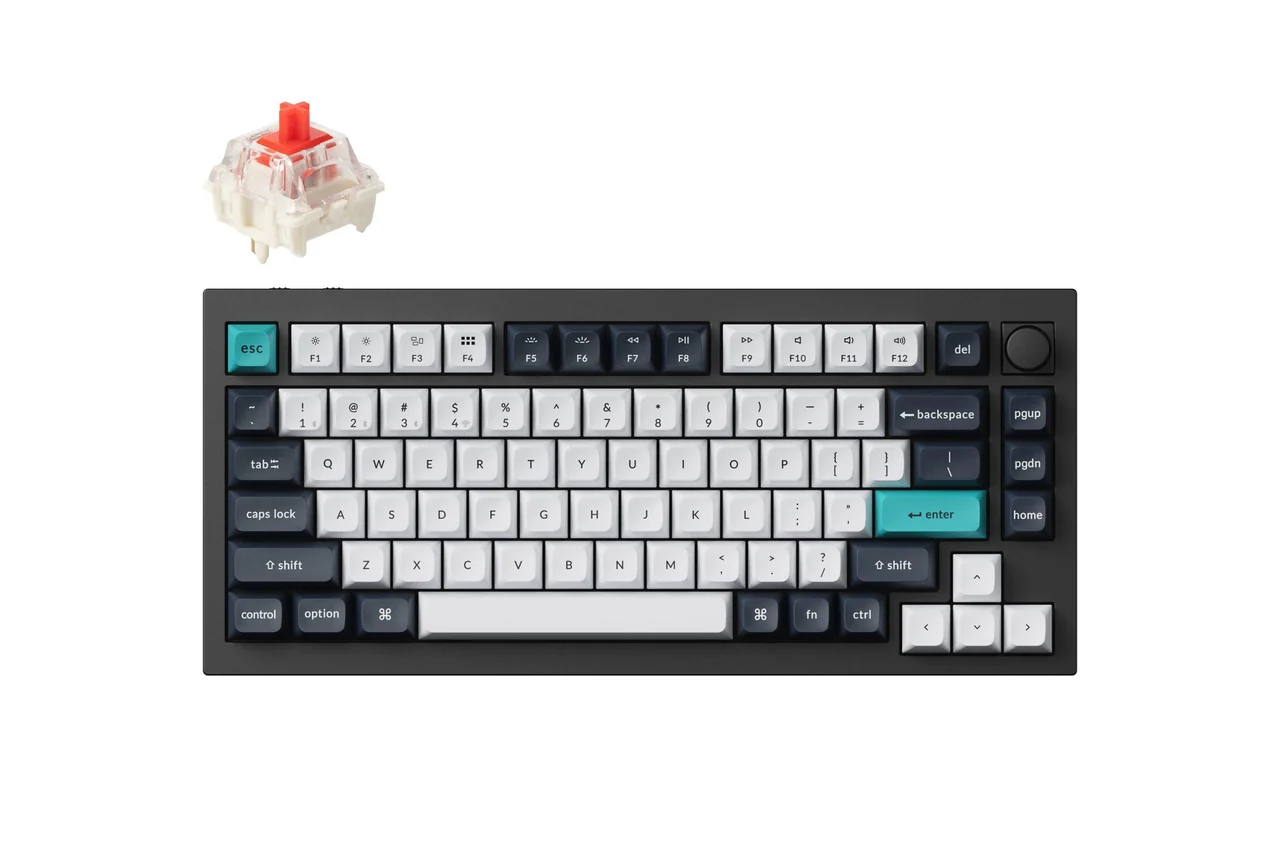
The Keychron Q1 Max is a 1,724 g block of 6063 CNC-machined aluminum with a double-gasket mount and six internal acoustic layers (IXPE switch pad, PET acoustic film, latex plate foam, bottom case foam, and silicone gaskets) (Keychron, 2026). Unlike the wired-only be quiet! pair, the Q1 Max delivers a 1000 Hz polling rate over 2.4 GHz wireless and wired USB-C (plus three-device 90 Hz Bluetooth 5.1) backed by a 4000 mAh battery rated for up to 180 hours with the backlight off. Out of the box, its Gateron Jupiter Red or Banana switches produce a polite, marbly ~50 dBA clack—but because every socket is 5-pin hot-swappable, spending 15 minutes and ~$25 to pop in 82 Outemu Silent Peach V3, TTC Frozen Silent V2, or Gazzew Boba U4 switches transforms the Q1 Max into the quietest wireless aluminum keyboard on the market, programmed entirely inside your browser via Keychron Launcher (QMK/VIA).
4. ASUS ROG Strix Scope II 96 Wireless — Best Low-Latency "Muted Thock" for Competitive Gaming ($149.99–$179.99)
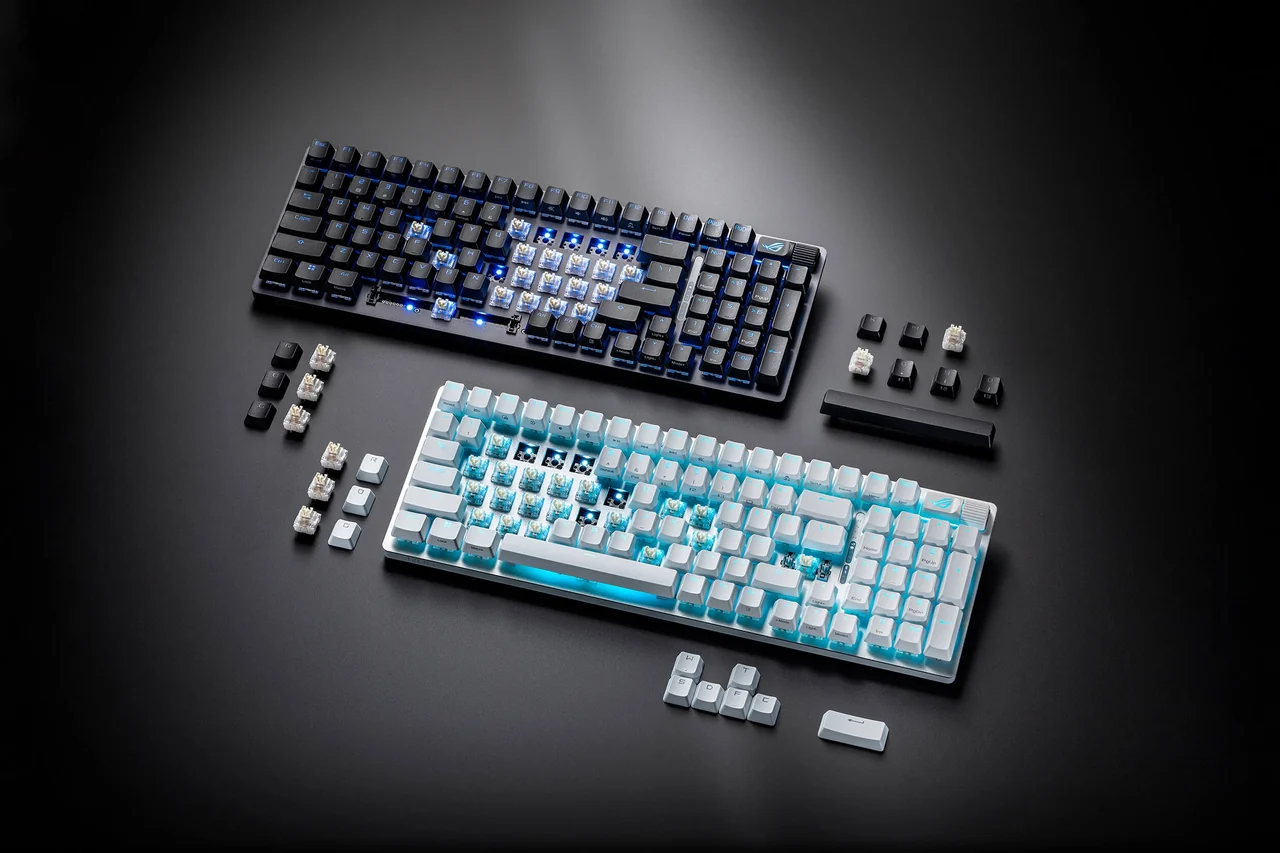
Some competitive FPS players dislike the slightly cushioned bottom-out of silicone-rail silent switches. If you want a crisp, solid keystroke that still eliminates metallic ring and high-pitched plastic clatter, the ASUS ROG Strix Scope II 96 Wireless is the benchmark (ASUS ROG, 2026; RTINGS, 2026). Its factory-lubed ROG NX Snow linear switches (40gf actuation at 1.8 mm, 53gf bottom-out at 3.6 mm) fire over an integrated silicone dampening foam sheet and individual switch-dampening pads. Combined with ROG SpeedNova 2.4 GHz wireless (1000 Hz polling, sub-2 ms wireless latency, and up to 1,500 hours of battery life with RGB and OLED off), it squeezes a full numpad and multifunction scroll wheel into a 96% frame just one column wider than a standard TKL.
5. Logitech G915 X LIGHTSPEED TKL — Best Low-Profile Quiet Wireless Keyboard ($199.99–$229.99)
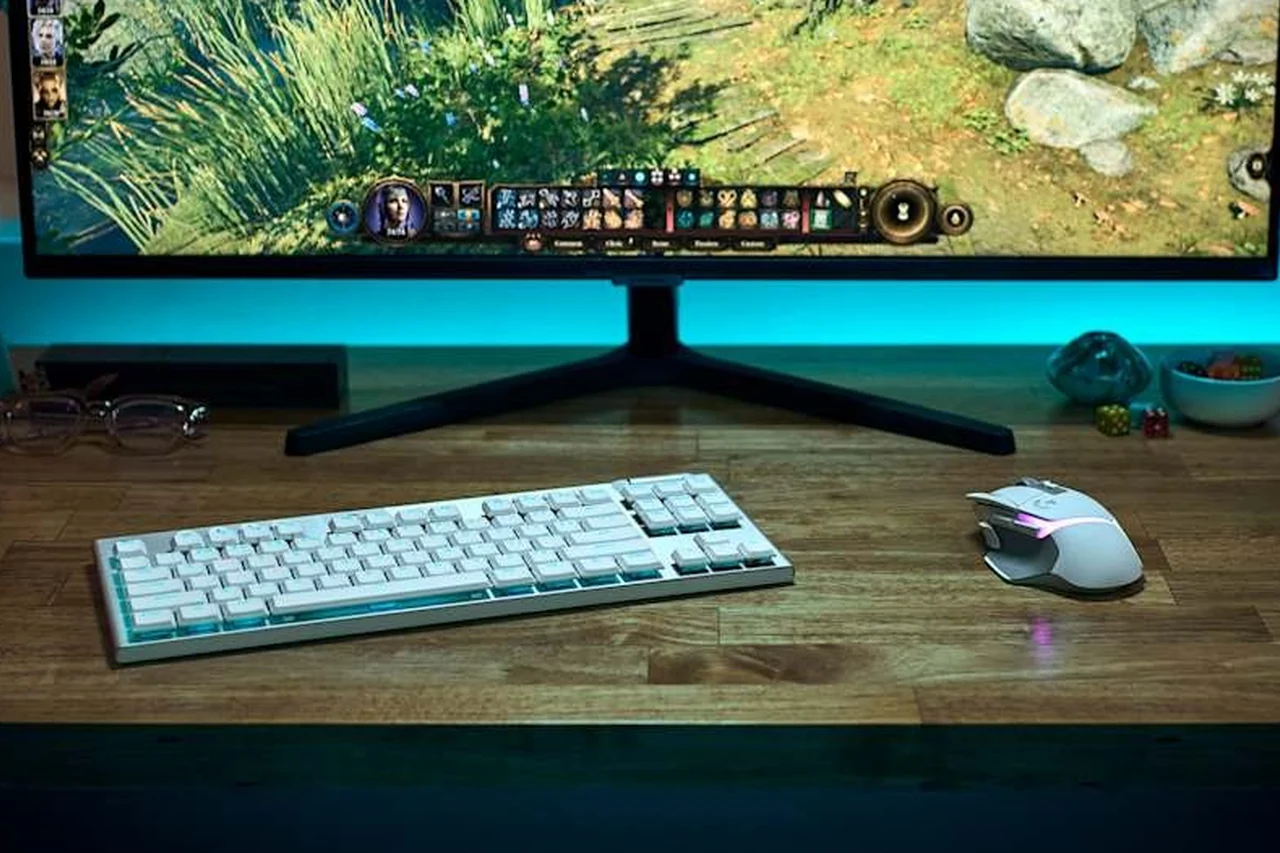
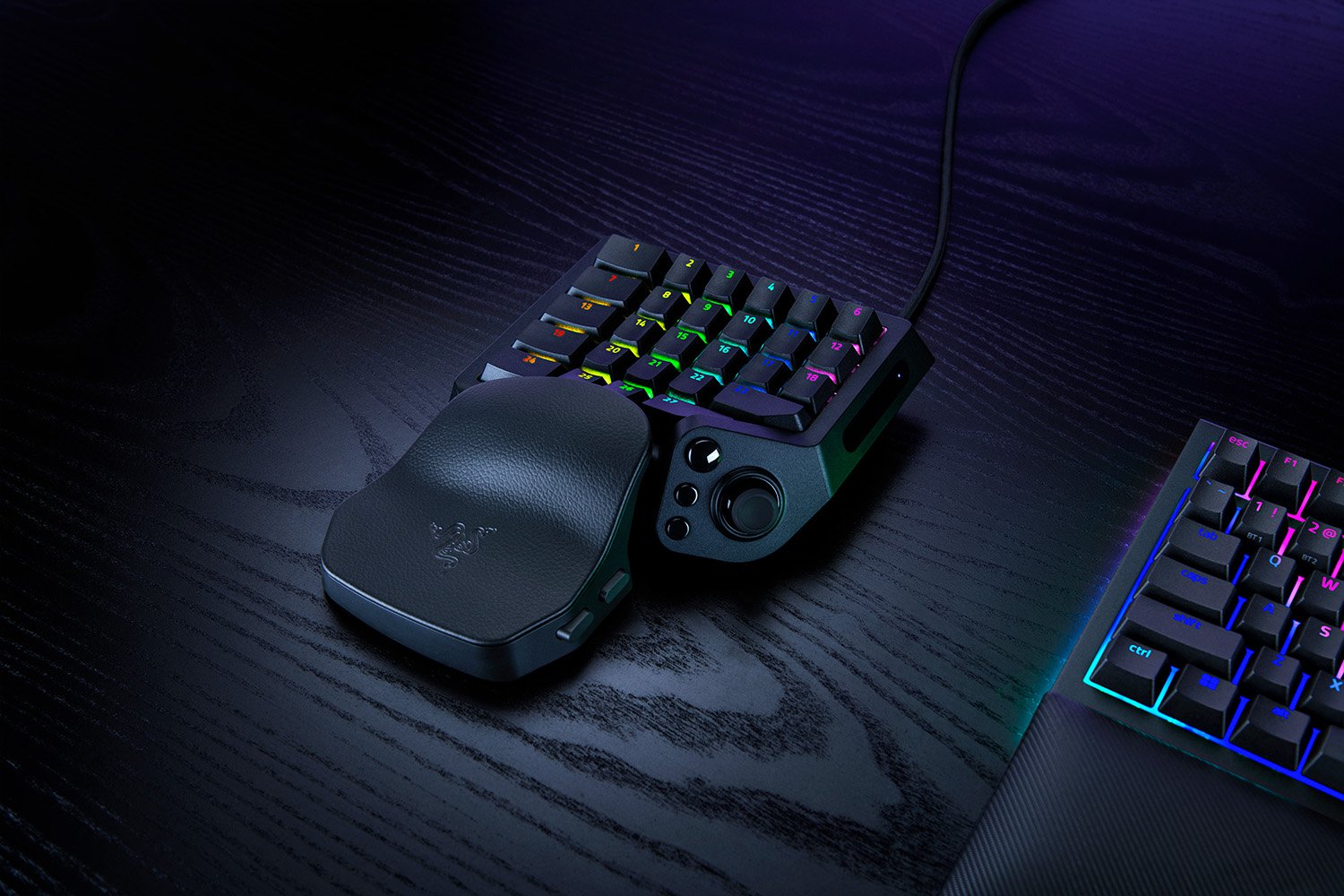
For gamers who prefer a flat, laptop-like wrist angle without a wrist rest, the updated Logitech G915 X LIGHTSPEED TKL fixes the two biggest acoustic complaints of the original G915: wobbly proprietary keycap stems and rattly thin ABS caps (RTINGS, 2026). The G915 X switches to sturdy POM cross-stems topped with thick double-shot PBT keycaps inside a 22.6 mm chassis. With a 1.3 mm actuation distance and 3.2 mm total travel (43g GL Linear or 45g GL Tactile), light typists can actuate keys rapidly without slamming the plate, keeping desk noise low during late-night MOBA or MMO sessions—and if you use a dedicated left-hand keypad alongside a compact board, compare our Razer Tartarus V2 Pro vs Tartarus Pro comparison.
Video walkthrough: inside a 3-layer silent mechanical gaming keyboard

Acoustic vs Latency Trade-Offs: Do Silent Switches Slow You Down in Games?
A common myth on gaming forums is that silent mechanical switches are "too mushy or slow for competitive shooters." Looking at the physical switch telemetry and USB report math shows where the real trade-off lies:
| Keyboard Model | Switch Pre-Travel / Total Travel | Actuation Force | Bottom-Out Feel | 1000 Hz Latency Class | Voice-Chat Mic Rejection (at 50 cm) |
|---|---|---|---|---|---|
| be quiet! Dark Mount | 1.9 mm / 4.0 mm | 45g (Linear) / 55g (Tactile) | Soft, elastomer-cushioned downstroke & rebound | ~2.5–3.5 ms (Wired USB-C) | Excellent (stays below typical Discord noise gate) |
| be quiet! Light Mount | 1.9 mm / 4.0 mm | 45g (Linear) / 55g (Tactile) | Soft, elastomer-cushioned downstroke & rebound | ~2.5–3.5 ms (Wired USB-C) | Excellent (stays below typical Discord noise gate) |
| Keychron Q1 Max (Silent Swap) | 1.8–2.0 mm / 3.8–4.0 mm | 40g–45g (Silent Peach V3 / Frozen V2) | Gasket flex + soft silent stem cushion | ~2.8 ms Wired / ~3.5 ms 2.4 GHz | Excellent (heaviest 1,724 g case kills desk vibration) |
| ASUS ROG Strix Scope II 96 Wireless | 1.8 mm / 3.6 mm | 40gf (NX Snow Linear) | Crisp, solid POM bottom-out with muted foam thock | ~1.2 ms Wired / ~1.6 ms SpeedNova 2.4 GHz | Very Good (deep sub-500 Hz tone avoids vocal 1–4 kHz band) |
| Logitech G915 X LIGHTSPEED TKL | 1.3 mm / 3.2 mm | 43g (GL Linear) / 45g (GL Tactile) | Fast, shallow low-profile stop | ~1.8 ms Wired & LIGHTSPEED 2.4 GHz | Good (short 200 ms decay, slightly brighter top-out) |
Notice that actuation happens at 1.3 mm to 2.0 mm—halfway down the keystroke—while a silent switch’s silicone rail bumpers only engage at the very bottom (3.8–4.0 mm) and very top (0.0 mm) of travel. That means the silicone dampeners never delay electrical actuation. The only scenario where a silent elastomer rail feels slightly slower than an un-dampened switch is ultra-rapid double-tapping around the bottom-out point, which you can measure directly in our key press-to-release latency checker or compare against high-speed custom boards in our Wallhack K-001 keyboard analysis.
How to Test Your Keyboard’s Switch Spectrum, dB Level & Latency in Your Browser (3-Step Protocol)
Whether you are diagnosing your current keyboard before buying or checking a newly delivered Light Mount, Q1 Max, or Scope II 96 during its return window, run this repeatable 3-minute browser protocol using the same workflow I ran for this guide:
- Step 1 — Audition the 5 acoustic profiles & check your 1–4 kHz FFT peak: Open the Keyboard Sound Test & Switch Soundboard. First, click between Silent Linear, Deep Thock, Creamy Linear, and Clicky Blue on the 8-pad soundboard (or pick Low-profile mechanical keyboard from the 14-sample dropdown) and tap across
W,A,S,D, andSpacebar. Next, place your microphone 15 cm from the center of your physical keyboard, click Start Listening, click Calibrate room noise, and press a single center alpha key (likeGorH) followed by yourSpacebar. The tool’s 2048-bin FFT analyzer plots 0–8 kHz and highlights the 1–4 kHz band in amber: if your keyboard peaks below 500 Hz (Linear (Thock)) with aQuietrelative verdict (< -22 dB relative), voice-chat noise gates will easily ignore it. If your spacebar jumps above 2,000 Hz (Clicky), your stabilizer wire is rattling. - Step 2 — Check relative room loudness at 50 cm (headset / desk mic distance): Open our online decibel level meter on a phone or laptop placed 50 cm from the keyboard—the typical distance to a boom-arm microphone or a sleeping partner. Record your quiet room baseline for 10 seconds, then type normally for 30 seconds. As detailed in our browser decibel-meter accuracy guide, consumer microphones measure relative uncalibrated levels rather than Class-1 SPL dBA, so focus on the delta above your room floor: a true silent-switch board typically adds only 4–8 dB above ambient room tone, whereas an un-dampened board can spike 15–22 dB above baseline.
- Step 3 — Verify 1000 Hz polling stability, release latency & zero key chatter: After hot-swapping silent switches into a Keychron Q1 Max, be quiet! Light Mount, or ROG Scope II 96, always verify that no switch pin was bent. Test every key on the full N-key rollover keyboard tester, check that your 2.4 GHz dongle or USB-C cable holds a steady 1.0 ms interval in the 1000 Hz keyboard polling rate tester, and run 30 rapid taps in the Keyboard Latency Checker (plus our key repeat delay and speed diagnostic guide if held keys feel sluggish).
3 Quick Mods That Drop Any Mechanical Keyboard by 5–10 dB for Under $15
- Tune the 6.25u spacebar first: As my 48 kHz sample inspection confirmed (
550 msspacebar decay vs230 msalpha key decay), lubricating the stabilizer wire housing with dielectric grease or Krytox 205g0 and sticking a strip of 2 mm foam inside the spacebar cavity removes the loudest clack on the board. - Add a 4 mm neoprene desk mat: A bare wood or glass desk acts like a guitar soundboard for low-frequency bottom-out energy. A thick desk mat absorbs chassis vibration before it couples into your microphone boom arm.
- Swap only your 8 most-mashed gaming keys: Because the Q1 Max, Scope II 96, Dark Mount, and Light Mount all use 5-pin hot-swap sockets, you can keep crisp linear switches on your alphas and drop silent switches into
Space,Shift,Enter, andBackspace.
Which Quiet Gaming Keyboard Should You Buy in 2026? (Final Verdict by Use Case)
- Buy the be quiet! Light Mount ($139.90–$169.90) if you want true whisper-quiet silent switches out of the box at a sensible price, don’t mind a wired USB-C cable, and want a dedicated aluminum 3D media wheel.
- Buy the be quiet! Dark Mount ($254.90–$284.90) if you want that same 3-layer silent switch engineering paired with a reversible left/right hot-swap numpad and an 8-key LCD media dock for streaming or editing.
- Buy the Keychron Q1 Max ($209–$229 + $25 silent switches) if you want a lifelong 1,724 g CNC aluminum wireless keyboard with browser-based QMK/VIA programming and are willing to spend 15 minutes swapping in 5-pin silent switches.
- Buy the ASUS ROG Strix Scope II 96 Wireless ($149.99–$179.99) if you play competitive FPS titles over 2.4 GHz wireless, dislike the soft bottom-out of silicone stem rails, and want a deep, foam-dampened "muted thock" with 1,500-hour battery life.
- Buy the Logitech G915 X LIGHTSPEED TKL ($199.99–$229.99) if you want an ultra-thin 22.6 mm low-profile TKL with rapid 1.3 mm actuation and PBT keycaps.
Quiet mechanical gaming keyboard questions
What is the quietest mechanical gaming keyboard you can buy out of the box in 2026?
For true stock silence without swapping switches, the be quiet! Light Mount ($139.90–$169.90) and be quiet! Dark Mount ($254.90–$284.90) are the quietest prebuilt gaming keyboards in 2026. Both combine 3-layer internal sound insulation with factory-lubed Silent Linear Orange (45g) or Silent Tactile Black (55g) switches that use internal stem rail dampeners to mute both the downstroke and the upstroke rebound.
Are silent mechanical switches slower for competitive gaming than standard linear switches?
No. Electrical actuation on a silent mechanical switch happens at 1.8 mm to 2.0 mm of pre-travel, whereas the internal elastomer dampening bumpers only touch at the bottom (3.8–4.0 mm) and top (0.0 mm) of the stroke. At a 1000 Hz polling rate, wired and 2.4 GHz wireless latency remains in the 1.2 ms to 3.5 ms range. Only players who want sub-0.1 mm magnetic Rapid Trigger resets need a Hall Effect or TMR switch instead.
be quiet! Dark Mount vs Light Mount: is the Dark Mount worth the extra $115?
Acoustic performance is virtually identical because both keyboards share the exact same be quiet! Silent Orange/Black switches, 3-layer internal foam/silicone insulation, and factory-lubed PBT stabilizers. Pay the extra ~$115 for the Dark Mount only if you specifically want the hot-swappable left/right modular numpad and the detachable 8-button LCD media dock.
Can I put silent switches into a Keychron Q1 Max or ASUS ROG Strix Scope II 96 Wireless without soldering?
Yes. Both the Keychron Q1 Max and the ASUS ROG Strix Scope II 96 Wireless feature 5-pin hot-swap PCB sockets. You can pull out the stock switches with the included puller and press in any 3-pin or 5-pin MX-compatible silent mechanical switch—such as Outemu Silent Peach V3, TTC Frozen Silent V2, Kailh Prestige Silent, or Gazzew Boba U4—in about 15 minutes with zero soldering.
Why is my spacebar still loud on a quiet mechanical keyboard, and how can I test it?
A 6.25u spacebar uses a metal stabilizer wire and a large hollow keycap cavity. In our 48,000 Hz Web Audio sample inspection on KeyboardTester.click’s Keyboard Sound Test, the stabilized spacebar reference decayed over 550 ms—more than 2.3 times longer than a 230 ms silent-linear alpha key. Open the Keyboard Sound Test, click Start Listening, and tap a center letter key vs your spacebar: if the spacebar shifts the peak frequency into the 1–4 kHz band, apply dielectric grease or Krytox 205g0 to the stabilizer wire ends and add a strip of foam inside the spacebar keycap.
Editorial & testing disclosure: prepared by Kashif Aziz Awan with AI drafting assistance and reviewed against official manufacturer specifications (be quiet!, Keychron, ASUS ROG, Logitech G), RTINGS 2026 acoustic/latency reviews, and NIH/NIDCD sound-level guidance on November 4, 2026. First-person browser observations and the 48,000 Hz WAV decay measurements were executed directly on KeyboardTester.click’s Keyboard Sound Test (#kst-soundboard and Web Audio API decoder); hardware specs and dBA/latency classes for the five keyboards are source-based manufacturer and third-party lab figures, not physical chamber tests of retail units. Browser microphone analyzers measure relative digital levels (dBFS) on uncalibrated consumer microphones rather than certified Class-1 dBA sound pressure. Product photos are official manufacturer press images (be quiet!, Keychron, ASUS ROG, Logitech G) credited inline; KeyboardTester.click owns and operates the linked diagnostic tools.
Sources and verification
- be quiet! Official · Dark Mount & Light Mount Silent Linear (Orange 45g) / Silent Tactile (Black 55g) & 3-Layer Sound Insulation Specifications (checked 2026-11-04)
- Keychron Official · Keychron Q1 Max QMK/VIA Wireless Custom Mechanical Keyboard (1000 Hz 2.4 GHz, 6-Layer Acoustic Foam, 6063 CNC Aluminum) (checked 2026-11-04)
- ASUS ROG Official · ROG Strix Scope II 96 Wireless (ROG NX Snow 40gf Linear, Silicone Dampening Foam, SpeedNova 2.4 GHz) (checked 2026-11-04)
- RTINGS.com · The 6 Best Quiet Keyboards of 2026: Acoustic & Latency Test Methodology (checked 2026-11-04)
- RTINGS.com · ASUS ROG Strix Scope II 96 Wireless Keyboard Review (Typing Noise & Wireless Latency Benchmarks) (checked 2026-11-04)
- RTINGS.com · Logitech G915 X LIGHTSPEED Keyboard Review (22.6 mm Low-Profile GL Switch Travel & Latency) (checked 2026-11-04)
- NIH / NIDCD · Noise-Induced Hearing Loss: 60–70 dBA Normal Conversation & Safe Listening Baseline (checked 2026-11-04)
More keyboard comparisons & testing guides
Compare switch sounds and test your own keyboard’s noise floor in 30 seconds
Before you spend $140 to $285 on a new quiet keyboard, audition Silent Linear vs Deep Thock vs Low-Profile switches on our 8-pad Switch Soundboard, then switch on the 2048-bin FFT microphone analyzer to see where your current keyboard peaks.
Open the Keyboard Sound Test



Reader discussion
Comments
Share what worked, what did not, or what you would test next. Every comment is reviewed before it appears.
Loading approved comments…
Leave a comment
No account or sign-in is required. Links and HTML are not accepted.