





Best Mechanical Keyboard 2026: Quick Picks
Short answer: the Wooting 80HE is the best mechanical keyboard 2026 pick for most competitive FPS players, and it is still the safest best gaming keyboard 2026 recommendation overall. Choose the Gamakay NS68 for budget Hall Effect performance, Wooting 60HE v2 for a compact 60% esports board, Keychron Q1 HE 8K for premium typing feel, and ASUS ROG Azoth 96 HE if you need wireless plus a numpad-style layout.
- Best overall: Wooting 80HE for esports software, rapid trigger control, and proven pro-player adoption.
- Best budget: Gamakay x NaughShark NS68 for Hall Effect switches and rapid trigger features under roughly $50.
- Best premium daily driver: Keychron Q1 HE 8K for aluminum build quality, typing feel, and gaming performance.
- Best rapid trigger precision: NuPhy Field75 HE V2 for its extremely fine 0.005 mm rapid trigger setting.
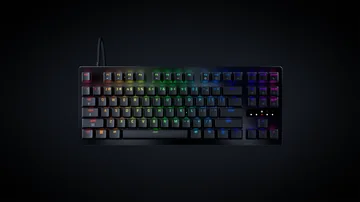
- Best TKL esports pick: Razer Huntsman V3 Pro TKL for competitive FPS players who want a familiar tournament layout.
- Best near-full-size wireless: ASUS ROG Azoth 96 HE for Hall Effect switches, wireless flexibility, and a numpad-style layout.
- Best 60% contender: Wooting 60HE v2 for players who want Wootility, true 8K polling, and a compact desk footprint.
If you want one safe recommendation for competitive gaming, start with the Wooting 80HE. If price matters most, start with the Gamakay NS68.
Already own one of these? Run the free keyboard tester to confirm every key, rollover, and combo registers before ranked play, and the keyboard sound test to compare switch acoustics against your current board.
Best mechanical keyboard 2026 short answer: Wooting 80HE is my safest competitive gaming pick, Gamakay NS68 is the best budget pick, Wooting 60HE v2 is the best 60% contender, and ASUS ROG Azoth 96 HE is the best near-full-size wireless pick.
If you searched for a mechanical keyboard 2026 recommendation, the important detail is that this guide focuses on gaming-ready mechanical boards, including newer Hall Effect and analog optical designs that still compete with traditional mechanical switches for desk space, typing feel, and price.
I have gone through a lot of gaming keyboards over the years. And I want to be honest with you upfront: the market in 2026 is genuinely confusing. Traditional mechanical keyboards — the Cherry MX switches, the clicky Blues, the smooth Reds everyone argued about for a decade — have been quietly displaced at the competitive level. As of April 2026, 40% of the top 2,252 tracked pro esports players use a Hall Effect or analog optical switch keyboard, up from essentially zero in 2022. The switch revolution happened faster than most people noticed.
But that doesn't mean a $200 hall-effect board is automatically right for you. It depends entirely on what you play, how you type, and what you're willing to spend. I've put together this guide to cut through the noise and give you one honest pick per category — budget, mid-range, esports-focused, premium, and wireless — with real pros, real cons, and the data to back each choice up.
After you buy anything in this list, I'd strongly recommend running four quick checks: the Keyboard Tester to confirm every key registers, the N-Key Rollover Test for simultaneous input verification, the Keyboard Ghosting Test for combo reliability, and a quick Typing Test to feel the switch out. Marketing specs don't tell you if your unit shipped correctly — a 2-minute test does.
Prices and availability were last checked against official brand pages and current review sources on May 4, 2026. Prices can change.
Quick Comparison: Which Keyboard Fits You?
| Keyboard | Price | Layout | Switch type | Rapid Trigger | Best for |
|---|---|---|---|---|---|
| Gamakay × NaughShark NS68 | ~$44 | 65% | Hall Effect (HE) | 0.01 mm | Budget competitive gaming |
| Keychron Q1 HE 8K | $229 | 75% | Hall Effect (TMR) | 0.01 mm | Gaming + premium daily typing |
| Wooting 80HE | $199 | 75% | Hall Effect (Lekker) | 0.1 mm | Best-in-class software + esports |
| Wooting 60HE v2 | $180-$240 | 60% | Hall Effect (Lekker Tikken) | 0.1 mm | Compact esports + modding |
| NuPhy Field75 HE V2 | $179–$199 | 75% | Hall Effect (TMR) | 0.005 mm | Finest RT precision, mid price |
| Razer Huntsman V3 Pro TKL | $219 | TKL | Analog Optical | 0.1 mm | #1 most-used by pro esports players |
| ASUS ROG Azoth 96 HE | ~$306–$349 | 96% | Hall Effect | 0.01 mm | Premium wireless + numpad |
How We Chose These Keyboards
This list is ranked for gaming first, but not blindly by specs. I weighed each keyboard by switch technology, rapid trigger support, polling/scanning claims, software quality, layout practicality, build quality, price, wireless tradeoffs, and whether the board makes sense for real players after the first week of use. The goal is not to list every popular keyboard; it is to make the buying decision faster.
I also separated traditional mechanical value from modern Hall Effect and analog optical boards. For casual gaming and typing, a normal mechanical keyboard can still be excellent. For competitive FPS movement, rapid trigger and adjustable actuation are now the features that matter most.
1. Gamakay × NaughShark NS68 — Best Budget Gaming Keyboard 2026 (~$44)
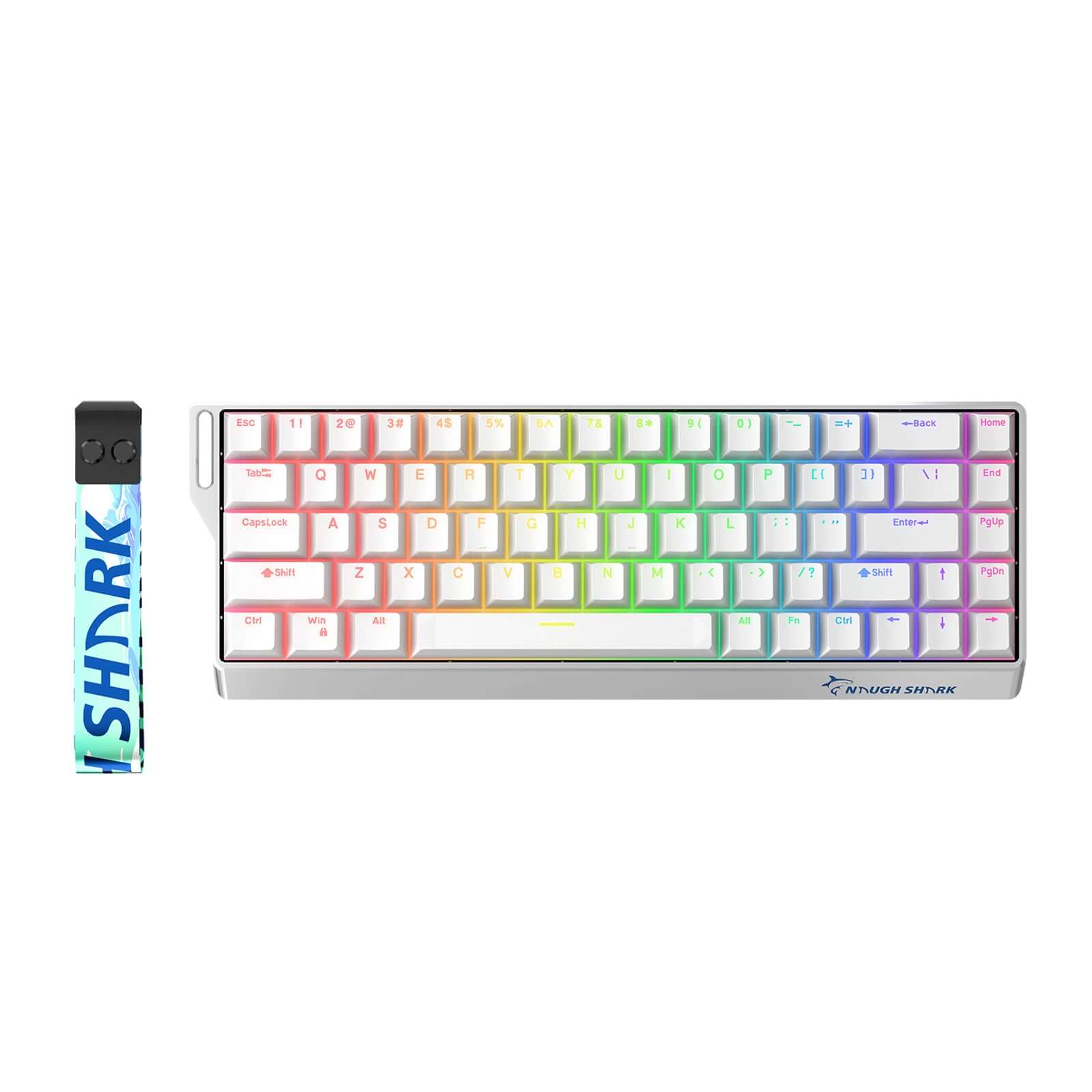
This one genuinely surprised me. A year ago, getting hall-effect switches with Rapid Trigger cost at least $150. The Gamakay × NaughShark NS68 delivers 8,000 Hz polling, 0.01 mm Rapid Trigger resolution, and Snap Tap (SOCD) in a 65% package for around $44. PC Gamer reviewed it and called it "genuinely good for gaming" at this price point. I agree with that assessment more than I expected to.
- Why it works: The performance gap between this and a $175 hall-effect board is essentially unmeasurable during actual gameplay. If you want competitive features without committing serious money, this is where I'd start.
- What I noticed: The wired model is the one to buy for competitive play — the tri-mode wireless version exists but wired polling consistency is what you want for ranked.
- The honest problem: The ABS plastic case is hollow and loud — it sounds like a budget board because it is one. The software has documented UI quirks. It's not a desk tour keyboard. But for pure competitive function, it over-delivers by a wide margin.
My take: If budget matters at all, start here. Test every key with the free Keyboard Tester when it arrives — a few buyers have reported dead-on-arrival switches that were caught this way before the return window closed.
2. Keychron Q1 HE 8K — Best Mid-Range Pick ($229)
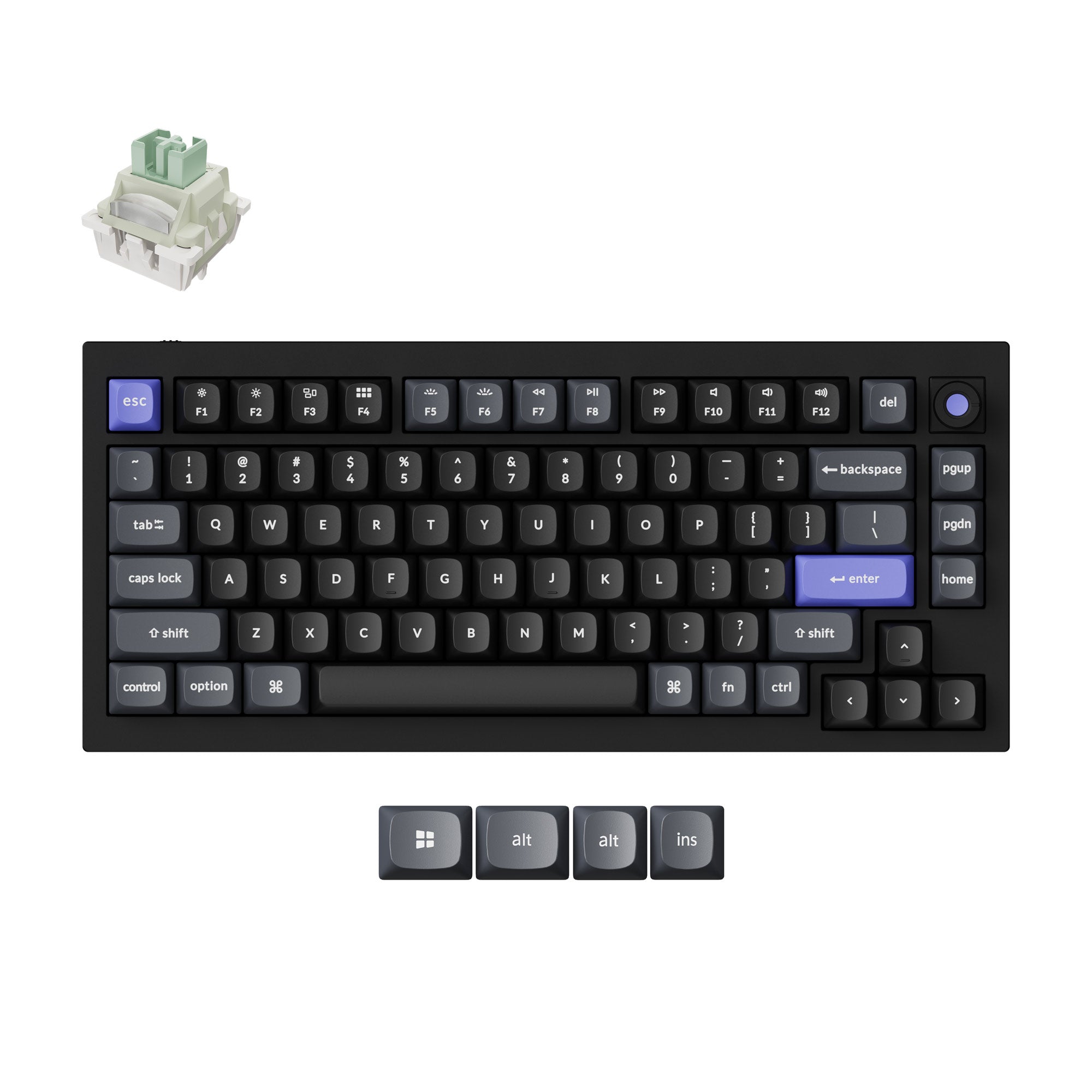
I have a soft spot for Keychron because they're one of the few brands that build keyboards that are actually pleasant to type on every day, not just during gaming sessions. The Q1 HE 8K (launched December 11, 2025) is their answer to the hall-effect wave, and it's serious: 6063 aluminum double-gasket chassis, 8K polling, 0.01 mm Rapid Trigger, Dynamic Keystrokes, and full QMK/VIA support. GamesRadar called it one of the best-sounding Hall Effect boards they've reviewed.
- Why it works: You're getting pro-grade competitive specs in a build that would hold its own against $350+ custom keyboards. The sound and feel are genuinely in a different class from the Gamakay — it's the kind of board you don't get tired of using.
- What I noticed: The 75% layout with a physical knob is the practical daily driver sweet spot for most people. Keeps everything you use, cuts what you don't.
- The honest problem: Wired only, no wireless option. At $229 you're paying a premium to sit below the Wooting in Rapid Trigger resolution (0.01 mm vs 0.1 mm — the Q1 is actually finer here). The web-based Keychron Launcher configurator is functional but not as polished as Wootility.
My take: The pick for someone who games seriously but also types a lot — work, writing, anything. The build quality means you won't resent using it outside games. Use the Input Latency Checker to baseline your setup after plugging in.
3. Wooting 80HE — Best Overall / Best Esports Software Pick ($199)
September 18 update: Wooting now offers the 80HE+ preorder. Before replacing an original 80HE or ordering a Module, compare the 80HE+ complete-board price, parts costs and case compatibility. A Module price does not include a complete keyboard, and the new Module cannot fit the original case.

If you look at the actual data, the Wooting 80HE is hard to argue with. It's the #1 most-used keyboard among tracked pro esports players after the Razer Huntsman V3 Pro TKL — 13.4% of 2,252 players in the ProSettings.net April 2026 dataset use it. PC Gamer ranks it #1. RTINGS ranks it #1. That level of consensus across data sources and professional players doesn't happen by accident.
- Why it works: The reason pros use Wooting isn't just the Lekker L60 V2 switches. It's Wootility — universally considered the best keyboard configuration software in the industry. Per-key Rapid Trigger, analog inputs, on-board memory, profiles that work without software running — it's the most complete implementation of hall-effect features that exists.
- What I noticed: The 8K polling is synchronized across every key simultaneously. Some cheaper boards scan at mixed rates internally — Wooting doesn't do that.
- The honest problem: Wired only. The PCR ABS plastic case at $199 is harder to justify now that Chinese boards give you aluminum and equal polling at half the price. Wooting's value is almost entirely in the software and the refinement of the switch — if you don't use Wootility's depth, you're overpaying.
My take: The reference pick. If I'm recommending one keyboard for competitive FPS without budget constraints, this is it. Run the Keyboard Ghosting Test after setup — with Rapid Trigger enabled you should see zero ghost combinations under maximum key press.
4. Wooting 60HE v2 — Best 60% Keyboard in the Race ($180-$240)
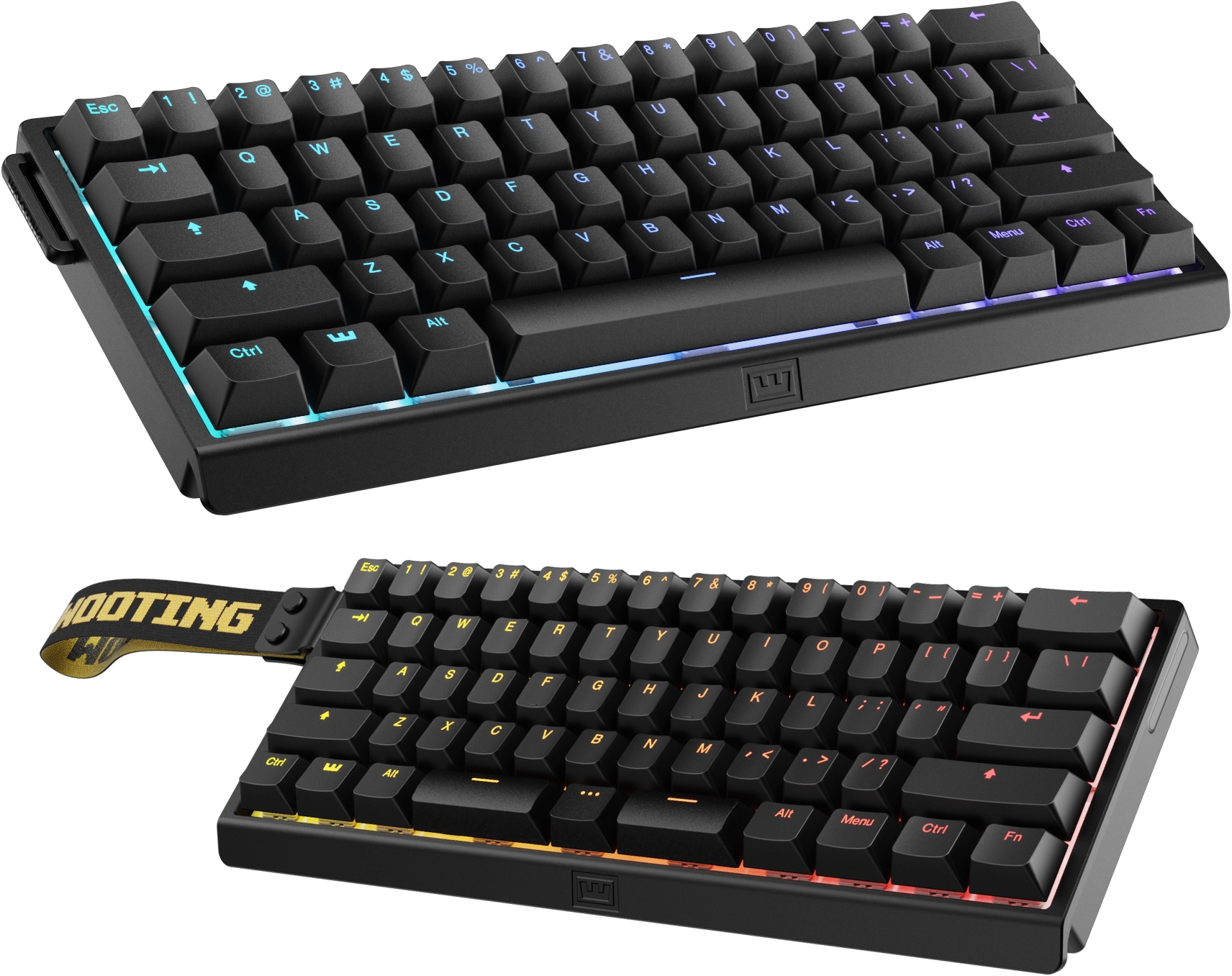
The Wooting 60HE v2 deserves to be in this list because it answers a different buyer than the 80HE. If you want the Wooting software ecosystem but prefer the smallest practical competitive layout, this is the board to compare. Wooting lists it as a 60% gaming keyboard with true 8K polling, a more powerful chip, Hall Effect analog control, Rapid Trigger, adjustable actuation, and either a classic or split-spacebar layout.
- Why it works: You get the same Wootility advantage that makes the 80HE so strong, but in a smaller footprint. Wooting says the 60HE v2 scans every key at true 8 kHz in sync, and the split-spacebar option gives competitive players another programmable bottom-row key without moving to a larger board.
- What I noticed: It is the cleanest choice if you specifically want a 60% gaming keyboard in 2026. PC Gamer's 2026 review lists it at $180 for the ABS build and $240 for the aluminum build, and says the newer version is Wooting's strongest keyboard yet for both gaming and typing feel.
- The honest problem: A 60% layout is not for everyone. You lose dedicated arrows, function row, and navigation keys, so daily productivity depends on layers and shortcuts. RTINGS also notes that the 8K uplift is measurable but unlikely to feel different in-game for most people.
My take: Add the Wooting 60HE v2 to your shortlist if you play FPS seriously, want Wootility, and like compact keyboards. If you want arrow keys and easier daily use, I would still pick the Wooting 80HE first.
5. NuPhy Field75 HE V2 — Finest Rapid Trigger Precision ($179–$199)
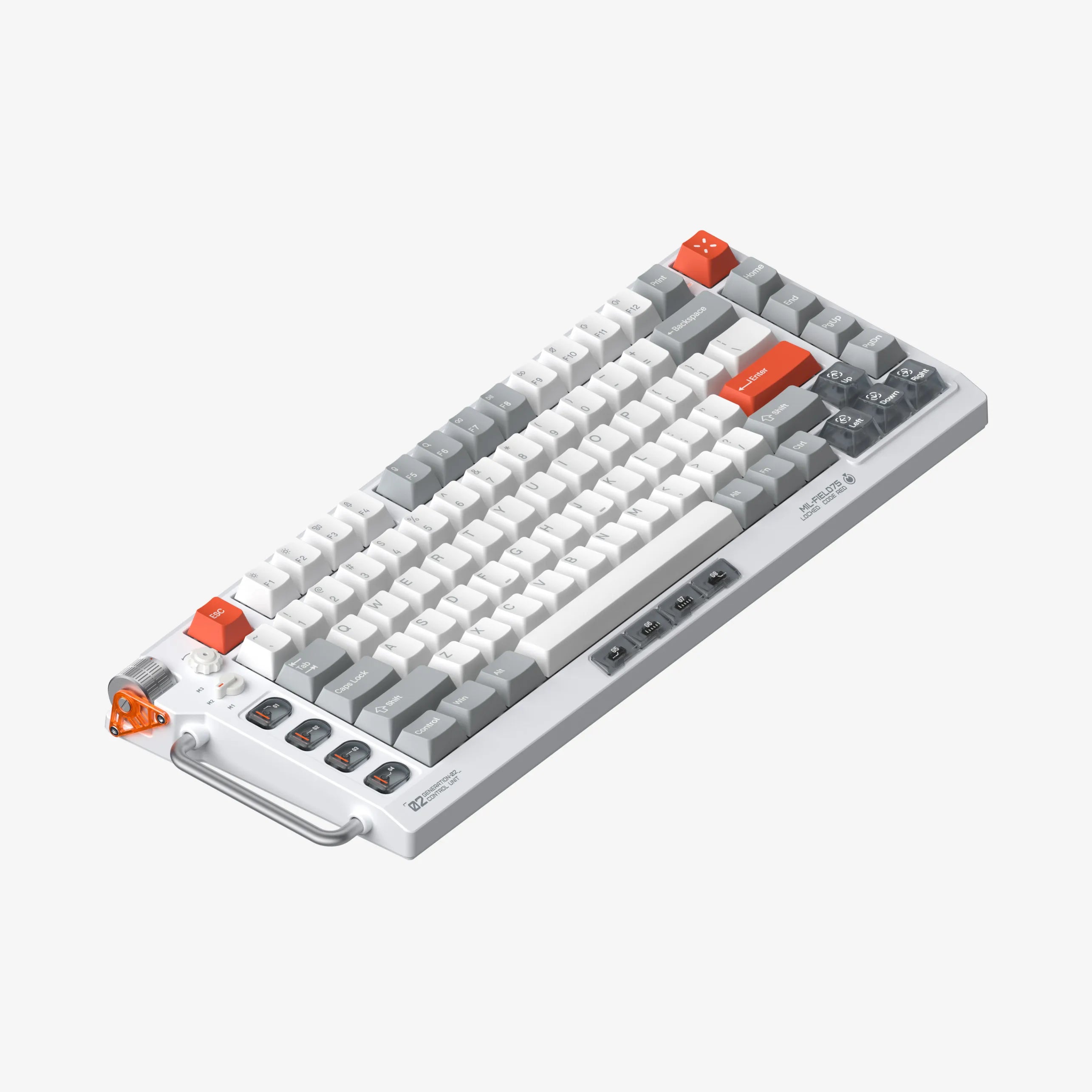
This one is less talked about than Wooting or Keychron, which is honestly a little frustrating because the spec that matters most — Rapid Trigger resolution — is better here than anywhere else. The NuPhy Field75 HE V2 offers 0.005 mm Rapid Trigger precision. For context: Wooting's is 0.1 mm. Keychron's is 0.01 mm. NuPhy's is five times finer than Keychron and twenty times finer than Wooting. The 32,000 Hz scan rate is also the fastest of any board on this list.
- Why it works: Six layers of dampening plus high-density foam sandwich give it acoustic qualities that punch above $200. Combined with the finest RT resolution available in retail, it's a technically impressive package for $179.
- What I noticed: Instant preset switching is genuinely useful in practice — less than a second to flip between a Rapid Trigger gaming profile and a standard typing profile.
- The honest problem: Wired only. NuPhy is less established in enthusiast communities than Wooting or Keychron — shorter firmware history, thinner community support documentation. The NuPhyIO web configurator works but doesn't match Wootility's depth.
My take: The dark horse pick for buyers who want the best possible RT specification at a mid-range price. If the number on paper matters to you and you play something where sub-0.01 mm reset points could theoretically matter, this is your board.
6. Razer Huntsman V3 Pro TKL — Most Popular Among Pros ($219)
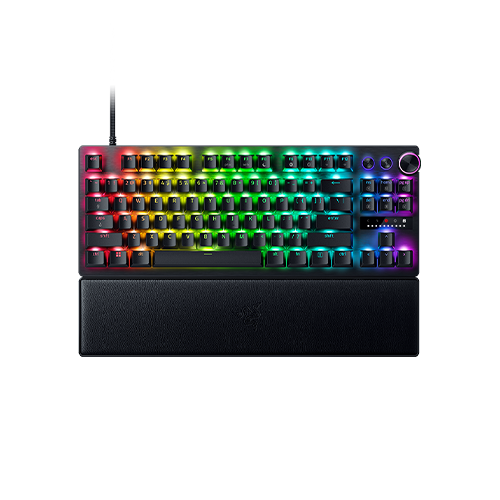
Numbers don't lie: the Razer Huntsman V3 Pro TKL is the single most-used keyboard in pro esports right now — 338 out of 2,252 tracked players (15.01%) use it, according to ProSettings.net's April 2026 data. It dethroned Logitech G at the top of the esports hardware chart. That's not marketing. That's what people who make their living at this game chose to put on their desk.
- Why it works: The TKL layout is the dominant competitive layout globally — more mouse room than a full-size, more keys than a 75%. Razer's Gen-2 Analog Optical switches give you adjustable actuation from 0.1 to 4.0 mm, Rapid Trigger, and Snap Tap. The included wrist rest and media dial are genuine ergonomic wins that most competitors skip at this price.
- What I noticed: The TKL format with a detachable wrist rest is a legitimately comfortable long-session setup. Most competitors ask you to buy accessories separately.
- The honest problem: Gen-2 Analog Optical switches have a documented coil whine problem — reported by 15–30% of buyers. Razer Synapse 4 has stability issues flagged by multiple reviewers. And critically: Snap Tap (SOCD) is banned in CS2 ranked play. If CS2 is your main game, that's a real consideration before you buy.
My take: The pro-validated choice for TKL competitive gaming. The coil whine issue is real but inconsistent — some units have it, some don't. If you get a quiet unit, you have one of the best competitive boards available. Use the N-Key Rollover Test to verify all simultaneous inputs are registering correctly after setup.
If you want a current Razer TKL but prefer magnetic sensing and a lower checked entry price, compare it with the newer Razer Huntsman V3 HE Magnetic. The two similarly named boards use different sensing systems and do not have the same physical controls.
If a large built-in control surface matters more than the simplest competitive layout, the Turtle Beach Command Series KB7 decision guide examines its $200-class touchscreen, Hall Effect controls, Swarm II dependency, direct-USB requirement, and delivery-day checks without presenting it as hands-on tested.
7. ASUS ROG Azoth 96 HE — Best Near-Full-Size Wireless Gaming Keyboard 2026 (~$306)
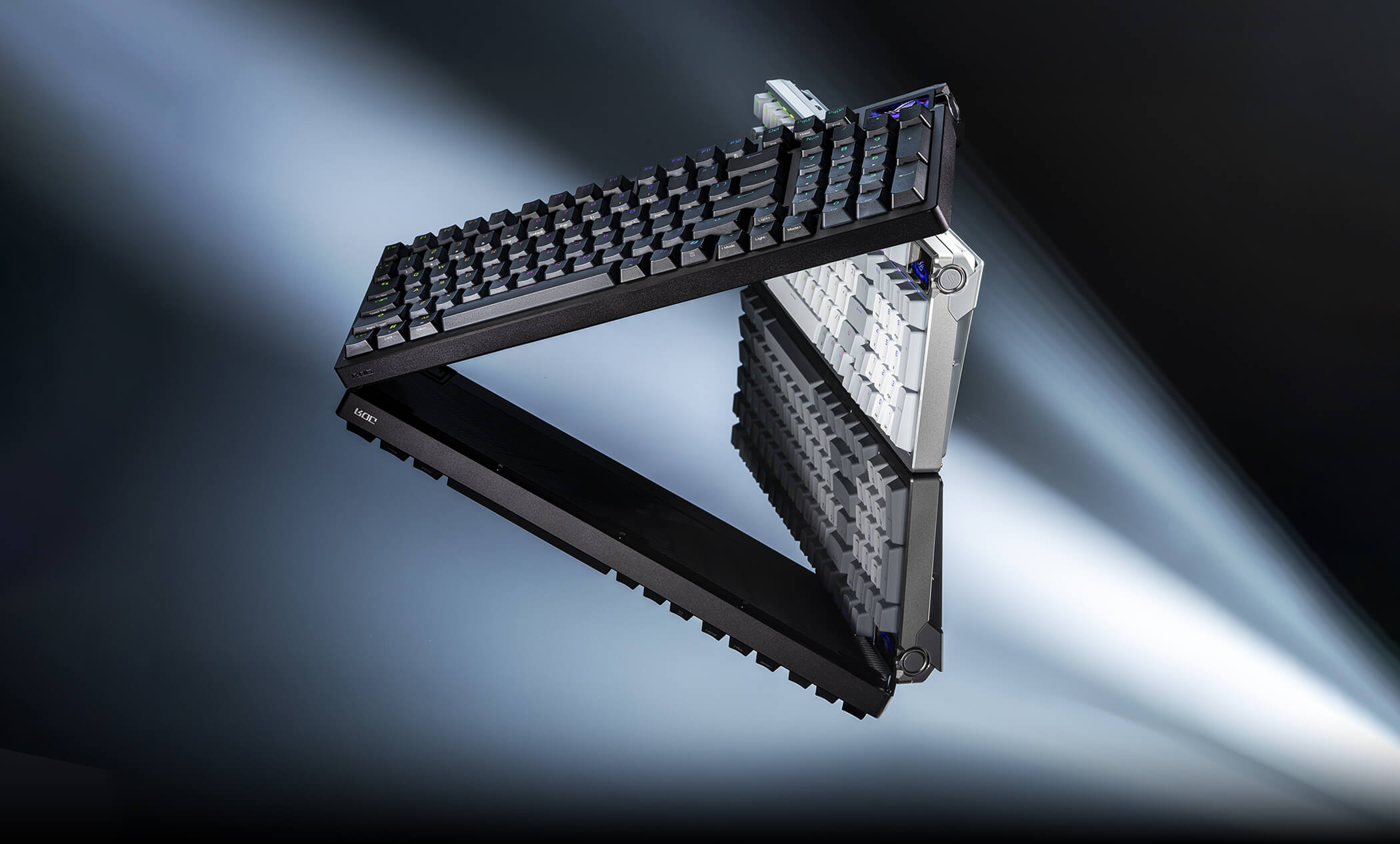
GamesRadar named the ASUS ROG Azoth 96 HE the best gaming keyboard overall for 2026, and I understand why — it does something no other board on this list does: wireless at 8K polling with Hall Effect switches. That combination did not exist at a consumer price point a year ago. If you've been waiting for wireless to catch up to wired in terms of competitive specs, this is where that happened.
- Why it works: Tri-mode wireless (ROG SpeedNova 2.4 GHz + Bluetooth + USB-C), 0.01 mm Rapid Trigger, Speed Tap (SOCD), a 1.47-inch full-color OLED touchscreen that shows real-time actuation levels, and six-layer dampening in a metal frame. The 96% layout is also genuinely smart — you keep the numpad in a footprint barely wider than a TKL.
- What I noticed: The OLED display showing live actuation depth as you type is genuinely useful for dialing in your Rapid Trigger settings, not just a gimmick. It's the only board in this list where you can visually confirm your actuation point without opening software.
- The honest problem: At $349 MSRP, it's genuinely hard to justify for most players. GamesRadar's own reviewer said "that price tag is going to be a problem." The 96% layout is also polarizing — purist competitive players want TKL for mouse room.
My take: The pick for players who genuinely need wireless and won't accept compromising on competitive specs to get it. If cable management is a real consideration for your setup and you want the best hall-effect experience available without a wire, this is it. Everything else — try the Wooting or Keychron first. And for perspective on that $349 sticker: it barely registers against the most expensive luxury keyboards roundup, where boards start near $1,000 and climb past $8,000.
What Is Rapid Trigger and Why Does It Matter for Gaming?
Rapid Trigger is the feature that separates modern hall-effect gaming keyboards from everything that came before them. Here's the short version.
On a traditional mechanical switch, there are two fixed points: an actuation point (where the keypress registers) and a reset point (where releasing the key deregisters it). These points are hardcoded — usually around 2.0 mm actuation and 1.8 mm reset. This means after pressing a key, you have to release it past 1.8 mm before the keyboard recognizes that you let go.
Rapid Trigger changes this. Instead of fixed points, the keyboard tracks direction of movement. The key registers as pressed the moment you push down past a threshold (as low as 0.1 mm), and registers as released the moment you start moving upward past a reset distance (also as low as 0.1 mm) — regardless of where your finger physically is. The result is dramatically faster key re-registration for techniques like counter-strafing in CS2 or Valorant, where the speed of your A-D alternation directly affects how quickly your accuracy recovers.
For FPS gaming specifically, Rapid Trigger is the single biggest real-world performance upgrade available in keyboard hardware today.
Is a Hall Effect Keyboard Better Than a Regular Mechanical for Gaming?
For competitive FPS gaming — yes, meaningfully. For everything else — it depends.
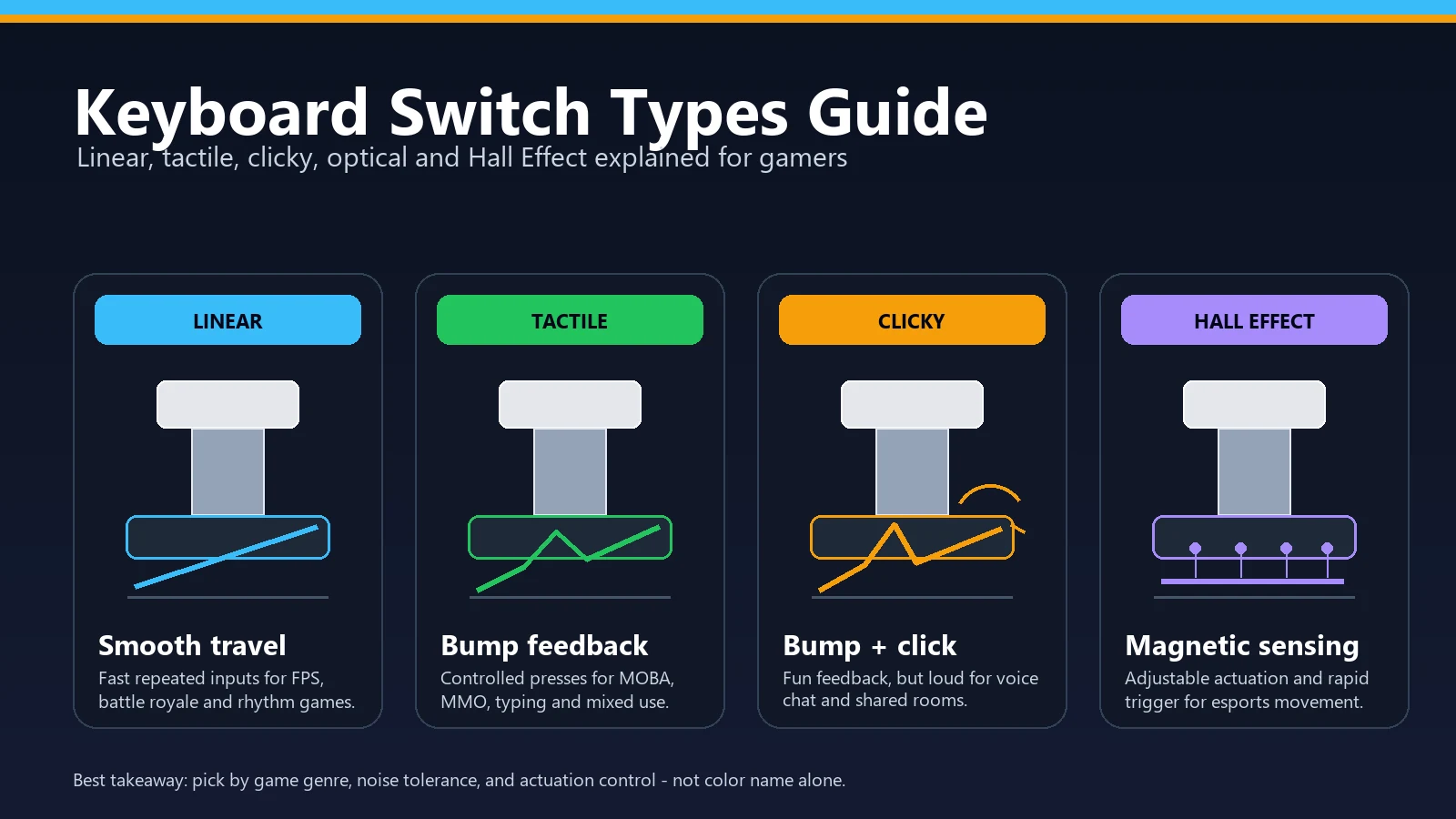
Hall effect switches use a magnet and sensor to track position without physical contact, which enables Rapid Trigger, adjustable actuation, and longer switch lifespan (no physical contact means no wear). Traditional mechanical switches use metal leaf contacts that compress at a fixed actuation point. That fixed point is the limitation.
Where hall effect wins outright: counter-strafing precision, key re-registration speed, and the ability to tune every key independently. Where it doesn't automatically win: typing feel, acoustic character, hot-swap flexibility (some traditional mechanical boards are more community-supported for modding), and affordability at the entry level.
If you play CS2, Valorant, or any FPS where movement mechanics matter, a hall-effect board with Rapid Trigger is the upgrade that will actually change your gameplay. If you mostly play RPGs, strategy games, or anything non-competitive, a good traditional mechanical keyboard will serve you just as well and often feel better to type on for long sessions.
What Gaming Keyboard Layout Should You Pick?
Layout is the most personal choice and the one people get wrong most often by buying based on aesthetics instead of actual use habits.
- TKL (tenkeyless): Removes the numpad. Dominant in esports — gives you more desk space for mouse movement without losing the function row and navigation keys. The Razer Huntsman V3 Pro TKL is the benchmark here.
- 75%: Removes the numpad and compresses the navigation cluster. Slightly less mouse room than TKL but keeps all the keys most people actually use. The Wooting 80HE and Keychron Q1 HE 8K are both 75% boards.
- 65%: Removes numpad, function row, and most navigation keys. Maximum desk space, minimal keyboard footprint. The Gamakay NS68 is a 65% board — right for competitive players who have fully adapted to relying on Fn layers for function keys.
- 96% / compact full-size: Keeps the numpad but compresses spacing to reduce overall width. The ROG Azoth 96 HE uses this format — best for players who genuinely use the numpad but don't want a full-size footprint.
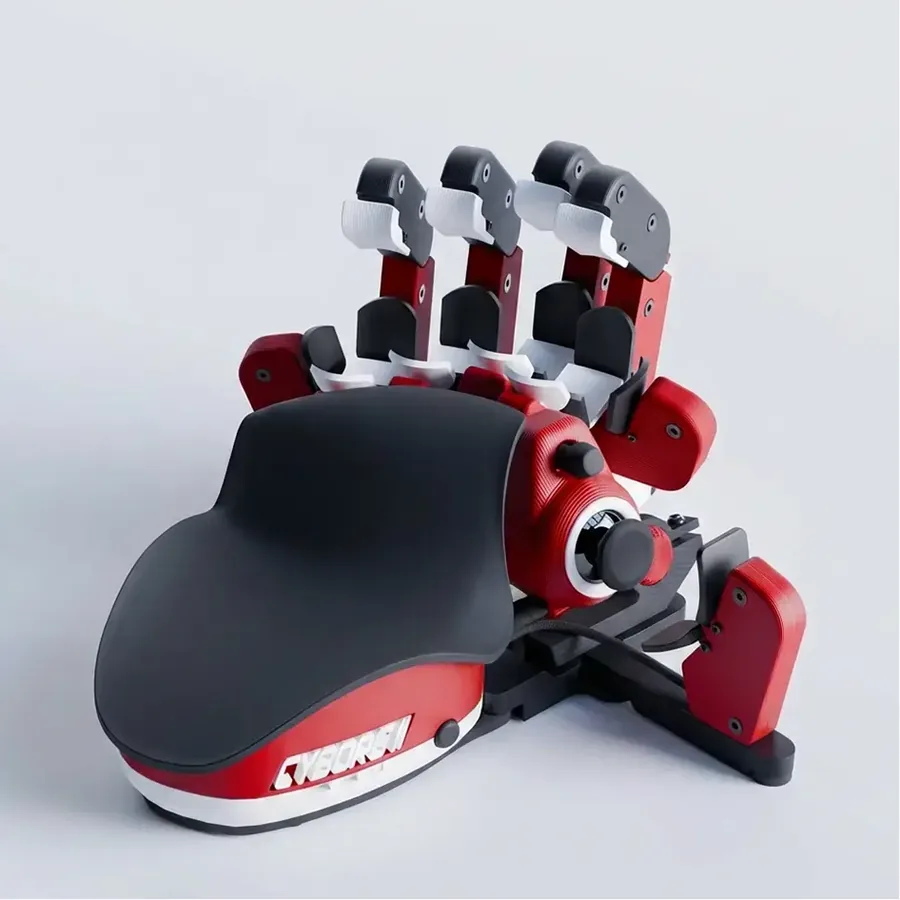
If you want the smallest footprint plus dedicated thumb or joystick controls, compare compact one-handed gaming keypads before committing to a 60% board.
My honest advice: if you don't already know that you like 60% or 65%, don't start there. TKL or 75% covers almost everyone. And if you are drawn to the truly tiny end of the hobby, read the V4N4G0N 45% custom keyboard build guide first — it shows exactly how much adaptation a sub-60% board demands.
Best Full-Size Gaming Keyboard 2026: Should You Buy One?
If by full-size you mean "I need a numpad," the ASUS ROG Azoth 96 HE is the strongest pick in this guide. It is technically a 96% layout, not a traditional full-size board, but that is exactly why it works for gaming: you keep the number pad while saving mouse space on the right side.
If you need the classic separated navigation cluster, a true full-size keyboard still makes sense for office work and simulation games. For FPS and everyday gaming, I would pick a 96%, TKL, or 75% layout first because desk space usually matters more than the extra gaps between key clusters.
If you are rebuilding the full input setup, pair this keyboard shortlist with the best gaming mouse 2026 guide. It covers grip style, weight, polling rate, DPI, and game type so your mouse choice matches the desk space your keyboard layout creates.
Test Your Keyboard After Buying It
This is something I recommend to everyone — not just because I work on KeyboardTester.click, but because keyboards fail during shipping more often than the industry admits. Switches arrive unregistered. Solder joints shift. I've personally received two keyboards in the last three years that had dead keys out of the box.
After any new keyboard purchase, run these five checks before your return window closes:
- The Keyboard Tester — press every key and confirm it lights up. Takes 2 minutes, finds dead keys instantly.
- The N-Key Rollover Test — press multiple keys simultaneously and verify they all register. Critical for gaming.
- The Keyboard Ghosting Test — check whether specific key combinations ghost (disappear under simultaneous press).
- The Stuck Key Test — verify no key is firing repeatedly without being held down.
- If any key feels slow, sticky, or laggy, follow the keyboard delay & sticky-key fix guide — diagnose and fix input lag, repeat delay, and unresponsive keys.
If you want to test your actual typing performance on the new switch feel, the Typing Test gives you WPM and accuracy data to compare before and after. Not sure what is inside your current board for that comparison? The switch identification walkthrough figures out linear vs tactile vs clicky by sound and feel.
FAQ
What is the best mechanical keyboard 2026 overall?
The Wooting 80HE is the safest overall mechanical keyboard pick for competitive gaming in 2026 because its Wootility software, Rapid Trigger tuning, Hall Effect switches, and esports adoption are stronger than most rivals. If you want a cheaper board, choose the Gamakay NS68. If you want the smallest Wooting option, choose the Wooting 60HE v2.
What is the best gaming keyboard 2026 overall?
The Wooting 80HE is the safest overall pick for competitive gaming in 2026 because its software, Rapid Trigger tuning, analog control, and esports adoption are stronger than most rivals. If you want a cheaper board, choose the Gamakay NS68. If you want the smallest Wooting option, choose the Wooting 60HE v2. If you want wireless plus a numpad-style layout, choose the ASUS ROG Azoth 96 HE.
Is the Wooting 60HE v2 better than the Wooting 80HE?
Not universally. The Wooting 60HE v2 is better if you specifically want a 60% layout, split-spacebar option, and a more compact desk footprint. The Wooting 80HE is easier to live with for most people because it keeps arrows, navigation keys, and more direct controls while still giving you Wootility, Hall Effect switches, and true competitive performance.
What is the best budget mechanical keyboard for gaming?
The Gamakay x NaughShark NS68 is the best budget gaming keyboard pick here because it brings Hall Effect switches, 8K polling, rapid trigger, and Snap Tap-style features into the sub-$50 range. The trade-off is case quality: it performs above its price, but it still feels like a budget board.
What keyboards do pro esports players actually use in 2026?
According to ProSettings.net's April 2026 dataset (2,252 tracked players), the top three are: Razer Huntsman V3 Pro TKL (15.01%), Wooting 80HE (13.41%), and Wooting 60HE+ (11.6%). All three use either analog optical or hall-effect switches — traditional mechanical keyboards have almost completely left the pro scene at the top level.
Is Rapid Trigger actually noticeable in gameplay?
Yes, in FPS games that use movement mechanics like counter-strafing (CS2, Valorant, Apex Legends). The difference between a 2.0 mm mechanical reset and a 0.1 mm Rapid Trigger reset is measurable in how quickly your accuracy recovers after lateral movement. For RTS, RPG, or casual gaming, the difference is negligible.
Should I get a wired or wireless gaming keyboard?
Wired for competitive play — simpler, zero latency variance, no charging to manage. Wireless if cable clutter is a real issue for your setup and you're willing to pay the price premium. The ROG Azoth 96 HE is currently the only board that delivers wireless at 8K polling with hall-effect switches without meaningful competitive compromise.
What is the best gaming keyboard under $50 with hall effect?
The Gamakay × NaughShark NS68 at ~$44. It has 8K polling, 0.01 mm Rapid Trigger, and Snap Tap — the same feature set that cost $175–$200 a year ago. The case quality is budget-level, but the performance is not.
What is the best Hall Effect keyboard 2026?
For most competitive players, the Wooting 80HE is still the cleanest Hall Effect recommendation. For budget buyers, the Gamakay NS68 is the value pick. For wireless and near-full-size use, the ASUS ROG Azoth 96 HE is the premium pick.
What should I check before trusting Reddit gaming keyboard recommendations?
Reddit threads are useful for spotting real owner complaints, especially software bugs, stabilizer noise, warranty issues, and firmware problems. Do not treat upvotes as a final ranking. Check whether the comment is from an actual owner, whether the board matches your layout needs, and whether the complaint applies to the current revision.
What is the best full-size gaming keyboard 2026?
If you need a numpad, the ASUS ROG Azoth 96 HE is the best near-full-size pick in this guide. It is a 96% board rather than a classic full-size layout, but that is usually better for gaming because it keeps the number pad while leaving more space for mouse movement.
Do I need hall effect switches for gaming?
Not necessarily. For casual gaming, a good traditional mechanical switch still works well. For competitive FPS at a serious level, hall effect with Rapid Trigger is genuinely the better tool. The question is whether your gaming context actually benefits from sub-millimeter reset points — for most game genres, it doesn't matter.
Sources and Research Notes
- ProSettings.net — Gaming Keyboard Data, 2,252 Pro Players, April 2026
- PC Gamer — Best Gaming Keyboards 2026
- RTINGS — Best Gaming Keyboards 2026
- GamesRadar — Best Gaming Keyboard 2026 (ROG Azoth 96 HE #1)
- Wooting 80HE official product page
- Wooting 60HE v2 official product page
- PC Gamer — Wooting 60HE v2 review
- RTINGS — Wooting 60HE v2 review
- Keychron Q1 HE 8K official product page
- NuPhy Field75 HE V2 official product page
- ASUS ROG Azoth 96 HE official product page
- Razer Huntsman V3 Pro TKL official product page
- Gamakay × NaughShark NS68 official product page
Prices and specifications above were verified against official manufacturer pages and current review sources on May 4, 2026.
Quick Action Checklist
- Test once in a clean browser tab.
- Retest after changing ports, wireless mode, or device settings.
- Use the focused tool that matches the symptom, not only the general tester.
- Keep screenshots or notes when comparing hardware.
Helpful Video
This related video supports the checks and decisions covered in this guide.

Choose the layout before the feature list
For most players, layout and switch feel matter more than a long feature list. A full-size board makes sense if you use the numpad every day. A TKL or 75% board gives a low-sensitivity mouse more room without removing the function row.
Rapid trigger can help in movement-heavy competitive games, but it is not automatically better for typing or every genre. Start with the use case, confirm the switch behavior, and pay extra only for a feature you will actually use.
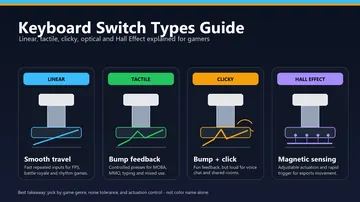
- Compare mechanical switch types for gaming to narrow down linear, tactile, and clicky options.
- Set up rapid trigger for CS2 or Valorant if adjustable actuation is part of your shortlist.
- See what luxury keyboards charge for before treating a premium price as a performance upgrade.
- Pair the keyboard with the right gaming mouse using grip, hand size, and game type rather than brand alone.





Reader discussion
Comments
Share what worked, what did not, or what you would test next. Every comment is reviewed before it appears.
Loading approved comments…
Leave a comment
No account or sign-in is required. Links and HTML are not accepted.