








If you want a laptop with a good GPU in 2026, the hard part is not finding a big graphics name. It is choosing the machine where the GPU is actually allowed to run properly. RTX 5090, RTX 5080, and RTX 5070 Ti laptop names only tell part of the story. The real buyer questions are GPU wattage, cooling, VRAM, display resolution, and price.
Short answer: for most high-end buyers, the Lenovo Legion Pro 7i Gen 10 with RTX 5080 is the strongest value pick. For maximum GPU memory and desktop-replacement performance, look at the ASUS ROG Strix SCAR 18, MSI Raider 18 HX AI, Alienware 18 Area-51, or Acer Predator Helios 18 AI with RTX 5090. The Razer Blade 16 is the premium portable option, but it costs more for its thinner design.
Affiliate disclosure: this Razer link may earn KeyboardTester.click a commission at no extra cost to you. It does not mean this article is sponsored by Razer or that Razer controls our recommendations. See our disclaimer.
Price note: prices and availability below were checked on May 2, 2026 from official brand pages, retailer pages, and current review listings. Laptop pricing changes often because of sales, coupons, regional stock, and configuration changes, so treat the price as a research snapshot rather than a permanent number. Where the exact matching configuration price could not be confirmed from a direct product page, this guide says so instead of guessing.
Disclosure: this guide uses direct manufacturer, retailer, review, and disclosed affiliate links. Razer affiliate links may earn a commission, but paid placement or affiliate ranking was not used.
Helpful Video Context
Jarrod'sTech tested the RTX 5090 version of the Razer Blade 16. The useful lesson is broader than that one laptop: a powerful GPU name does not automatically mean best value if the power limit, cooling, and price are not balanced.

Quick Comparison
| Laptop | GPU focus | Price status | Best for |
|---|---|---|---|
| Lenovo Legion Pro 7i Gen 10 | RTX 5080, 175W, 16GB GDDR7 | Confirmed: $2,999 at B&H for RTX 5080 config; RTX 5090 option listed as +$1,000 | Best value high-end gaming laptop |
| Razer Blade 16 | RTX 5090, up to 165W, 24GB GDDR7 | Confirmed: $4,899.99 for Razer's RTX 5090 config found in page data | Premium thin 16-inch machine |
| ASUS ROG Strix SCAR 18 | RTX 5090, 24GB VRAM, 18-inch Mini LED | Exact RTX 5090 official price not confirmed; ASUS line starts at $2,699.99, with retailer/review RTX 5090 examples around $4,599-$6,200 | Fast 18-inch gaming flagship |
| MSI Raider 18 HX AI | RTX 5090, 175W, 24GB GDDR7 | Confirmed: $4,399 at B&H for A2XWJG-069US | 4K Mini LED, ports, creator work |
| Alienware 18 Area-51 | RTX 5090 class configs, 18-inch chassis | Exact Dell RTX 5090 config price not confirmed from primary page; Dell page showed $3,399.99 and a Notebookcheck RTX 5090 deal listing showed $3,749.99 | Cooler desktop-replacement option |
| Acer Predator Helios 18 AI | RTX 5090, 24GB VRAM | Confirmed: $4,599.99 on Acer Store for PH18-73-96CE | Big 18-inch display and maximum specs |
How to Judge a Good GPU Laptop
Do not buy only by the GPU label. A laptop RTX 5090 is not a desktop RTX 5090, and two laptops with the same GPU can behave differently if one has a lower power limit or weaker cooling. Use this checklist before choosing:
- TGP / power limit: high-end laptops in this guide often target 165W to 175W GPU power. Lower-power thin machines can still be excellent, but they will not match thicker desktop replacements.
- VRAM: RTX 5090 Laptop GPUs have 24GB GDDR7 on the models listed here. RTX 5080 laptops usually have 16GB GDDR7, which is enough for gaming but less comfortable for local AI, 3D scenes, and heavy creator workloads.
- Cooling: a bigger chassis is not automatically better, but 18-inch laptops usually have more thermal headroom than thin 16-inch laptops.
- Display match: 4K or 3840 x 2400 screens look sharp, but they ask much more from the GPU than 2560 x 1600 screens.
- RAM speed, not just capacity: spec sheets list "32GB DDR5" without the MT/s or CAS numbers that set real memory latency. Our DDR5 CL30 vs CL36 latency math shows how to convert those numbers and when they matter — especially relevant while the 2026 memory shortage keeps pushing laptop prices up.
- Real reviews: check benchmark results and fan noise, not just store specs.
Before choosing a configuration, estimate a PC bottleneck at your intended resolution using the laptop CPU and GPU. Select the laptop GPU variant; this is a model-based comparison, so confirm power limits, cooling and real-game benchmarks in reviews.
1. Lenovo Legion Pro 7i Gen 10 - Best Value High-End Pick
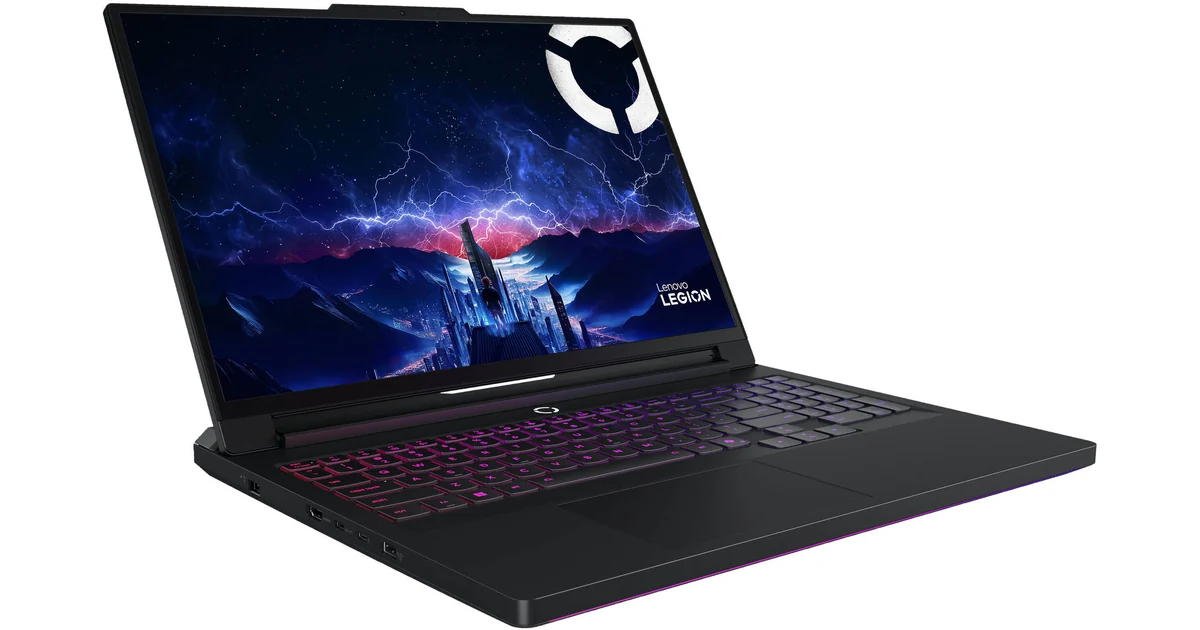
The Legion Pro 7i Gen 10 is the laptop I would start with if the goal is strong GPU performance without paying every possible RTX 5090 tax. The current B&H listing researched for this guide shows a Core Ultra 9 275HX, RTX 5080 at 175W, 32GB DDR5, 2TB storage, and a 16-inch 2560 x 1600 OLED 240Hz display for $2,999. The same listing exposed an RTX 5090 option as a +$1,000 upgrade.
The reason it matters: review data from Windows Central showed the Legion Pro 7i RTX 5080 landing very close to some RTX 5090 laptops in real game results when the GPUs were running at similar high wattage. That does not make the RTX 5080 the same as the RTX 5090, but it does make the Legion a smarter first recommendation for gaming buyers.
- Choose it if: you want the best mix of price, OLED screen quality, GPU power, and sensible weight.
- Skip it if: you need 24GB VRAM for local AI, heavy Blender scenes, or professional GPU memory workloads.
- Review note: TechRadar liked its performance and screen but called out battery life as a weakness, which is normal for this class.
2. Razer Blade 16 - Best Premium Thin RTX 5090 Laptop
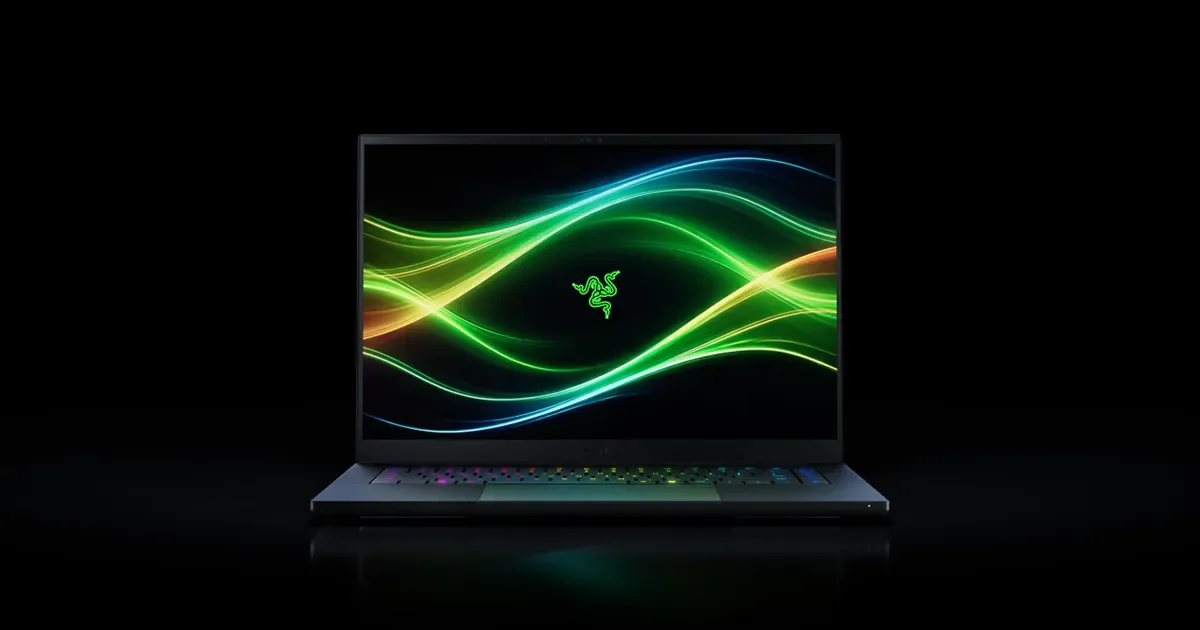
The Razer Blade 16 is for buyers who want a powerful laptop that still feels premium and portable. Razer's page positions it as a thin RTX 5090 gaming laptop with a 16-inch QHD+ OLED 240Hz display, 0.2 ms response time, and HDR brightness claims up to 1100 nits. The RTX 5090 product page data found during research listed a $4,899.99 price for the Intel Core Ultra 9 386H, RTX 5090, 32GB RAM, and 2TB SSD configuration.
The tradeoff is predictable: Razer gives you thinner build quality, but not the same thermal headroom as the thickest 18-inch laptops. Jarrod'sTech and Notebookcheck testing around the Blade 16 RTX 5090 is exactly why I would not call it the best raw-performance value. It is the nicer travel-ready premium machine.
- Choose it if: you care about build, screen, size, and a polished daily laptop feel.
- Skip it if: you mainly want maximum FPS per dollar.
- Review note: thin RTX 5090 laptops need careful review checking because power limits and heat shape the final result.
3. ASUS ROG Strix SCAR 18 - Fast Gaming Flagship

The ROG Strix SCAR 18 is ASUS's high-end gaming flagship. ASUS's official U.S. announcement lists RTX 5090 SCAR 18 configurations with the Intel Core Ultra 9 275HX, NVIDIA RTX 5090 with 24GB VRAM, and an 18-inch ROG Nebula HDR Mini LED 240Hz display. ASUS's product gallery showed the line starting at $2,699.99, but I could not confirm the exact official ASUS store price for the matching RTX 5090 configuration. Independent review and retail references for RTX 5090 units sit much higher depending on RAM and SSD configuration.
Notebookcheck called the SCAR 18 ASUS's gaming flagship and reviewed a 64GB/4TB RTX 5090 configuration around $6,200. Micro Center's hands-on coverage listed a 64GB/2TB RTX 5090 unit at $4,599. That is the problem and the appeal in one sentence: this laptop is very fast, but the exact configuration changes the value story completely.
- Choose it if: you want an 18-inch Mini LED gaming laptop with top-end RTX 5090 hardware.
- Skip it if: the RTX 5080 version is much cheaper in your region and your use case is mostly gaming.
- Review note: Windows Central's SCAR 18 review argued that the RTX 5090 premium was not always worth it for gaming alone.
4. MSI Raider 18 HX AI - Best 4K Mini LED Creator/Gaming Hybrid
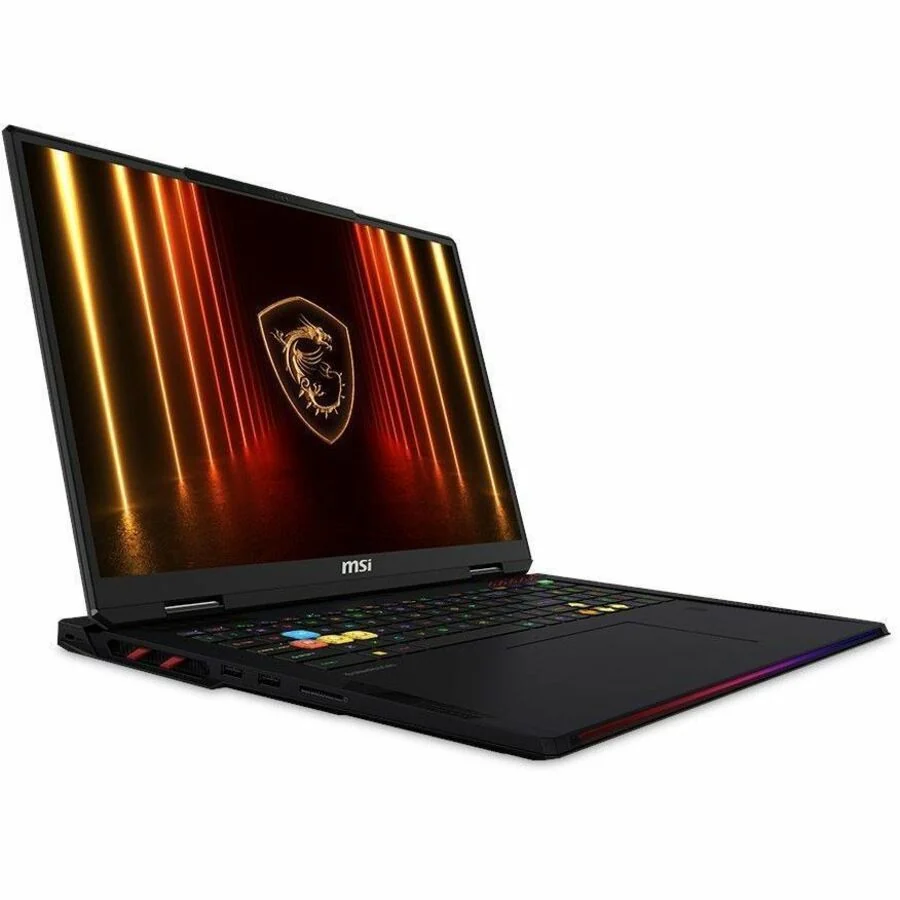
The MSI Raider 18 HX AI A2XWJG-069US is one of the most complete spec sheets in this guide. B&H's listing shows a Core Ultra 9 285HX, RTX 5090 at 175W with 24GB GDDR7, 64GB DDR5-6400, 2TB PCIe 5.0 SSD, a 18-inch 3840 x 2400 Mini LED 120Hz display, Thunderbolt 5, Wi-Fi 7, and a $4,399 price.
For pure esports, I would rather have a faster 240Hz or 300Hz panel. For creator work, 4K-like sharpness, 24GB VRAM, 64GB RAM, and Thunderbolt 5 make sense. Reviews of Raider/Titan-class MSI machines also keep repeating the same warning: performance is excellent, but fan noise, heat, battery life, and price are part of the deal.
- Choose it if: you need GPU memory, RAM, ports, and a high-resolution Mini LED panel.
- Skip it if: you mostly play competitive shooters and want a lighter machine.
- Review note: PCWorld described the related Raider A18 HX A9W as extreme power at an extreme price.
5. Alienware 18 Area-51 - Best Cooling-First Desktop Replacement
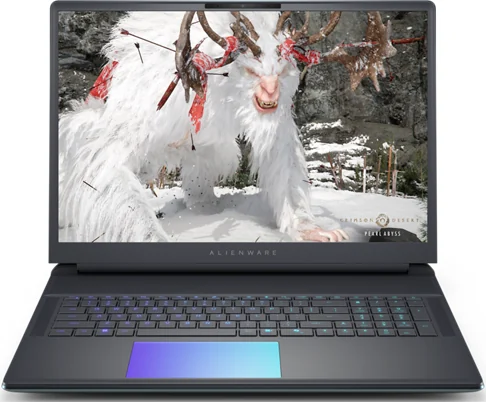
The Alienware 18 Area-51 is the largest and heaviest style of machine in this list, but that is also its point. The Dell product page opened during research showed a $3,399.99 Dell price on the visible configuration and a 4.5 rating from 784 reviews, but I could not confirm from that primary page that the displayed price matched the RTX 5090 configuration. Notebookcheck's deal coverage specifically referenced an RTX 5090 model with Core Ultra 9 275HX, 64GB RAM, and a 300Hz QHD display retailing at $3,749.99 at Dell's official store at the time of that report.
PC Gamer's Alienware 18 Area-51 review specs also show why it belongs here: RTX 5090 at 175W, 64GB RAM, 2TB PCIe 5.0 storage, Thunderbolt 5, 5GbE, and a 96Wh battery. It is not a casual carry laptop. It is for someone who wants a movable gaming station.
- Choose it if: you want a big-screen Alienware with strong thermals and a more desktop-like feel.
- Skip it if: you care about portability or OLED/Mini LED display quality above all else.
- Review note: PC Gamer liked its RTX 5090 power but noted the screen and unplugged performance as limits.
6. Acer Predator Helios 18 AI - Maximum Specs, High Price
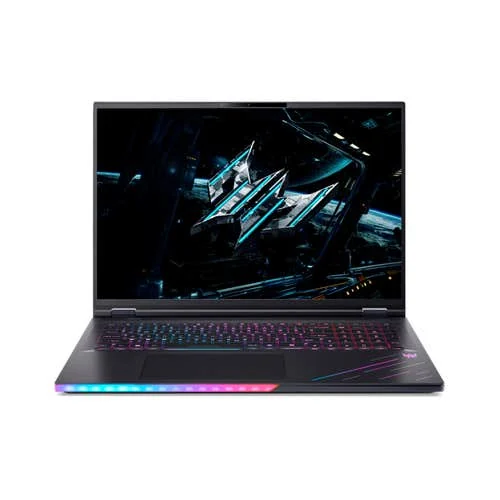
The Acer Predator Helios 18 AI PH18-73-96CE is a serious RTX 5090 laptop. Acer's own store page lists Windows 11 Home, Core Ultra 9 275HX, RTX 5090 with 24GB dedicated memory, an 18-inch 3840 x 2400 IPS 120Hz display, 64GB DDR5, 4TB SSD, and a $4,599.99 price.
The honest review picture is mixed. PC Gamer's review of a Helios 18 AI RTX 5090 configuration praised the raw performance, noting that it handled games and Blender-style workloads well, but also called out loud fans. TechRadar's review was more cautious on value, saying the laptop delivers very strong portable performance but is hard to recommend at the highest price unless you truly need that level of power.
- Choose it if: you want a loaded RTX 5090 Acer with lots of memory and storage from the official store.
- Skip it if: you can get the Alienware, Legion, or MSI configuration cheaper in your market.
- Review note: Notebookcheck found the Helios line competitive, but price and battery behavior remain important concerns.
Which One Should You Actually Buy?
| Buyer type | Best pick | Reason |
|---|---|---|
| Most gamers | Lenovo Legion Pro 7i RTX 5080 | High 175W GPU power, OLED 240Hz display, and much better price logic than many RTX 5090 upgrades. |
| Premium portable buyers | Razer Blade 16 RTX 5090 | Thinner, cleaner, more premium, but not best FPS per dollar. |
| Maximum gaming flagship | ASUS ROG Strix SCAR 18 RTX 5090 | Excellent 18-inch Mini LED flagship if the price is acceptable. |
| Creator plus gamer | MSI Raider 18 HX AI | 24GB VRAM, 64GB RAM, 4K Mini LED, Thunderbolt 5, and strong port selection. |
| Desktop-replacement buyer | Alienware 18 Area-51 | Large chassis, strong thermals, and aggressive Dell pricing when discounted. |
| Acer/Premium spec buyer | Acer Predator Helios 18 AI | Great specs, but only compelling if the price beats close rivals. |
RTX 5090 Laptop vs RTX 5080 Laptop: The Practical Difference
The RTX 5090 Laptop GPU is not automatically a bad choice. It is the right choice when the buyer needs 24GB VRAM, does local AI work, uses large 3D scenes, exports heavy video projects, or simply wants the top model and accepts the price. The problem is gaming value. Multiple review sources show that high-power RTX 5080 laptops can land closer to RTX 5090 laptops than buyers expect.
That is why my recommendation is split: buy RTX 5080 if your main job is gaming, and buy RTX 5090 if your workload can really use the extra VRAM or if the RTX 5090 model is on a strong discount.
Tests to Run After You Buy
Once the laptop arrives, do not assume everything is working perfectly. Test it while plugged in, with the vendor performance mode enabled, and with current GPU drivers.
- Run the AI GPU Test to confirm WebGPU and browser AI acceleration are available.
- Run the GPU Stress Test to check sustained browser rendering and software-renderer fallback.
- For an RTX 50 laptop, use the RTX 50 hotspot temperature and throttling guide to compare warmed-up FPS behavior with hotspot, clock, and limiter telemetry; the browser test alone cannot prove thermal throttling.
- Run the FPS Test to confirm frame pacing and refresh smoothness.
- Use the Latency Checker if keyboard or mouse input feels delayed.
- Use the Keyboard Tester before your return window closes, especially on laptops with unusual gaming keys or bright WASD legends.
Sources and Research Notes
- Razer Blade 16 official product page for RTX 5090 positioning, OLED 240Hz display, brightness, and product-page context.
- Razer Blade 16 model selector for current RTX 5090 configuration context.
- ASUS ROG Strix SCAR 18 official product page for SCAR 18 RTX 5090, Core Ultra 9 275HX, display, and model data.
- ASUS ROG Strix SCAR 18 gallery for official images and starting price display.
- Notebookcheck SCAR 18 G835LX review for RTX 5090 flagship context and review pricing.
- Windows Central SCAR 18 review for RTX 5090 versus RTX 5080 value and game benchmark comparisons.
- B&H MSI Raider 18 HX AI listing for A2XWJG-069US price, RTX 5090 175W, 64GB RAM, 2TB SSD, 4K Mini LED, and ports.
- B&H Lenovo Legion Pro 7i listing for RTX 5080 price, GPU wattage, OLED 240Hz display, and RTX 5090 upgrade option.
- TechRadar Legion Pro 7i review for configuration pricing, performance notes, and battery-life criticism.
- Dell Alienware 18 Area-51 official page for current Dell page pricing, customer rating, and official product image.
- Notebookcheck Alienware 18 Area-51 deal report for RTX 5090, 64GB RAM, 300Hz QHD display, and Dell store price context.
- Acer Predator Helios 18 AI official store page for PH18-73-96CE price and specs.
- Notebookcheck Acer Predator Helios 18 AI review for performance comparison data.
- PC Gamer Acer Predator Helios 18 AI review for RTX 5090 review specs and price context.
- Jarrod'sTech Razer Blade 16 RTX 5090 review video, embedded above for video context.
Bottom Line
The best laptop with a good GPU is not automatically the most expensive RTX 5090 machine. The best choice is the one where GPU power, cooling, VRAM, display, and price make sense together. For most buyers, that points to a strong RTX 5080 laptop like the Legion Pro 7i. For AI, creator workloads, 3D, and no-compromise desktop replacement setups, the RTX 5090 models from ASUS, MSI, Alienware, Acer, and Razer are worth comparing carefully.
FAQ
Is an RTX 5090 laptop always better than an RTX 5080 laptop?
No. The RTX 5090 Laptop GPU has more VRAM, but review data shows some RTX 5080 laptops are close in gaming performance when both GPUs run near 175W. The RTX 5090 makes the most sense for AI, 3D, heavy rendering, and buyers who need 24GB of VRAM.
What GPU should I choose for a gaming laptop in 2026?
For high-end gaming, an RTX 5080 laptop with a high power limit is often the value sweet spot. Choose RTX 5090 if you need maximum GPU memory, desktop-replacement cooling, or AI and creator workloads that benefit from 24GB VRAM.
What should I check before buying a laptop with a good GPU?
Check the exact GPU model, GPU power limit, VRAM capacity, cooling design, display resolution, warranty, port selection, weight, and review results. A laptop with a strong GPU name can still perform poorly if its cooling or power limit is weak.
Quick Action Checklist
- Start with the simplest browser test that matches the task.
- Change one setting at a time so results are easy to interpret.
- Retest after cleaning, restarting, or changing devices.
- Use related tools to confirm the first result before making a decision.
Choose the laptop around power and cooling, not the GPU name alone
Two laptops with the same GPU badge can perform very differently because power limits, cooling, memory configuration, and display resolution change the workload. Check the sustained wattage and measured temperatures before paying for the model name.
For a mostly desk-based setup, a heavier chassis with stronger cooling may be the better value. For travel, accept a lower sustained power target in exchange for battery life and weight, then use realistic game or creator workloads to confirm the compromise.
- Check RTX 50 hotspot temperature and throttling when a laptop slows down after several minutes.
- Run the browser AI and WebGPU readiness test to verify acceleration before installing a larger workload.
- Choose a gaming mouse that fits the setup especially if the laptop replaces a desktop.
- Compare external mechanical keyboards when the built-in keyboard is the weak point.
- Check keyboard and mouse input delay after changing power modes, docks, or wireless peripherals.



Reader discussion
Comments
Share what worked, what did not, or what you would test next. Every comment is reviewed before it appears.
Loading approved comments…
Leave a comment
No account or sign-in is required. Links and HTML are not accepted.