Free GPU stress test using a heavy WebGL2 fragment shader (Mandelbrot set). Reports live FPS, stability, render resolution, and GPU vendor/renderer. Adjustable quality to push any GPU from laptop integrated to desktop RTX. Browser-based, no install.
Renders a high-iteration Mandelbrot fragment shader every frame, scaling canvas size and quality to push any GPU from integrated laptop to desktop RTX. Reports live FPS, stability, GPU vendor/renderer when available, and whether WebGL2 is software-rendered (SwiftShader fallback). Includes a thermal warning — sustained runs will heat a laptop.
Stress settings
1500
1.0x
Warning: high iteration counts on integrated laptop GPUs can pull the system hot quickly. If you see major stutter or the browser tab crash, lower iterations and resolution and retry.
Live results
—FPS (instant)
—FPS (1s avg)
0Frames
0Elapsed (s)
—Min FPS
Waiting to initialize WebGL2...
Was this tool helpful?Rate GPU Stress Test:4.7(3 ratings)Thanks for rating!
GPU Stress Test is a free, browser-based GPU stress test using a heavy WebGL2 Mandelbrot fragment shader.
Cost: Free, no signup
Install: None — runs in the browser
Privacy: Runs locally, no uploads
Platforms: Windows, macOS, Linux, Android, iOS
Time: Under a minute
How The GPU Stress Test Works
The test uses WebGL2 to render a full-screen Mandelbrot fragment shader every frame. For each pixel, the fragment shader runs an iterative complex-number escape calculation with an adjustable loop count (up to 5000 iterations). The shader has no early-out path once started, which means the GPU cannot skip work — every pixel either escapes the set and stops, or runs the full iteration budget. A small time-varying offset keeps the frame content changing so modern GPUs cannot cache or deduplicate identical frames. Result: a sustained, predictable GPU load whose intensity scales linearly with iteration count and resolution.
Buying a laptop for sustained GPU work? Use this stress test after purchase, and read our best laptops with good GPU guide before comparing RTX 5090 and RTX 5080 configurations.
Detecting Software Rendering
One of the most useful things this test exposes is whether your browser is actually using the GPU. Chrome, Firefox, and Safari all ship with software-rendering fallbacks (SwiftShader on Chrome, llvmpipe on Linux, Core Graphics fallback on older Macs) that kick in when hardware acceleration is disabled, the GPU driver is too old, or the user-profile has chrome://flags toggles set. When software rendering is active, the renderer string contains "SwiftShader", "llvmpipe", or "software", and you will see that flagged in red at the bottom of the tool. Throughput in software mode is CPU-bound at 5-15 fps regardless of your actual GPU — not a real benchmark, but a useful diagnostic. Fix: re-enable hardware acceleration in browser settings and update the GPU driver.
Reading The FPS Numbers
The instantaneous FPS shows the latest frame timing, while the rolling average and minimum help reveal repeatable browser-side slowdowns. One low minimum can come from the compositor, another tab, driver scheduling, power mode, or heat. This page cannot read GPU hotspot temperature, clocks, fan speed, power, or limiter flags, so FPS alone does not prove thermal throttling. If you are checking an RTX 50-series card, follow the RTX 50 hotspot temperature and GPU throttling guide and compare sustained FPS behavior with desktop HWMonitor or HWiNFO telemetry.
When planning an upgrade, estimate a PC bottleneck at your intended resolution separately from this measured WebGL workload, then check the estimate against benchmarks for the games you play.
Why GPU Vendor Info Is Often Hidden
Chrome began masking GPU vendor and renderer strings in 2020 as part of an anti-fingerprinting push. On a default Chrome install, WEBGL_debug_renderer_info returns generic values like "Google Inc." and "ANGLE (Intel, Intel(R) UHD Graphics, D3D11)" or is fully redacted. Firefox does similar under privacy.resistFingerprinting. The real GPU vendor and model can be found via: Windows Task Manager's Performance tab, macOS's System Information, lspci on Linux, or chrome://gpu (bypasses the web-facing redaction). This test tries to read what the browser exposes, and clearly labels when the info is hidden.
Chrome redacts WEBGL_debug_renderer_info by default as an anti-fingerprinting measure. Firefox does the same under privacy.resistFingerprinting. To see the real vendor/renderer, visit chrome://gpu in Chrome or look up your GPU in the OS hardware panel.
What does "SwiftShader" or "llvmpipe" mean?
Those are software WebGL renderers that run on the CPU when hardware acceleration is unavailable. If you see them in the renderer string, your browser is not actually using your GPU. Re-enable hardware acceleration in browser settings and update your GPU driver to restore real performance.
Can I damage my GPU with this test?
On stock hardware, no. GPUs throttle their clock and voltage well before thermal damage, and modern drivers monitor junction temperature. On manually overclocked GPUs, sustained load (10+ minutes) can expose an unstable clock that was fine on short benchmarks. Stop if you see artifacts, crashes, or driver resets.
Why do my FPS drop 30-50% after 30 seconds?
Thermal throttling. The GPU is hitting its thermal envelope and dropping clock speed to stay cool. Laptops show this dramatically; desktops with good cooling usually hold steady. If you want steady numbers, improve airflow, re-paste the GPU if it is 3+ years old, or run shorter bursts.
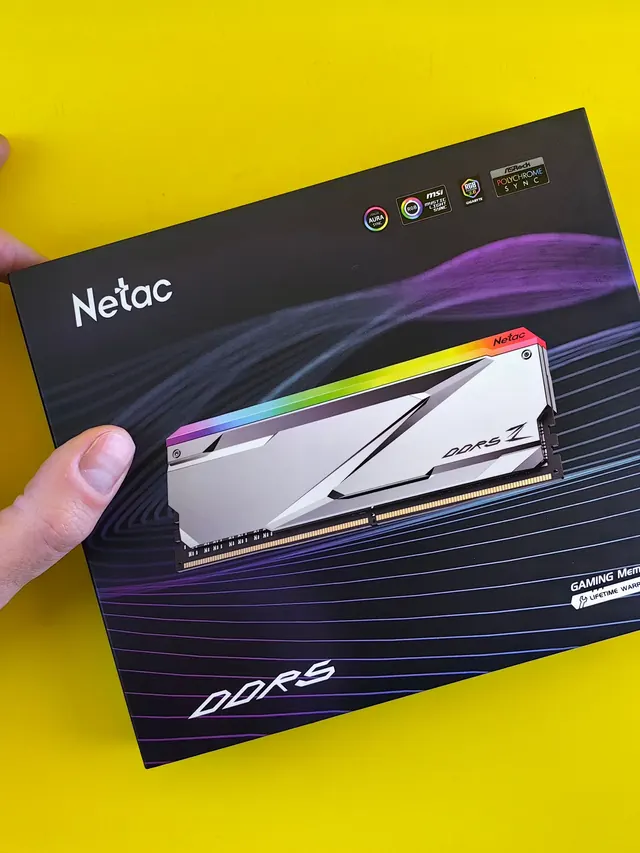
01 / 10DDR5 buying mathPay $120 more for 2 nanoseconds?CL30 vs CL36 looks big on the box. The real difference is 2 nanoseconds.02 / 10What CL really isCAS latency counts cycles, not timeCL is how many clock ticks the RAM waits before answering. Ticks get faster with speed.03 / 10The one-line formulans = 2000 x CL / MT/sTrue latency in nanoseconds. DDR5-6000 CL30: 2000 x 30 / 6000 = 10.0 ns.04 / 10CL30 vs CL36 at 600010.0 ns versus 12.0 nsSame speed, different CL: the whole debate is about 2 nanoseconds of wait time.05 / 10The tie surprise7200 CL36 is also 10.0 nsSo is 6400 CL32. A higher CL on a faster kit can match a lower CL exactly.06 / 10What 2 ns buys in gamesRoughly 1-4% average FPSOnly when CPU-bound, and benchmarks disagree. Smoother 1% lows are the steadier win.07 / 10Price check, Aug 11, 2026The CL30 premium: $120G.Skill CL30 $599.99 vs CL36 $479.99. A Patriot CL30 kit: $429.99. Shop across brands.08 / 10The EXPO/XMP gotchaYour CL30 may be running CL40Kits boot at JEDEC defaults until you enable EXPO or XMP in BIOS. Check yours today.09 / 10The X3D exceptionBig cache blunts CLOn 7800X3D-class CPUs, the stacked cache blunts CL gains. Buy CL36 and save.10 / 10The verdictSmall delta: yes. Upgrade: no.Compare your two kits in real nanoseconds - presets loaded, math done for you.
01 / 10Phone vibration testYour phone stopped buzzingBefore you book a repair, find out whether it is the motor or just a setting.02 / 10The symptomMissed calls and silent alertsA dead motor is easy to miss. You only notice the calls you never felt arrive.03 / 10What is insideA tiny weight on a motorMost phones spin an offset weight or drive a linear actuator to make the buzz.04 / 10Check this firstSettings fake a dead motorSilent mode, Do Not Disturb and per-app vibration all switch the buzz off.05 / 10Run the testOne tap, three patternsThe browser asks the phone to vibrate in short, long and pulsed patterns.06 / 10Result: weakYou feel it, but barelyA faint buzz often means a loose motor mount or a case damping the vibration.07 / 10Result: nothingNo buzz on any patternWith settings ruled out, silence points at the motor or its connector.08 / 10Result: on and offIt works, then it does notIntermittent buzzing usually means a failing solder joint or a worn motor.09 / 10One honest limitiPhones cannot run this testSafari on iOS does not support the browser vibration API, so use Android.10 / 10Your turnFind out in thirty secondsRun the three patterns, then decide whether it is a setting or the hardware.