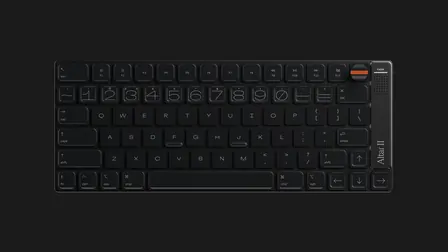
Keyboard Sound Test hero image

KeyboardTester.click

Free Keyboard Sound Test — Hear & Analyze Switch Sounds Online

Free online keyboard sound test: hear linear, tactile & clicky switch sounds, then use your mic to test your own keyboard — switch type, frequency spectrum & loudness.

Keyboard Sound Test

Hear linear, tactile and clicky switch sounds, then use your mic to test how your own keyboard sounds — and how loud it is.

Play switch sounds, then use your microphone to analyze your keyboard's switch type, frequency spectrum and loudness

🔊 Play switch sounds — hear how each switch type sounds
Selected: Clicky (Blue)
or test your own keyboard with your mic
Instructions: Click "Start Listening", then press a key on your keyboard near your microphone. Hold the mic 10–20 cm from the board for best results.
Noise floor Not calibrated
Confidence
Recent hits 0
  1. Start listening, calibrate room noise, then tap one key at a time.
Input Level
— dB
Live frequency spectrum — 1–4 kHz band highlighted
Switch Classification
Peak Frequency
Peak dB
Keyboard loudness (relative)
Uncalibrated mic — relative level only. Typical mechanical typing is 50–65 dB(A); the usual office target is ~60–65 dB(A).

This test runs entirely in your browser. No audio is collected or transmitted.

Rate Keyboard Sound Test: 5.0 (2 ratings)
KeyboardTester.click assistant

Free for your site

Embed this Keyboard Sound Test on your website

Add this free, no-signup tool to your own page or blog post in one click — just keep the small credit link.

Keyboard Sound Test guide

How to use the Keyboard Sound Test accurately

Free online keyboard sound test: hear linear, tactile & clicky switch sounds, then use your mic to test your own keyboard — switch type, frequency spectrum & loudness.

01 Play Switch Sounds: Linear, Tactile, and Clicky Click any switch chip to hear it, or turn on Type to hear and press keys to play the sound on your own keyboard — no microphone needed.
02 Test and Analyze Your Own Keyboard Click "Start Listening," allow microphone access, then tap one key 10–20 cm from the mic. The tool runs a real-time FFT (Fast Fourier Transform) on the keypress, reads all 2048 frequency bins, finds the peak frequency, and...
03 Read the Sound Frequency Spectrum (1–4 kHz) The live spectrum graph plots your keyboard's sound energy from 0 to 8 kHz and highlights the 1–4 kHz band where clicky switches peak.
04 Is Your Keyboard Too Loud? Decibel Levels Explained After a keypress the loudness meter shows a Quiet, Moderate or Loud verdict with the relative dB level. Typical mechanical typing measures about 50–65 dB(A) versus a 60–65 dB(A) office target: linear switches on a desk mat...

Keyboard Sound Test FAQ

Common keyboard sound test questions
Can I hear what different switches sound like?

Yes. Use the Play switch sounds panel to hear clicky, tactile, linear and thock profiles, or turn on Type to hear to play the selected switch sound on every keypress — no microphone needed.

Can this tool identify my exact switch model?

No — the mic analyzer classifies your switch by sound profile (linear, tactile or clicky). Exact model identification needs a manual lookup; the frequency signature reveals the acoustic character, not the brand or model.

Does it show a sound frequency spectrum?

Yes. The live FFT spectrum graph plots energy from 0 to 8 kHz and highlights the 1-4 kHz band where clicky switches peak, alongside the waveform and the peak frequency in Hz for each keypress.

How loud is my keyboard in decibels?

The dB meter shows your keypress level with a Quiet, Moderate or Loud verdict. The mic is uncalibrated so it is a relative reading — typical mechanical typing is about 50-65 dB(A) versus a 60-65 dB(A) office target.

Why does it say Clicky when I have linear switches?

Plate resonance or stabilizer rattle can add high-frequency content. Press a key in the center of the board away from large stabilizers, calibrate room noise, and add case foam or lube to fix misclassification.

Is my audio data stored?

No. All playback and analysis run locally in your browser with the Web Audio API. No audio is ever uploaded, and your microphone stream is released as soon as you press Stop or leave the page.

Windows app

KeyboardTester.click is available from Microsoft Store

Install the official Windows app shortcut, or keep using the same free testing tools in your browser.

Download from Microsoft Store Download from Microsoft Store