What Is a Keyboard Double Click or Chatter Test?
A keyboard double click test looks for key chatter: two or more browser-visible registrations that may have come from one physical tap. The symptom is often a doubled letter, an unintended second game action, or a shortcut firing twice.
This page is a focused chatter diagnostic, not a general keyboard map. If your goal is to press every key and find dead or unresponsive keys, open the full online Keyboard Tester instead.
A browser cannot inspect the raw electrical contacts inside a switch. It can only analyze keyboard events that survived the keyboard firmware, connection, operating system, and browser. For that reason, this tool reports suspected chatter and uses repeatable samples rather than declaring a switch faulty after one fast pair.
How the Advanced Chatter Diagnostic Works
The test pairs each physical key's keydown and keyup events using KeyboardEvent.code. It measures the time from one release to the next press of that same physical key with performance.now(). Normal held-key auto-repeat events are filtered using KeyboardEvent.repeat, while a second non-repeat keydown without a release is recorded separately as a release anomaly.
Guided single-key mode locks onto the first key and asks for 30, 100, or 300 slow press-and-release samples. Multi-key scan mode collects separate evidence for several keys and sorts the worst candidates first. Neither mode measures typing speed, polling rate, latency, ghosting, or N-key rollover; those have dedicated tools.
If you deliberately double-tapped a key, use the event review control to exclude that candidate. The per-key rates, verdict, exports, and saved baseline comparison recalculate immediately.
How to Read the Keyboard Chatter Results
Estimated deliberate taps
The number of separate press clusters after included suspected extra events are removed. A small clean sample is shown as insufficient evidence, not as proof that the key is healthy.
Suspect bursts and extra events
A suspect burst is a deliberate press cluster containing at least one rapid additional registration. Extra events count every included rapid registration, so a triple registration can add two extra events to one burst.
Rate per 100 and shortest release gap
Rate per 100 normalizes the suspect-burst count against the estimated deliberate taps. The shortest release gap shows the fastest included interval from releasing a key to receiving the same physical key again.
Evidence status
Statuses combine recurrence and sample size. One candidate is marked for retesting; repeated candidates across a meaningful guided sample create stronger evidence. You should still compare another browser, connection, USB port, or computer before a warranty or repair decision.
Choose a Chatter Threshold Without Creating False Positives
The default 50 ms setting is a practical browser-level review window, not your keyboard's firmware debounce value. Official QMK debounce documentation describes a 5 ms firmware default, but the browser does not see the switch matrix before that firmware filtering.
- 15-30 ms: a stricter review window for very rapid same-key registrations.
- 50 ms: the balanced default when you follow the slow, separate-tap procedure.
- 51-80 ms: a sensitive retest range that needs deliberate pacing and false-positive review.
- 81-150 ms: an investigative range for one guided key only; intentional fast double taps become much easier to flag.
Changing the threshold recalculates every retained interval under the new window and announces the change, so the table and exported verdict never mix two hidden classification rules.
What to Do After Repeated Chatter Evidence
- Retest the same key with at least 30 slow taps and exclude any double taps you know were intentional.
- Compare another browser and, when possible, another computer or connection mode. Wireless interference, remapping software, accessibility filters, or firmware can change what reaches the page.
- Unplug the keyboard before cleaning. Follow the keyboard manufacturer's instructions; opening a keyboard or using liquid products can affect a warranty.
- If your keyboard supports configurable firmware, review its documented debounce settings. On QMK boards, the debounce algorithm and value are firmware configuration choices, not measurements supplied by this page.
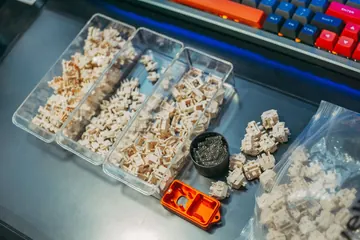
- For a hot-swap board, a known-good replacement switch can help separate a switch fault from a socket or PCB problem. Use the exported CSV or JSON as supporting evidence, not as the only warranty proof.
Read the full key chatter and double-letter troubleshooting guide after identifying the affected keys. If a key repeats only while it is held down, use the key repeat rate guide instead.
If you are checking a new low-profile analog board, the Razer Huntsman V3 Pro Low-profile TKL delivery checklist shows where this chatter test fits beside key registration, gaming chords, held-key repeat, and typing checks.