






Fast Answer: Best One-Handed Gaming Keyboard
My first choice would be the Azeron Cyborg II for someone who wants thumbstick movement and plenty of commands within reach. It does need time to set up. If you would rather stay with a familiar keypad shape, look at the Razer Tartarus Pro. For an affordable mechanical board without a thumbstick, the Redragon K585 DITI is worth comparing; the K585 PRO adds wireless placement.
Final Fantasy XIV players should also look at the HORI TAC F14. Its assignable keys and adjustable stick suit a different sort of setup from a small WASD board. If the same pad will handle editing shortcuts or other work, include the Koolertron 48-key in your shortlist.
The original nine picks use prices and product information checked on May 26, 2026. The Hall Effect additions have a separate August 27 check date. These are price references from those checks, so confirm the model, configuration, delivery cost and return terms on the seller’s page before ordering.
Affiliate disclosure: this Razer link may earn KeyboardTester.click a commission at no extra cost to you. It does not mean this article is sponsored by Razer or that Razer controls our recommendations. See our disclaimer.
If your full keyboard gets in the way of a wide mouse swipe, a one-handed gaming keyboard may give you the room you need. But the models here do different jobs. A half keyboard keeps familiar movement keys. A sculpted keypad rearranges commands around your fingers. A thumbstick model can move some controls to your thumb. Start with the change you want to make to your setup.
This guide is about gaming keypads, rather than specialist keyboards for typing with one hand. It includes affordable WASD boards, programmable pads and models with thumb controls. Older favourites such as the Logitech G13 and Razer Orbweaver are discussed near the end, because buying an old keypad is a different decision from choosing a new one.

How I Ranked These Keypads
My comments on the Cyborg II include personal use. The wider comparison is based on documented controls, compatibility and setup requirements, rather than testing every product side by side. A device at the top of the list can still be the wrong choice if its layout does not suit your hand or your game.
Before comparing models, write down the commands you use most often: movement, jump, crouch, sprint, interact, inventory and your main abilities. Then look at where those commands would sit. A long list of programmable inputs is less useful than being able to reach the six or seven controls you keep missing.
The original shortlist used products with identifiable official or vendor buying pages. The price labels show what was recorded at the time; they are not current offers. Once you have chosen a model, check the exact version and the total delivered price. Two listings with similar names may have different switches, connectivity or included accessories.
Start Here: Which One Should You Buy?
Consider the Azeron Cyborg II if you want an adjustable finger-tower layout and an analog thumbstick, and you are willing to build your own bindings.
Compare the Tartarus Pro if you want Razer’s keypad layout and analog optical keys. Check that its software and the game’s input settings fit what you intend to do.
The K585 DITI is a simpler option when the goal is a compact mechanical WASD board. It does not provide analog thumbstick movement.
Choose the K585 PRO for cable-free placement if that matters to your desk. Test the connection where you will actually use it, rather than assuming it will behave the same in every setup.
The HORI TAC Mechanical belongs on the shortlist when you need a supported PlayStation keyboard-and-mouse setup. Check the individual game’s compatibility before buying.
Look at the Koolertron 48-key when you need a programmable pad for both games and work shortcuts, and you are comfortable configuring it.
Quick Comparison: Top 9 One-Handed Gaming Keyboards
| Rank | Keyboard | Checked price | Best reason to buy | Main caution |
|---|---|---|---|---|
| 1 | Azeron Cyborg II | $292.00 on the official Beast Cyborg II page | Best ergonomic one-handed gaming keypad overall | Buyers who want a normal flat keyboard feel or a low setup-learning curve. |
| 2 | Azeron Keyzen | $216.00 on the official Blue Keyzen page | Best mechanical-switch Azeron-style keypad | Users who need a cheap keypad or who dislike custom-profile software. |
| 3 | Razer Tartarus Pro | US$129.99 on the official Razer page when checked | Best mainstream analog optical gaming keypad | Users who want true physical mechanical switch feel or dislike Razer Synapse. |
| 4 | Razer Tartarus V2 | US$79.99 on the official Razer page when checked | Best mainstream value keypad from a major gaming brand | Mechanical switch purists and users buying specifically for analog behavior. |
| 5 | Redragon K585 DITI | $36.99 on Redragonshop when checked | Best budget one-handed mechanical keyboard | Players who specifically need analog movement or premium software polish. |
| 6 | Redragon K585 PRO Wireless | $49.99 on Redragonshop when checked | Best cheap wireless one-handed gaming keyboard | Competitive players who want the simplest wired latency path or users who hate battery management. |
| 7 | HORI Tactical Assault Commander Mechanical Keypad | $129.99 on HORI USA when checked | Best console-focused one-handed keypad for PS5, PS4, and PC | PC-only buyers who can get a cheaper Redragon or a more ergonomic Azeron instead. |
| 8 | HORI Tactical Assault Commander F14 Final Fantasy XIV Black Edition | $139.99 on HORI USA when checked | Best MMO-specialist keypad for Final Fantasy XIV players | Buyers who demand mechanical switches or a general-purpose FPS keypad. |
| 9 | Koolertron 48-Key Programmable Mechanical Keypad | $95.99 on Koolertron when checked | Best macro-heavy one-handed keyboard for mixed gaming and work | Pure thumbstick gaming or players who want a polished gaming-driver ecosystem. |
Top 9 One-Handed Gaming Keyboard Picks
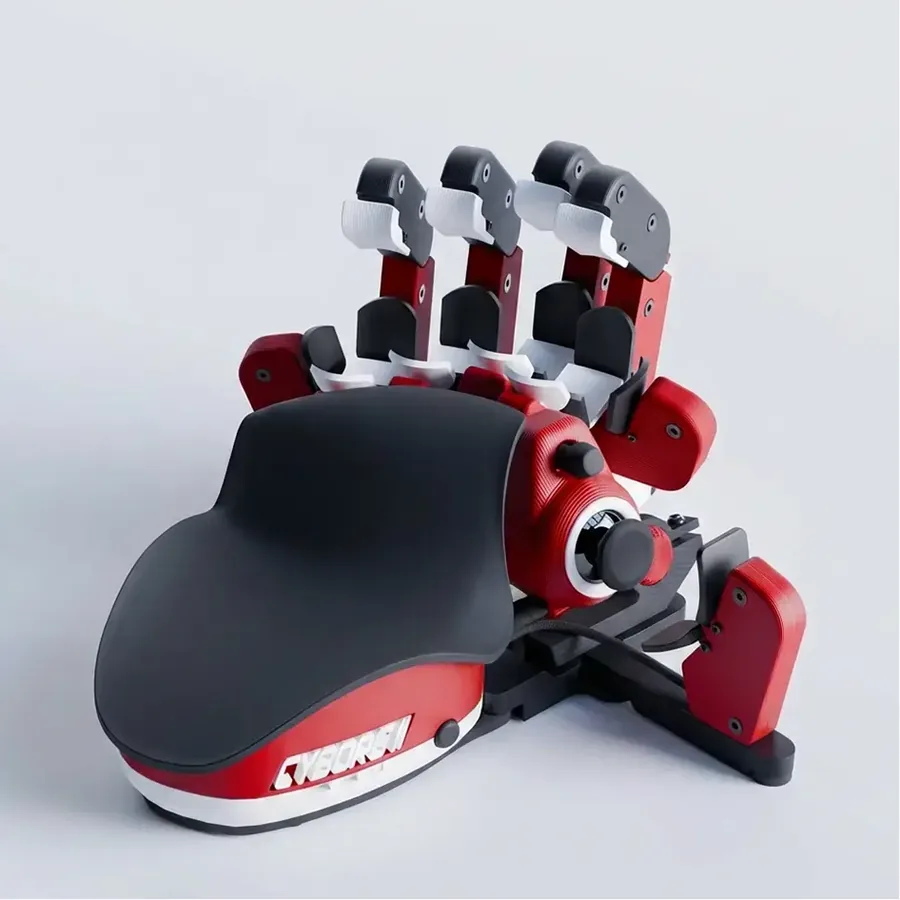
1. Azeron Cyborg II - Best ergonomic one-handed gaming keypad overall
Best for: MMO, RPG, survival, action games, and players who want an analog thumbstick without giving up many keyboard commands. Skip if: Buyers who want a normal flat keyboard feel or a low setup-learning curve.
Product image source: Azeron official product media.
Check current priceI have used the Azeron Cyborg II. The customization and palm rest were the parts I liked most. It felt responsive in use, and I liked having 360-degree movement on the thumbstick. That is my impression of using it, rather than a measured response-time result.
The Cyborg II asks you to learn a new layout. Its raised finger towers put commands in places a normal keyboard does not, while the thumbstick gives your thumb a separate job. That can be useful if you want movement, abilities and menus close together. The adjustment work is part of the purchase: hand fit, command positions and each game’s bindings all need attention. If you only want a smaller WASD board, this is a more involved route than you need.
Documented details from the original check:
- Official page describes a 360 analog thumbstick, Omron switches, customizable RGB, and 30 inputs.
- Azeron sells left-hand and right-hand orientation options through its own store.
- The product is a better fit for players who will spend time mapping profiles than for people who want plug-and-play WASD only.
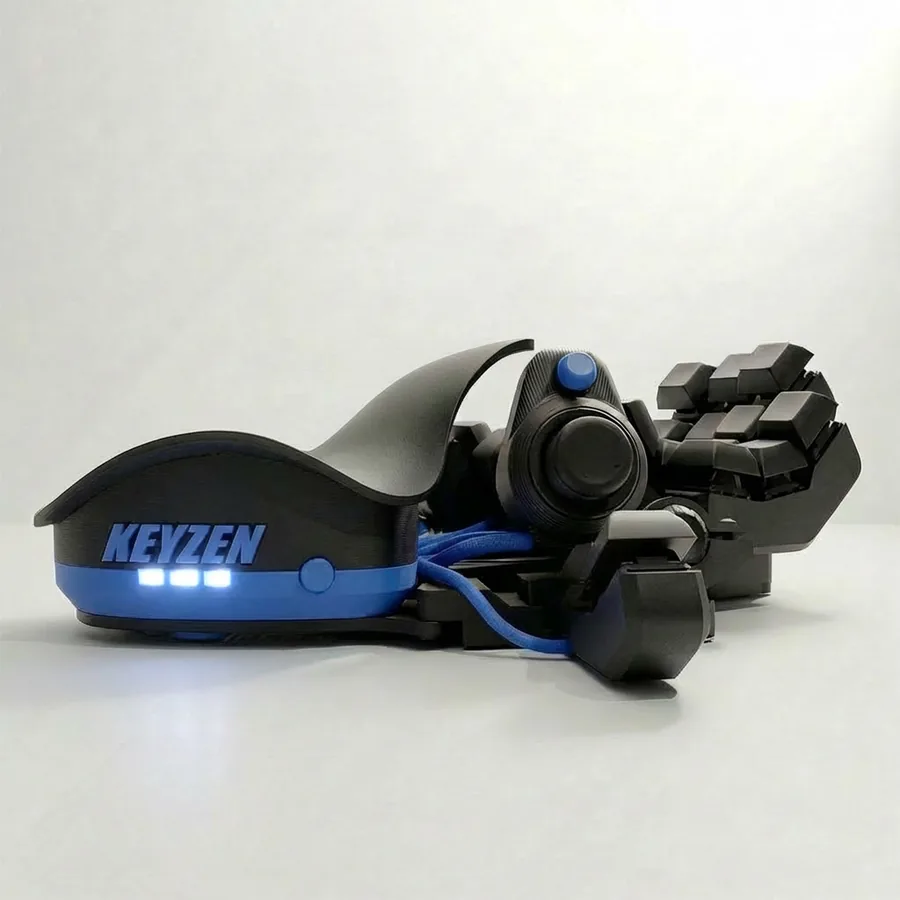
2. Azeron Keyzen - Best mechanical-switch Azeron-style keypad
Best for: Gamers who want Azeron ergonomics but still prefer a more keyboard-like mechanical switch press. Skip if: Users who need a cheap keypad or who dislike custom-profile software.
Product image source: Azeron official product media.
Check current priceKeyzen is the Azeron option to compare if you want mechanical keyboard switches with the company’s adjustable keypad approach. The switch type is a documented difference; whether you prefer it is a question of feel that a product photo cannot answer. Work through the controls you would use and check the available configuration. A thumbstick and more keys will not help much if your regular commands end up awkward to reach.
Documented details from the original check:
- Azeron lists the Keyzen as an ergonomic keypad with mechanical switches.
- The official product page showed a $216.00 price when checked.
- Availability can vary by color, so the exact buying path should be checked before publishing a price promise.
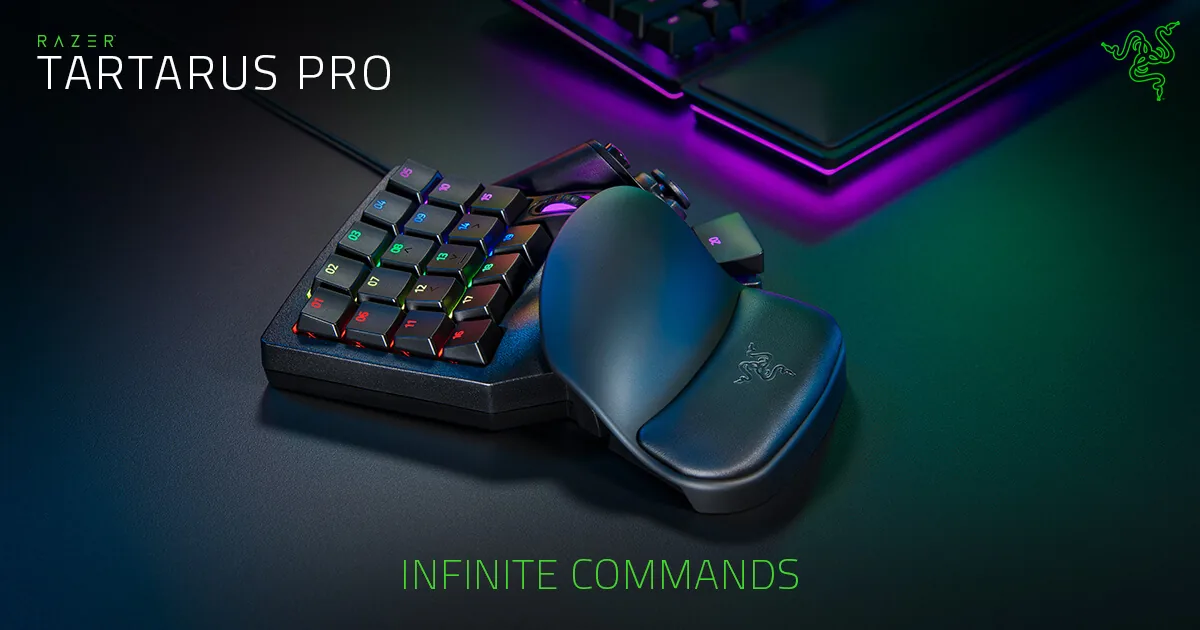
3. Razer Tartarus Pro - Best mainstream analog optical gaming keypad
Best for: Players who want a known brand, Synapse support, analog optical switches, and a familiar keypad shape. Skip if: Users who want true physical mechanical switch feel or dislike Razer Synapse.
Product image source: Razer official product media.
Check current priceThe reason to compare the Tartarus Pro with the V2 is its analog optical keys. Decide whether you have a use for their adjustable or dual-function behaviour before paying for that feature. It needs suitable settings and bindings; it is not an automatic improvement in every game. Also notice the thumb control: the Pro’s eight-way directional pad is not the same thing as an Azeron analog stick.
Documented details from the original check:
- Razer describes the Tartarus Pro around Analog Optical switches.
- The page media and price were retrieved from Razer directly when checked.
- The thumb control is a directional pad, not the same physical experience as Azeron-style analog stick movement.
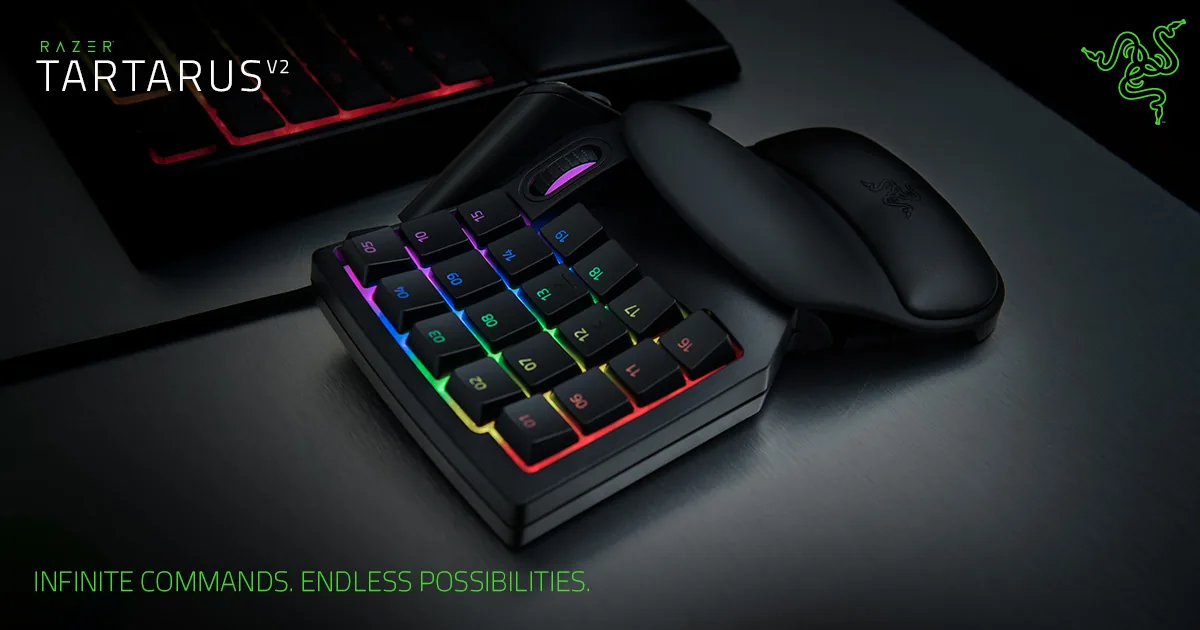
4. Razer Tartarus V2 - Best mainstream value keypad from a major gaming brand
Best for: Players who want the Razer keypad layout for less money and do not need analog optical switches. Skip if: Mechanical switch purists and users buying specifically for analog behavior.
Product image source: Razer official product media.
Check current priceThe Tartarus V2 makes more sense when you want the keypad layout and programmable commands but do not need the Pro’s analog optical keys. Think about an MMO hotbar or a builder game where each button sends a fixed command. Paying extra for a switch feature you never configure adds little to that setup. The V2 uses Mecha-Membrane switches, so do not buy it expecting a conventional mechanical switch.
Documented details from the original check:
- Razer positions the V2 around Mecha-Membrane switches and Chroma lighting.
- The official product page showed US$79.99 when checked.
- It shares the broad Tartarus layout idea but does not use the Tartarus Pro analog optical switch design.
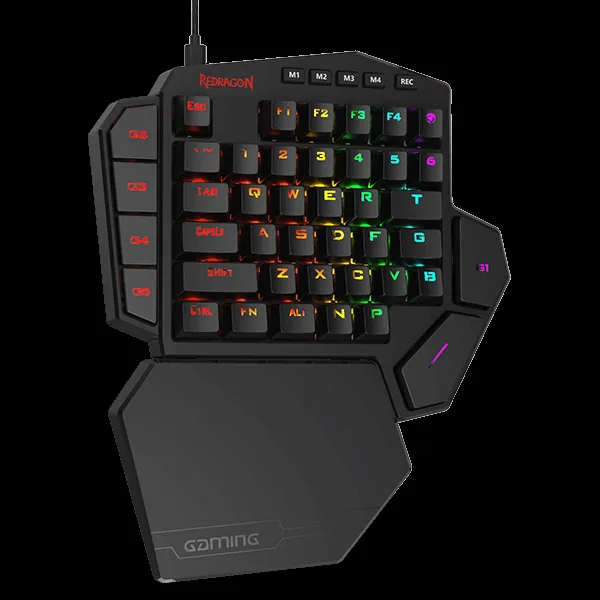
5. Redragon K585 DITI - Best budget one-handed mechanical keyboard
Best for: Budget PC players who want a real mechanical one-hand layout for WASD, number-row commands, and macros. Skip if: Players who specifically need analog movement or premium software polish.
Product image source: Redragon official product media.
Check current priceThe K585 DITI keeps a recognisable keyboard layout. That is its appeal: WASD and the number row do not need a completely new mapping, and the side macro keys provide extra places for commands. For a buyer who mainly wants more room beside the mouse, it is a straightforward starting point. There is no analog stick here, so it will not solve a requirement for controller-style movement.
Documented details from the original check:
- Redragonshop page metadata described the product as a one-handed keyboard with seven onboard macro keys.
- The official product page showed $36.99 when checked.
- The page metadata image and price came from Redragonshop, not a third-party roundup.
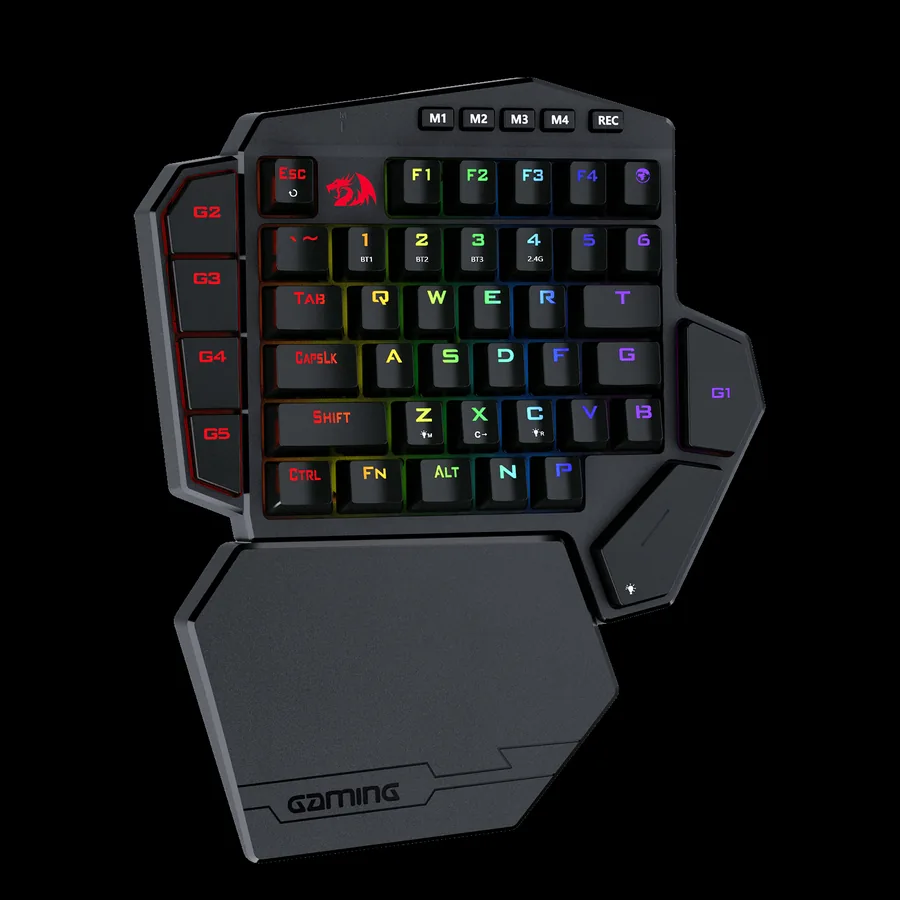
6. Redragon K585 PRO Wireless - Best cheap wireless one-handed gaming keyboard
Best for: Low-cost desk setups where cable-free placement matters more than a thumbstick. Skip if: Competitive players who want the simplest wired latency path or users who hate battery management.
Product image source: Redragon official product media.
Check current priceA wireless pad can be easier to place beside a laptop, drawing tablet or other equipment. The K585 PRO serves that purpose while keeping a compact keyboard layout. Before keeping it, try the wireless connection at the distance and receiver position you plan to use, then compare with wired mode. Check ordinary key presses as well as the combinations you use in your game. Battery management is another part of the decision.
Documented details from the original check:
- Redragon page copy described 2.4 GHz wireless data transmission and a built-in 3000 mAh battery.
- The official product page showed $49.99 when checked.
- Redragon described 15-20 hours continuous playtime with RGB backlight on in the page metadata captured during research.
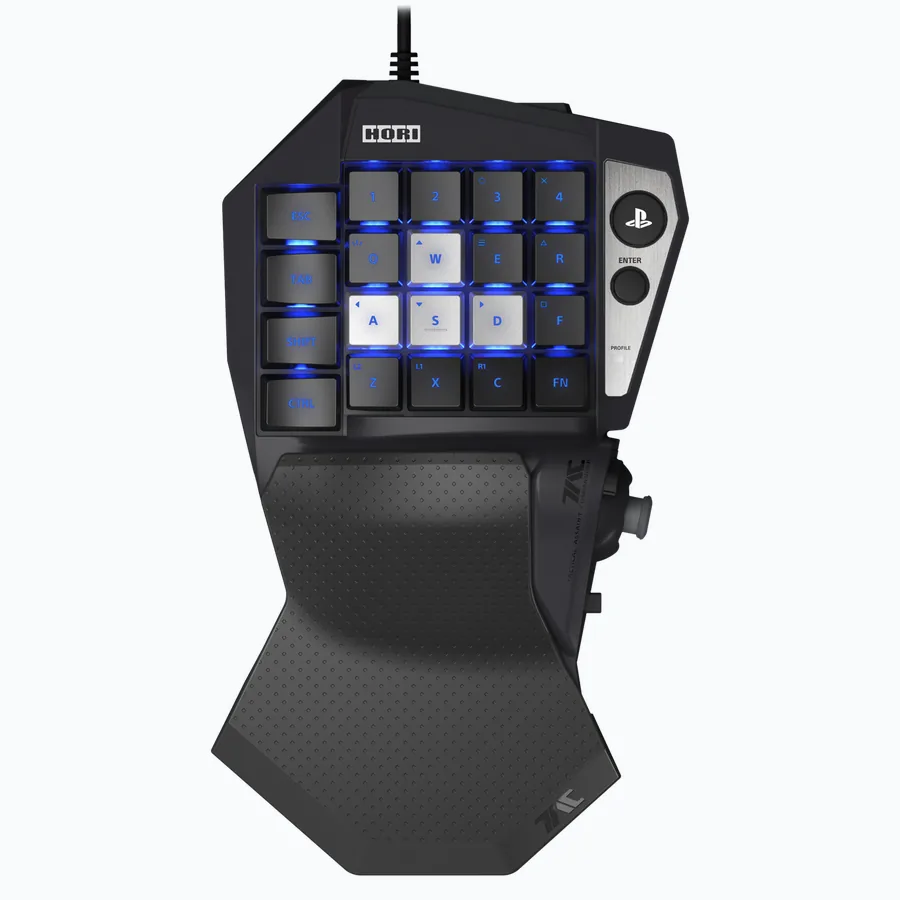
7. HORI Tactical Assault Commander Mechanical Keypad - Best console-focused one-handed keypad for PS5, PS4, and PC
Best for: Console players who want PC-style mouse and keyboard control in supported PS5/PS4 games. Skip if: PC-only buyers who can get a cheaper Redragon or a more ergonomic Azeron instead.
Product image source: HORI USA official product media.
Check current priceCheck compatibility first with the HORI TAC Mechanical. Its PlayStation support is relevant to games that accept keyboard-and-mouse input; it is not a promise that every console game will work. HORI’s documentation says a mouse is required and is not included. If you are buying solely for a Windows PC, compare the layout and features with the other pads before paying for console support you do not need.
Documented details from the original check:
- HORI USA page listed PlayStation 5, PlayStation 4, and Windows 11/10 in the product title.
- HORI page copy mentioned up to six profiles per console through a companion app.
- HORI page copy says the mouse is required and not included for keyboard-and-mouse mode.
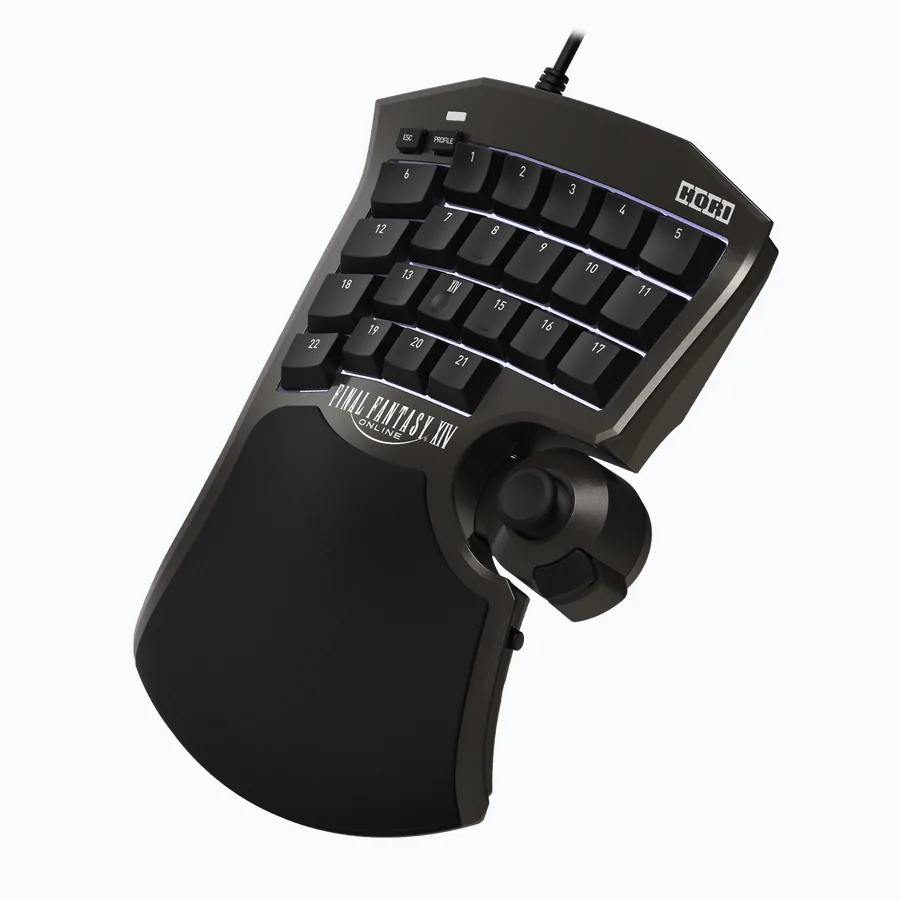
8. HORI Tactical Assault Commander F14 Final Fantasy XIV Black Edition - Best MMO-specialist keypad for Final Fantasy XIV players
Best for: Final Fantasy XIV players and MMO users who want saved profiles and an adjustable analog stick. Skip if: Buyers who demand mechanical switches or a general-purpose FPS keypad.
Product image source: HORI USA official product media.
Check current priceThe F14 is aimed at a player who wants to arrange MMO commands around a keypad and adjustable stick. The documented 21 assignable keys and saved profiles are useful details to compare with your own hotbars. One point is easy to overlook in the name: this F14 version uses a membrane keypad, not mechanical switches. Check the exact version, supported platform and software before treating it as a replacement for another HORI model.
Documented details from the original check:
- HORI USA page says users can assign in-game functions to 21 keys.
- HORI USA page says users can save up to eight profiles.
- HORI USA specifically notes that the F14 is a non-mechanical membrane keypad.
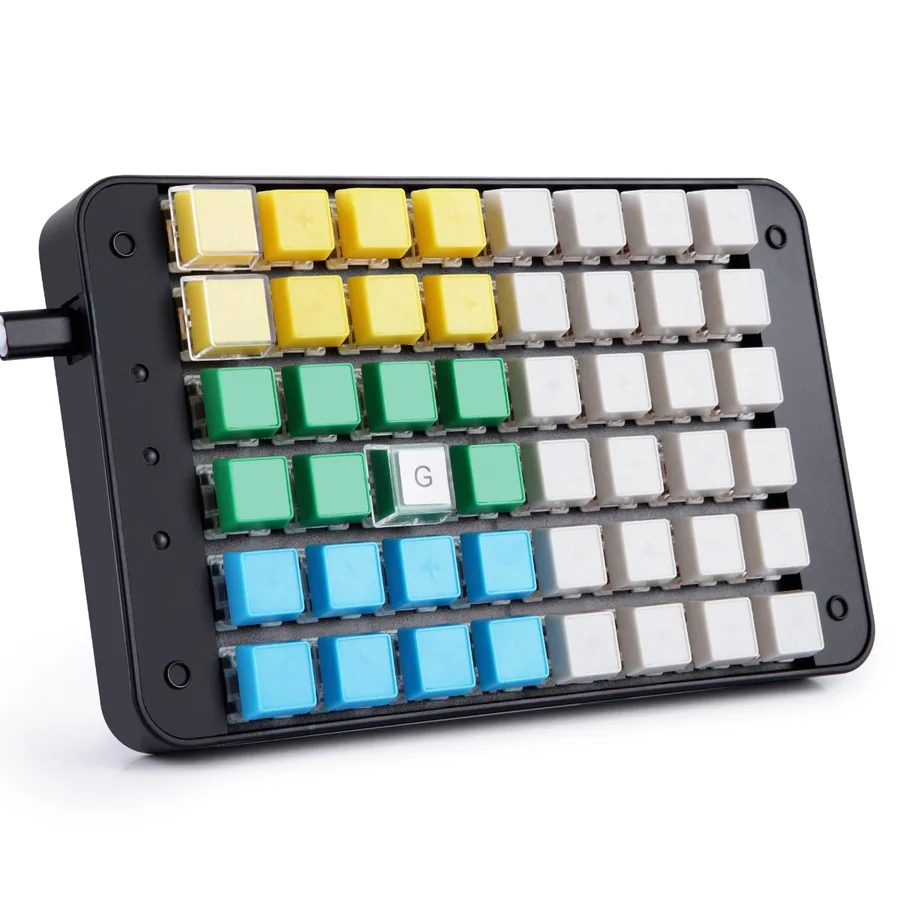
9. Koolertron 48-Key Programmable Mechanical Keypad - Best macro-heavy one-handed keyboard for mixed gaming and work
Best for: Users who want a large programmable pad for gaming, editing, design shortcuts, streaming, or cashier workflows. Skip if: Pure thumbstick gaming or players who want a polished gaming-driver ecosystem.
Product image source: Koolertron official product media.
Check current priceThe Koolertron 48-key is closer to a programmable workpad than a controller-shaped gaming keypad. A buyer might use one set of commands for a game and another for editing, design or streaming software. The extra keys give you room to organise those shortcuts, but also give you more to configure. Choose it for the programmable layout. If your main requirement is an analog thumbstick, it does not provide one.
Documented details from the original check:
- Koolertron product title describes a 48-key fully programmable mini keypad.
- Koolertron title/copy highlights 32 macro keys and mixed use for gamers, cashiers, designers, and video editors.
- The official Koolertron page showed $95.99 when checked.
Hall Effect Half Keyboards and Keypads Added to This Guide
These models were added to the guide on August 27, 2026, after the original nine-pick comparison. They keep the left part of a keyboard layout and use magnetic switches, rather than putting movement on a thumbstick. That makes them worth comparing when you want familiar WASD positions, adjustable actuation and more space for the mouse. The prices and stock notes below are from the August 27 check. Their addition to this guide does not mean every model launched in 2026.
| Keyboard | Checked price | Keys | Switch | Polling | Palm rest | Launched |
|---|---|---|---|---|---|---|
| Keychron C0 HE 8K | $59.99 | 35 | Keychron Ultra-fast Lime magnetic | 8,000 Hz wired | Built-in silicone palm rest | March 2026 |
| Epomaker HE30 | $49.99 | 36 | Epomaker Purple magnetic | 8,000 Hz wired | None (detachable wrist strap for carrying) | 2026; launch month not confirmed |
| Lemokey L0 HE 8K | $135.99 (was $159.99) | 35 + knob | Lemokey Ultra-fast Lime magnetic | 8,000 Hz wired | None | August 2025 |
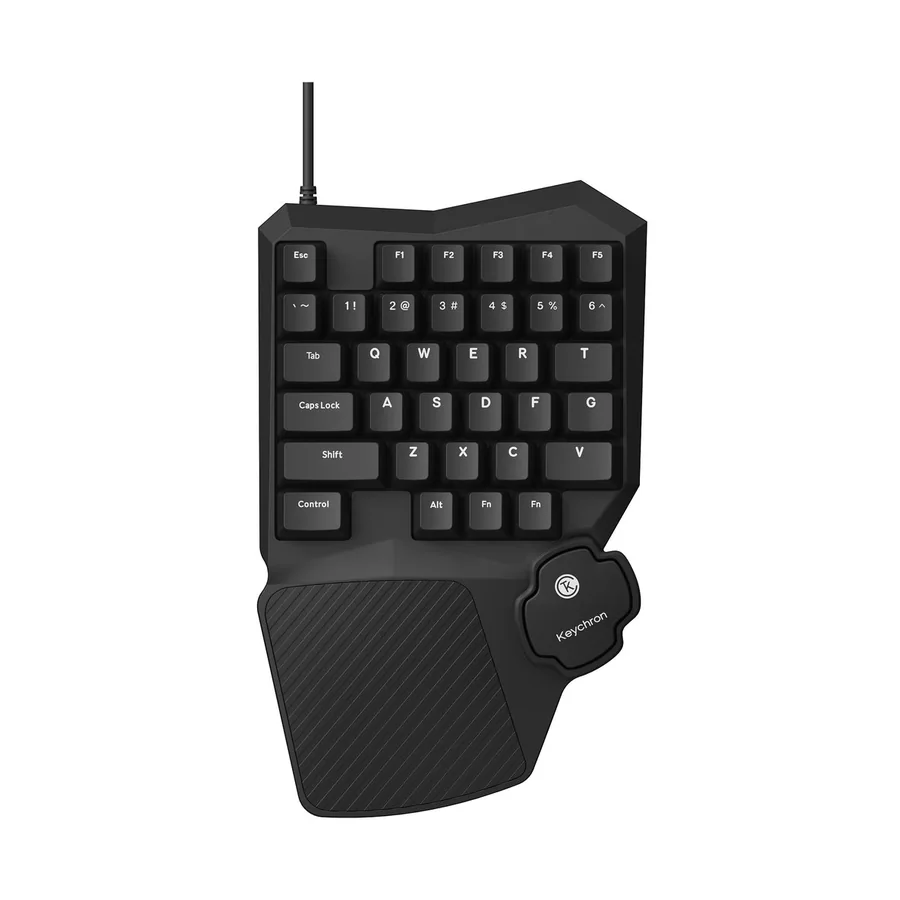
New: Keychron C0 HE 8K - Best new budget Hall effect half keyboard
Best for: PC players who want a real half keyboard with rapid trigger, per-key actuation, and a built-in palm rest for the price of a budget keypad. Skip if: Buyers who need a thumbstick, wireless, or the freedom to swap in other magnetic switches.
Product image source: Keychron official product media.
Check current priceThe C0 HE 8K keeps the layout recognisable and adds magnetic switches. Its built-in palm rest is a practical difference from the other Hall Effect pads listed here. Start by checking that it contains the keys you regularly use; anything outside its left-half layout will need a new binding or a second keyboard. Keychron’s switch compatibility restriction also matters if you expect to swap switches later. The documented polling rate is a specification, not a result measured for this guide.
There is no thumbstick on the C0 HE. If thumb movement is the reason you are shopping for a keypad, keep looking at the stick-equipped models. If mouse space is the priority, its half-keyboard format is the more relevant feature.
Documented details from the original check:
- Keychron's official page describes the C0 HE 8K as a wired one-handed magnetic switch gaming keypad with an 8,000 Hz polling rate, shine-through keycaps, and a built-in silicone palm rest.
- Keychron states the board is compatible only with the Keychron Ultra-fast Lime Magnetic Switch and does not support Gateron Magnetic Jade or KS-20 switches.
- Launch coverage (KitGuru, March 17, 2026) lists 35 keys, a 25 g Lime switch with 3.35 mm total travel, and Keychron Launcher web configuration for rapid trigger, DKS, Mod-Tap, SOCD, and actuation point.
- The official page showed $59.99 with the product in stock when checked; Keychron notes discount codes do not apply to the C0 HE 8K.
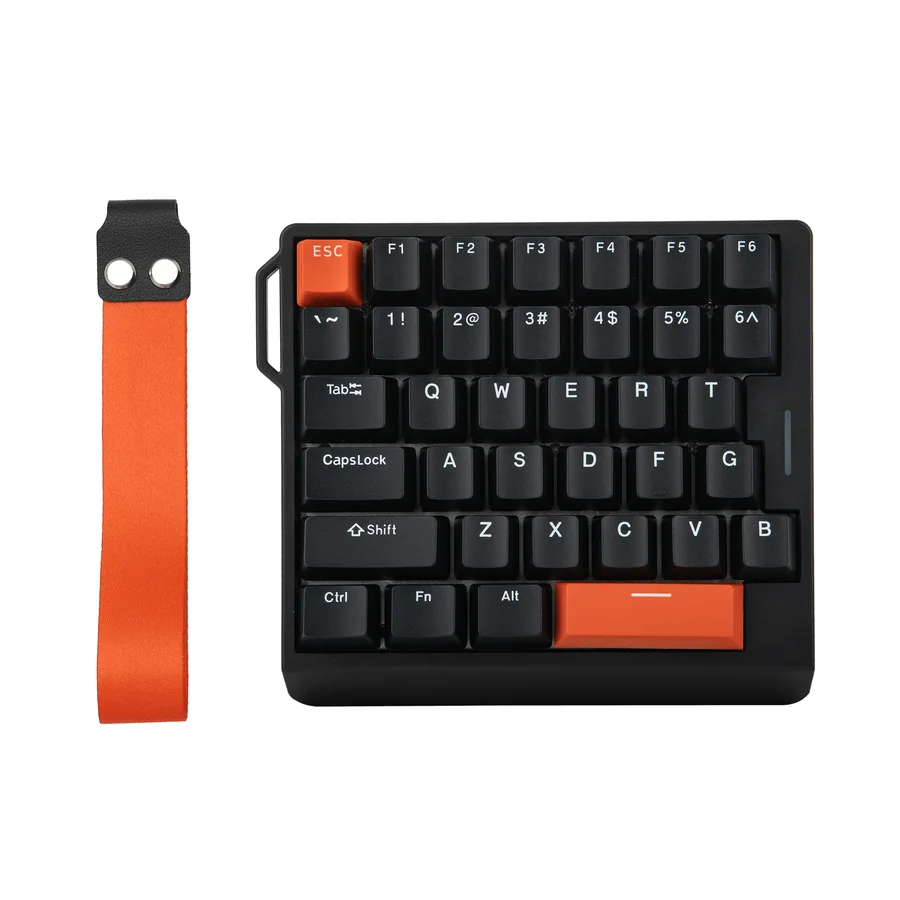
New: Epomaker HE30 - Cheapest new Hall effect one-handed keypad with a wrist strap
Best for: FPS players who want the smallest left-hand pad possible for big low-DPI mouse swipes, plus something that clips to a bag for LAN nights. Skip if: Anyone who wants a palm rest, a thumbstick, or a knob; the strap is for carrying, not comfort.
Product image source: Epomaker official product media.
Check current priceThe HE30 is another compact option for adjustable-actuation keys. Its 36-key layout, web configuration and carrying strap are documented features. The strap is for carrying the device; it does not give you a palm rest. Look at your desk height and where your hand will rest before deciding whether a separate support is needed. Start with a manageable actuation setting and change it after checking for accidental presses.
The palm rest is a useful reason to compare the HE30 directly with the C0 HE, rather than choosing only by price. The lower recorded price does not settle which one fits your desk or hand better.
Documented details from the original check:
- Epomaker's official page lists 36 programmable keys, PBT keycaps, web-based remapping and macros, and a Purple magnetic switch with a 0.1 mm to 3.4 mm adjustable trigger.
- The official page claims 8,000 Hz polling and 0.125 ms latency, plus Dynamic Keystroke (DKS), Mod-Tap, and Snap Key (SOCD).
- Both colorways (Black Orange and White Purple) showed $49.99 and in stock when checked; launch coverage in February 2026 quoted $44.99, so expect the price to move.
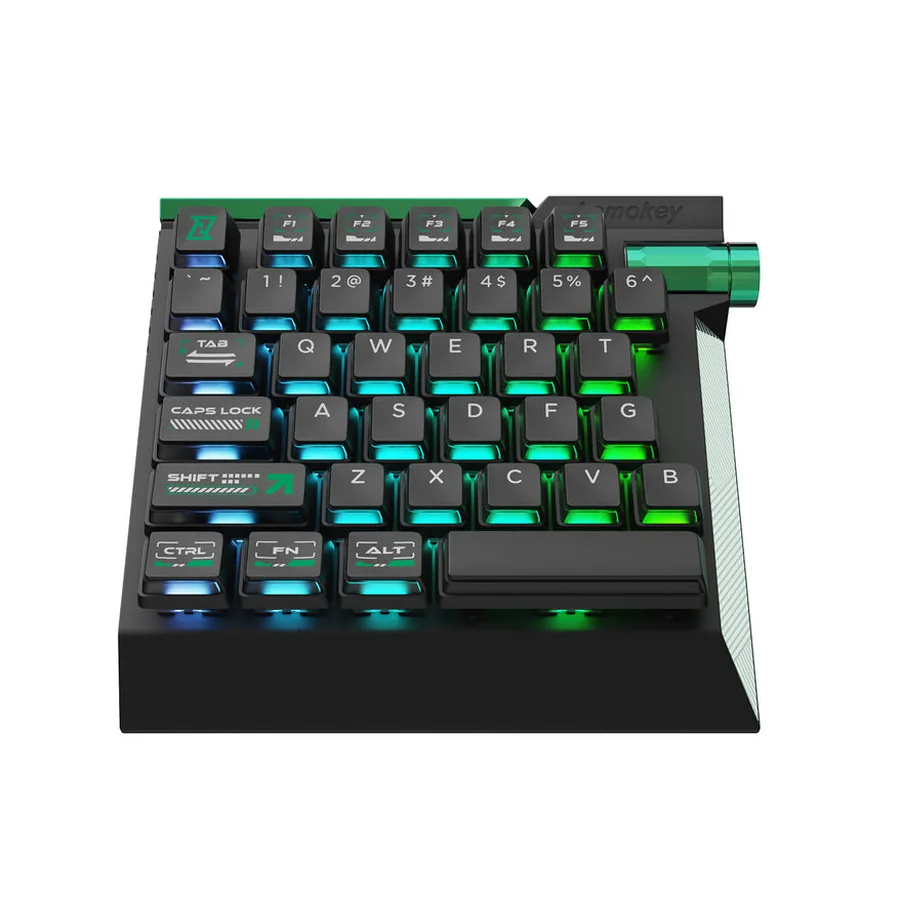
New: Lemokey L0 HE 8K - Best aluminum Hall effect half keyboard with a knob
Best for: Players who want the C0 HE layout in a full-metal case with double-shot PBT keycaps, internal foam, and a remappable volume or scroll knob. Skip if: Value buyers - it is the same 35-key idea at more than double the C0 HE price, with no palm rest and no wireless.
Product image source: Keychron / Lemokey official product media.
Check current priceThe Lemokey L0 HE puts the half-keyboard idea in an aluminium case and adds a remappable knob. Its recorded price was much higher than the C0 HE’s, so the case, knob and construction need to be features you actually want. They are not evidence that it will make you faster. Check its current configuration software for the profile behaviour you need, and allow for a separate wrist rest if your setup calls for one.
The August check recorded $135.99 for the L0 HE and $59.99 for the C0 HE. That comparison is a dated price snapshot. Look at the current listings before using it to decide how much extra the case and knob will cost.
Documented details from the original check:
- The official page says the fully assembled version includes the PCB, case, foams, Mac and Windows keycaps, and adjustable-actuation Lemokey Ultra-fast Lime Magnetic Switches, and that no other magnetic switch is supported.
- The official page showed $135.99 against a $159.99 compare-at price, in stock, when checked.
- PCWorld (September 2, 2025) praised the aluminum build, PBT keycaps, knob, and browser-based programming, and criticized the $160 launch price, the missing wrist rest, the lack of wireless, and the inability to save per-game profiles.
Also new: Ajazz AK029 - a 29-key magnetic keypad at $39.99
The August 27 check recorded the Ajazz AK029 at $39.99, with 29 keys, a detachable USB-C cable, RGB and a web driver. It stayed outside the ranking because the captured official listing did not substantiate the performance claims seen on retailer pages. A low price alone does not resolve that gap. If you consider it, check the current official specifications and return terms. Use the keyboard tester to check the normal events it sends; a browser polling estimate cannot certify its USB polling rate.
September 22 update: a new Tartarus has arrived
The September 22 update added a note about Razer’s newer Tartarus V2 Pro, with its TMR analog thumbstick and changed control layout. The original nine-pick ranking does not evaluate that model. If you are choosing a Tartarus now, read the V2 Pro versus original Pro comparison and check which buttons your existing bindings would need. The Hall Effect half keyboards above remain a separate choice if you want WASD rather than stick movement.
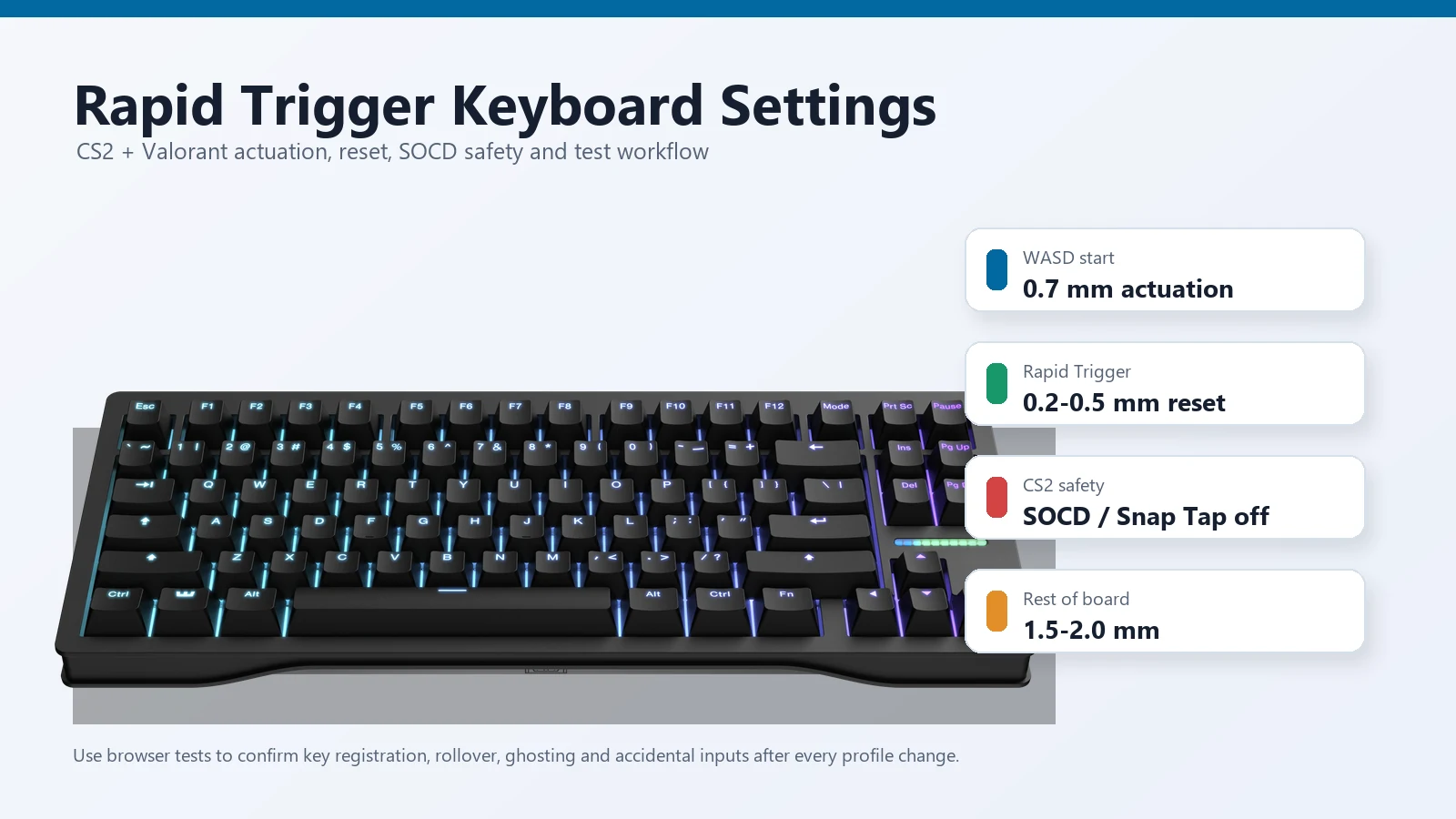
Set actuation and Rapid Trigger in the manufacturer’s software, then check whether the presses, releases and combinations behave as intended. A browser sees the events delivered to it; it does not measure physical key travel or certify an advertised 8,000 Hz USB polling rate. The Rapid Trigger settings guide explains that distinction.
How to Choose a One-Handed Gaming Keyboard
If movement on the thumb is the main attraction, start with models that actually provide an analog stick. Then check how your game handles keyboard and controller input together. If all you need is WASD, you may not need a stick at all.
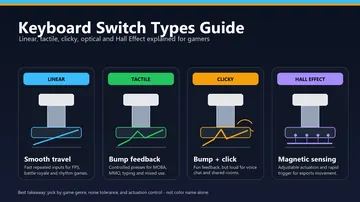
Check the switch type on the exact version you are buying. Keyzen, the listed Redragon models and the Koolertron use mechanical switches; Tartarus V2 uses Mecha-Membrane, and the F14 uses membrane. Those categories help narrow the choice, but they do not tell you how comfortable the whole device will be for your hand.
Read the software requirements before ordering. Check your operating system, whether profiles are stored onboard and what happens when the configuration app is closed. If your plan depends on a particular macro or layer, confirm that the device supports it. For competitive games, check the relevant rules before enabling automated sequences or input-assistance features.
A thumbpad may send fixed directional commands. An analog stick can report movement across a range. Those are different controls, even if the advertising uses similar names. Find the documented input behaviour before assuming the pad will replace a controller stick.
How to Test a One-Handed Gaming Keyboard After Buying
Use the return window to check the device with your actual bindings. Work through a short list of commands in your usual game, save a profile and reconnect the keypad. A problem that shows up here is more useful to find than a lighting option you have not tried yet.
- Open the KeyboardTester.click keyboard tester and press every key that should send a normal keyboard event.
- Use the keyboard ghosting test for combinations such as W + A + Shift + Space, or your MMO movement plus skill keys.
- Check repeated inputs with the key repeat rate test if one key fires too fast when held.
- The keyboard polling rate test gives a browser event estimate. It does not verify an advertised USB polling rate; check the selected mode in the maker’s software and test the bindings in your game.
- Test thumbsticks in the maker software, Windows controller settings, or a gamepad tester if the stick does not emit keyboard events.
- Save one profile, unplug the keypad, plug it back in, and confirm whether the layout survived without re-opening the software.
A website can only check the keyboard events it receives. A profile button, RGB control, Fn layer or analog stick may work correctly without appearing in a keyboard test. Use the maker’s software or the appropriate controller test for those controls.
Related Guides and Tests
These guides cover the questions that a keypad specification sheet leaves open: switch types, movement settings, multi-key combinations and whether a full keyboard would suit you better.
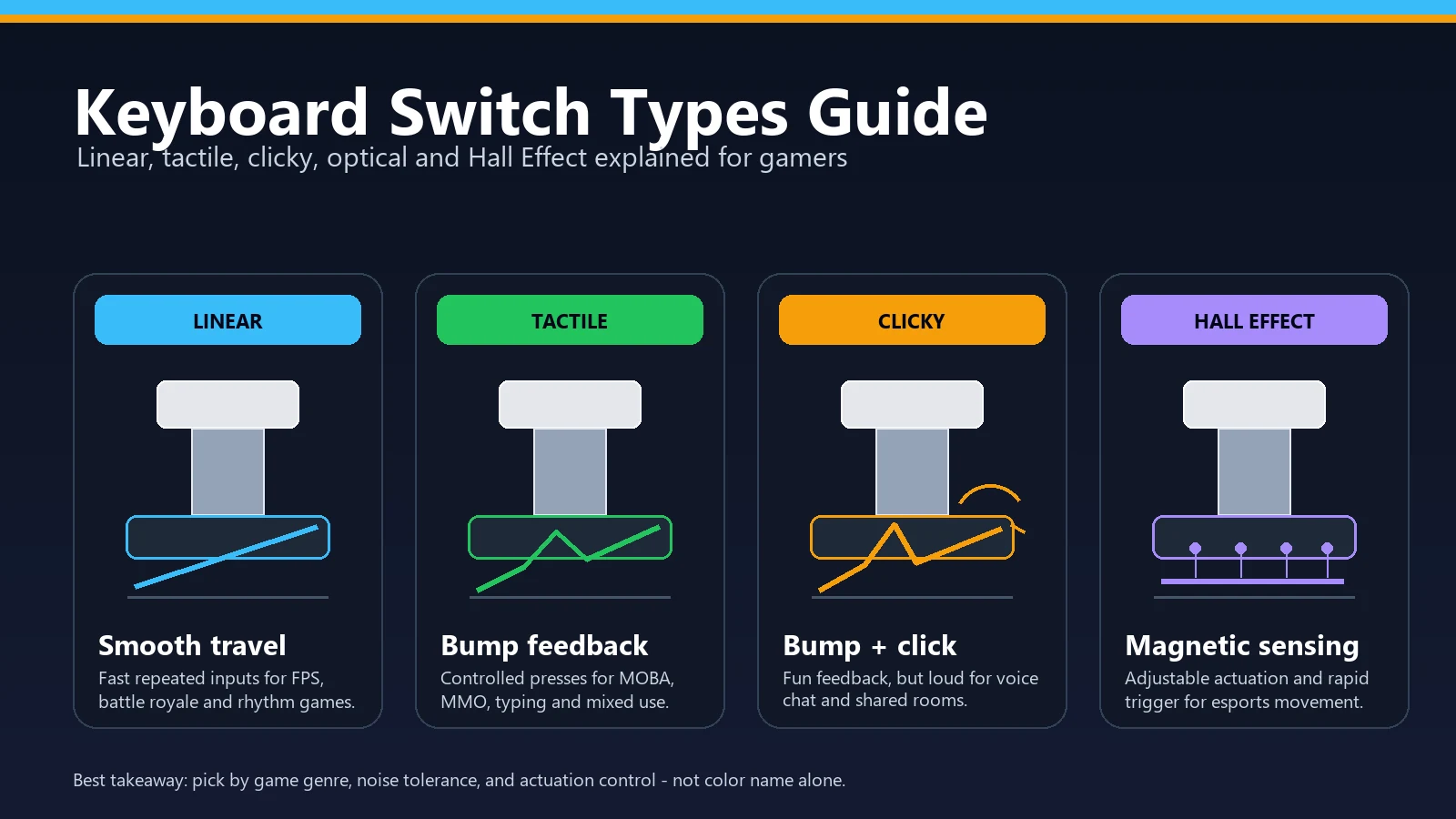
- Keyboard switch types for gaming - useful when comparing mechanical, membrane, optical, and Hall Effect feel.
- Rapid Trigger keyboard settings for CS2 and Valorant - useful if you are choosing between keypad macros and full keyboard movement tuning.
- Keyboard ghosting and anti-ghosting explained - useful before trusting a compact keypad for multi-key game combos.
- V4N4G0N 45% custom mechanical keyboard guide - what an ultra-compact from-parts build looks like if half-keyboards get you curious about the custom scene.
- Best mechanical keyboards for gaming - useful if a full keyboard may fit your setup better than a one-handed keypad.
Older One-Handed Keyboards I Would Not Recommend as Normal New Buys
Buying an older keypad can make sense if you already know the model and are happy to deal with its software. It is harder to recommend as a general new purchase. Check condition, driver availability and the return policy rather than treating its reputation as proof that a particular used unit is a good buy.
- Logitech G13: still has a fan base, but it is discontinued and usually means used-market pricing, old software, and uncertain condition.
- Razer Orbweaver and Razer Nostromo: historically important, but the current Razer Tartarus line is the cleaner buying path.
- GameSir VX / VX2 listings: some pages and marketplace listings still exist, but I did not find a clean current official product path strong enough to rank it above the products in this list.
- Unknown Amazon-only clones: they can be cheap, but weak documentation, copied photos, and unclear software links make them risky unless the return policy is excellent.
Sources and Product Pages Checked
The Cyborg II section includes my own impressions of its customization, palm rest, responsiveness and thumbstick movement. The specifications and dated prices come from the linked listings; named reviews provide additional context. I am not presenting a measured latency comparison or claiming that every keypad here has been physically tested. The original price check was May 26, with a separate August 27 check for the later additions. The links below let you examine the documentation and current buying conditions yourself.
- Azeron Cyborg II official product page
- Azeron Keyzen official product page
- Razer Tartarus Pro official product page
- Razer Tartarus V2 official product page
- Redragon K585 DITI official product page
- Redragon K585 PRO Wireless official product page
- HORI TAC Mechanical official product page
- HORI TAC F14 official product page
- Koolertron 48-key programmable keypad official product page
- Hardware Canucks gaming keypad video used for the embedded media reference
- Keychron C0 HE 8K official product page (added August 27, 2026)
- Epomaker HE30 official product page (added August 27, 2026)
- Lemokey L0 HE 8K official product page (added August 27, 2026)
- Ajazz AK029 official store page (added August 27, 2026)
- KitGuru: Keychron C0 HE 8K launch coverage (March 17, 2026)
- KitGuru: Epomaker HE30 launch coverage (February 17, 2026)
- PCWorld: Lemokey L0 HE review (September 2, 2025)
FAQ: One-Handed Gaming Keyboards
What is the best one-handed gaming keyboard overall in 2026?
There is no one choice for every player. Start with the Azeron Cyborg II if you want an adjustable layout and analog thumbstick. Compare the Tartarus Pro if its layout and optical-key features suit your bindings. A simple WASD requirement may be better served by a less expensive board. These are recommendations based on documented features, not a hands-on comfort ranking.
Is a one-handed gaming keyboard better than a normal keyboard?
It can free up mouse space or give you a dedicated set of commands. That is useful only if you prefer the resulting layout. You will still need to think about chat, shortcuts outside the keypad and games that use more keys than it provides. Keep a full keyboard nearby until you know what is missing.
Should I buy a one-handed gaming keyboard with a joystick?
Buy a stick-equipped model when you have a specific use for thumb movement. Check whether the stick sends analog controller input or mapped keyboard commands, and whether your game accepts that combination. If you are happy with WASD, paying for a stick may not help.
Are cheap one-handed mechanical keyboards good for gaming?
They can cover ordinary movement keys and extra bindings without a large purchase. The important checks are whether you can reach your commands, whether your combinations register and whether the profiles work as expected. An affordable pad is not automatically a poor choice, but it will not gain an analog stick or a different layout through software.
Can a browser keyboard tester detect every macro key and thumbstick?
No. A keyboard test can show standard keyboard events delivered to the browser. A macro that produces normal key events may appear; a vendor-only button or an analog stick may not. Check those controls in the manufacturer’s software, the game or an appropriate gamepad tester.
What one-handed gaming keyboards should I avoid buying new?
Be cautious with discontinued models, unclear software downloads and listings that do not identify the exact version. The G13, Orbweaver and Nostromo may appeal to someone who knows them already, but a new buyer should check support and condition carefully. For any model, a clear return policy is useful protection if the layout does not fit.
Final Buying Advice
Choose the keypad after you have worked out where your regular commands will go. Thumbstick movement, a familiar WASD layout, wireless placement and work macros are different requirements. You do not need to pay for all of them if only one is useful to you.
Once it arrives, check the ordinary keys in the keyboard tester, try your multi-key combinations and play with your real bindings. Save a profile and reconnect the device. If the controls still feel awkward after adjustment, use the return window rather than keeping it only because the specification list looked impressive.




Reader discussion
Comments
Share what worked, what did not, or what you would test next. Every comment is reviewed before it appears.
Loading approved comments…
Leave a comment
No account or sign-in is required. Links and HTML are not accepted.