










Fast answer: A keyboard CPS test counts how many times you can press a key (usually the spacebar) per second. The average is about 6-7 CPS; 8-10 is fast and 10+ is competitive. Run the spacebar speed test, read your CPS now, best, and average, then try the two-finger technique. The same tool also flags double-spacing and chatter, which a plain counter cannot.
If you searched "keyboard CPS test" or "cps test keyboard" and landed on a mouse tool, you were in the wrong place. CPS (clicks per second) on a keyboard usually means how fast you can tap the spacebar, and that is a different test from mouse clicking.
This guide shows how to measure your spacebar CPS, what a good score looks like, the technique that actually makes you faster, and why 2-key CPS matters for jump-bridging. As a bonus, the same browser test catches double-spacing and switch chatter while you warm up.
How to run the keyboard CPS test
Use one timer and one posture so your runs are comparable. The spacebar speed test counts presses per second and shows live CPS, best CPS, and average CPS.
- Open the test in Speed modeOpen the spacebar test and keep it on the Speed tab. Click the page once so the keyboard has focus.
- Pick a lengthUse 5 seconds for a quick burst, 10 seconds for a standard CPS check, and 30-60 seconds when you want stamina rather than one lucky spike.
- Tap the spacebar as fast as you canPress only the spacebar. The counter updates each press and the tiles show CPS now, best CPS, and average CPS in real time.
- Read the result and repeatTake the median of three runs, not one peak. A consistent number is a better measure of your real speed than a single best attempt.
What is the average keyboard CPS, and what counts as good?
These are practical browser-test ranges for the spacebar, not lab limits. Hardware, finger technique, and how fresh your hand is all move the number.
| Spacebar CPS | Where it sits | What to do next |
|---|---|---|
| 3-5 CPS | Relaxed single-finger tapping, common on laptops and low-profile keyboards. | Fine for typing; try the two-finger method if you want more. |
| 6-7 CPS | Around the typical average for a single finger. | Solid baseline; compare it with your mouse click speed. |
| 8-10 CPS | Fast. Usually a trained single finger or an early two-finger rhythm. | Good for gaming bursts; watch for missed presses. |
| 10-14 CPS | Competitive pace, almost always two-finger or alternating technique. | Verify the count is clean, not chatter inflating it. |
| 14+ CPS | Very fast and hard to sustain cleanly. Records sit around 12-15 CPS sustained over 5 seconds. | Run the Diagnostic mode to confirm every press is real. |
How to press the spacebar faster
You do not need to mash harder. The biggest speed jump comes from using two fingers and from a keyboard that resets quickly.
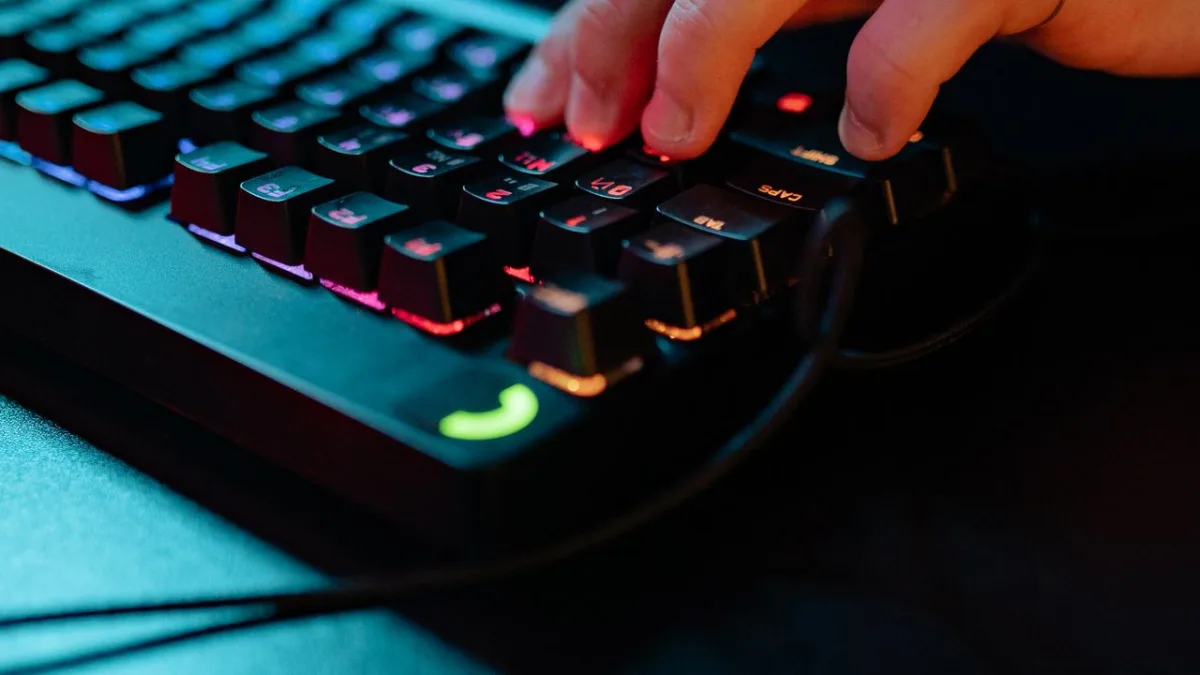
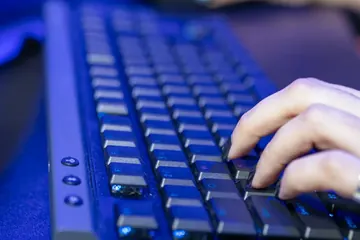
Hold the spacebar just above its actuation point with one finger, then tap repeatedly with the next finger. Because the key only travels the last fraction of its movement, each press is shorter and you can roughly double your CPS.
Bounce between index and middle finger on the bar. Like butterfly clicking on a mouse, it spreads the work across two fingers so neither tires as fast.
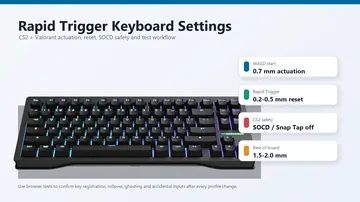
A short actuation distance, a fast reset, and a high polling rate all let presses register sooner. Linear or light switches feel quicker than heavy tactile ones for rapid tapping.
Tension slows you down and risks strain. A light grip, a warm hand, and short practice runs beat forcing one long sprint.
2-key CPS and jump-bridging (Minecraft and 1v1.lol)
A lot of "cps test keyboard 2 keys" searches come from bridging. In Minecraft and 1v1.lol you alternate two inputs fast under pressure, so your effective speed across two keys matters more than one key alone.
| Scenario | Why two keys | What to test |
|---|---|---|
| Minecraft jump-bridging | You alternate jump (space) and place while moving backward. | Test spacebar CPS first, then your jump-and-place rhythm in game. |
| 1v1.lol building | Fast edits and placements chain several keys together. | Build single-key CPS on space, then practice the key sequence. |
| Both-hands tasks | Some setups split inputs across two hands for higher combined CPS. | Measure each key on its own, then the alternating pattern. |
Catch double-spacing and chatter while you speed-test
Here is what plain spacebar counters cannot do. While you measure speed, switch to Diagnostic mode and the same tool pairs each key-down with its key-up to find faults a counter hides.
- Switch to Diagnostic modeOn the spacebar test, open the Diagnostic tab. It logs every press and flags suspicious ones.
- Watch the chatter countIf one tap registers as two presses a few milliseconds apart, that is chatter (switch double-firing). A fast but chattering key inflates your CPS with fake presses.
- Check missed and stuck pressesThe log also shows missed presses and stuck keys, plus operating-system auto-repeat, so you know whether a low score is you or the hardware.
- Fix the cause if neededIf you see real chatter, do not just live with it. Follow the spacebar repair guide below before chasing a higher number.
Slow on purpose vs an actually broken spacebar
A low CPS because your finger is untrained is normal. A spacebar that misses presses, double-spaces, or feels dead is a different problem with a different fix.
Every tap counts once, the number is just low. That is technique and stamina, not hardware. Use the two-finger method and practice.
One press types two spaces. That is chatter or a full-width input mode, not speed. The spacebar fix guide walks through both.
You tap and nothing registers sometimes. That points to debris, a worn switch, or Filter Keys, covered in the repair guide.
Video: how to measure CPS and what the numbers mean
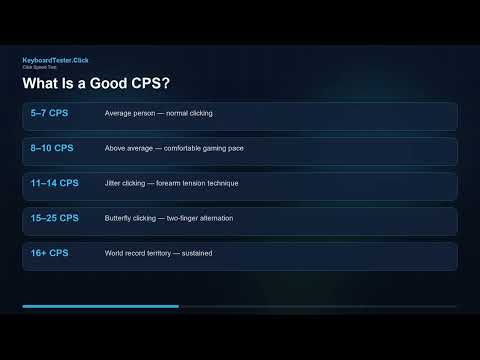
This KeyboardTester.click video explains how a clicks-per-second test works and how to read your score. The same logic applies to the spacebar: choose a length, tap cleanly, and compare consistent runs rather than one spike.
Sources and verification notes
This guide combines the live spacebar tool behavior with browser keyboard-event documentation and the public spacebar-CPS averages used across popular counters.
- MDN Web Docs: KeyboardEventUsed for how the browser reports key presses that the speed counter and diagnostic read.
https://developer.mozilla.org/en-US/docs/Web/API/KeyboardEvent - MDN Web Docs: KeyboardEvent.repeat (auto-repeat)Used to explain how operating-system auto-repeat is detected and separated from real taps.
https://developer.mozilla.org/en-US/docs/Web/API/KeyboardEvent/repeat - CPS-Check: Spacebar speed testChecked for the common spacebar test lengths and the ~6-7 CPS average wording.
https://cps-check.com/spacebar-test - CPSTest.org: Spacebar counterChecked for spacebar counter benchmarks and good-score framing.
https://cpstest.org/spacebar-counter/ - Spacebartest.org: Spacebar counter and averagesChecked for the published average and world-record style spacebar numbers.
https://spacebartest.org/
Related keyboard tools
Measure keys per second with any-key, single-key, two-key, and custom keyboard tests
Spacebar Speed TestMeasure spacebar CPS, best, and average, with a chatter and missed-press diagnostic built in.
Keyboard TesterCheck every key for dead, stuck, or doubling behavior, not just the spacebar.
Key Repeat Rate TestSee how repeat delay and rate affect held keys and rapid taps.
Typing TestTurn raw finger speed into real words-per-minute on a full keyboard.
Related guides
If your bar is slow because it is broken, this walks through debris, chatter, Filter Keys, and switch fixes.
Click Speed Test: Measure Your CPSThe mouse side of CPS, with jitter, butterfly, and drag techniques explained.
Jitter Click vs Butterfly ClickWhich mouse-clicking technique is faster, easier on aim, and safer from anti-cheat.
Drag Click Test: Hit 20+ CPSHow mouse drag clicking reaches very high CPS and when it is bannable.
How to Measure Typing Speed (WPM)When real words matter more than raw taps: gross vs net WPM, accuracy, and the five-character rule.
Right Click CPS TestWhy your secondary mouse button is usually slower than the left.
Keyboard CPS test FAQ
- What is a keyboard CPS test?It measures how many times you can press a keyboard key, almost always the spacebar, in one second. You run a short timed test, tap the key as fast as you can, and the tool shows your clicks per second along with best and average values.
- What is the average spacebar CPS?For a single finger, the average is roughly 6-7 CPS. Around 8-10 CPS is fast, 10-14 CPS is competitive and usually needs a two-finger technique, and sustained results above 14 CPS are rare and hard to keep clean.
- How do I press the spacebar faster?The biggest gain is the two-finger method: hold the bar near its actuation point with one finger and tap with the next so each press is shorter. Alternating between two fingers and using a keyboard with a fast reset and high polling rate also help.
- What does a 2-key CPS test mean?It measures how fast you alternate two keys, which matters for jump-bridging in Minecraft and building in 1v1.lol. Start by measuring single-key spacebar CPS for a clean baseline, then practice the actual key sequence your game needs.
- Why is my spacebar CPS low even when I tap fast?If your taps are clean but the number is low, it is usually technique and stamina, so the two-finger method helps. If the test shows chatter, missed presses, or double-spacing, the hardware is interfering, and you should test the key in Diagnostic mode and fix the cause.
- Can a CPS test detect a broken spacebar?A plain counter cannot, but this one can. In Diagnostic mode the spacebar test pairs each key-down with its key-up to flag chatter (one tap counted twice), missed presses, and stuck keys, so you can tell a slow finger from a failing switch.
Ready? Open the spacebar speed test, set 10 seconds, and read your CPS now, best, and average. Then switch to Diagnostic mode to confirm every press is real, and run the full keyboard tester while you are there.





Reader discussion
Comments
Share what worked, what did not, or what you would test next. Every comment is reviewed before it appears.
Loading approved comments…
Leave a comment
No account or sign-in is required. Links and HTML are not accepted.