










Short answer: the KB7 is worth its US $199.99 price only if its 4.3-inch touchscreen will replace real desk actions for you—profiles, macros, audio, app controls, streaming shortcuts, or system information. The Hall Effect switches and Rapid Trigger are compelling, but they are not unique at this price. Buyers who mainly want fast adjustable keys should compare simpler boards; buyers who want the display should budget time to verify Swarm II, firmware updates, and the unusually specific direct-USB requirement during the return window.
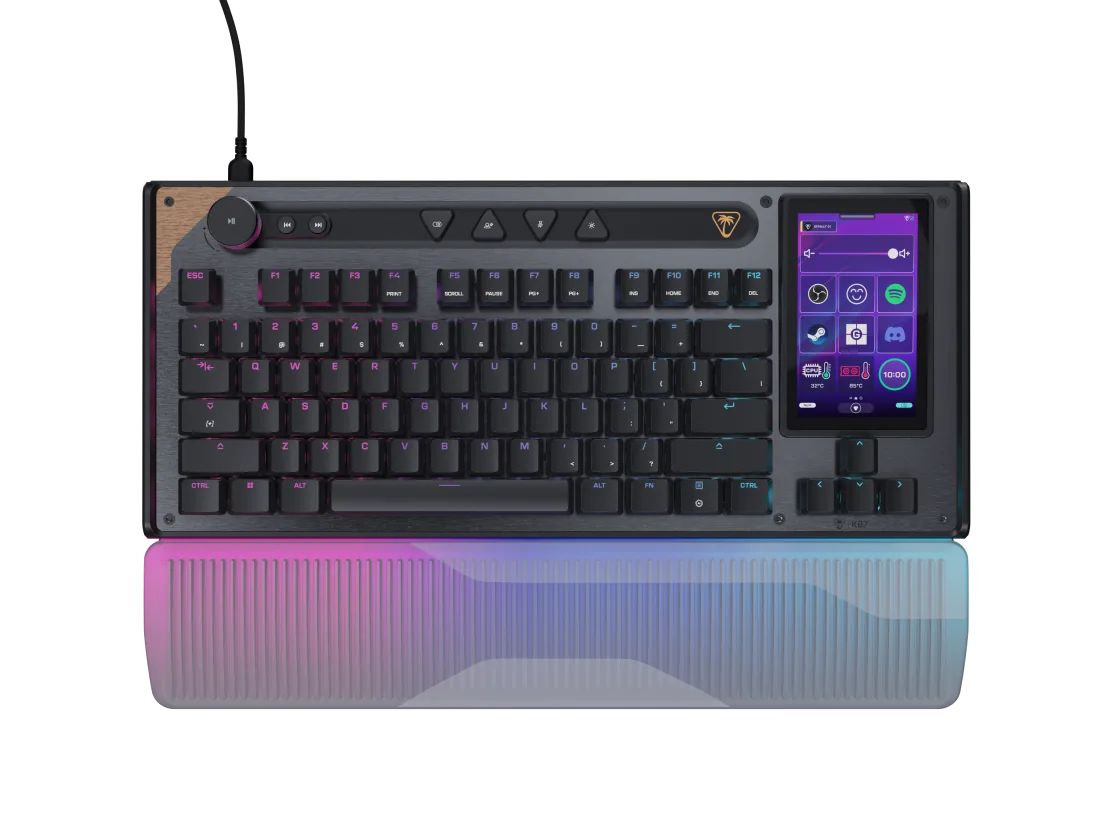
The Command Series KB7 is not a normal TKL with a small status screen. Turtle Beach replaces the usual navigation cluster with a touch interface and adds an Action Bar, Hall Effect tuning, modular rails, an illuminated wrist rest, and software-driven control panels. That makes the display the whole buying decision—not a decorative extra.
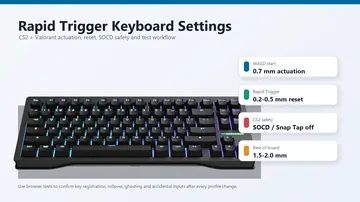
If you buy it for competitive play, treat setup as two separate jobs. First decide whether the display and layout fit your workflow. Then tune sensitivity using conservative guidance from our Rapid Trigger settings guide for CS2 and Valorant. Do not start at the most aggressive numbers merely because the switches support them.
Price, Launch Timing, and Specifications
Turtle Beach announced the Command Series on April 23, 2026, opened preorders, and stated a global KB7 launch date of May 21, 2026. The official regional pages were live in all four target markets when checked. The Australia page did not show a visible local/AUD price or purchase controls, so converting another market’s price would create false precision.
| Market | Price displayed Aug. 13, 2026 | Buyer note |
|---|---|---|
| United States | US $199.99 | Official Turtle Beach product page; check the final cart and seller terms. |
| United Kingdom | £159.99 sale | Official UK product page; regular/full price £189.99. Promotions and stock can change. |
| Canada | $279.99 CAD | Official Canada product page; do not compare the number directly with USD. |
| Australia | Check current local availability | The official regional product surface was live, but no visible local/AUD price or purchase controls were displayed. |
What Does the 4.3-Inch Touchscreen Actually Add?
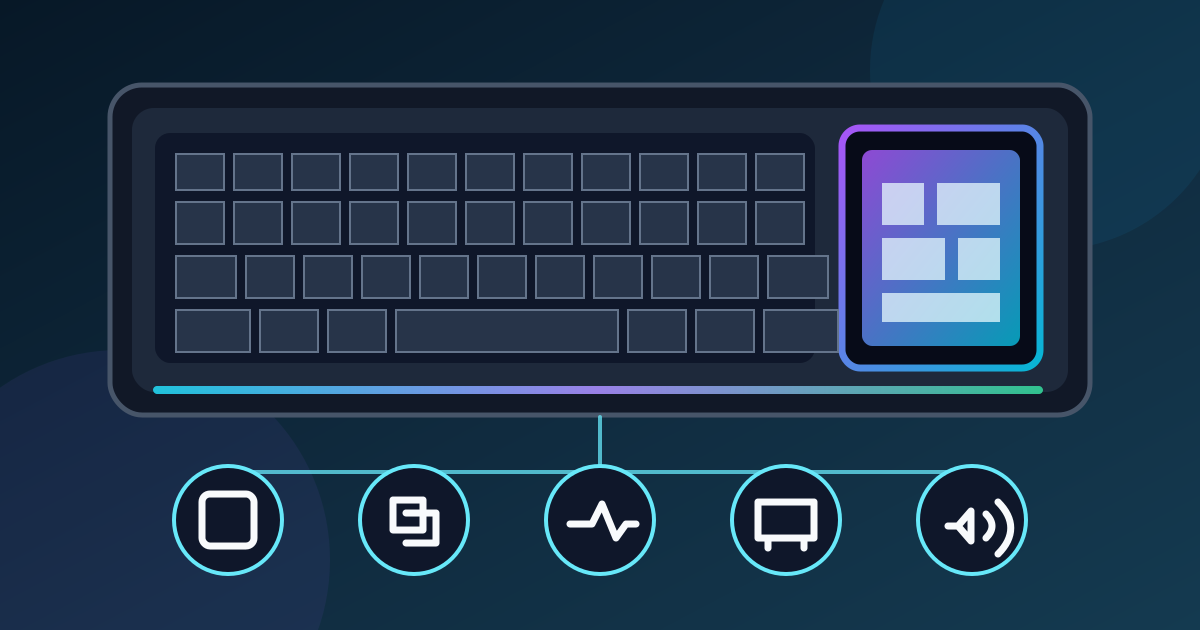
The display’s clearest advantage is reducing context switching. Turtle Beach says it can change profiles, trigger macros, monitor system statistics, adjust audio, launch apps, and expose OBS and Streamlabs controls. The product page also lists direct access to actuation, Rapid Trigger, ReacTap, key mapping, and on-the-fly macro functions.
| Task | Why the display may help | What to verify |
|---|---|---|
| Navigation keys | The display can provide the missing physical navigation cluster as a touch grid. | Whether touch navigation is comfortable for your editing and productivity habits. |
| Profiles and tuning | Common keyboard settings can be reached without hunting through a desktop window. | Which settings survive in onboard memory and which still depend on Swarm II. |
| Streaming controls | OBS and Streamlabs actions can sit beside the keyboard instead of on a separate device. | Your exact integration, labels, page switching, and reliability under the current software version. |
| Audio and apps | Touch panels can expose mixer, launch, or shortcut actions. | Whether the available actions match your workflow rather than a demo screenshot. |
| System information | A persistent glanceable panel may replace an on-screen overlay. | Which metrics update correctly and whether the panel remains readable at your desk angle. |
The display is therefore most defensible for a streamer, creator, or multitasker who would otherwise buy a separate control surface. For a player who uses only WASD, weapon keys, and one static profile, it creates cost and software dependency without guaranteeing a better in-game result.
Swarm II and Firmware Are the Main Risks to Verify
The official product page makes Swarm II central to display, lighting, profile, and performance customization—and says additional features and functionality are still on the way. That wording matters: the KB7 may have a capable hardware concept while its software experience continues to change.
Two independent reports give a reason for verification, not a reason to declare every unit defective. In its July 5 review, Tom’s Hardware praised the idea but described unreliable Swarm II behavior and a demanding power setup. In its June 8 review, G Style Magazine reported layout-recognition problems and firmware updates that sometimes hung, restarted, or needed repeated attempts during that review period.
Those observations are dated snapshots from specific reviewers. They do not prove your unit or the current software will fail. They do justify a practical rule: do not let the return window expire before testing the exact display panels, profiles, firmware-update path, USB connection, and restart behavior you plan to use.
Low-risk setup order:
- Connect directly to the PC using the supported USB-C path or supplied dual USB-A adapter.
- Record a factory-profile keyboard baseline before installing or changing anything.
- Install the current official Swarm II package and note its version.
- Change one profile, panel, or actuation setting at a time.
- Save screenshots of failures and repeat the relevant key tests after updates.
Who Should Buy, Wait, or Skip?
Buy if…
- You want one device to combine a Hall Effect TKL with a touch command surface.
- You will use streaming, macro, audio, app, or system-stat panels every week.
- A direct wired connection and Windows-only software fit your setup.
- You value the illuminated wrist rest, Action Bar, and optional KP7 expansion.
- You are willing to verify software and firmware behavior immediately.
Wait if…
- The touchscreen is the reason you want the KB7, but your required integration is still missing or unreliable.
- You cannot test it within a clear return or exchange window.
- You need confirmed current Australian pricing or local seller support.
- You depend on a USB hub, dock, KVM, macOS, or another connection path outside the official requirements.
- You want independent latency measurements rather than manufacturer figures.
Skip if…
- You want wireless, hot-swappable switches, or a conventional physical navigation cluster.
- You only need Rapid Trigger and adjustable actuation.
- You prefer web-based or mature lightweight configuration over a display-led ecosystem.
- You would rarely touch the screen after the first week.
- A less complex board already passes your movement, typing, and rollover needs.
Upgrade only if…
- The display replaces a real device or repeated workflow—not merely a novelty.
- Your current keyboard drops chords, chatters, or lacks a feature you will use.
- You have compared the KB7 with current Hall Effect alternatives rather than only older mechanical boards.
- You are comfortable keeping a known-good profile while experimenting.
- The full regional price fits after any optional KP7 purchase.
KB7 vs KB5 and Simpler Hall Effect TKLs
The broad 2026 gaming-keyboard launch comparison puts the KB7 beside other new models. The closer buying choices are simpler: pay for the KB7’s display-led Hall Effect design, choose the cheaper full-size KB5 for its smaller screen and mechanical switches, or choose a conventional Hall Effect TKL that makes the keyboard—not the touchscreen—the main event.
| Decision | KB7 | KB5 | Conventional Hall Effect TKL |
|---|---|---|---|
| Core layout | TKL with touch navigation cluster | Full-size with number pad | Usually a conventional TKL key layout |
| Display | 4.3-inch touchscreen | 2.4-inch touchscreen | Often none, or a much smaller status display |
| Switch direction | Low-profile Hall Effect with adjustable actuation and Rapid Trigger | Low-profile mechanical switches; not the same Hall Effect tuning platform | Hall Effect features vary by model and software |
| Official US launch price | US $199.99 | US $149.99 | Varies; compare the exact model and current price |
| Best reason to choose | Largest Command Display plus Hall Effect control | Full-size layout and touchscreen for less | Simpler path to adjustable keys and Rapid Trigger |
| Main question | Will the screen and software earn their desk space? | Do you need a number pad more than Hall Effect tuning? | Which layout, software, and controls fit you? |
For a current exact-model alternative, our Razer Huntsman V3 HE Magnetic analysis covers a wired Hall Effect TKL without the KB7’s large display. For established category options, use the 2026 gaming-keyboard buyer guide. Neither page can pick for you without your layout and software priorities.
Five Honest Browser Tests to Run After Delivery
Start with the factory profile. Record the result, then repeat only the affected check after changing a profile, actuation setting, Rapid Trigger, ReacTap, firmware, or USB path. A browser result can document symptoms; it cannot identify every underlying hardware or firmware cause.
Watch for: missing keys, unexpected codes, or idle events. Fn-layer, display-only, firmware-only, and OS-reserved actions may not appear.
Watch for: two browser events from one intended press. The result does not by itself distinguish chatter, calibration, firmware, or technique.
Watch for: a repeatable dropped or phantom browser-visible input. A handful of chords cannot certify the complete matrix.
Watch for: a profile that looks fast on paper but causes more mistakes. The test does not measure physical actuation distance.
Watch for: an obvious outlier worth documenting. A browser recording cannot diagnose switch quality or prove a defect.
What the Browser Cannot Verify
No KeyboardTester.click browser page can certify: the physical 0.1–3.2 mm actuation range, raw USB 8,000 Hz polling, internal scan rate, Turtle Beach’s 0.125 ms latency claim, firmware execution, touchscreen accuracy, onboard memory integrity, long-term switch durability, acoustics, or end-to-end game latency.
Browser tools receive operating-system and browser events after the device firmware and USB stack have already done work. That is enough to catch many practical registration, duplicate, rollover, and release symptoms. It is not enough to validate an electrical or laboratory specification. Our input-latency guide explains why device, OS, game, render, and display delay must be separated.
Final Decision Checklist
Choose the KB7 when the touchscreen replaces a real control surface or repeated desktop workflow, the direct wired connection fits your PC, and you want Hall Effect tuning in the same device.
Wait when a required integration or current software behavior is uncertain, the Australia price or local support path is unclear, or you cannot validate the board before the return window closes.
Choose something simpler when you primarily want Rapid Trigger, adjustable actuation, and reliable key registration. A large display does not make those core functions faster by itself.
Most important: buy for the workflow you will use after the novelty wears off, then test the actual unit—not the marketing page.
Sources and Evidence
Evidence disclosure: this is a source-based buyer analysis, not a hands-on KeyboardTester.click review. We did not receive, use, hear, benchmark, or update the KB7. Product facts, regional prices, and manufacturer performance claims were checked against current sources on August 13, 2026. Prices, software, firmware, and availability can change.
All product pages and prices were checked on August 13, 2026. Turtle Beach is the primary source for product identity and manufacturer claims. Independent reviews are used only for attributed review-period observations.
| Source | Publisher | What it supports | Accessed |
|---|---|---|---|
| Command Series announcement | Turtle Beach Corporation, Apr. 23, 2026 | Announcement, preorder, global launch date, initial prices, positioning, OBS/Streamlabs claim | Aug. 13, 2026 |
| KB7 US product page | Turtle Beach | US price, specifications, connection requirements, display and software claims, official product media | Aug. 13, 2026 |
| KB7 UK product page | Turtle Beach UK | Current UK sale price, regular/full price, and regional product surface | Aug. 13, 2026 |
| KB7 Canada product page | Turtle Beach Canada | Canadian price and regional product surface | Aug. 13, 2026 |
| KB7 Australia product page | Turtle Beach Australia | Regional product surface; no visible local/AUD price or purchase controls shown | Aug. 13, 2026 |
| KB7 vs KB5 comparison | Turtle Beach | Official display, layout, and switch-direction comparison | Aug. 13, 2026 |
| KB7 review | Tom’s Hardware, Jul. 5, 2026 | Independent hands-on display, power, and Swarm II observations | Aug. 13, 2026 |
| KB7 and KP7 review | G Style Magazine, Jun. 8, 2026 | Independent review-period layout recognition and firmware-update observations | Aug. 13, 2026 |
Turtle Beach Command Series KB7 FAQ
Is the Turtle Beach Command Series KB7 worth $200?
It can be worth the US $199.99 price if you will genuinely use the 4.3-inch touchscreen, Hall Effect tuning, modular KP7 rails, and direct on-keyboard controls. If you mainly want Rapid Trigger and adjustable actuation, a simpler Hall Effect keyboard can provide the core gaming features without making the display and Swarm II software central to the purchase.
Does the KB7 touchscreen work without Swarm II?
The display provides onboard controls and a navigation-key grid, but Swarm II is important for full customization of profiles, mappings, lighting, performance settings, and display panels. Buyers should verify the exact functions they need during the return window because two independent reviewers reported software or firmware-update problems during their review periods.
Can a browser test prove the KB7 runs at 8000 Hz or 0.125 ms?
No. Those are Turtle Beach manufacturer claims. A browser can observe key registration, practical rollover combinations, duplicate events, stuck-key symptoms, and typing behavior. It cannot certify raw USB polling, internal scan rate, physical actuation distance, firmware timing, touchscreen accuracy, or end-to-end game latency.
Can the Turtle Beach KB7 connect through a USB hub?
Turtle Beach specifies a direct PC connection using USB-C 3.0 or higher, or the supplied dual USB-A adapter using two USB-A 2.0 or higher ports. Its official system requirements say USB hubs are not supported.
What should I test when a KB7 arrives?
Start with the factory profile and direct PC connection. Check every browser-visible key, test suspect keys for duplicate events, replay realistic rollover chords, compare typing behavior after changing one setting at a time, and record a sound baseline. Repeat the relevant checks after firmware or profile changes.
Start with the factory profile, press every browser-visible key once, save your baseline, and repeat after each major profile or firmware change.
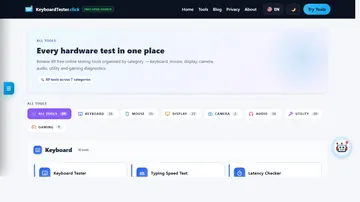
Open the Keyboard Tester



Reader discussion
Comments
Share what worked, what did not, or what you would test next. Every comment is reviewed before it appears.
Loading approved comments…
Leave a comment
No account or sign-in is required. Links and HTML are not accepted.