



















Quick answer
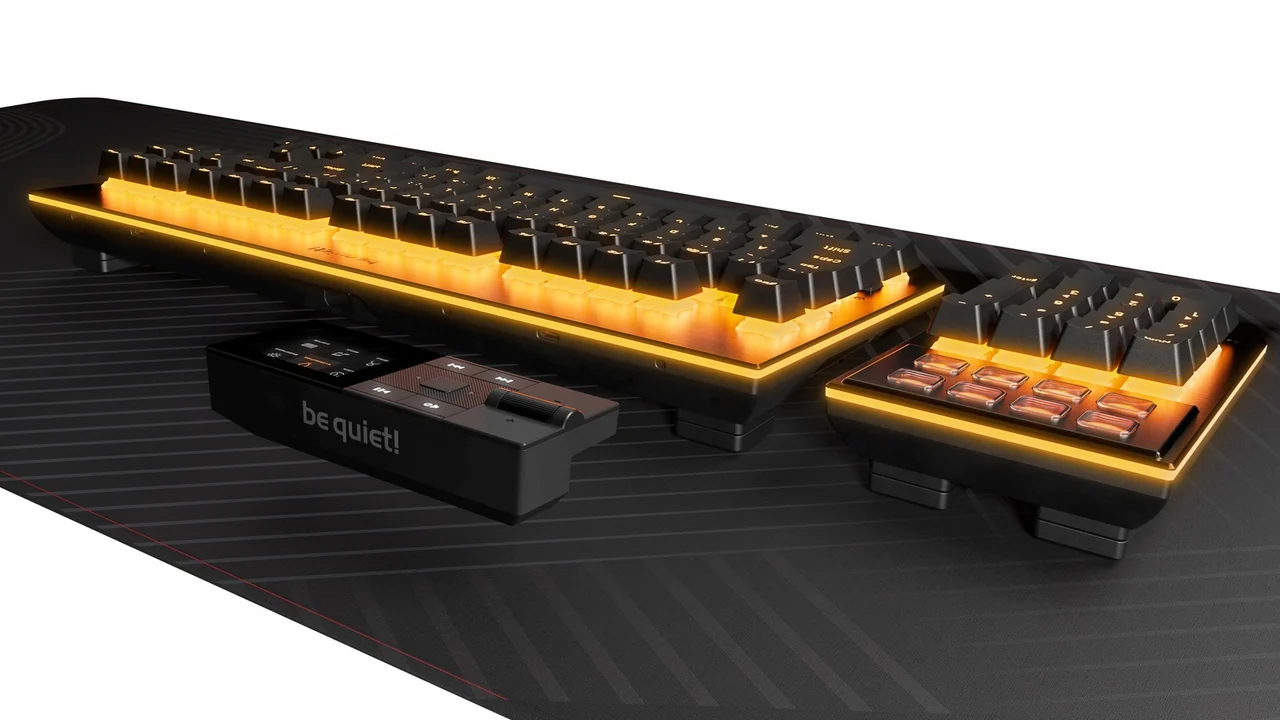
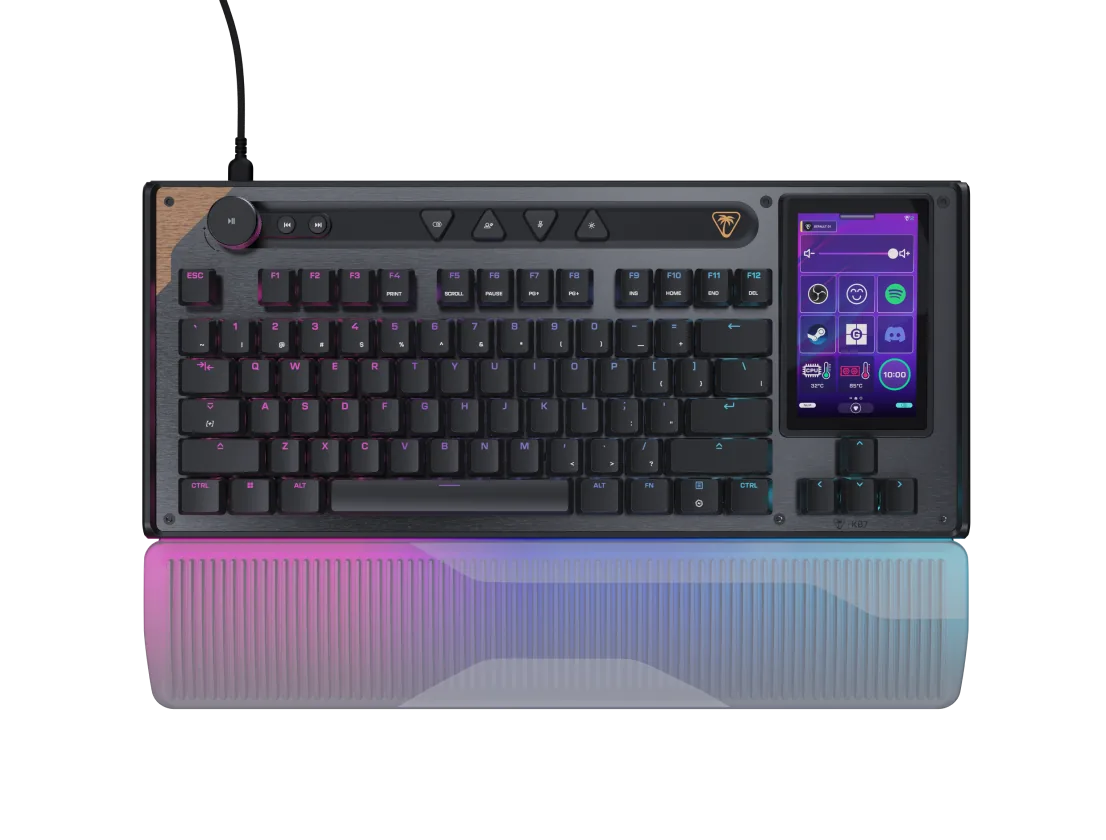
If you want the best all-round TMR gaming keyboard in 2026, buy the MonsGeek M1 V5 TMR ($149.99 to $199.99 on MonsGeek’s US store): a CNC aluminum 75% board with 0.01 mm rapid trigger steps, 8000 Hz polling over USB and 2.4 GHz, a 32 kHz device-side scan rate and a MagMech PCB that also accepts ordinary mechanical switches (MonsGeek, 2026; RTINGS, 2026). The Womier SK75 TMR ($128 on sale, $159 regular) is the value pick if you want the same 75% aluminum formula for less, the MonsGeek FUN60 Ultra TMR ($79.99 to $89.99) is the cheapest honest 8K TMR board for competitive FPS, the Gamakay TK75 TMR ($109.99 on sale) adds a TFT screen and knob in a lighter plastic case, and the CHERRY XTRFY MX 8.2 Pro TMR ($250) is the premium TKL for people who want a big-brand warranty and a 300-hour battery claim.
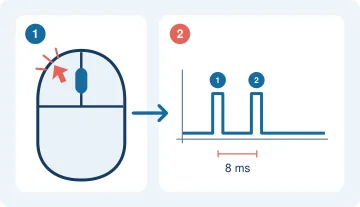
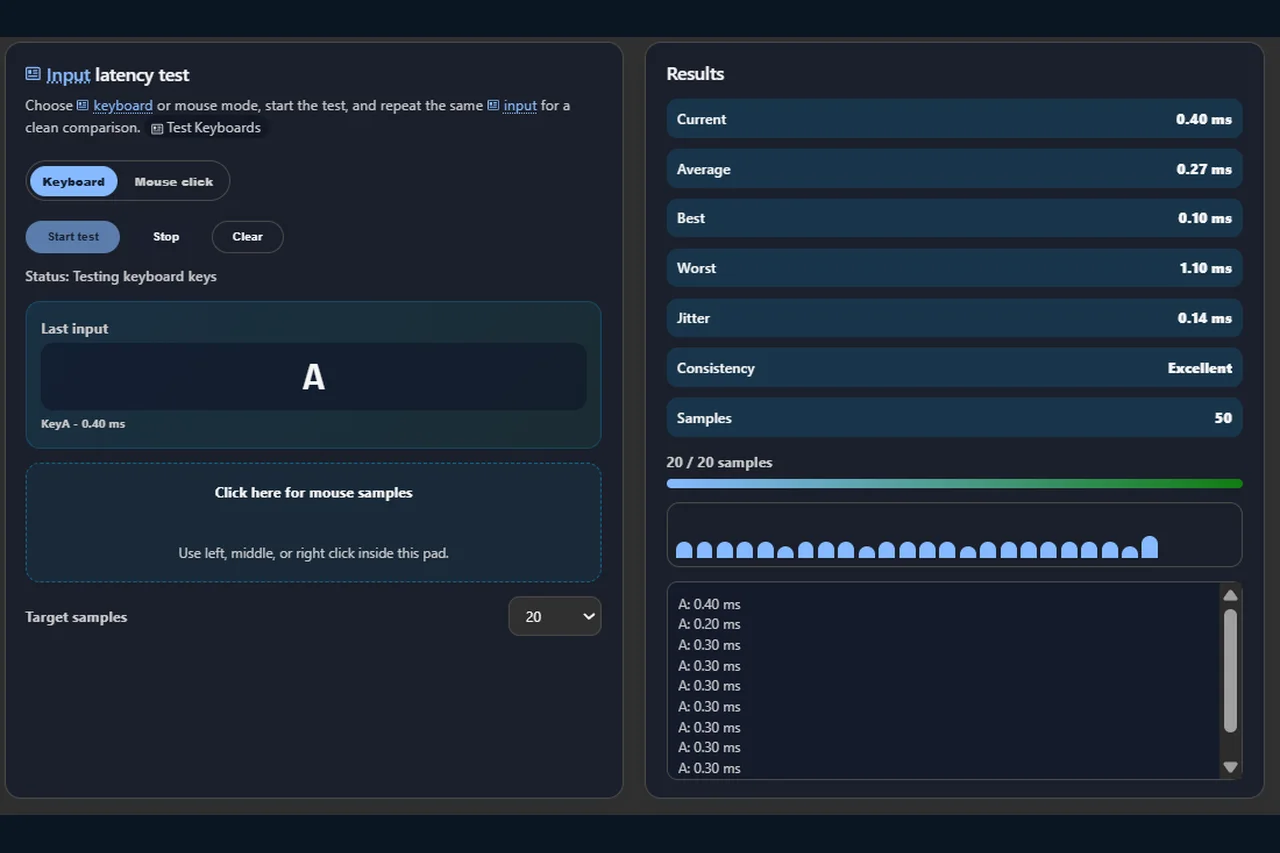
One honest caveat before you trust any 8K marketing: when I drove our browser latency checker with 50 scripted keystrokes on November 5, 2026, the whole browser pipeline added only 0.27 ms on average (best 0.10 ms, worst 1.10 ms, jitter 0.14 ms). The gap between a 1000 Hz and an 8000 Hz report interval is 0.875 ms at most, so a web page can show you consistency and mode-to-mode differences, but it cannot certify an 8K keyboard. The protocol section below explains what you can and cannot measure at home.
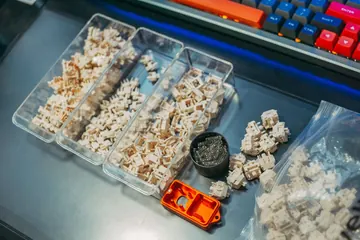
TMR stands for tunnel magnetoresistance. Like a Hall effect sensor, a TMR sensor sits on the PCB under a magnet-tipped switch stem and reads how far the key has travelled, which is what makes rapid trigger, adjustable actuation and SOCD possible. The difference is how the sensor reads the field: TMR measures a change in electrical resistance rather than a Hall voltage, which is why CHERRY specifies 0.01 mm detection accuracy and lower power draw for its MX 8.2 Pro TMR (CHERRY, 2026), and why How-To Geek contrasts TMR’s 0.01 mm increments with the roughly 0.1 mm steps of typical Hall effect boards while noting that humans barely feel the difference (How-To Geek, 2025). The practical result in 2026 is that four of the five boards below run true 8000 Hz polling over 2.4 GHz wireless on 4000 to 10,000 mAh batteries, something most Hall effect flagships still only offer wired. If you want the sensor physics in more depth, our switch guide has a dedicated TMR vs Hall effect section; this article is about which board to buy.
I picked these five because they are the TMR boards that actually ship to US, UK, Canadian and Australian buyers right now with public official spec pages, not the ones that live on pre-order teasers. Every price below was read from the manufacturer’s own store or a dated review on November 5, 2026, and every claim I could not verify is labelled as a manufacturer statement. The one Hall effect board in the tables, the Wooting 80HE, is there as a reference row only; we already covered it in our Wooting 80HE buying guide.
5 Best TMR Gaming Keyboards in 2026: Spec, Polling and Price Matrix
All five boards use magnetic switches read by TMR sensors, support rapid trigger with 0.01 mm steps, and accept ordinary mechanical switches in most sockets. The columns that actually separate them are layout, case material, scan rate, battery and price. Specs come from the official product pages linked in the sources section; where a vendor page contradicts itself, I say so.
| Model | Layout and case | Switch and actuation range | Polling (wired / 2.4 GHz / Bluetooth) | Battery | Mechanical switch support | US price (Nov 5, 2026) | Best for |
|---|---|---|---|---|---|---|---|
| 1. MonsGeek M1 V5 TMR | 75%, CNC aluminum, gasket mount, about 1.6 kg | Akko AstroAim, Astrolink or Glare magnetic; 0.1 to 3.4 mm; 0.01 mm RT (0.005 mm on the newest Black Gradient batch) | 8000 / 8000 / 125 Hz; 32 kHz device-side scan per RTINGS, 8K or 16K scan quoted by MonsGeek EU depending on batch | 8000 mAh (10,000 mAh on the newest batch) | Yes, MagMech PCB mixes magnetic and 3/5-pin mechanical switches | $149.99 to $199.99 (MonsGeek US) | Best overall: build, performance and switch flexibility |
| 2. Womier SK75 TMR | 75%, 81 keys, CNC aluminum, 2 kg | Womier Void magnetic (replaced Outemu Tea on 2025-11-04); 0.1 to 3.5 mm; 0.01 mm RT | 8000 / 8000 / Bluetooth below 8K per Wccftech | 8000 mAh | Yes, hot-swap to 3/5-pin mechanical switches | $128.00 sale / $159.00 regular (Womier) | Best value aluminum 75% |
| 3. Gamakay TK75 TMR | 75%, ABS plastic, top mount, TFT screen and knob | Gamakay Mercury V3 or Phoenix V3 Silent magnetic; 0.01 to 3 mm | 8000 / 8000 / Bluetooth for daily use; 256 kHz scan | Not stated on the product page | Yes, hot-swap for magnetic and mechanical switches | $109.99 sale / $159.99 regular (Gamakay) | Best feature set under $120 |
| 4. MonsGeek FUN60 Ultra TMR | 60%, CNC aluminum | Akko Glare magnetic; 0.1 to 3.4 mm; 0.01 mm RT | 8000 / 8000 / Bluetooth 5.0 (three devices) | 4000 mAh | Yes, 5-pin mechanical hot-swap on the TMR version | $79.99 to $89.99 (MonsGeek US) | Cheapest true 8K TMR board for FPS |
| 5. CHERRY XTRFY MX 8.2 Pro TMR Wireless | TKL, aluminum top frame, about 0.95 kg (2.1 lb) | CHERRY TMR magnetic switches; 0.1 to 3.3 mm; 0.01 mm accuracy | 8000 / 8000 / Bluetooth without 8K | 8000 mAh, 300 h claimed with lighting off | Yes, DualMaster hot-swap except navigation and arrow keys | $250 (TechSpot) / $249.99 (HLPlanet) | Premium big-brand TKL |
| Reference: Wooting 80HE (Hall effect) | 80%, PCR ABS or zinc alloy | Lekker V2 Hall effect; rapid trigger | 8000 Hz wired only | Wired | No | $199.99 (ABS) | The HE benchmark TMR boards are measured against |
Two things jump out of that table. First, the price spread is real: the FUN60 Ultra TMR costs less than a third of the CHERRY board, and the two cheapest boards are the only ones that forced me to dig for missing specs (Gamakay does not publish battery capacity on the product page). Second, the only board that does not do 8000 Hz wireless is the Hall effect reference, which is exactly the point TMR vendors keep making about power draw.
What TMR Changes vs Hall Effect in Practice (and What It Does Not)
The marketing claim is precision. CHERRY states 0.01 mm detection accuracy for its TMR sensor and attributes it to reading changes in magnetic resistance rather than a Hall voltage (CHERRY, 2026). How-To Geek’s November 2025 analysis frames the same numbers more soberly: TMR boards measure in 0.01 mm increments versus roughly 0.1 mm for typical Hall effect keyboards, humans barely notice the difference, and the real benefits show up in rapid trigger and SOCD responsiveness rather than in raw feel (How-To Geek, 2025).
The claim that matters more for buyers is power. TMR sensors draw less current than Hall sensors, which is why every TMR board in this comparison advertises 8000 Hz over 2.4 GHz while the Wooting 80HE reference board only reaches 8K on a cable. Treat the battery hours as manufacturer statements: CHERRY claims about 300 hours with lighting off, and TechSpot’s reviewer saw roughly four days at 8 to 10 hours a day with maximum RGB (TechSpot, 2026).
Precision: 0.01 mm steps
Every board here lets you set actuation and rapid trigger reset in 0.01 mm increments. The newest MonsGeek batch goes to 0.005 mm. In play this means a reset point of 0.1 mm actually feels like 0.1 mm instead of snapping to the nearest 0.1 mm step.
Power: 8K over wireless
Lower sensor current is the reason 8000 Hz 2.4 GHz polling exists on $80 TMR boards. The trade-off is battery: the FUN60 Ultra TMR carries 4000 mAh, the 75% boards 8000 to 10,000 mAh.
Price: $10 to $20 premium
How-To Geek found the Womier SK75 TMR only $10 more than the mechanical SK75. On November 5 the gap between FUN60 Ultra HE and TMR editions on MonsGeek’s own store was still a single-digit percentage of the price.
What TMR does not change: the switch stem, keycaps, stabilizers and case still decide how a board sounds and feels, so a plastic TK75 TMR will never sound like the aluminum M1 V5 TMR no matter how good the sensor is. If acoustics are your priority, start with our quietest mechanical gaming keyboards comparison and the switch soundboard instead. For a deeper explanation of the sensors themselves, our switch guide’s TMR magnetic switches vs Hall effect section walks through the physics.
Model by Model: Who Each TMR Keyboard Is For
1. MonsGeek M1 V5 TMR: the best overall TMR gaming keyboard in 2026
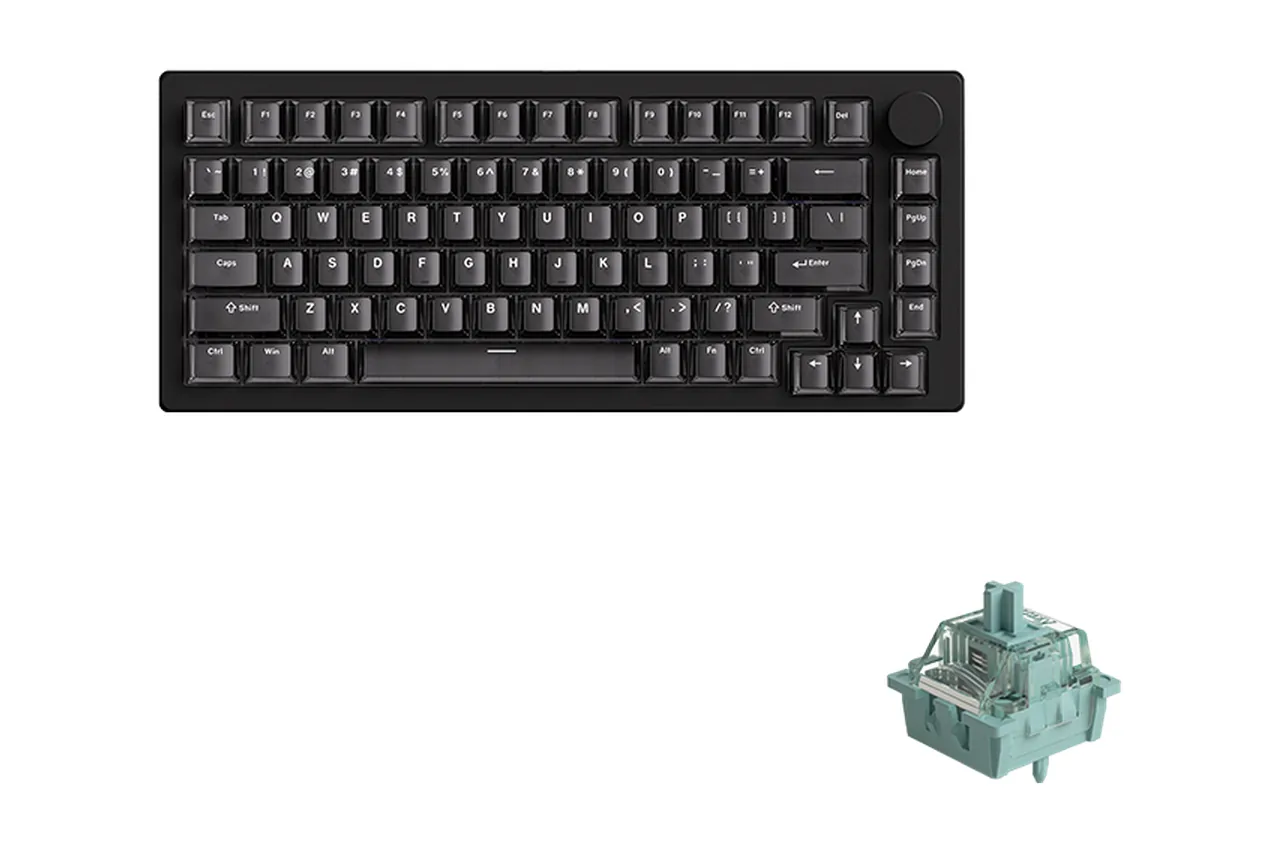
MonsGeek’s US store listed the fully assembled M1 V5 TMR at $149.99 to $199.99 on November 5, 2026, depending on switch and color (MonsGeek, 2026). You get a CNC aluminum 75% chassis with a gasket mount, Akko AstroAim, Astrolink or Glare magnetic switches with a 0.1 to 3.4 mm range, 8000 Hz polling over USB and 2.4 GHz, and the MagMech PCB that lets you mix magnetic and ordinary 3 or 5-pin mechanical switches on the same board. RTINGS confirms a 32 kHz device-side scan rate and 8000 Hz polling, and its verdict is unusually direct:
“The MonsGeek M1 V5 TMR is an outstanding gaming keyboard. It has exceptional raw performance, making it more than suitable for competitive gaming in any genre.”
RTINGS.com, MonsGeek M1 V5 TMR review, 2026
The honest cons: RTINGS calls the software “a bit confusing to navigate”, Bluetooth drops to 125 Hz, and MonsGeek’s own EU listing still carries a 1000 Hz figure in its spec table while the body text says 8000 Hz. When I compared the EU and US pages on November 5, the scan rate also differed by batch (8K versus 16K in the EU table, 32K in RTINGS’ US unit), so check which batch you are buying if the number matters to you.
2. Womier SK75 TMR: the value aluminum 75%
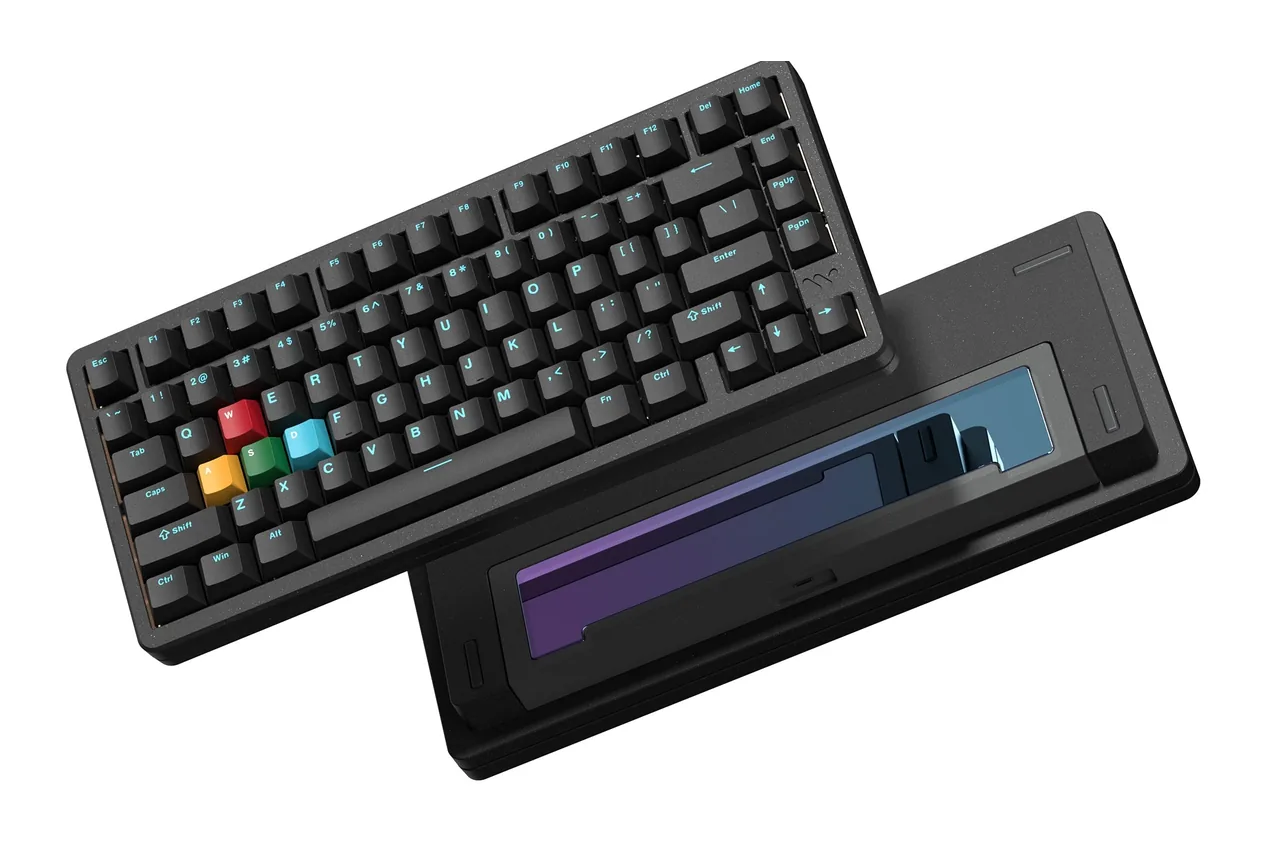
Womier’s store showed the SK75 TMR at $128.00 on sale against a $159.00 regular price on November 5, 2026, and its spec block lists 8000 Hz polling and an 8000 mAh battery (Womier, 2026). The store also posted a November 4, 2025 notice that the stock switch changed from the Outemu Tea magnetic switch to Womier’s own Void magnetic switch, which is worth knowing if you read older reviews. Wccftech scored it 9.4/10, measured a 0.1 to 3.5 mm actuation range with 0.01 mm steps, confirmed 8000 Hz over both USB and 2.4 GHz, and noted that Bluetooth cannot reach 8K (Wccftech, 2025).
The cons are physical: the board weighs 2 kg, the wireless mode switch hides under the Caps Lock key, and at the time of that review it only came in black. If you travel with your keyboard, this is not the one.
3. Gamakay TK75 TMR: the most features under $120
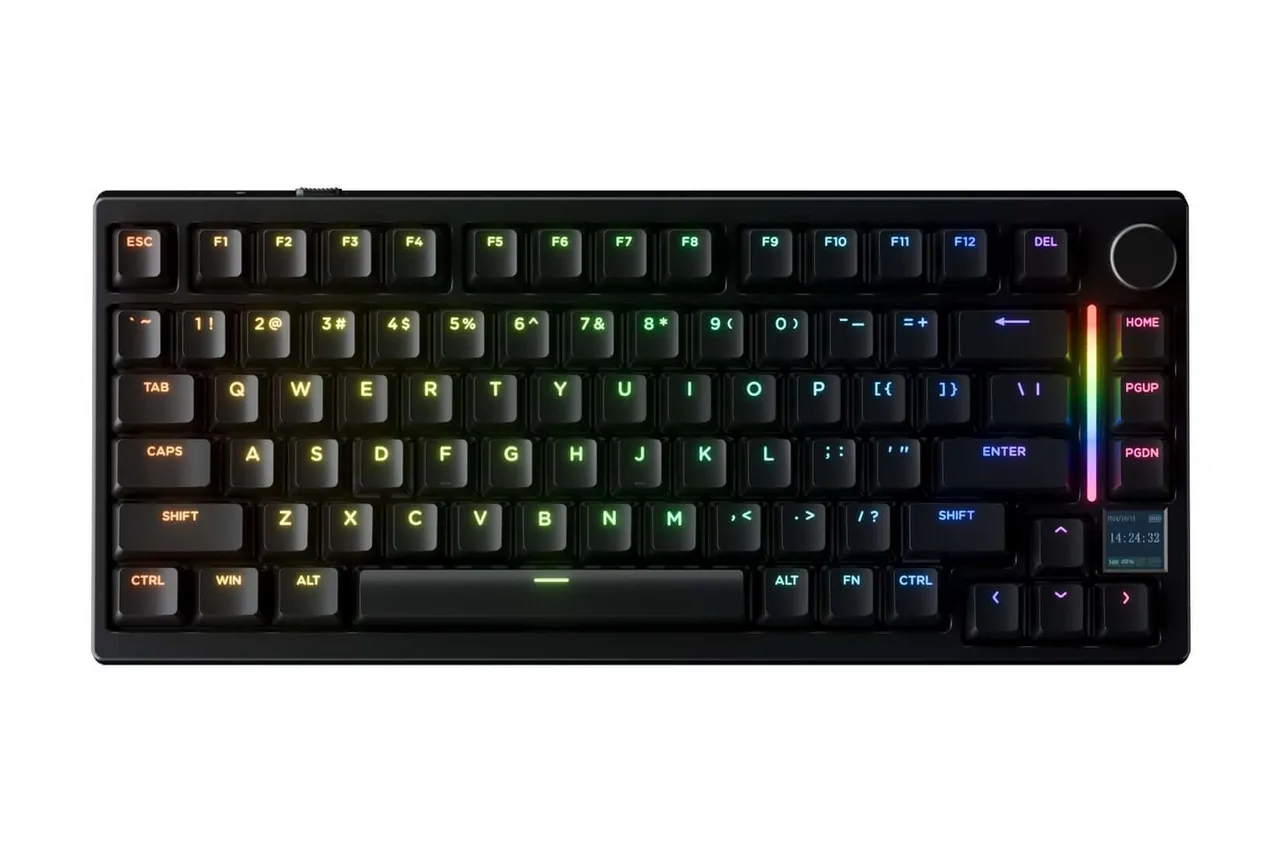
Gamakay listed the TK75 TMR at $109.99 on sale (regular $159.99) on November 5, 2026, with a choice of Mercury V3 or Phoenix V3 Silent magnetic switches, 8K polling, a 256 kHz scan rate, 0.01 to 3 mm adjustable actuation, a TFT screen, a rotary knob and tri-mode connectivity (Gamakay, 2026). It is the only board in this group with a screen, and the Phoenix V3 Silent option makes it the quietest TMR pick here out of the box.
Three honest limits: the case is ABS plastic with a top mount rather than aluminum, Gamakay does not state battery capacity on the product page, and the spec accordion still describes the switches as Hall effect in places even though the board uses TMR sensing. HLPlanet’s August 2026 street price of $114.99 lines up with the sale price I saw (HLPlanet, 2026).
4. MonsGeek FUN60 Ultra TMR: the cheapest true 8K TMR board
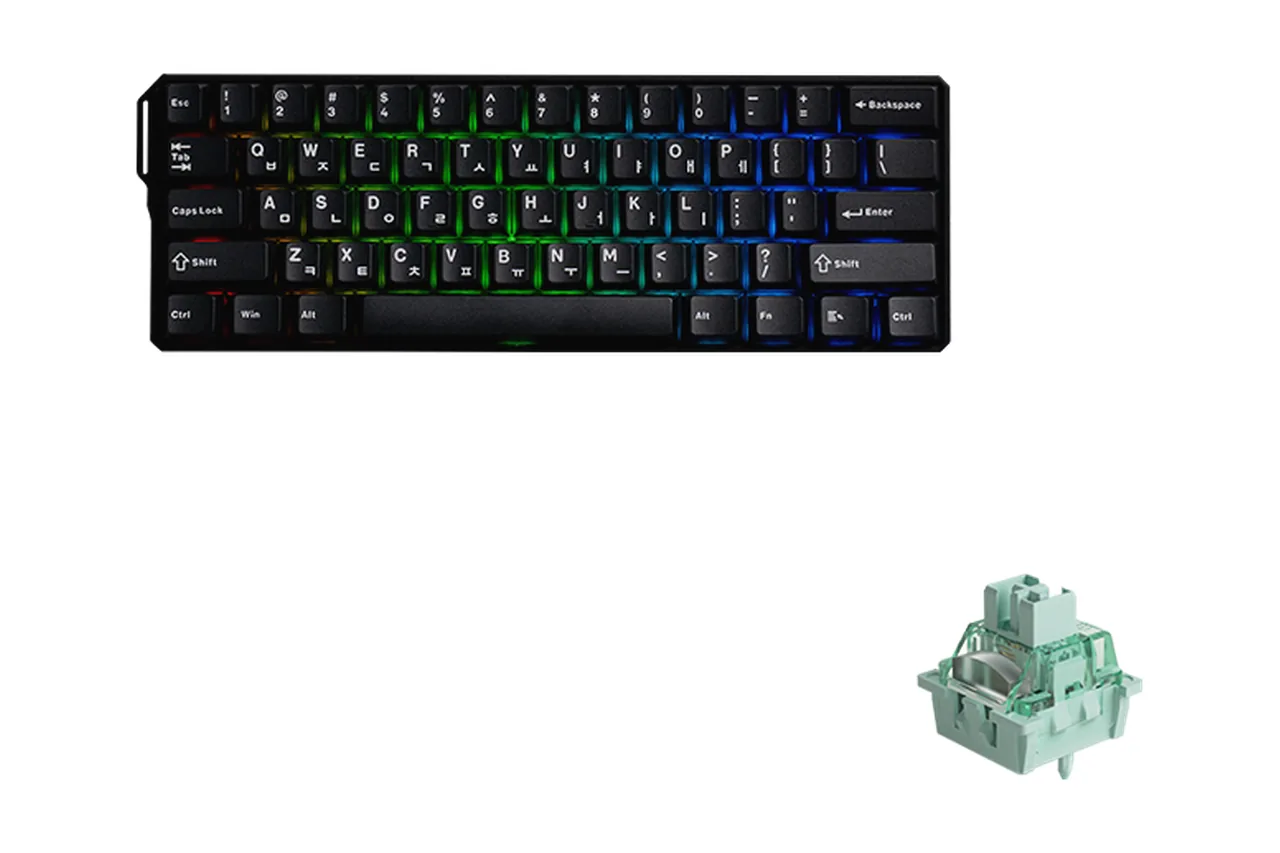
At $79.99 to $89.99 on MonsGeek’s US store, the FUN60 Ultra TMR is the budget pick, and it does not cut the important corners: CNC aluminum case, Akko Glare magnetic switches with a 0.1 to 3.4 mm range, 0.01 mm rapid trigger steps, 8000 Hz over both USB and 2.4 GHz, Bluetooth 5.0 for three devices, an Arm Cortex-M4 controller and a 4000 mAh battery (MonsGeek, 2026). The TMR version also keeps 5-pin mechanical hot-swap.
What you give up is the 60% layout itself (no arrows or function row without layers) and battery headroom: 4000 mAh is half of what the 75% boards carry. When I opened the product page on November 5 it showed an Add to Cart button next to pre-order and waitlist wording for some variants, so confirm the exact SKU is in stock before you order.
5. CHERRY XTRFY MX 8.2 Pro TMR Wireless: the premium TKL
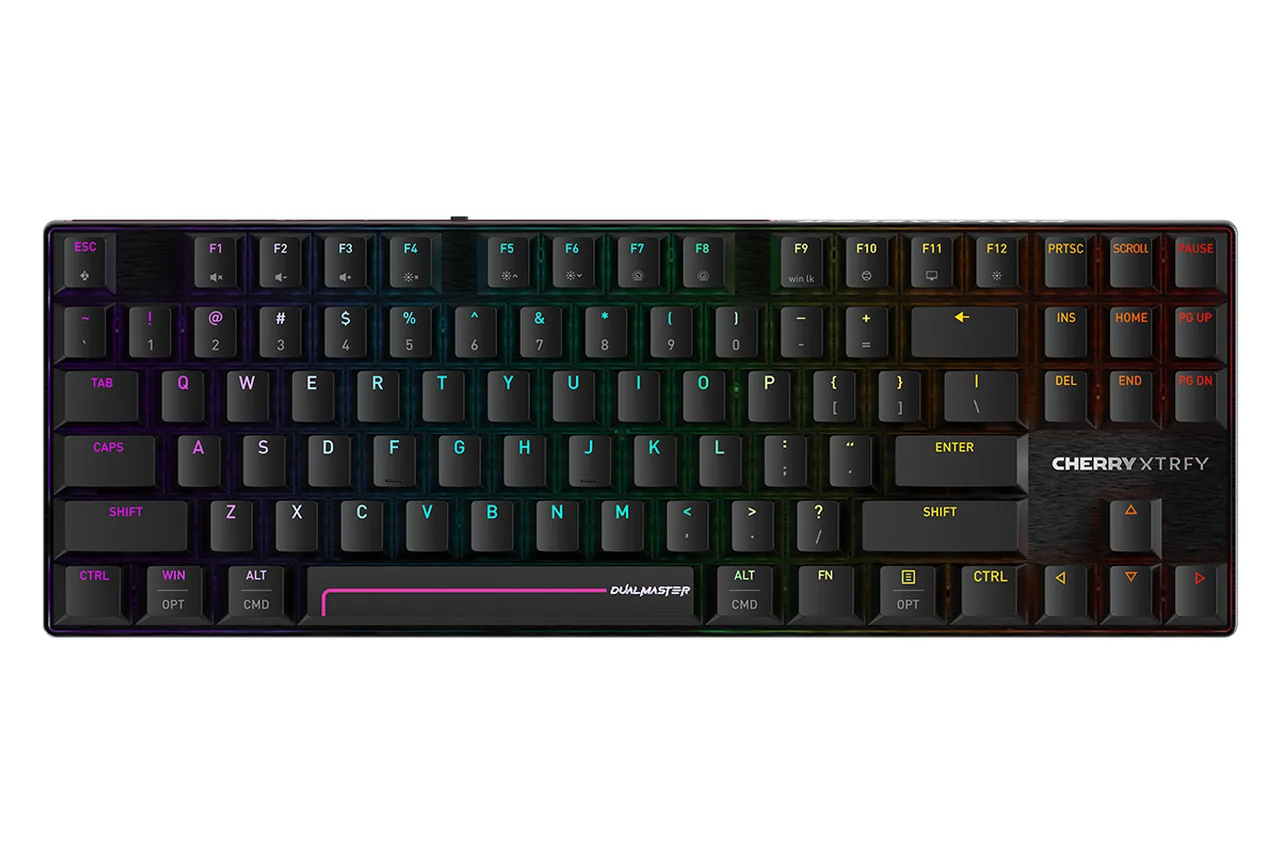
CHERRY’s US product page specifies TMR magnetic switches with 0.01 mm accuracy, 8000 Hz polling in both wireless and wired mode, and the MagCrate configurator for per-key actuation, rapid trigger, Snap Tap and dynamic key travel (CHERRY, 2026). TechSpot’s review puts the price at $250, the actuation range at 0.1 to 3.3 mm, the battery at 8000 mAh with a 300-hour lighting-off claim, and the weight at 2.1 lb, and it confirms that most sockets accept mechanical switches while the navigation and arrow keys must stay magnetic (TechSpot, 2026).
The cons TechSpot lists are the ones that matter at this price: no onboard profile memory, software that is powerful but not intuitive, and a bulky USB-C receiver. You are paying roughly $100 over the M1 V5 TMR for the CHERRY name, a lighter TKL chassis and a mainstream warranty, not for faster sensing.
Video review: the MonsGeek M1 V5 TMR in hand

US, UK, Canada and Australia Pricing and Availability (November 2026)
Prices move weekly on these stores, so treat this table as a dated snapshot rather than a promise. The US column is what I read on each manufacturer’s own store on November 5, 2026; the other columns are the best verified reference I could find and are labelled accordingly. Where a region had no official listing I say so instead of guessing a conversion.
| Model | US | UK / EU reference | Canada / Australia | Availability note |
|---|---|---|---|---|
| MonsGeek M1 V5 TMR | $149.99 to $199.99 (MonsGeek US) | €203.48 sale, €214.19 regular for the ISO edition (MonsGeek EU) | No official CA or AU store; third-party retailers only | In stock from the US store; EU ships ISO-DE from a German warehouse |
| Womier SK75 TMR | $128.00 sale / $159.00 regular (Womier) | Womier ships worldwide from its own store; no separate UK price list | Same global store | In stock; switch changed to Void magnetic in November 2025 |
| Gamakay TK75 TMR | $109.99 sale / $159.99 regular (Gamakay) | ISO-DE layout sold on the same store | Same global store | ANSI and ISO-DE both listed |
| MonsGeek FUN60 Ultra TMR | $79.99 to $89.99 (MonsGeek US) | From €95.19 (Akko EU) | No official CA or AU store | Some variants showed pre-order and waitlist wording on November 5 |
| CHERRY XTRFY MX 8.2 Pro TMR | $250 (TechSpot) / $249.99 (HLPlanet); CHERRY’s US page shows no price | Sold through CHERRY’s regional stores and retailers in DE, UK, FR and Nordic layouts | Via retailers | Black and white editions |
If you are buying from the UK, Canada or Australia, the cheapest honest path is usually the Womier or Gamakay global stores, because they list one price and ship directly. For the MonsGeek boards, compare the US store total including shipping against your local Amazon listing before you assume the regional retailer is cheaper. HLPlanet’s August 2026 list is a useful second reference for US street prices (HLPlanet, 2026), but its own table disagreed with its product cards on the M1 V5 TMR ($139.99 versus $159.99), which is one more reason to read the manufacturer page on the day you buy.
How I Verified the Claims in a Browser (and What a Web Page Cannot See)
None of the five boards were on my desk for this comparison, so I did not pretend to measure them. What I did do on November 5, 2026 was run our own tools the way a buyer would, to establish what a browser can honestly tell you about a keyboard before and after a TMR upgrade.
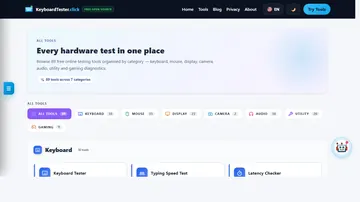
I started our keyboard and mouse latency checker, chose keyboard mode, and drove it with 50 scripted W and A keystrokes from an automation script in Chrome on a Windows laptop. The readout settled at an average of 0.27 ms, a best sample of 0.10 ms, a worst of 1.10 ms and 0.14 ms of jitter, which the tool rated as Excellent consistency. Because the keystrokes were synthetic, that number describes the browser and operating system pipeline, not a keyboard. It is still useful: it shows the floor you are measuring on top of, and it is smaller than the 0.875 ms maximum difference between a 1000 Hz and an 8000 Hz report interval.
That leads to the honest limit. Our free keyboard polling rate test times the repeated keydown events a browser receives while you hold a key, and its own page says a normal web page does not receive every raw USB HID report, so it cannot prove a keyboard is running at 1000, 4000 or 8000 Hz. What it can do, repeatably, is compare median interval, jitter and 95th percentile interval across connection modes on the same machine. That is enough to catch a 2.4 GHz dongle that is misbehaving or a Bluetooth mode that has silently dropped to 125 Hz.
- Record your baseline before the new board arrives. Open the polling rate test with your current keyboard, hold one letter key for the full timed run, and export the CSV. Note the browser, USB port and whether anything heavy was running.
- Repeat the run in every mode the new board supports. Wired, then 2.4 GHz, then Bluetooth, same key, same browser, same port. On the M1 V5 TMR and SK75 TMR you should see wired and 2.4 GHz behave alike; Bluetooth will look visibly coarser, which matches the 125 Hz MonsGeek quotes for that mode.
- Check the input chain, not just the keyboard. Run the latency checker in keyboard mode and press the same key 20 times per mode. Compare jitter and worst-case samples; a healthy setup looks like my 0.14 ms jitter run, and a spike into several milliseconds points at the OS or a background process, not the sensor.
- Verify rapid trigger and SOCD per key. Open the online keyboard tester, set a short reset distance in the vendor software, then tap and feather A and D. Every release should register before your finger lifts fully; if a key re-registers on its own, raise the reset distance by 0.1 mm.
- Train the thing TMR is actually for. Spend five minutes in the WASD counter-strafe trainer with rapid trigger on and off. If your stop timing does not improve, keep the board for feel and battery, but do not expect the sensor to fix your aim.
Keep the connection mode, USB port and background load written down next to each result. The numbers only mean something as before-and-after pairs on the same machine, which is exactly how our keyboard polling rate guide recommends reading them.
Verdict by Budget: Which TMR Gaming Keyboard to Buy in 2026
After lining up the official specs, the dated prices and the reviews, my recommendations split cleanly by budget rather than by brand loyalty.
Under $100: MonsGeek FUN60 Ultra TMR
$79.99 to $89.99 buys CNC aluminum, 0.01 mm rapid trigger and 8000 Hz wireless. Accept the 60% layout and 4000 mAh battery, and confirm the SKU is in stock rather than on a waitlist.
$110 to $160: Womier SK75 TMR or Gamakay TK75 TMR
Pick the SK75 TMR ($128 sale) for a 2 kg aluminum 75% that sounds and feels premium. Pick the TK75 TMR ($109.99 sale) if you want a screen, a knob, a silent switch option and a lighter board, and can live with ABS.
$150 to $250: MonsGeek M1 V5 TMR, then CHERRY
The M1 V5 TMR ($149.99 to $199.99) is the best overall board here on RTINGS’ measurements and on switch flexibility. Spend $250 on the CHERRY MX 8.2 Pro TMR only if the brand, the TKL weight or the warranty matter more to you than $50 to $100.
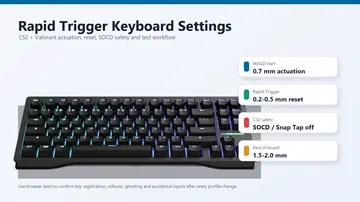
Is TMR worth it over a Hall effect board you already own? Based on the sources above, only if you want 8K over wireless or you play games where rapid trigger reset distance is set below 0.2 mm; How-To Geek’s take that the price premium is small enough to justify TMR on a new purchase matches what I saw on the stores, but it is not a reason to replace a working Wooting or Keychron HE. If you are weighing a Hall effect board with a dedicated software ecosystem, our Wallhack K-001 analysis and rapid trigger settings guide for CS2 and Valorant cover the settings side that matters as much as the sensor.
Whatever you buy, run the browser baseline first. The five minutes it takes will tell you whether your current setup is already fast enough, and it gives you a dated before-and-after record when the new board arrives.
TMR gaming keyboard questions
What is the best TMR gaming keyboard in 2026?
The MonsGeek M1 V5 TMR is the best overall TMR gaming keyboard in 2026 for most buyers: $149.99 to $199.99 on MonsGeek’s US store, CNC aluminum 75% case, 0.01 mm rapid trigger steps, 8000 Hz over USB and 2.4 GHz, a 32 kHz scan rate confirmed by RTINGS, and a MagMech PCB that also takes mechanical switches. The Womier SK75 TMR is the value alternative at $128 on sale, and the MonsGeek FUN60 Ultra TMR is the best budget pick at $79.99 to $89.99.
Is a TMR keyboard better than a Hall effect keyboard?
TMR sensors read magnetic resistance instead of a Hall voltage, which CHERRY and MonsGeek use to claim 0.01 mm detection accuracy and lower power draw. In practice the power advantage is the one you notice: every TMR board in this comparison runs 8000 Hz over 2.4 GHz wireless, while the Wooting 80HE Hall effect reference only reaches 8K wired. How-To Geek notes that humans barely feel the 0.01 mm versus 0.1 mm precision difference, so TMR is better for wireless 8K and fine-grained rapid trigger, not for raw speed.
Is 8000 Hz polling worth it on a TMR keyboard?
An 8000 Hz keyboard reports every 0.125 ms instead of every 1 ms at 1000 Hz, so the maximum gain is 0.875 ms. When I ran our browser latency checker with 50 scripted keystrokes on November 5, 2026, the whole browser pipeline averaged 0.27 ms, so the 8K gain is real but small and only matters in competitive shooters. The useful part is that TMR boards deliver 8K over wireless, so you do not have to choose between a cable and the fastest mode.
Can I use normal mechanical switches in a TMR keyboard?
Yes on all five boards compared here. The MonsGeek M1 V5 TMR and FUN60 Ultra TMR use a MagMech PCB that accepts 3 and 5-pin mechanical switches alongside magnetic ones, the Womier SK75 TMR and Gamakay TK75 TMR have hot-swap sockets for both types, and the CHERRY MX 8.2 Pro TMR accepts mechanical switches in every socket except the navigation and arrow keys, which must stay magnetic.
Does Bluetooth mode keep 8000 Hz on these keyboards?
No. MonsGeek quotes 125 Hz for Bluetooth on the M1 V5 TMR, Wccftech confirmed the Womier SK75 TMR cannot reach 8K over Bluetooth, and TechSpot notes the same for the CHERRY MX 8.2 Pro TMR. Use the 2.4 GHz dongle for gaming and keep Bluetooth for a laptop or a second machine. Our keyboard polling rate test will show the coarser Bluetooth interval clearly when you compare modes on the same machine.
Which TMR keyboard is best under $100?
The MonsGeek FUN60 Ultra TMR at $79.99 to $89.99 is the best TMR keyboard under $100 in 2026. It keeps a CNC aluminum case, Akko Glare magnetic switches with 0.01 mm rapid trigger, 8000 Hz over USB and 2.4 GHz, and 5-pin mechanical hot-swap. The trade-offs are the 60% layout and a 4000 mAh battery, and some variants showed waitlist wording on November 5, 2026, so check stock before ordering.
Editorial and testing disclosure: prepared by Kashif Aziz Awan with AI drafting assistance and checked against the official MonsGeek, Womier, Gamakay and CHERRY product pages, the RTINGS, TechSpot and Wccftech reviews, the How-To Geek analysis and the HLPlanet price list on November 5, 2026. The first-person browser session (50 scripted keystrokes in the KeyboardTester.click latency checker, average 0.27 ms, jitter 0.14 ms) was performed in Chrome on a Windows laptop and measures the browser pipeline, not any of the five keyboards. None of the boards were tested in hand; hardware specifications, battery hours and prices are manufacturer and reviewer statements dated above and can change. No affiliate links, sponsorship or review units were involved.
Sources and verification
- MonsGeek Official US Store · M1 V5 TMR Fully Assembled ($149.99 to $199.99, AstroAim / Astrolink switches, 8000 Hz, MagMech PCB) (checked 2026-11-05)
- MonsGeek Official US Store · FUN60 Ultra TMR Magnetic Switch Keyboard ($79.99 to $89.99, Akko Glare switches, 8000 Hz wired and 2.4 GHz, 4000 mAh) (checked 2026-11-05)
- Womier Official Store · SK75 TMR Rapid Trigger Magnetic Keyboard ($128 sale / $159 regular, Void magnetic switch update of 2025-11-04, 8000 Hz, 8000 mAh) (checked 2026-11-05)
- GamaKay Official Store · TK75 TMR Keyboard, 8K Polling and 256K Scanning, 0.01 to 3 mm Actuation ($109.99 sale / $159.99 regular) (checked 2026-11-05)
- CHERRY Official (US) · MX 8.2 Pro TMR Wireless: TMR Technology, 0.01 mm Accuracy, 8000 Hz Wireless and Wired Polling, MagCrate Software (checked 2026-11-05)
- RTINGS.com · MonsGeek M1 V5 TMR Review (published 2026-05-20, updated 2026-10-02): 32 kHz Device-Side Scan Rate, 8000 Hz Polling, Verdict (checked 2026-11-05)
- TechSpot · CHERRY XTRFY MX 8.2 Pro TMR Review: $250 Price, 0.1 to 3.3 mm Actuation, 8000 mAh Battery, No Onboard Profiles (checked 2026-11-05)
- Wccftech · Womier SK75 TMR Review (2025-11-29, 9.4/10): 0.1 to 3.5 mm Range, 8000 Hz Wired and 2.4 GHz, 2 kg Weight, Bluetooth Below 8K (checked 2026-11-05)
- How-To Geek · Are TMR Keyboards Actually Worth the Price? (2025-11-03): 0.01 mm vs ~0.1 mm Precision, $10 to $20 TMR Premium (checked 2026-11-05)
- HLPlanet · TMR Keyboards List (updated 2026-08-22): US Street Prices for SK75 TMR, M1 V5 TMR, TK75 TMR, FUN60 Ultra and MX 8.2 Pro TMR (checked 2026-11-05)
More keyboard comparisons and testing guides
- 5 Quietest Mechanical Gaming Keyboards 2026 Compared
- Wallhack K-001: Is the $279 Hall Effect 65% Worth It?
- Rapid Trigger Keyboard Settings for CS2 and Valorant: Actuation, SOCD and Testing Guide
- Keyboard Switch Types Guide: Best Switches for Gaming in 2026
- Wooting 80HE+ US Buying Guide: Prebuilt, Module, or Keep Your 80HE?
- Keyboard Polling Rate Test: Check Keyboard Hz Online (2026 Guide)
Check how your current keyboard reports to the browser before you spend $80 to $250
Run the free polling rate test in wired, 2.4 GHz and Bluetooth mode, keep the same browser and USB port for each run, and compare the median interval and jitter. If the numbers barely move between modes, the keyboard is not your bottleneck and a TMR upgrade is about rapid trigger and feel, not raw speed.
Open the Keyboard Polling Rate Test


Reader discussion
Comments
Share what worked, what did not, or what you would test next. Every comment is reviewed before it appears.
Loading approved comments…
Leave a comment
No account or sign-in is required. Links and HTML are not accepted.