Free CPU stress test that runs multi-threaded WebWorker busy loops (SHA-256 hashing) to load every logical core and report operations per second. Configurable thread count and duration. Includes thermal and browser-throttling warnings. Browser-based, no install.
Spawn up to navigator.hardwareConcurrency WebWorkers running a tight SHA-256 hashing loop. Each worker reports its ops/sec and the main thread sums them into a total. Adjust thread count and duration to stress-test thermals or just benchmark a machine — no install, runs entirely in your browser.
Stress settings
Warning: this test intentionally maxes your CPU. Expect fans to spin up and the machine to get warm. Laptops on battery may thermal-throttle within 30-60 seconds, which is itself a useful datapoint.
Live results
—Logical cores
0Total ops/sec
0Avg per thread
0Elapsed (s)
0Peak ops/sec
Was this tool helpful?Rate CPU Stress Test:4.9(7 ratings)Thanks for rating!
CPU Stress Test is a free, browser-based online utility that runs the full check instantly in your web browser.
Cost: Free, no signup
Install: None — runs in the browser
Privacy: Runs locally, no uploads
Platforms: Windows, macOS, Linux, Android, iOS
Time: Under a minute
How The CPU Stress Test Works
The test spawns a configurable number of WebWorkers (defaulting to navigator.hardwareConcurrency, which matches your logical core count). Each worker runs a tight while loop that feeds the previous hash into a new crypto.subtle.digest('SHA-256', data) call, so every iteration is dependent on the last and the CPU cannot optimize it away. Every 500 ms, each worker posts its operation count and timestamp to the main thread, which converts that to operations per second and sums across threads. SHA-256 was chosen because it is implemented in hardware on every modern CPU, so the throughput ceiling reflects real compute capability rather than JavaScript engine overhead.
What The Test Measures (And What It Doesn't)
This tool measures sustained integer throughput across multiple cores. It is a good proxy for workloads like compilation, compression, video encode, and 3D rendering — all of which are multi-threaded and compute-bound. It is a poor proxy for single-thread gaming performance, memory bandwidth, or GPU-bound work. For a comprehensive picture, pair this test with our GPU stress test (which exercises the graphics pipeline) and memory test (which tracks allocation and heap behavior). Numbers from this browser test are not directly comparable to native benchmarks like Cinebench or Geekbench, but they are comparable across runs on the same machine and browser, which is what matters for throttling detection.
Spotting Thermal And Power Throttling
For a separate build-planning estimate, check CPU and GPU balance at your intended resolution; the model does not diagnose the cause of a throughput drop in this stress test.
The single most informative pattern in this test is a full-speed burst followed by a sustained drop. A thin-and-light laptop will typically hold peak ops/sec for 20-40 seconds, then step down 30-50% as the CPU hits its thermal envelope. Desktop gaming rigs with good cooling should hold steady throughout. If you see throttling on a desktop, check: CPU cooler fans spinning, thermal paste age, case airflow, or an overclock that was stable on short benchmarks but falls over on sustained load. A freshly enabled EXPO/XMP memory profile counts as an overclock too — after switching it on per our DDR5 CL30 vs CL36 guide, a sustained run here is a quick first screen for gross instability. On laptops, plugging in vs battery makes a huge difference; "power saver" profiles cap clocks below thermal limits. If games stutter after long sessions, run the FPS test during a sustained load — a frame-rate drop that mirrors the ops/sec drop is a clear throttling signature.
Hybrid CPUs And Per-Thread Variance
On Intel 12th-gen and later, Apple Silicon (M1/M2/M3/M4), and various mobile SoCs, not all cores are equal. "Performance" cores (Intel P-cores, Apple P-cores) run at 3-5 GHz and handle heavy threads; "efficiency" cores (E-cores) run at 2-3 GHz and handle background work. When you spawn one worker per logical core, you will see the P-cores hitting 2-3× the ops/sec of the E-cores — that is working as designed. For the most useful benchmark of a hybrid CPU, limit threads to the P-core count and run again.
Yes on stock hardware. Modern CPUs throttle their clock speed before temperature damage, and the OS will kill the browser tab before the system freezes. If your laptop gets uncomfortably hot, stop the test. Never disable thermal protection in BIOS/UEFI for a browser benchmark.
Why does my per-thread rate vary?
On hybrid CPUs (Intel 12th-gen+, Apple Silicon, mobile SoCs) not all cores run at the same clock speed. Performance cores hit 3-5 GHz; efficiency cores run at 2-3 GHz. Spawning one worker per logical core will show performance cores at roughly 2x the ops/sec of efficiency cores, by design.
How does this compare to Cinebench or Geekbench?
It does not compare directly. Native benchmarks use hand-tuned SIMD and compiler-optimized loops that are much faster than JavaScript SubtleCrypto. The numbers here are only meaningful across runs on the same machine and browser, which is exactly what you need to spot thermal throttling or a regression.
Why does the test use SHA-256?
SHA-256 is hardware-accelerated on every modern CPU via SHA-NI (Intel) or dedicated instructions on ARM/Apple Silicon. It saturates the execution units without being bottlenecked by memory bandwidth, and it produces output that cannot be cached or optimized away, giving a predictable compute-bound load.
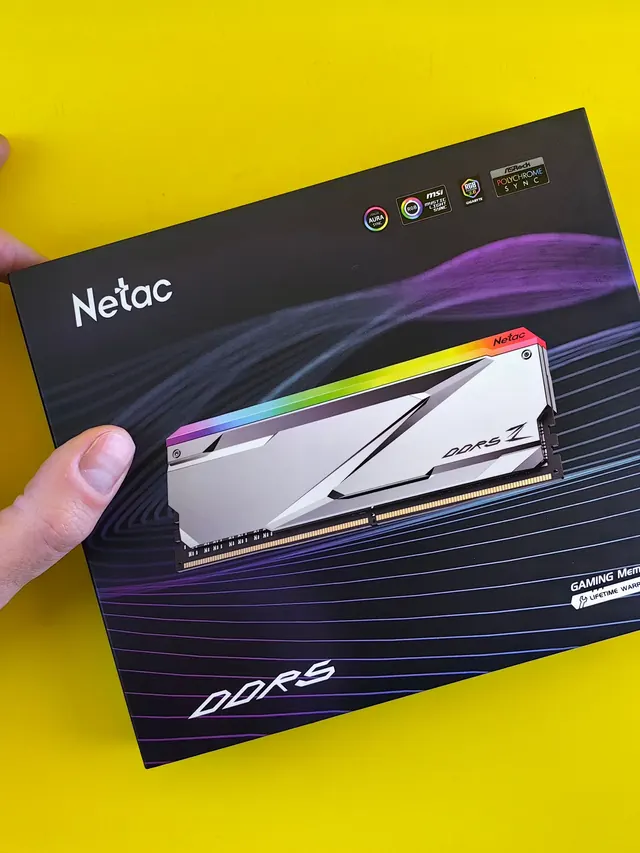
01 / 10DDR5 buying mathPay $120 more for 2 nanoseconds?CL30 vs CL36 looks big on the box. The real difference is 2 nanoseconds.02 / 10What CL really isCAS latency counts cycles, not timeCL is how many clock ticks the RAM waits before answering. Ticks get faster with speed.03 / 10The one-line formulans = 2000 x CL / MT/sTrue latency in nanoseconds. DDR5-6000 CL30: 2000 x 30 / 6000 = 10.0 ns.04 / 10CL30 vs CL36 at 600010.0 ns versus 12.0 nsSame speed, different CL: the whole debate is about 2 nanoseconds of wait time.05 / 10The tie surprise7200 CL36 is also 10.0 nsSo is 6400 CL32. A higher CL on a faster kit can match a lower CL exactly.06 / 10What 2 ns buys in gamesRoughly 1-4% average FPSOnly when CPU-bound, and benchmarks disagree. Smoother 1% lows are the steadier win.07 / 10Price check, Aug 11, 2026The CL30 premium: $120G.Skill CL30 $599.99 vs CL36 $479.99. A Patriot CL30 kit: $429.99. Shop across brands.08 / 10The EXPO/XMP gotchaYour CL30 may be running CL40Kits boot at JEDEC defaults until you enable EXPO or XMP in BIOS. Check yours today.09 / 10The X3D exceptionBig cache blunts CLOn 7800X3D-class CPUs, the stacked cache blunts CL gains. Buy CL36 and save.10 / 10The verdictSmall delta: yes. Upgrade: no.Compare your two kits in real nanoseconds - presets loaded, math done for you.
01 / 10Phone vibration testYour phone stopped buzzingBefore you book a repair, find out whether it is the motor or just a setting.02 / 10The symptomMissed calls and silent alertsA dead motor is easy to miss. You only notice the calls you never felt arrive.03 / 10What is insideA tiny weight on a motorMost phones spin an offset weight or drive a linear actuator to make the buzz.04 / 10Check this firstSettings fake a dead motorSilent mode, Do Not Disturb and per-app vibration all switch the buzz off.05 / 10Run the testOne tap, three patternsThe browser asks the phone to vibrate in short, long and pulsed patterns.06 / 10Result: weakYou feel it, but barelyA faint buzz often means a loose motor mount or a case damping the vibration.07 / 10Result: nothingNo buzz on any patternWith settings ruled out, silence points at the motor or its connector.08 / 10Result: on and offIt works, then it does notIntermittent buzzing usually means a failing solder joint or a worn motor.09 / 10One honest limitiPhones cannot run this testSafari on iOS does not support the browser vibration API, so use Android.10 / 10Your turnFind out in thirty secondsRun the three patterns, then decide whether it is a setting or the hardware.