Free pixels-per-inch calculator. Enter screen resolution and diagonal size to compute PPI, dot pitch, and total pixel count. Includes presets for common monitor sizes and retina comparison.
Compute pixels per inch, dot pitch, and total megapixels for any display from resolution plus diagonal size.
Enter horizontal resolution, vertical resolution, and diagonal size (in inches). PPI = square root of (w² + h²) divided by the diagonal.
Pixels per inch (PPI)
163
Dot pitch
-
Aspect ratio
-
Total pixels
-
High density (150-220 PPI)
Tip: Apple considers a display "Retina" at roughly 220 PPI for laptops, 300 PPI for phones. Typical 1080p 24" monitors are ~92 PPI; 4K 27" is ~163 PPI.
Was this tool helpful?Rate PPI Calculator:5.0(2 ratings)Thanks for rating!
PPI Calculator is a free, browser-based pixels-per-inch calculator.
Cost: Free, no signup
Install: None — runs in the browser
Privacy: Runs locally, no uploads
Platforms: Windows, macOS, Linux, Android, iOS
Time: Under a minute
What Is PPI?
PPI stands for "pixels per inch" — how many physical display pixels fit into one inch of screen. It's computed from the resolution (horizontal × vertical pixels) and the diagonal size of the screen in inches. Two monitors with the same resolution but different physical sizes have different PPI: a 1080p 24-inch monitor sits at 92 PPI, while a 1080p 15-inch laptop comes in at 147 PPI. Higher PPI = sharper-looking text, smoother edges, and crisper images.
How To Calculate PPI
The formula is simple trigonometry. If the screen is w pixels wide and h pixels tall, the diagonal pixel count is √(w² + h²). Divide that by the diagonal size in inches to get PPI:
PPI = √(w² + h²) / diagonal_in_inches
For a 4K display (3840 × 2160) at 27 inches, the diagonal in pixels is about 4405, and 4405 / 27 ≈ 163 PPI. This tool runs the math live as you type and also outputs dot pitch (the millimeter distance between pixel centers) and total megapixels.
Retina and High-DPI Displays
Apple popularized the term "Retina" for displays whose pixels are too small for the human eye to distinguish individually at normal viewing distance. For laptops and desktops that threshold is roughly 220 PPI, for phones about 300 PPI (because phones are held closer). Any modern MacBook Pro, iPhone, or iPad crosses that bar. Most Windows PCs don't — so you see pixel structure if you look for it — but 4K 27" is getting close.
PPI vs DPI — What's The Difference?
PPI refers to display pixels, DPI refers to dots printed on paper. They're measured the same way but describe different outputs. When you read "300 DPI" on a print file, that's telling the printer to lay down 300 ink dots per inch. On-screen, 300 PPI means the display shows 300 distinct pixels per inch. Most "PPI calculator" searches are actually about displays, which is what this tool handles.
Take the square root of (width² + height²) to get the diagonal in pixels, then divide by the diagonal size in inches. The tool does this live as you change any field.
What PPI counts as Retina or high-DPI?
Apple considers roughly 220 PPI for laptops and 300 PPI for phones as Retina. Above that, individual pixels are not distinguishable at normal viewing distance.
Is PPI the same as DPI?
Not quite. PPI is pixels per inch on a display, DPI is dots per inch in print. The math is identical but the output medium differs.
Why does my 4K 32-inch monitor feel less sharp than 4K 27-inch?
Because the 32-inch spreads the same 3840x2160 across a bigger area, so PPI drops from ~163 to ~138. Sit further back or accept softer text.
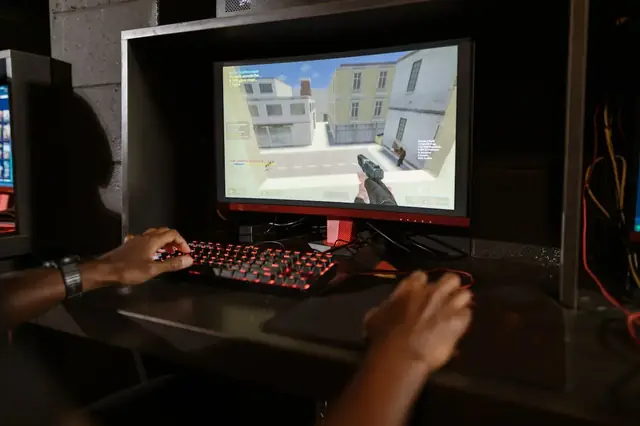
01 / 10Monitor reality check1000Hz Is Real. Worth $999?LG's UltraGear 25G590B is the first native 1000Hz 1080p monitor. Check the fine print first.02 / 10The price$999.99 for 1080pThat is the LG.com launch price, confirmed Sept 10. A 24.5-inch IPS esports panel.03 / 10The 1 ms mathOne Frame Lasts 1 msAt 1000 Hz a frame is on screen for 1 ms—the same figure as LG's own 1 ms GtG response spec.04 / 10LG's own footnoteMBR Pro Turns Off VRRFreeSync Premium and G-SYNC Compatible are disabled while MBR Pro runs. The 1100Hz overclock drops FreeSync.05 / 10Feeding itCan Your PC Push 1000 fps?LG lists Windows 11, RTX 50 / RX 9070-class GPUs and DisplayPort 2.1. 1000 Hz does not promise 1000 fps.06 / 10Reality check1080p Is Still the Majority50.52% of Steam players ran 1080p in August 2026. LG is selling speed to the biggest resolution group.07 / 10Same moneyWhat $999 Buys InsteadA 480Hz QHD OLED tracked at $547.54 on Jul 30. LG's own 480Hz dual-mode 27G850A: about $699.99.08 / 10Verdict splitBuilt for One Kind of PlayerSerious FPS competitors with GPUs to match may justify it. Everyone else buys sharper pixels for less.09 / 10Delivery dayTest Before You TrustVerify the refresh rate your system actually reports, frame skipping, dead pixels and motion clarity.10 / 10Your turnCheck Your Refresh RateSee what your browser reports right now. A browser check reads reported rate, not certified panel speed.
01 / 10Phone buying guidePWM-sensitive? Test the phone, not the promiseDisplay specs narrow the shortlist, but no OLED is comfortable for everyone.02 / 10Build the shortlistStart with the display strategyCompare LCD, DC-dimming and high-frequency PWM options. Each still needs a real-use check.03 / 10Read the evidenceSpecifications are only a filterFrequency, modulation, brightness and firmware can all change how a screen behaves.04 / 10Before testingEnable the documented display settingToggle names and effects vary by model. Confirm the current manual before testing.05 / 10First passTest at your normal brightness firstUse the reading, video and scrolling tasks you actually do each day.06 / 10Low-light passRepeat at a lower brightnessOLED dimming behavior may change as brightness falls. Keep the same room and screen content.07 / 10Store checkCompare camera bands, not just one photoUse the same camera, exposure and distance on each phone for a fair comparison.08 / 10Read cautiouslyBanding is a clue, not a lab resultCamera bands can reveal pulsing, but not exact PWM, modulation or medical conclusions.09 / 10Final decisionLet the return window settle the choiceTry normal use briefly. Stop if discomfort occurs; return it before the seller's deadline.10 / 10One last checkRun one controlled flicker comparisonUse the same brightness and camera setup, then save the result with your buying notes.
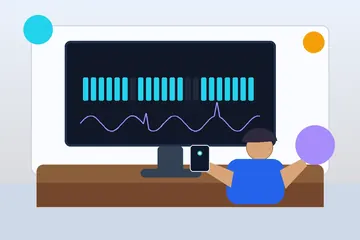
01 / 10Screen flicker testYour screen may be flickeringMany displays dim by switching the backlight on and off hundreds of times a second.02 / 10The symptomSore eyes and evening headachesStrain that gets worse at night, on one device but not another, is the clue.03 / 10What PWM meansDimming by blinking, not fadingInstead of lowering brightness, the backlight pulses. Faster pulsing is easier to tolerate.04 / 10Why night is worseLower brightness, deeper flickerThe dimmer you set the screen, the longer the backlight stays off between pulses.05 / 10Run the testWatch the moving patternA flickering backlight breaks the motion into separate copies instead of a smooth trail.06 / 10What to look forBands mean pulsingClear repeated edges suggest PWM. A smooth blur suggests steady, flicker-free dimming.07 / 10Not everyoneSome people never noticeSensitivity varies widely. Migraine and dry eyes can make the same screen unbearable.08 / 10What helpsRaise brightness, lower contrastHigher brightness usually shortens the off phase. Warm light and screen breaks help too.09 / 10One honest limitA browser cannot measure hertzThis shows whether flicker is visible to you, not the exact PWM frequency.10 / 10Your turnSee how your screen dimsRun the pattern at full and low brightness, then compare your devices.
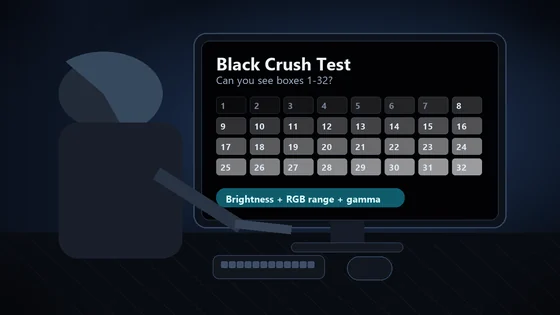
01 / 10Monitor checkDark scenes losing detail?Your monitor may be turning several near-black shades into one flat black.02 / 10The symptomShadow texture disappearsHair, clothing, caves and night scenes merge into featureless black. That is black crush.03 / 10Before you testUse normal SDR settingsDim the room, avoid glare and let your eyes adapt for 30 to 60 seconds.04 / 10The testLook for 32 near-black stepsPatch 1 is darkest. Patch 32 is easiest. Use fullscreen and do not expect the low steps to glow.05 / 10Read the resultFind the first visible patchIt should be barely separate from the black background. Note its number.06 / 10ExcellentYou can see 1 through 32Your display is preserving very dark shadow steps. Subtle is correct.07 / 10Mild crushingVisibility starts near 4Brightness may be too low, or gamma may be hiding the first few steps.08 / 10Moderate to severeVisibility starts at 8 or 16Check the monitor black-level setting and whether the GPU is sending Full or Limited RGB.09 / 10Fix one variable at a timeBrightness. Range. Gamma.Retest after each change. Establish a clean SDR result before troubleshooting HDR.10 / 10See what your display keepsRun all 32 shadow stepsThe live tool is the proper diagnostic surface; compressed story images are only a guide.