NVIDIA GPU
NVIDIA Control Panel > Display > Change resolution > Output dynamic range = Full.
Tool categories


Check in seconds whether your screen runs full RGB (0-255) or limited TV range (16-235). If the darkest patches merge into solid black — or blacks look grey and washed out — you have an HDMI range mismatch. Run the test, then follow the fix steps for NVIDIA, AMD, Intel, PS5 and Xbox.
If 0 and 16 look identical, or 235 and 255 look identical, your chain is clipping a range - run the full test for a verdict.
Your result
Golden rule: both ends of the cable must match - Full on both, or Limited on both. "Auto" often guesses wrong, so set it manually.
NVIDIA Control Panel > Display > Change resolution > Output dynamic range = Full.
AMD Software > Display > Pixel Format / Color Range = Full RGB 4:4:4.
Intel Graphics Command Center > Display > General > Quantization Range = Full.
Settings > Screen and Video > RGB Range. Automatic usually works; if blacks look wrong, force Limited for a TV or Full for a PC monitor.
Settings > General > TV and display options > Video fidelity > Color space: Standard = Limited (TV), PC RGB = Full (monitor).
Picture settings > HDMI Black Level (or Video range). Match it to what the source actually sends.
Picture > Expert Settings > HDMI Black Level: Normal = Full, Low = Limited.
Picture > Additional settings > Black Level: High = Full, Low = Limited.
Set Full range on both ends. Monitors expect every value 0-255; Limited here causes grey blacks and dull whites.
Check the TV "HDMI Black Level" first, then match the GPU output range to it. A mismatch gives a crushed or washed-out picture.
Limited / Standard on both ends is the safe default for TVs. Only use Full / PC RGB on a PC monitor.
Video content is mastered in limited range by design. If only videos look washed out, the bug is in the video path - not your display range.
Pixel-exact canvas ramp. CSS gradients are dithered by the browser and hide real banding - this one is drawn value by value.
What your browser reports about this screen. Informational only - it cannot detect the cable range.
If the right square looks deeper and more saturated, your display and browser run a wide-gamut (P3) pipeline. Identical squares = sRGB pipeline.
Color Range Test is a free, browser-based screen testing tool that lets you detect whether your display is running Full RGB (0-255) or Limited / TV range (16-235) via near-black and near-white patch grids.
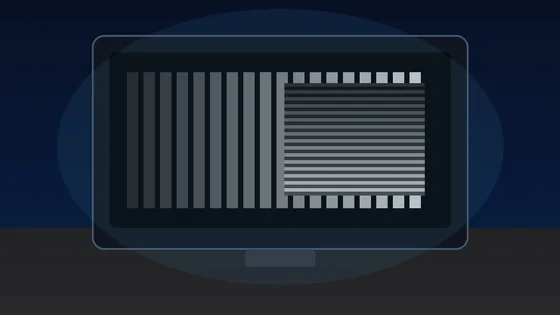
Run the test fullscreen in a dim room with browser zoom at 100%. On a correctly configured full-range chain, every numbered patch is distinguishable from its neighbor: the near-black row steps visibly from RGB 1 upward, and the near-white row stays distinct all the way to 254. If the first 10-15 dark bars merge into one solid black slab, or the brightest bars disappear into pure white, part of your chain is treating the signal as limited range. The flashing bars make this judgment much easier than static patches — your eye detects a patch blinking against the background at far lower contrast than a static edge. Tap the faintest bar you can see and the verdict wizard converts that number into a named diagnosis.
RGB range is the band of pixel values your display chain treats as black through white — either Full range (0-255) or Limited range (16-235). A digital RGB pixel has 256 possible values per channel (0-255). Full range uses all of them: 0 is the blackest black the panel can show, 255 the brightest white. Limited range — also called video range, TV range, or 16-235 — maps black to 16 and white to 235, reserving 1-15 for "blacker-than-black" and 236-254 for "whiter-than-white" headroom inherited from analog broadcast standards. Movies and TV are mastered in limited range; PCs, games, and everything you see in a browser are full range. The conversion is exact: full = round((video − 16) × 255 / 219). Neither range is "better" — what breaks the picture is a mismatch, where one end of the cable speaks 0-255 and the other expects 16-235.
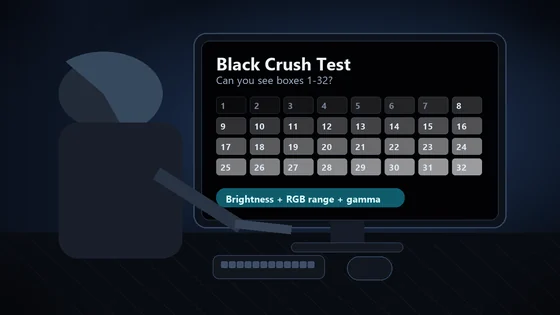
The mismatch fails in one of two directions. If your GPU outputs limited but the monitor expects full, black arrives as RGB 16 and renders as visible dark grey: the whole image looks washed out, foggy, and low-contrast. If your GPU outputs full but the display assumes limited, everything from RGB 0-15 clips to the same pure black (black crush) and 236-255 clips to white — shadow detail vanishes and gamers stop seeing enemies in dark corners. The test tells the directions apart: grey-looking black with every bar visible points to a limited source; the first 15 bars dead while black still looks black points to a display expecting limited. Pure panel-level black crush on OLED and VA screens looks similar but only eats the first few bars — the wizard's severity scale separates that from a real range fault.
NVIDIA is the classic case: over HDMI at TV-style resolutions it has historically defaulted to limited output. Open NVIDIA Control Panel → Display → Change resolution → Output dynamic range → Full. On AMD, open Adrenalin/Radeon Settings → Display → Pixel Format / Color Range → Full RGB 4:4:4. On Intel, open Graphics Command Center → Display → General → Quantization Range → Full. Then make sure the monitor or TV agrees: the golden rule is that both ends of the cable must match, and "Auto" detection fails often enough that setting it manually is worth thirty seconds. DisplayPort connections almost always negotiate full range correctly — this is overwhelmingly an HDMI problem.
On a PC monitor, use Full everywhere. On consoles: PS5 Settings → Screen and Video → RGB Range (note the PS5 forces limited in some 120 Hz modes — that is normal); Xbox Settings → TV & display options → Video fidelity → Color space, where "Standard" means limited and "PC RGB" means full. Connected to a TV, the safer pairing is usually Limited/Standard on the console and the TV's default black level, because TVs are built for video range. Whichever you choose, run this test afterward: if the darkest flashing bars are visible down to single digits and the white end stays distinct, your chain is set up correctly for gaming.
TVs hide the range setting under a brand-specific name. Samsung calls it "HDMI Black Level" (Normal pairs with a full-range source, Low with limited). Sony also calls it HDMI Black Level; LG calls it simply "Black Level" with High/Low options where High expects full range. If your console or PC sends full RGB and the TV's black level is set for limited, blacks crush; the opposite mismatch makes blacks grey. Change one setting at a time and re-run the flashing-bar test after each change — the correct combination is the one where bar 1-4 is barely visible and bar 250+ is still distinct from white.
A range mismatch clips entire ends of the scale. Color banding is a different defect: visible stair-steps inside a gradient that should be smooth, caused by low effective bit depth, aggressive monitor processing, or compression. This page's gradient lab draws a pixel-exact ramp (CSS gradients are dithered by the browser and hide banding), so you can check both: regular repeating bands in the smooth grey ramp corroborate a limited-range round-trip, while fine stepping at every level suggests a 6-bit panel or FRC dithering. For deeper level checks, pair this test with the black level test, white level test, and monitor gamma test.
If black renders as dark gray and the whole picture looks foggy, work through the full blacks look gray on monitor fix guide. It pairs this test with the exact NVIDIA, AMD, and Intel menu paths, the monitor OSD black-level table by brand, the HDMI vs DisplayPort handshake explanation, and the Windows HDR washout fix.
Run the flashing-bar test on this page fullscreen. If bars 1-15 are invisible and black still looks black, the display expects Limited. If black looks grey and every bar is visible, the source is outputting Limited. Darkest bar at 4 or below with the white end distinct means Full range is intact.
RGB range is the band of pixel values a display chain treats as black through white. Full range (0-255) uses every value: 0 is black, 255 is white. Limited range (16-235, or TV range) maps black to 16 and white to 235. Movies use 16-235; PCs and games use 0-255. A mismatch crushes shadows or greys black.
Usually the GPU sends Limited (16-235) over HDMI while the monitor expects Full, so black arrives as RGB 16 and renders dark grey. Set NVIDIA Output Dynamic Range, AMD Pixel Format, or Intel Quantization Range to Full, or match the display HDMI Black Level setting.
Full on PC monitors — they expect every pixel value. Limited only when feeding a TV that is set for video range. The rule that matters: both ends of the cable must match, and HDMI "Auto" detection fails often enough that you should set it manually.
Pair it with your source. Samsung Normal (or LG/Sony High/Full) expects a Full-range 0-255 signal; Low expects Limited 16-235. If blacks crush, or look grey and washed out, the black level and the source range disagree — change one and re-run this test.
Into a PC monitor, set PS5 RGB Range to Full. Into a TV, Limited (or Automatic) usually matches the panel. Note the PS5 forces Limited in some 120 Hz modes — that is normal, not a fault. On Xbox the same setting is Color space: Standard = Limited, PC RGB = Full.
Confirm your RGB signal is Full (0-255), not Limited (16-235).
Fullscreen gray/black/white/RGB at any brightness to spot clouding, IPS glow, and backlight bleed
Detects dropped or skipped frames at your refresh rate with rAF timestamp analysis and a visual reference bar
Lagom-style 1px pixel grid, multi-size text samples, color-fringing blocks, and an RGB sub-pixel ruler to evaluate display sharpness
Detect dead, stuck, or hot pixels on screens
Detect if your display runs at 60Hz, 144Hz, 240Hz or higher
Check color accuracy, gradient banding and backlight uniformity
23 tools · 4 Web Stories
 01 / 10
Monitor reality check
1000Hz Is Real. Worth $999?
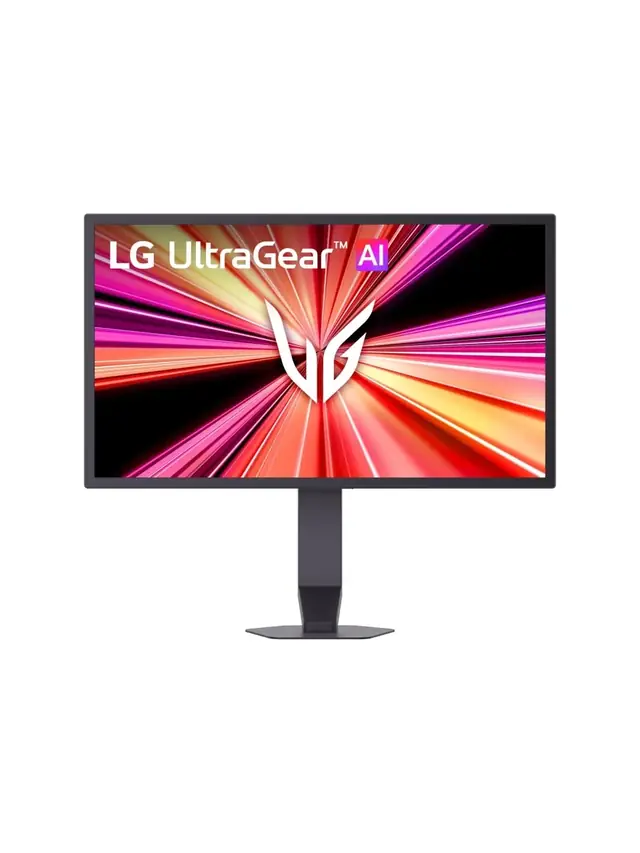
LG's UltraGear 25G590B is the first native 1000Hz 1080p monitor. Check the fine print first.
01 / 10
Monitor reality check
1000Hz Is Real. Worth $999?
LG's UltraGear 25G590B is the first native 1000Hz 1080p monitor. Check the fine print first.



 01 / 10
Phone buying guide
PWM-sensitive? Test the phone, not the promise
Display specs narrow the shortlist, but no OLED is comfortable for everyone.
01 / 10
Phone buying guide
PWM-sensitive? Test the phone, not the promise
Display specs narrow the shortlist, but no OLED is comfortable for everyone.
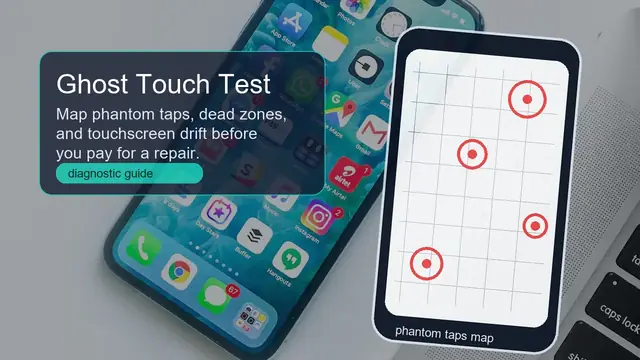


 01 / 10
Screen flicker test
Your screen may be flickering
Many displays dim by switching the backlight on and off hundreds of times a second.
01 / 10
Screen flicker test
Your screen may be flickering
Many displays dim by switching the backlight on and off hundreds of times a second.


 01 / 10
Monitor check
Dark scenes losing detail?
Your monitor may be turning several near-black shades into one flat black.
01 / 10
Monitor check
Dark scenes losing detail?
Your monitor may be turning several near-black shades into one flat black.






Source-based buyer analysis of the first native 1000Hz monitor: verified specs, the 1 ms GtG contradiction, the MBR Pro versus G-SYNC/FreeSync trade-off, dated prices against 480Hz OLED and dual-mode alternatives, and five delivery-day browser tests.