











Fast answer
The Razer Naga V3 Pro is worth $179.99 if you actively use MMO, MOBA, productivity, or creator shortcuts and will swap among its 12-, 6-, and 2-button side plates. It is a weaker value for a simple FPS setup: the shell remains large, each fitted plate takes the mouse to roughly 112–117 g in launch testing, and the mouse runs at a native 1,000 Hz. Razer's optional 8,000 Hz path needs a separately sold HyperPolling Wireless Dongle V2 or Mouse Dock Pro. The meaningful upgrade over the V2 Pro is not the 50K DPI headline; it is the easier-to-reach controls, lockable ring-finger input, newer switches, longer claimed battery life, and a more flexible scroll wheel.
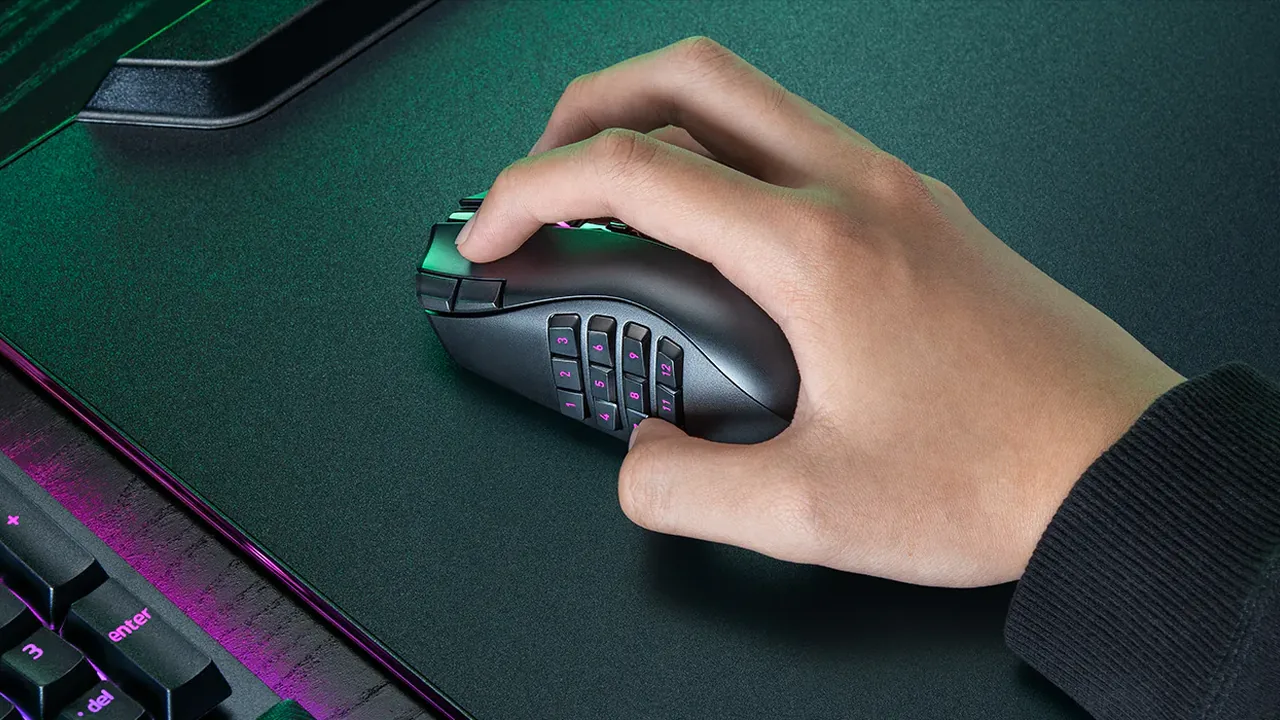
The Naga line solves a problem ordinary gaming mice do not: putting a command bar under your thumb. Razer's third Pro generation keeps the interchangeable-plate idea, then revises the controls, sensor, switches, wheel, and battery. That makes it tempting to both long-time Naga owners and buyers choosing their first MMO mouse.
The useful question is not whether 50,000 DPI sounds impressive. It is whether the new controls reduce real keyboard reach, whether the size and mass suit your grip, and whether the extra polling-rate accessory matters for the games you play. This guide separates verified specifications from reviewer findings, then gives you a mouse-input test plan for the return window.
Razer Naga V3 Pro confirmed specifications
The table below uses Razer's own product page for the fixed hardware claims. Battery figures, switch life, sensor accuracy, and maximum performance are manufacturer ratings, not measurements made by KeyboardTester.click.
| Feature | Razer's stated specification | What it means before you buy |
|---|---|---|
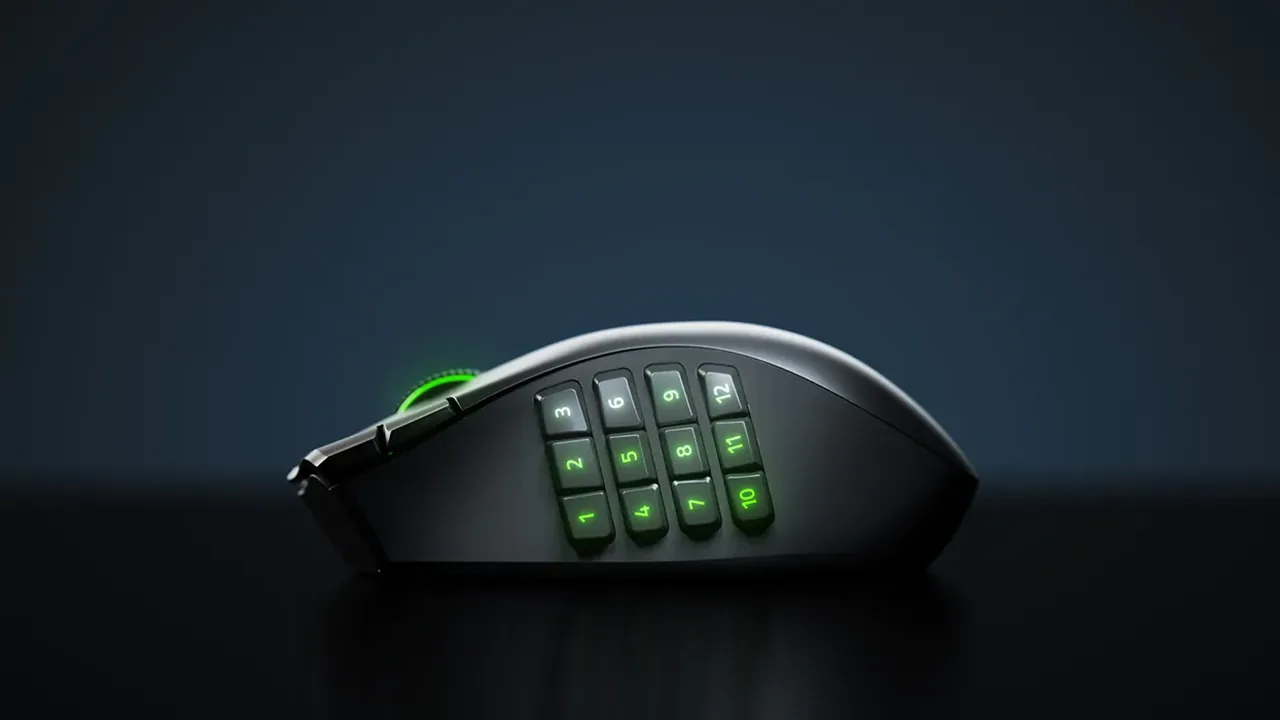
| Side controls | Interchangeable 12-, 6-, and 2-button plates; up to 23 programmable controls | The 12-button plate is the MMO layout; the other plates trade command density for easier identification. |
| Sensor | Focus Pro 50K Optical Sensor Gen-3; up to 50,000 DPI, 930 IPS, 90 g, 99.8% resolution accuracy | The ceiling is far beyond normal desktop sensitivity. Shape and control access will matter more for most buyers. |
| Main switches | Razer Optical Mouse Switches Gen-4, rated for 100 million clicks | Optical actuation avoids the metal-contact bounce associated with traditional mechanical switches, but no rating guarantees an individual unit. |
| Scroll wheel | HyperScroll Tilt Wheel Gen-2 with tactile, free-spin, and Smart-Reel behavior | Useful beyond games: long pages and timelines can free-spin, while weapon or ability selection can stay notched. |
| Connectivity | HyperSpeed Wireless, Bluetooth, and wired USB | One mouse can cover a low-latency desktop, a Bluetooth laptop, and charging/wired use. |
| Polling | Native 1,000 Hz; up to 8,000 Hz with a compatible accessory sold separately | Do not budget on the mouse price alone if 8K is a requirement. |
| Battery claim | Up to 155 hours on HyperSpeed Wireless; up to 280 hours on Bluetooth | Lighting, polling, radio conditions, and usage patterns can shorten real runtime. |
| Handedness and mass | Right-handed; launch reviewers measured about 112–117 g depending on the fitted plate | This is a feature-dense mouse, not an ultralight. Grip comfort deserves a return-window test. |
One number needs context: 97 g versus the weight in your hand
What changed from the Naga V2 Pro
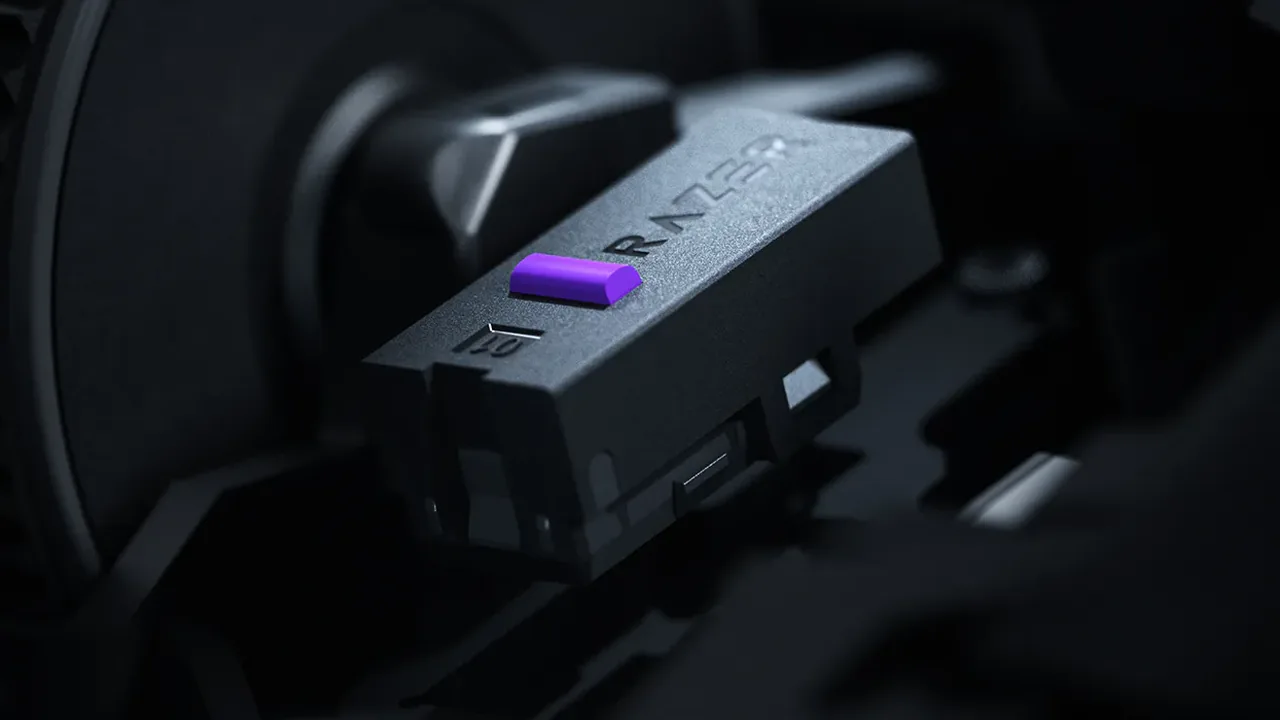
The V3 Pro is an evolution, not a smaller reinvention. PC Gamer found the overall dimensions familiar, while Razer's new value is concentrated in inputs and internals. The 12-button MMO plate gains edge buttons intended to be easier to distinguish; the body adds a lockable ring-finger control; the main switches move to Gen 4; the sensor rises to the Focus Pro 50K Gen-3; and the wheel adds the current HyperScroll modes.
Those changes matter most to an owner who has already outgrown the V2 layout. If your V2 Pro is comfortable, reliable, and all of its inputs are mapped, a higher DPI ceiling does not justify replacing it. Upgrade for a specific control you will bind, a worn switch or wheel, or a battery problem—not because the generation number changed.
| Change | Who benefits | Who probably will not notice |
|---|---|---|
| Up to 23 programmable controls | MMO healers/tanks, MOBA players, editors, and macro-heavy productivity users | Players who bind only primary fire, secondary fire, and two thumb buttons |
| Reworked 12-button plate plus ring-finger input | Existing Naga users who lose their place on a dense thumb grid | Users who will fit the simple 2-button plate permanently |
| Focus Pro 50K Gen-3 sensor | Buyers who want Razer's current flagship tracking platform | Nearly everyone choosing by practical DPI; common settings are far below 50K |
| Gen-4 optical switches | Heavy click users and owners replacing a worn older mouse | A buyer expecting a guaranteed 100-million-click personal lifespan |
| Longer claimed battery life | Wireless users who dislike frequent charging | Desk users who already keep a cable or dock within reach |
For a broader market view, the 2026 gaming-mouse launch roundup places the Naga beside simpler competitive mice. The main gaming-mouse buyer guide is the better route if you have not decided that a multi-button MMO shell is necessary.
The controls matter more than the 50K DPI headline
The strongest reason to buy a Naga remains the plate system. The 12-button grid can move action bars, consumables, targeting, push-to-talk, or editing commands under one thumb. The 6-button plate creates larger targets for MOBAs and mixed games. The 2-button plate strips the mouse back for shooters or ordinary work. Profiles are valuable only if you label and practice them; twenty-three possible inputs are a learning project, not instant speed.
The scroll wheel also deserves more attention than the sensor number. Tactile steps give controlled selection, free-spin clears long documents quickly, and Smart-Reel switches behavior based on movement. PC Gamer's hands-on review praised the sensor and used the mouse successfully in Final Fantasy XIV, while still questioning the value of chasing 8K polling through an extra accessory and battery tradeoff. That is a sensible boundary for most MMO players.
Razer summarizes the core promise in five words on its product page:
Up to 23 programmable controls
“Up to” matters because the total depends on the fitted plate and how wheel, top, and body controls are counted. Build one profile at a time. A good first pass maps only the commands that currently force an awkward keyboard reach; spare buttons can remain unassigned until muscle memory is stable.
Who should buy, upgrade, or skip the Naga V3 Pro?
At $179.99, this is specialist hardware. It can replace many keyboard reaches for the right player, but a large right-handed shell and triple-digit weight are real tradeoffs rather than minor footnotes.
- You can name at least six commands that belong under your thumb.
- You rotate between an MMO/MOBA and games that suit a 2-button plate.
- A larger right-handed shell already fits your grip.
- Three connection modes and long claimed battery life reduce device switching for you.
- The revised plate edges or ring-finger control solve a real reach problem.
- Your existing wheel, switch, or battery is wearing out.
- You will use the newer scroll behavior or Bluetooth/HyperSpeed workflow often.
- You have checked that your saved profiles can be rebuilt without disrupting play.
- You mainly play FPS titles with four or five total binds.
- You prefer sub-80 g mice or use a left-handed grip.
- The only attraction is 50K DPI or optional 8K polling.
- $180 is stretch money and your current mouse works reliably.
Before checkout: a 60-second fit check
- Confirm the exact regional price and whether tax is shown before the final payment step.
- Read the direct seller's return window; weight and thumb-grid comfort cannot be settled from specifications.
- Decide which plate you expect to use most and count the commands you will actually bind.
- Budget separately for a compatible 8K accessory only if you have a tested reason to need it.
- Plan to test every button and scroll direction before installing a complicated profile.
US, UK, Canada, and Australia pricing
Razer's official regional stores showed the following list prices on August 20, 2026. These are dated storefront checks, not currency conversions. Stock, tax, bundles, and retailer discounts can change after publication.
| Market | Official Razer price checked Aug. 20, 2026 | Buyer note |
|---|---|---|
| United States | $179.99 | Compare the checkout total and seller warranty, not only the headline price. |
| United Kingdom | £179.99 | The numerical price matches the US figure but the currency does not; do not treat them as equivalent. |
| Canada | CA$249.99 | Check provincial tax and direct-store return shipping before ordering. |
| Australia | AU$299.95 | Check local stock and the warranty route shown at checkout. |
Five delivery-day tests before the return window closes
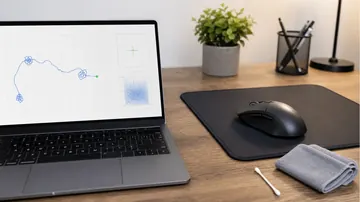
Start on the default profile. Test the hardware first, then install Synapse, assign a small profile, and repeat. That sequence tells you whether a fault follows the physical input or appears only after configuration.
Watch for: missing, stuck, duplicated, or wrongly mapped events.
Watch for: two registered activations from one clean physical press.
Watch for: repeatable gaps or severe instability, not a single peak number.
Watch for: a stage that fails to apply or a profile that changes unexpectedly.
Watch for: a repeatable regression after one change; browser numbers are comparative, not laboratory latency.
What a browser test cannot prove about this mouse
Use browser tools to catch functional defects and to compare your own configurations consistently. Do not use one web result as proof that an advertised hardware ceiling is true or false. For the practical boundary, read the mouse-button and scroll test guide and the double-click troubleshooting guide.
A hands-on view of the plates, software, and clicks
The Techne's independent review video shows the physical mouse, plate changes, software, button sound, measured weight, and gaming impressions. Those observations belong to the reviewer; the embedded video is useful evidence, not a substitute for your own fit test.

Sources and evidence
Fixed specifications and prices come from official regional Razer pages checked August 20, 2026. Independent sources are used for hands-on weight, fit, and game-use context. Prices and availability are snapshots and should be re-checked at checkout.
- Razer Naga V3 Pro official product page (US)
Primary source for US price, plate system, programmable-control count, sensor, switches, scroll wheel, connectivity, battery claims, native polling, and the separately sold 8K accessory requirement.
- Razer Naga V3 Pro official product page (UK)
Primary source for the £179.99 UK storefront price checked August 20, 2026.
- Razer Naga V3 Pro official product page (Canada)
Primary source for the CA$249.99 Canadian storefront price checked August 20, 2026.
- Razer Naga V3 Pro official product page (Australia)
Primary source for the AU$299.95 Australian storefront price checked August 20, 2026.
- Razer Naga V3 Pro review (PC Gamer, August 18, 2026)
Independent hands-on context: familiar Naga dimensions, plate-fitted weight, sensor experience, Final Fantasy XIV use, and the reviewer's 8K accessory/battery judgment.
- Razer Naga V3 Pro launch coverage (PC Gamer, August 11, 2026)
Launch-day context for the 97 g plate-free figure, roughly 112–117 g fitted range, three control totals, launch price, and native 1,000 Hz boundary.
- Razer Naga V3 Pro review (Windows Central, August 11, 2026)
Independent hands-on context for the revised control layout, ring-finger input, plates, scroll wheel, sensor, and market position.
- Razer Naga V3 Pro review video (The Techne, August 11, 2026)
Independent video evidence showing the physical mouse, plate swaps, measured weight, software, clicks, and game use.
Test the mouse you actually receive
These free browser tools help catch input and configuration problems while the return window is open.
Check main, side, and wheel inputs across all three fitted plates.
Double-Click TestLook for unintended duplicate activations from deliberate single presses.
Mouse Polling TestCompare pointer-event consistency across wired and HyperSpeed modes.
Mouse DPI TesterCheck whether DPI stages and profile changes behave predictably.
Related mouse decisions
Compare new releases by purpose instead of treating every flagship as interchangeable.
Best gaming mouse 2026A wider guide organized by grip, game type, and budget.
How to test mouse buttons and scrollA complete functional check for a new or troublesome mouse.
How to check mouse DPIUnderstand practical sensitivity without chasing a marketing maximum.
Razer Naga V3 Pro FAQ
- Is the Razer Naga V3 Pro worth $179.99?
Yes for a right-handed MMO, MOBA, creator, or productivity user who will genuinely use its interchangeable plates and many programmable inputs. No for most simple FPS setups: it is heavier than an ultralight mouse, and its 50K DPI ceiling does not improve ordinary play by itself.
- What changed from the Razer Naga V2 Pro?
The V3 Pro revises the 12-button plate for easier identification, adds a lockable ring-finger input, moves to a Focus Pro 50K Gen-3 sensor and Gen-4 optical switches, updates the HyperScroll wheel, and raises claimed battery life. The overall Naga size remains familiar according to PC Gamer.
- How many buttons does the Naga V3 Pro have?
Razer advertises up to 23 programmable controls. The usable total and layout depend on whether you fit the 12-, 6-, or 2-button side plate and how the wheel and body controls are assigned.
- Does the Naga V3 Pro support 8,000 Hz polling out of the box?
No. Razer lists native 1,000 Hz operation. Up to 8,000 Hz requires a compatible HyperPolling Wireless Dongle V2 or Mouse Dock Pro sold separately; check the exact regional bundle and compatibility wording before buying.
- How heavy is the Razer Naga V3 Pro?
Launch coverage lists 97 g without a plate, but that is not the normal usable configuration. PC Gamer reported roughly 112–117 g with a side plate fitted, depending on the plate and measurement.
- Can a browser verify 8K polling or the 50K DPI sensor?
No. Browser tools can reveal missing inputs, double clicks, and relative consistency, but operating-system and browser processing prevent them from certifying raw USB polling, sensor accuracy, hardware latency, or maximum DPI.
If you buy it: fit every side plate and test every mouse input before building your profiles. A clean hardware baseline makes later software problems much easier to isolate.






Reader discussion
Comments
Share what worked, what did not, or what you would test next. Every comment is reviewed before it appears.
Loading approved comments…
Leave a comment
No account or sign-in is required. Links and HTML are not accepted.