Free APM test with 3x3, 4x4, 5x5, and keyboard modes. Measures useful actions per minute, accuracy, peak APM, personal bests, recent tests, and RTS/MOBA skill badges.
Run a timed APM benchmark with target grids or hotkey mode. The tool separates useful hits from spam, tracks accuracy and peak pace, saves recent tests locally, and shows your personal best for each mode and duration.
Mode benchmark
Choose a duration and mode, then hit only the highlighted targets. The score rewards useful actions per minute, while accuracy exposes spam clicks and wrong keys.
Ready. Pick a mode and press Start.
Duration
Mode
0
Live APM
Casual
Average APM0
Peak APM0
Accuracy100%
Time left60s
Target hits0
Total inputs0
Misses0
Elapsed0s
Clicks0
Keys0
3 x 3 Grid
Click the highlighted target only.
Hit the target
Use letters separated by spaces or commas.
Settings
Tile size
Skill badges
3 x 3 is a speed drill. 4 x 4 and 5 x 5 add mouse precision. Keyboard mode measures hotkey rhythm.
Benchmarks: 40-80 APM is casual RTS pace, 100-180 is solid ladder speed, 200+ is advanced, and 300+ is serious StarCraft-style mechanics. Accuracy below 85% means you are probably spamming instead of acting cleanly.
Was this tool helpful?Rate APM Test:5.0(1 rating)Thanks for rating!
APM Test is a free, browser-based actions-per-minute benchmark with 3x3, 4x4, 5x5, and keyboard modes for RTS, MOBA, and esports training.
Cost: Free, no signup
Install: None — runs in the browser
Privacy: Runs locally, no uploads
Platforms: Windows, macOS, Linux, Android, iOS
Time: Under a minute
What Is An APM Test?
APM means actions per minute. In RTS, MOBA, and esports practice, it describes how many useful inputs you can perform in a minute. This upgraded APM test measures speed and accuracy together, so random spam does not look better than clean target hits. For a clean testing workflow, read the APM test guide.
Grid APM vs Keyboard APM
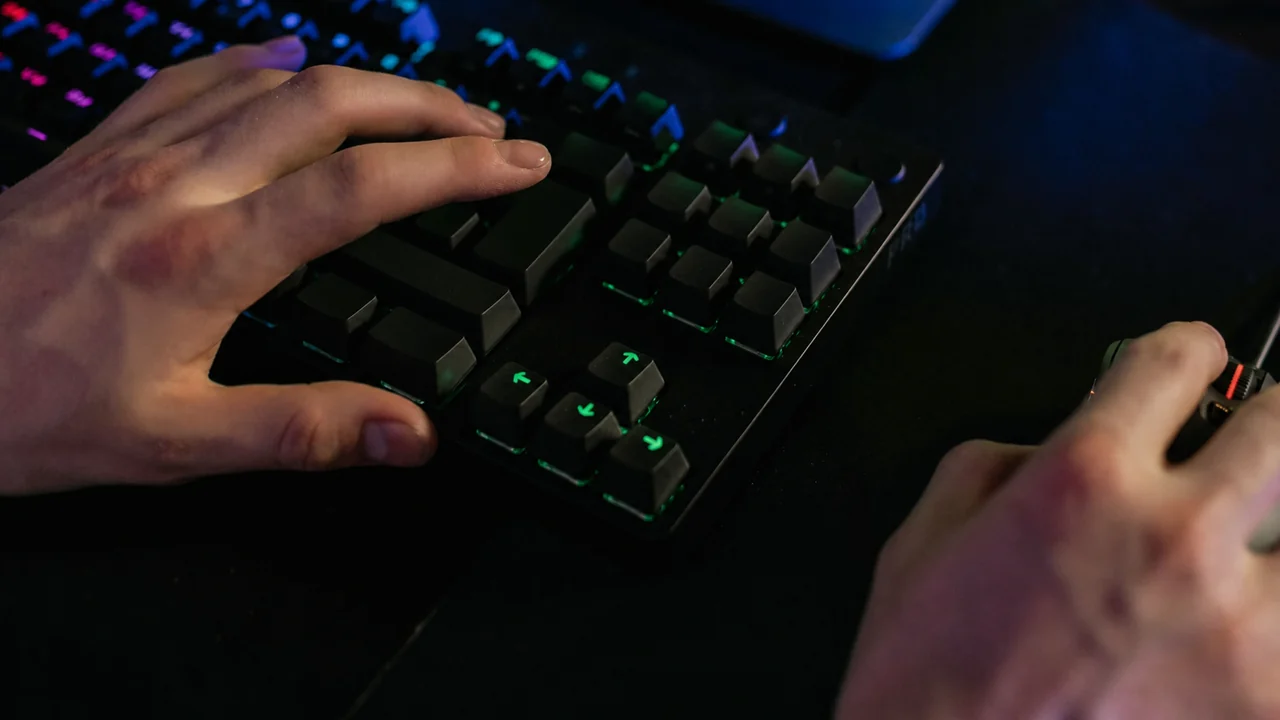
The 3x3 grid is a pure speed drill. The 4x4 and 5x5 grids add mouse precision because the active target moves across more possible positions. Keyboard mode is for hotkey rhythm: define your key set, then press the highlighted key as quickly and cleanly as possible.
How This Benchmark Works
Each useful hit is timestamped with performance.now(). Live APM is projected from your recent hit pace, average APM is calculated from total useful hits divided by elapsed minutes, and accuracy is useful hits divided by total inputs. Misses, wrong keys, and wrong tiles remain visible so the score cannot hide spam.
Effective APM vs Raw APM
Raw APM counts every input. Effective APM is closer to meaningful gameplay: correct hotkeys, useful commands, and accurate target selection. This tool emphasizes effective APM by counting the highlighted target as the useful action while still showing total inputs and misses.
APM Practice for League of Legends
League players should treat APM as a clean-input drill, not a ranked-skill score. For the MOBA-specific workflow, read the League of Legends actions per minute tracker guide, then test keyboard rhythm and mouse accuracy separately before combining them in Practice Tool. If you are organizing the practice around a new roster, guild or Discord group, you can also generate a team or community name with a short tag.
Average APM by Rank: What Ladder Data Shows
Widely cited ladder replay analyses put Diamond StarCraft II players around 105 APM and Grandmasters near 193 (ladder counters log every command, so in-game figures run above a clean-hit score here). The rank badge in this test uses per-mode thresholds instead: on the 3x3 grid you reach Expert at 110 average APM and Pro at 220, while the denser 5x5 grid uses lower cutoffs (45/85/125/175) because every target takes longer to reach.
Burst APM vs Sustained APM
This benchmark reports both halves of the pair. Peak APM is your best pace over a rolling window of up to 10 seconds, which makes it a burst measure. Average APM is total correct hits divided by elapsed minutes across the whole run, which is your sustained pace. Real matches alternate between the two: short bursts during fights, steady rhythm during production and economy cycles.
Train burst: run 15 or 30 second tests and chase Peak APM.
Train stamina: run 120-300 second tests (custom durations go up to 600 seconds) and expect the average to land well below your 15-second score.
Find the fade: the per-second chart of your last 30 seconds shows exactly where your pace collapses.
Personal bests are saved separately for every mode and duration combination, so compare like with like.
Does APM Matter Outside RTS Games?
APM matters most in RTS because you juggle army control, economy, and scouting at the same time. Commonly tracked figures put Dota 2 professionals around 200-280 APM, high-elo League players roughly at 170-210 with teamfight spikes, and Age of Empires IV pros posting some of the highest figures in the genre on per-game trackers like AoE4World, often well over 300. In MOBAs you control a single hero, so past a moderate speed threshold decision quality wins games, which is why this benchmark scores accuracy right beside APM. For practice, the grid modes train fast target switching between positions, and keyboard mode drills ability-key rotations with a key set you define yourself.
How Pros Build 300+ APM
Pros are not pressing random keys faster. They loop memorized command cycles, such as checking production, cycling control groups, and jumping between camera hotkeys, until the chain runs on muscle memory and costs almost no attention. Warmup spam inflates a raw in-game counter but adds nothing useful, and here wrong tiles and wrong keys from your set are scored as misses, so spam lowers your accuracy instead of inflating your score. To train the same habits:
Match your layout: load the letter and number part of your real hotkey layout into keyboard mode's custom key set (the default is Q W E R A S D F 1 2 3 4). The field accepts single A-Z and 0-9 characters only.
Compare runs: the Clicks and Keys counters confirm which input each drill measured — run grid and keyboard modes back to back to see which side of your mechanics is slower.
Speed follows accuracy: keep accuracy above 85% and only then push pace, which mirrors how clean effective APM is built in real matches.
For clean target drills, 60-110 APM is improving, 110-160 is solid, 160-220 is advanced, and 220+ is serious RTS-style mechanics. Accuracy matters as much as the number.
What counts as an action in this test?
The score counts useful hits: the highlighted grid tile or the highlighted keyboard key. Wrong clicks and wrong keys are still recorded as inputs and misses so spam lowers accuracy.
How is APM different from CPS?
CPS measures raw mouse clicks per second. APM measures actions per minute across mouse or keyboard drills and is more relevant for RTS, MOBA, and esports hotkey practice.
Where are personal bests saved?
Recent tests and personal bests are stored locally in your browser with localStorage. They are not uploaded to KeyboardTester.click.
Why is my in-game APM higher than my score on this test?
In-game and replay-tracker APM counters for StarCraft II or Age of Empires count every command you issue, including repeats and spam clicks. This benchmark counts only correct hits on the highlighted target, closer to effective APM (EAPM), so a clean 120 here can line up with a much higher raw in-game number.
What APM do professional StarCraft players have?
Professionals commonly sustain roughly 250-450 raw APM in matches, with peaks past 600 in big battles — but that collapses to about 150-250 effective actions once spam is removed. The Guinness record of 818 APM (Park Sung-Joon) was a short burst that included spam.