Test de nettete du moniteur
Grille 1px, échantillons de texte et règle des sous-pixels RGB. Fonctionne directement dans le navigateur, sans telechargement ni compte, avec des resultats rapides.
Lagom-style sharpness patterns
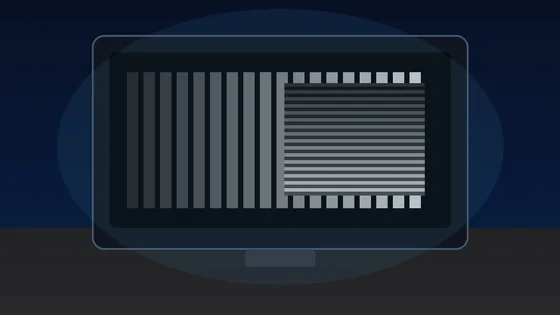
Each block is a 1px alternating black/white grid drawn at the device pixel ratio. On a correctly-scaled monitor with neutral sharpness, every block should look like a uniform mid-grey at arm's length. Visible banding, moire, or shimmer means OS scaling, monitor over-sharpening, or a non-native resolution is interfering with pixel-perfect rendering.
Text clarity at 8 sizes × 3 fonts
Read each block. Small text should remain crisp, not fuzzy. The same paragraph is rendered in serif, sans, and monospace at 12-64 px so you can compare hinting, stem thickness, and grayscale anti-aliasing.
Color fringing detection
Look at the edges of each character. If you see thin red, green, or blue halos along letter strokes, that is chromatic aberration from sub-pixel anti-aliasing on a non-RGB-stripe panel (e.g. RWBG, BGR, OLED PenTile). Black-on-white and white-on-black often render with different sub-pixel hinting.
16px black on white
The quick brown fox jumps over the lazy dog. 0123456789
Sharpness
16px white on black
The quick brown fox jumps over the lazy dog. 0123456789
Sharpness
Aa Bb 0123
Aa Bb 0123
Sub-pixel layout ruler
A 1px wide repeating pattern of pure red, green, blue, and black columns. Lean in close (or use a phone camera macro). On a standard RGB-stripe LCD you should see a clean R-G-B-K stripe; on a BGR panel the order reverses; OLEDs with PenTile arrangement will look mottled. This tells you the pixel layout your monitor uses for sub-pixel anti-aliasing.
Denser RGB+black:
Solid R/G/B reference (helps identify a stuck pixel within a column):
Test de nettete du moniteur est un outil gratuit qui fonctionne directement dans le navigateur. Grille 1px, échantillons de texte et règle des sous-pixels RGB.
- Cout: Gratuit, sans inscription
- Installation: Aucune — fonctionne dans le navigateur
- Confidentialite: Execution locale, aucun envoi de donnees
- Plateformes: Windows, macOS, Linux, Android, iOS
- Duree: Moins d'une minute
Test d'affichage
Test de netteté d'écran en ligne (grille 1px)
Ce test de netteté d'écran gratuit utilise des mires Lagom en grille de 1 pixel, des échantillons de texte, des blocs de frange chromatique et une règle de sous-pixels RVB pour juger à l'œil la finesse de votre moniteur. Il fonctionne directement dans le navigateur, sans installation, avec mode sombre et plein écran.
C'est une aide d'inspection visuelle qui tourne entièrement dans votre navigateur, sans installation ni score chiffré : le résultat dépend de vos yeux, de la distance de vue et des réglages d'affichage (résolution native, netteté de l'OSD).
FAQ
Questions fréquentes sur le test de netteté d'écran