모니터 선명도 테스트
1픽셀 그리드, 텍스트 샘플, RGB 서브픽셀 자. 브라우저에서 바로 실행되며 다운로드나 가입이 필요 없습니다.
Lagom-style sharpness patterns
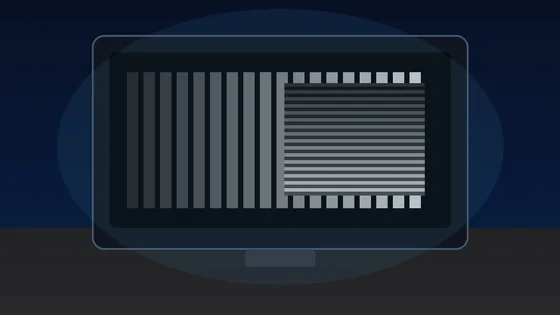
Each block is a 1px alternating black/white grid drawn at the device pixel ratio. On a correctly-scaled monitor with neutral sharpness, every block should look like a uniform mid-grey at arm's length. Visible banding, moire, or shimmer means OS scaling, monitor over-sharpening, or a non-native resolution is interfering with pixel-perfect rendering.
Text clarity at 8 sizes × 3 fonts
Read each block. Small text should remain crisp, not fuzzy. The same paragraph is rendered in serif, sans, and monospace at 12-64 px so you can compare hinting, stem thickness, and grayscale anti-aliasing.
Color fringing detection
Look at the edges of each character. If you see thin red, green, or blue halos along letter strokes, that is chromatic aberration from sub-pixel anti-aliasing on a non-RGB-stripe panel (e.g. RWBG, BGR, OLED PenTile). Black-on-white and white-on-black often render with different sub-pixel hinting.
16px black on white
The quick brown fox jumps over the lazy dog. 0123456789
Sharpness
16px white on black
The quick brown fox jumps over the lazy dog. 0123456789
Sharpness
Aa Bb 0123
Aa Bb 0123
Sub-pixel layout ruler
A 1px wide repeating pattern of pure red, green, blue, and black columns. Lean in close (or use a phone camera macro). On a standard RGB-stripe LCD you should see a clean R-G-B-K stripe; on a BGR panel the order reverses; OLEDs with PenTile arrangement will look mottled. This tells you the pixel layout your monitor uses for sub-pixel anti-aliasing.
Denser RGB+black:
Solid R/G/B reference (helps identify a stuck pixel within a column):
모니터 선명도 테스트은(는) 브라우저에서 바로 실행되는 무료 도구입니다. 1픽셀 그리드, 텍스트 샘플, RGB 서브픽셀 자.
- 비용: 무료, 가입 불필요
- 설치: 필요 없음 — 브라우저에서 실행
- 개인정보: 로컬에서 처리, 업로드 없음
- 지원 환경: Windows, macOS, Linux, Android, iOS
- 소요 시간: 1분 이내
디스플레이 테스트
모니터 선명도 테스트: 픽셀 격자·글자 선명도·서브픽셀 확인
1px 흑백 격자, 여러 크기의 글자 샘플, 색번짐 블록, RGB 서브픽셀 자를 보여 주는 무료 모니터 선명도 테스트입니다. 설치 없이 브라우저에서 바로 실행되며, 다크 모드와 전체 화면 보기를 지원해 디스플레이가 미세한 디테일을 얼마나 또렷하게 재현하는지 눈으로 점검할 수 있습니다. 자동 측정이 아닌 시각적 검사 도구입니다.
모든 패턴은 브라우저 안에서 렌더링되며 데이터를 어디에도 전송하지 않습니다. 점수가 아닌 시각 검사 도구이므로 OS 배율, 비네이티브 해상도, 모니터 OSD 샤프니스 설정의 영향을 함께 고려하세요.
자주 묻는 질문
모니터 선명도 테스트 FAQ