Prueba de nitidez del monitor
Cuadrícula 1px, muestras de texto y regla de subpíxeles RGB. Funciona directamente en el navegador, sin descarga ni registro, con resultados rapidos y enlaces a.
Lagom-style sharpness patterns
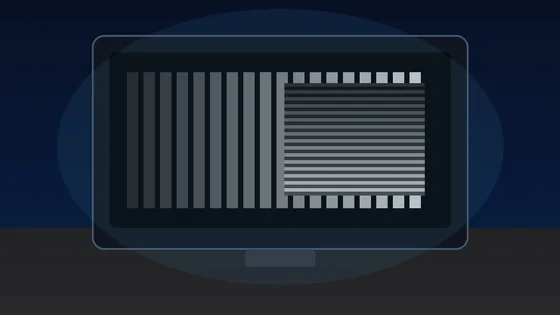
Each block is a 1px alternating black/white grid drawn at the device pixel ratio. On a correctly-scaled monitor with neutral sharpness, every block should look like a uniform mid-grey at arm's length. Visible banding, moire, or shimmer means OS scaling, monitor over-sharpening, or a non-native resolution is interfering with pixel-perfect rendering.
Text clarity at 8 sizes × 3 fonts
Read each block. Small text should remain crisp, not fuzzy. The same paragraph is rendered in serif, sans, and monospace at 12-64 px so you can compare hinting, stem thickness, and grayscale anti-aliasing.
Color fringing detection
Look at the edges of each character. If you see thin red, green, or blue halos along letter strokes, that is chromatic aberration from sub-pixel anti-aliasing on a non-RGB-stripe panel (e.g. RWBG, BGR, OLED PenTile). Black-on-white and white-on-black often render with different sub-pixel hinting.
16px black on white
The quick brown fox jumps over the lazy dog. 0123456789
Sharpness
16px white on black
The quick brown fox jumps over the lazy dog. 0123456789
Sharpness
Aa Bb 0123
Aa Bb 0123
Sub-pixel layout ruler
A 1px wide repeating pattern of pure red, green, blue, and black columns. Lean in close (or use a phone camera macro). On a standard RGB-stripe LCD you should see a clean R-G-B-K stripe; on a BGR panel the order reverses; OLEDs with PenTile arrangement will look mottled. This tells you the pixel layout your monitor uses for sub-pixel anti-aliasing.
Denser RGB+black:
Solid R/G/B reference (helps identify a stuck pixel within a column):
Prueba de nitidez del monitor es una herramienta gratuita que funciona directamente en el navegador. Cuadrícula 1px, muestras de texto y regla de subpíxeles RGB.
- Costo: Gratis, sin registro
- Instalacion: Ninguna — funciona en el navegador
- Privacidad: Se ejecuta localmente, sin subir datos
- Plataformas: Windows, macOS, Linux, Android, iOS
- Tiempo: Menos de un minuto
Calidad de pantalla
Test de nitidez de monitor online y gratis
Comprueba visualmente la nitidez de tu monitor, la claridad del texto, la disposición de subpíxeles y el desbordamiento de color directamente en el navegador. Este test de nitidez de monitor es gratuito y no requiere instalación: muestra patrones de cuadrícula de 1 píxel estilo Lagom, textos de varios tamaños, bloques de fringing de color y una regla de subpíxeles RGB. Es una herramienta de inspección visual, sin puntuación automática, que depende de tus ojos y de la distancia de visión.
Es una ayuda de inspección visual que funciona en el navegador sin registro: no da una puntuación numérica y el escalado del sistema o el ajuste de nitidez del monitor pueden alterar el resultado antes de que el panel tenga la culpa.
Preguntas frecuentes
Dudas sobre el test de nitidez de monitor