اختبار حدة الشاشة
اختبر حدة شاشتك عبر شبكة بكسل بدقة 1px على طراز Lagom وعينات نصية متعددة الأحجام وكتل تداخل الألوان ومسطرة بكسل فرعي RGB، أداة مجانية تعمل في المتصفح دون تنزيل.
Lagom-style sharpness patterns
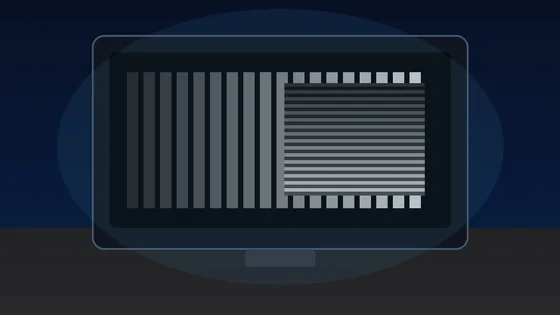
Each block is a 1px alternating black/white grid drawn at the device pixel ratio. On a correctly-scaled monitor with neutral sharpness, every block should look like a uniform mid-grey at arm's length. Visible banding, moire, or shimmer means OS scaling, monitor over-sharpening, or a non-native resolution is interfering with pixel-perfect rendering.
Text clarity at 8 sizes × 3 fonts
Read each block. Small text should remain crisp, not fuzzy. The same paragraph is rendered in serif, sans, and monospace at 12-64 px so you can compare hinting, stem thickness, and grayscale anti-aliasing.
Color fringing detection
Look at the edges of each character. If you see thin red, green, or blue halos along letter strokes, that is chromatic aberration from sub-pixel anti-aliasing on a non-RGB-stripe panel (e.g. RWBG, BGR, OLED PenTile). Black-on-white and white-on-black often render with different sub-pixel hinting.
16px black on white
The quick brown fox jumps over the lazy dog. 0123456789
Sharpness
16px white on black
The quick brown fox jumps over the lazy dog. 0123456789
Sharpness
Aa Bb 0123
Aa Bb 0123
Sub-pixel layout ruler
A 1px wide repeating pattern of pure red, green, blue, and black columns. Lean in close (or use a phone camera macro). On a standard RGB-stripe LCD you should see a clean R-G-B-K stripe; on a BGR panel the order reverses; OLEDs with PenTile arrangement will look mottled. This tells you the pixel layout your monitor uses for sub-pixel anti-aliasing.
Denser RGB+black:
Solid R/G/B reference (helps identify a stuck pixel within a column):
اختبار حدة الشاشة أداة مجانية تعمل مباشرة في المتصفح. اختبر حدة شاشتك عبر شبكة بكسل بدقة 1px على طراز Lagom وعينات نصية متعددة الأحجام وكتل تداخل الألوان ومسطرة بكسل فرعي RGB، أداة مجانية تعمل في المتصفح دون تنزيل.
- التكلفة: مجاني، بدون تسجيل
- التثبيت: لا يلزم — يعمل في المتصفح
- الخصوصية: يعمل محليًا دون رفع ملفات
- الأنظمة: Windows, macOS, Linux, Android, iOS
- الوقت: أقل من دقيقة
اختبار الشاشة
اختبار حدّة الشاشة: وضوح النص والبكسل وتداخل الألوان
اختبار حدّة الشاشة أداة مجانية بصرية تعمل في المتصفح بلا تثبيت، تساعدك على تقييم مدى وضوح شاشتك في إظهار التفاصيل الدقيقة. تعرض شبكة بكسل 1px بأسلوب Lagom وعيّنات نص بأحجام وخطوط مختلفة وكتل لكشف تداخل الألوان ومسطرة للبكسلات الفرعية RGB. إنها أداة فحص بصري بالعين لا تعطي درجة رقمية، مع وضع مظلم وعرض ملء الشاشة.
الأداة تعمل بالكامل في المتصفح بلا تثبيت ولا تسجيل، وهي أداة فحص بصري بالعين لا تعطي درجة رقمية، وقد يتأثّر الناتج بتحجيم النظام أو دقة غير أصلية أو إعداد الحدّة في قائمة الشاشة OSD.
أسئلة شائعة
أسئلة شائعة حول اختبار حدّة الشاشة