Monitor-Schaerfe-Test
1px-Pixelraster, Textproben und RGB-Subpixel-Lineal. Laeuft direkt im Browser ohne Download oder Konto, mit schnellen Ergebnissen und passenden weiteren.
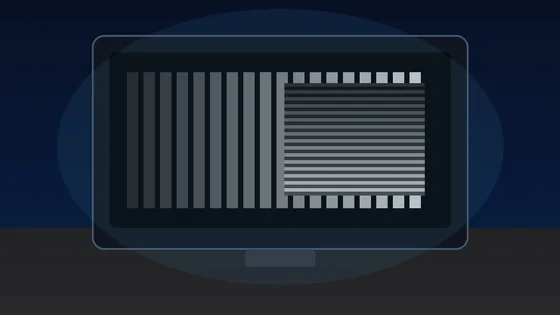
Lagom-style sharpness patterns
Each block is a 1px alternating black/white grid drawn at the device pixel ratio. On a correctly-scaled monitor with neutral sharpness, every block should look like a uniform mid-grey at arm's length. Visible banding, moire, or shimmer means OS scaling, monitor over-sharpening, or a non-native resolution is interfering with pixel-perfect rendering.
Text clarity at 8 sizes × 3 fonts
Read each block. Small text should remain crisp, not fuzzy. The same paragraph is rendered in serif, sans, and monospace at 12-64 px so you can compare hinting, stem thickness, and grayscale anti-aliasing.
Color fringing detection
Look at the edges of each character. If you see thin red, green, or blue halos along letter strokes, that is chromatic aberration from sub-pixel anti-aliasing on a non-RGB-stripe panel (e.g. RWBG, BGR, OLED PenTile). Black-on-white and white-on-black often render with different sub-pixel hinting.
16px black on white
The quick brown fox jumps over the lazy dog. 0123456789
Sharpness
16px white on black
The quick brown fox jumps over the lazy dog. 0123456789
Sharpness
Aa Bb 0123
Aa Bb 0123
Sub-pixel layout ruler
A 1px wide repeating pattern of pure red, green, blue, and black columns. Lean in close (or use a phone camera macro). On a standard RGB-stripe LCD you should see a clean R-G-B-K stripe; on a BGR panel the order reverses; OLEDs with PenTile arrangement will look mottled. This tells you the pixel layout your monitor uses for sub-pixel anti-aliasing.
Denser RGB+black:
Solid R/G/B reference (helps identify a stuck pixel within a column):
Monitor-Schaerfe-Test ist ein kostenloses Tool, das direkt im Browser laeuft. 1px-Pixelraster, Textproben und RGB-Subpixel-Lineal.
- Kosten: Kostenlos, ohne Anmeldung
- Installation: Keine — laeuft im Browser
- Datenschutz: Laeuft lokal, keine Uploads
- Plattformen: Windows, macOS, Linux, Android, iOS
- Dauer: Unter einer Minute
Display-Test
Monitor-Schärfe-Test: Pixelraster & Textschärfe
Der Monitor-Schärfe-Test prüft mit Lagom-artigen 1px-Pixelrastern, Textproben in mehreren Schriftgrößen, Farbsaum-Blöcken und einem RGB-Subpixel-Lineal, wie scharf dein Bildschirm feine Details darstellt. Das kostenlose Tool läuft direkt im Browser, ohne Installation und ohne Anmeldung, mit Dunkelmodus und Vollbild. So erkennst du Skalierungs- und Überschärfungsprobleme rein visuell.
Der Test ist eine visuelle Sicht-Hilfe im Browser ohne Zahlenwert – beachte, dass OS-Skalierung, eine nicht-native Auflösung oder die Schärfe-Einstellung im Monitor-OSD das Ergebnis verfälschen können, bevor das Panel schuld ist.
Häufige Fragen
FAQ zum Monitor-Schärfe-Test