

Best Gaming Mouse 2026: Practical Picks for FPS, Wireless, Budget, and MMO Players
Fast Answer: Best Gaming Mouse 2026
Short answer: the Razer Viper V3 Pro is the safest pro-validated FPS pick in 2026, especially while Razer lists it at $129.99 sale / $159.99 list. The Logitech G PRO X2 SUPERSTRIKE is the most advanced click-tech pick at $179.99, the DeathAdder V4 Pro is the ergonomic flagship at $169.99, and the Logitech G305/G304 remains the budget wireless fallback at $59.99.
- Best overall FPS: Razer Viper V3 Pro - $129.99 sale / $159.99 list.
- Best new click tech: Logitech G PRO X2 SUPERSTRIKE - $179.99.
- Best ergonomic mouse: Razer DeathAdder V4 Pro - $169.99.
- Best safe Logitech shape: Logitech G PRO X SUPERLIGHT 2 DEX - $159.99.
- Best flagship value balance: ASUS ROG Harpe II Ace - $169.99 official estore price.
- Best button-rich all-rounder: Razer Basilisk V3 Pro 35K - $159.99.
- Best budget wireless: Logitech G305 / G304 Lightspeed - $59.99.
- Best MMO option: Razer Naga V2 Pro - $179.99.
Prices are official US vendor prices checked May 12, 2026. Retail sales can change quickly.
Do not buy only from a top-10 list. Buy by hand size, grip, weight tolerance, game type, and whether your PC can actually run high polling rates smoothly.
If you searched for best gaming mouse 2026, you probably saw two kinds of advice: lab-tested review lists and Reddit threads where everyone says "shape is king." Both are useful, but each is incomplete by itself. Lab reviews tell you whether the sensor, click latency, wireless stack, and build quality are real. Community threads tell you what buyers regret after a few weeks: the shape was too wide, the battery is annoying, 8K polling stutters in one game, or the side buttons feel bad.
This guide uses both. I checked current review-lab rankings, ProSettings usage data, Reddit buyer threads, Quora-style beginner questions, and a Google Trends comparison around best gaming mouse, wireless gaming mouse, lightweight gaming mouse, gaming mouse polling rate, and mouse DPI. The result is not a recycled affiliate list. It is a practical buying guide that answers what people actually ask before spending money.
Research, official product images, and official US prices were checked on May 12, 2026. Mouse prices and availability move quickly, so treat price bands as a snapshot, not a permanent promise.
How I Researched This Mouse Guide
I weighted the final recommendations in four layers:
- Pro usage: ProSettings currently lists its mouse guide as based on 2,306 pro players. Its top tracked mice include the Razer Viper V3 Pro, Logitech G Pro X Superlight 2, the older Superlight, DeathAdder V4 Pro, and Logitech G PRO X2 SUPERSTRIKE.
- Testing-lab consensus: RTINGS, PC Gamer, Tom's Hardware, Tom's Guide, and GamesRadar do not agree on one universal winner, which is the correct result. A mouse for MMO buttons is not the same product as a 49 g FPS shell.
- Community sentiment: Reddit threads keep repeating one useful point: fit, hand size, and grip style decide more matches than a headline DPI number. The same threads also show skepticism around 8K polling when it hurts battery life or game smoothness.
- Price and product verification: I checked official US product pages for the main picks and used product-specific vendor images instead of generic setup photos.
- Search intent: Google Trends and Quora-style question research point to the same subtopics: wireless vs wired, light vs comfortable, DPI vs polling rate, best mouse for FPS, and budget picks under a realistic price cap.
Quick Comparison: Which Gaming Mouse Fits You?
| Pick | Official US price checked May 12, 2026 | Best for | Why it makes sense | Watch before buying |
|---|---|---|---|---|
| Razer Viper V3 Pro | $129.99 sale / $159.99 list | FPS, claw/fingertip, esports | Current pro-usage leader in the ProSettings data set, 54 g, 8K-capable, safe symmetrical shape. | Still premium; not an ergonomic palm-rest shape. |
| Logitech G PRO X2 SUPERSTRIKE | $179.99 | Competitive click speed, experimenters | HITS adjustable click actuation and Rapid Trigger-like behavior make it the most technically new mouse here. | Expensive, heavier than extreme ultralight mice, and the click feel will not suit everyone. |
| Razer DeathAdder V4 Pro | $169.99 | Palm/relaxed claw, larger hands | 56 g ergonomic shell, 45K sensor, 8K wired/wireless support, and strong current review consensus. | Large right-handed shape; not for fingertip users who want a low, narrow shell. |
| Logitech G PRO X SUPERLIGHT 2 DEX | $159.99 | Safe shape, long-term reliability | Right-handed Superlight-family shape with HERO 2 sensor, 8K-capable receiver support, and familiar Logitech tuning. | Plain feature set for the price; Logitech G Hub remains a common complaint. |
| ASUS ROG Harpe II Ace | $169.99 | Flagship value balance, claw/fingertip FPS | 48 g, 8K-capable wireless, AimPoint Pro sensor, and a pro-focused shell without feeling overloaded. | ASUS software and shape preference are the main things to check before committing. |
| Razer Basilisk V3 Pro 35K | $159.99 | Mixed gaming, productivity, many buttons | Comfortable right-handed shell, 11 programmable buttons, strong sensor, and a useful wheel. | Too heavy and feature-heavy for pure esports players. |
| Logitech G305 / G304 Lightspeed | $59.99 | Budget wireless | Cheap, proven, replaceable battery, and still recommended when budget matters more than ultralight weight. | Heavier than modern esports mice and not a premium click/sensor platform anymore. |
| Razer Naga V2 Pro | $179.99 | MMO, MOBA, macros | Swappable side plates make it more flexible than a fixed 12-button grid mouse. | Not ideal for low-sensitivity FPS aiming. |
Best Gaming Mouse 2026 Picks
1. Razer Viper V3 Pro - Best Overall FPS Pick
The Razer Viper V3 Pro is the safest recommendation if your main question is "what are serious FPS players actually using?" ProSettings lists it at the top of its May 2026 mouse data with 366 of 2,306 tracked players, or 15.87%. That does not mean every player should copy a pro, but it does prove the shape and performance are accepted at the highest level.
The Viper V3 Pro works because it does not try to be a desk productivity mouse. It is light, symmetrical, simple, fast, and focused. RTINGS also places it near the top of its wireless gaming mouse recommendations, calling out its familiar shape, low latency, and strong sensor behavior. If you use claw or fingertip grip, this is the first high-end mouse I would compare against your current shape.
Buy it if: you play Valorant, CS2, Apex, Overwatch, Fortnite, or Rainbow Six and want a proven lightweight wireless shell. Skip it if: you need a wide palm-rest shape, many side buttons, or a budget price.
2. Logitech G PRO X2 SUPERSTRIKE - Best New Click Technology
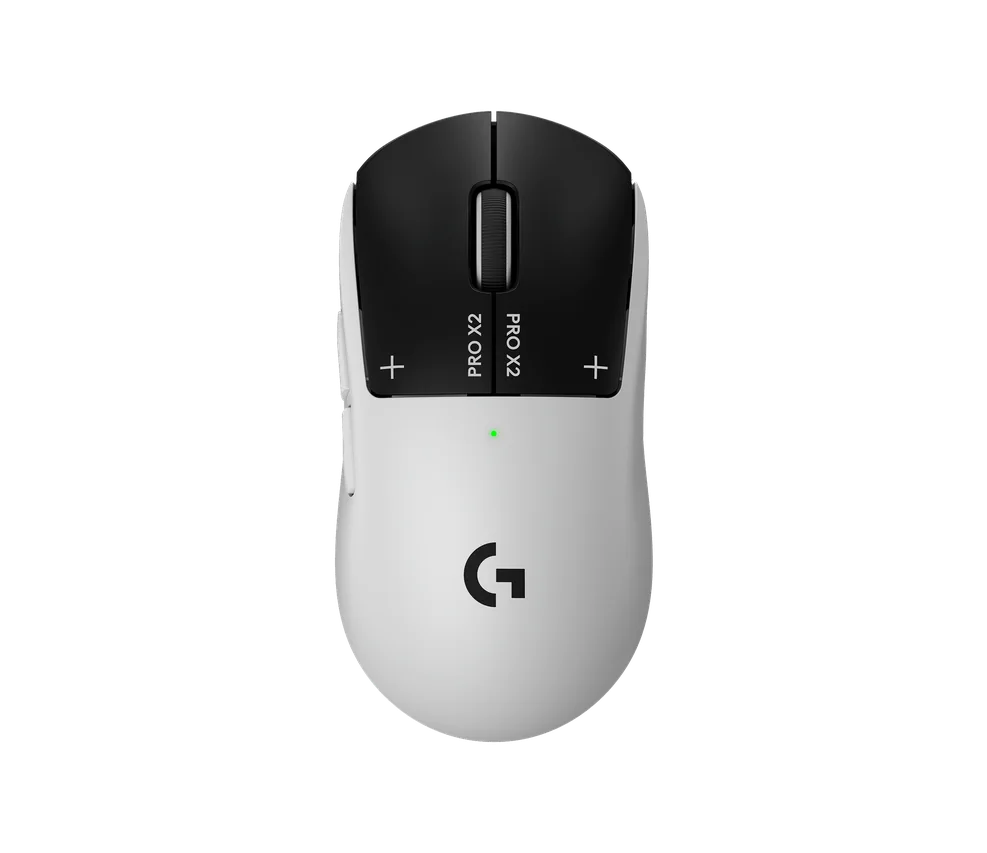
The SUPERSTRIKE is the mouse that actually changes the conversation in 2026. RTINGS ranks it as the best wireless gaming mouse it has tested and highlights its adjustable actuation, haptic click settings, very low click latency, strong sensor performance, and 8K wireless polling. PC Gamer also names it the best competitive gaming mouse and treats the click system as a real generational experiment.
The useful part is not the marketing phrase. It is the ability to tune how early the click registers and how quickly a follow-up click can happen. That matters more in shooters, MOBAs, RTS games, and click-heavy mechanics than in slow single-player games.
Buy it if: you already like the Superlight-style shape and want the most advanced click tuning available. Skip it if: you simply want the lightest possible FPS mouse, because ASUS and Razer have lighter options.
3. Razer DeathAdder V4 Pro - Best Ergonomic Gaming Mouse
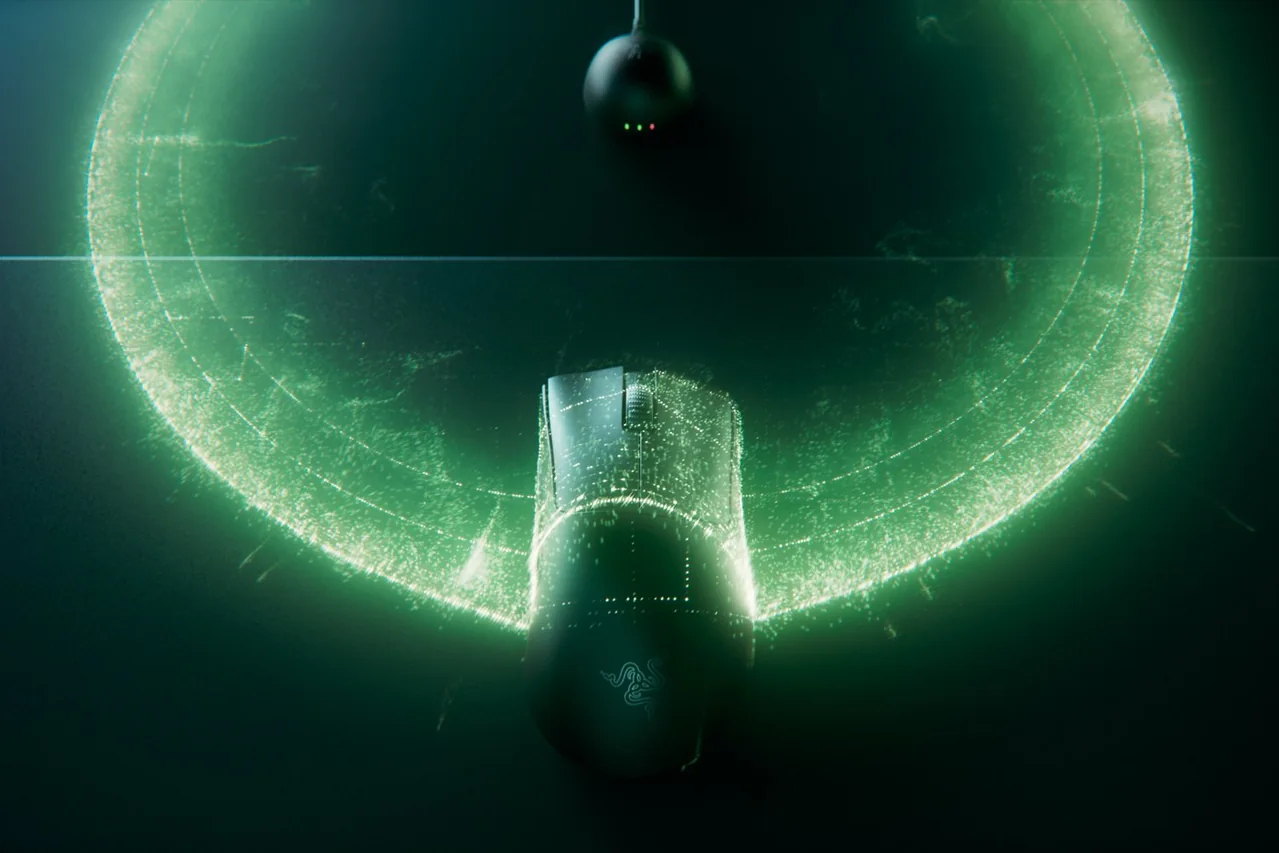
If the Viper shape feels too flat or narrow, the DeathAdder V4 Pro is the right Razer to compare. Razer's support spec sheet lists a 56 g ergonomic shell, Focus Pro 45K optical sensor, optical Gen-4 switches, up to 8,000 Hz polling in wired and wireless modes, and up to 150 hours of battery life at 1,000 Hz. GamesRadar calls it the best gaming mouse overall in its current guide, mainly because it combines flagship speed with a shape many palm and relaxed-claw players already understand.
The tradeoff is simple: it is not a tiny fingertip mouse. It is a right-handed ergonomic shell for players who want more hand support. If your hand cramps on low-profile ambidextrous mice, this is where to look.
Buy it if: you have medium-to-large hands and want a comfortable FPS mouse that still belongs in the flagship tier. Skip it if: you use pure fingertip grip or need a smaller shell.
4. Logitech G PRO X SUPERLIGHT 2 DEX - Best Safe Logitech Shape
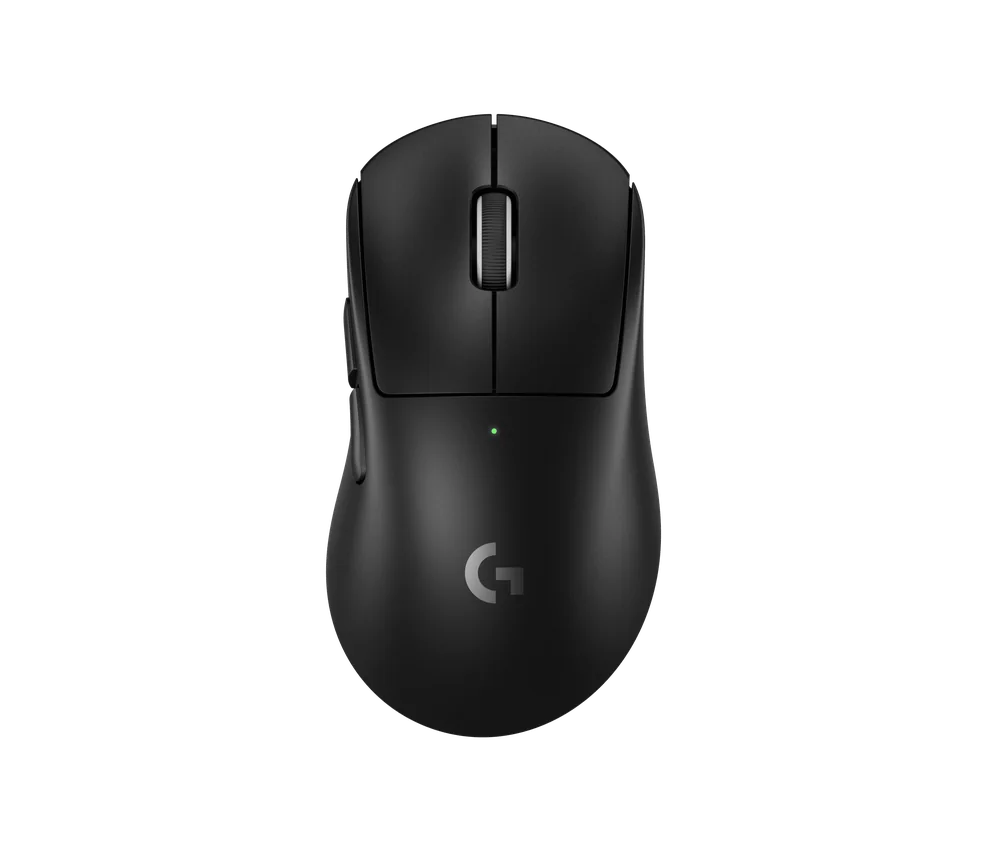
The Superlight line is still everywhere because the shape is boring in the useful way. It is not the newest idea, but it is easy to adapt to, easy to recommend, and easy to resell. ProSettings lists the Superlight 2 as the second most-used mouse in its May 2026 data, and the original Superlight is still third. That kind of staying power matters.
The DEX version is the one to consider if you want a right-handed ergonomic tilt while keeping the Superlight performance family. The standard Superlight 2 remains the safer pick if you want the classic ambidextrous shell, but DEX is easier to explain visually and ergonomically as a distinct 2026 buying choice.
Buy it if: you want a low-risk mainstream esports shape. Skip it if: you expect bold features for the price or dislike Logitech G Hub.
5. ASUS ROG Harpe II Ace - Best Flagship Value Balance
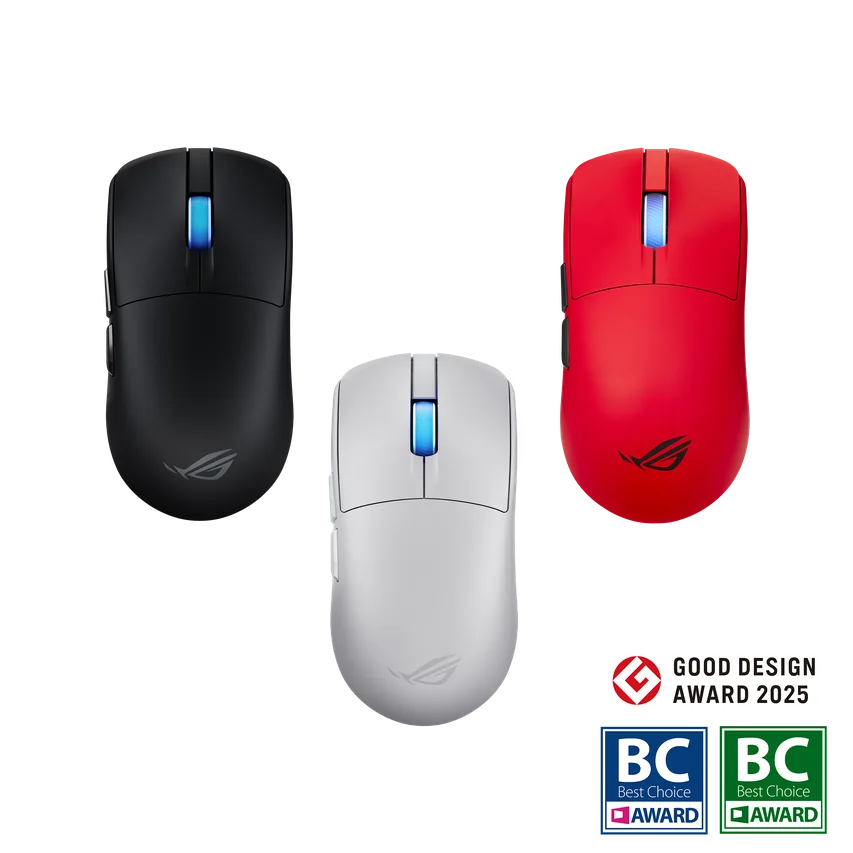
The Harpe II Ace belongs in this buyer guide because it hits the modern FPS checklist without drifting into gimmick territory. ASUS lists a 48 g shell, 8,000 Hz wireless polling support, a 42K AimPoint Pro sensor, and up to 101 hours of battery life at 1,000 Hz with lighting off. The official ASUS estore price I found on May 12, 2026 was $169.99.
This is the pick I would compare when you want a very light flagship, but you do not want to buy only from Razer or Logitech. It is especially sensible for claw and fingertip players who want a simple competitive shell.
Buy it if: you want a modern lightweight FPS mouse with strong specs and a clean shape. Skip it if: you distrust ASUS peripheral software or prefer a fuller palm-grip shell.
6. Razer Basilisk V3 Pro 35K - Best All-Purpose Gaming Mouse
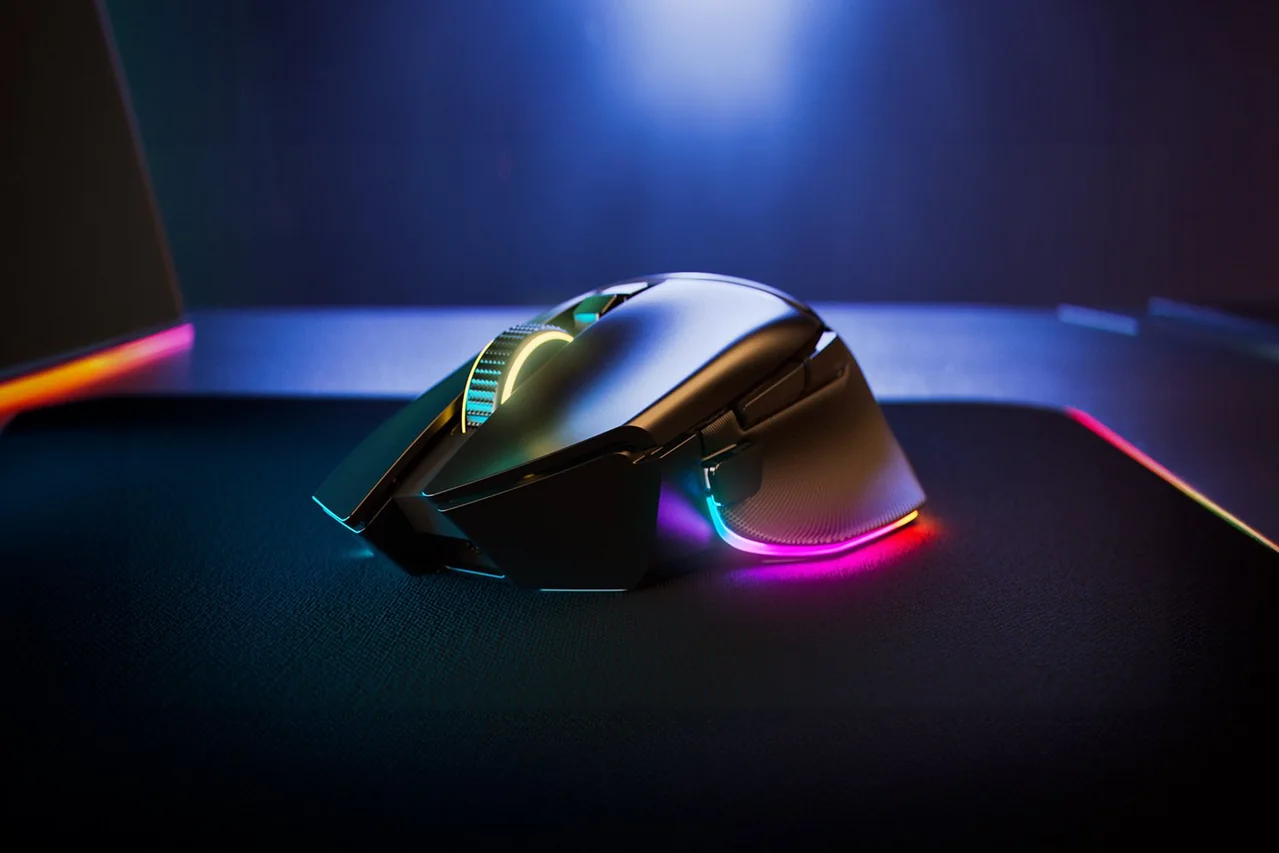
Tom's Hardware names the Razer Basilisk V3 Pro 35K as its best overall gaming mouse, and the reasoning is clear: it is not trying to be the lightest esports shell. It is a comfortable right-handed mouse with 11 programmable buttons, a strong Focus Pro 35K sensor, RGB, and a dual-mode tilt wheel.
That makes it better for mixed gaming than pure FPS. If you play shooters only, the Viper, DeathAdder, Superlight, or Harpe II Ace will make more sense. If you play RPGs, strategy, survival games, productivity work, and casual shooters on one desk, the Basilisk is easier to live with.
Buy it if: you want one button-rich mouse for gaming and work. Skip it if: you are chasing the lightest possible FPS setup.
7. Logitech G305 / G304 Lightspeed - Best Budget Wireless

The G305 is not new, but that is why it remains useful. RTINGS still recommends it as a budget gaming mouse, and Reddit budget threads keep bringing it up when buyers want wireless without premium money. It is heavier than modern ultralight mice because of the AA battery, but it is affordable, proven, and easy to replace.
For a first gaming mouse, the G305 is a better buy than many no-name mice with huge DPI claims. The sensor and wireless are good enough that you can learn what shape and weight you like before buying a premium shell later.
Buy it if: you are moving from an office mouse and want cheap 2.4 GHz wireless. Skip it if: you already know you need under-65 g weight.
8. Razer Naga V2 Pro - Best MMO Mouse
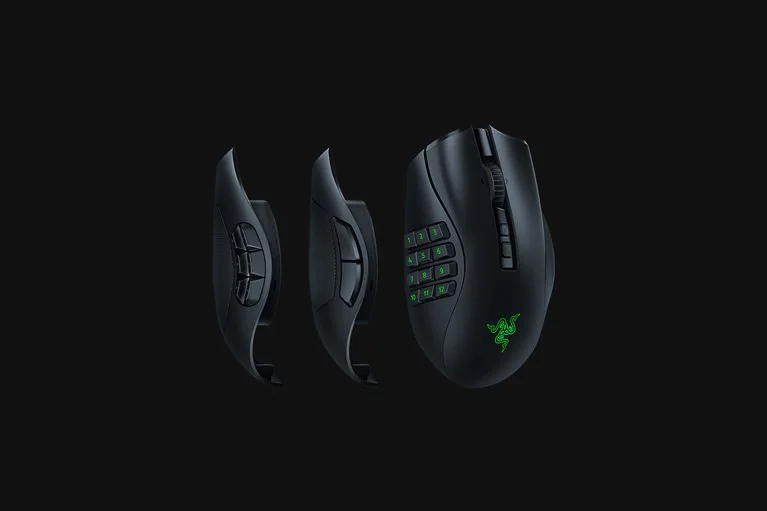
An MMO mouse is a different category. Weight and flick speed matter less than whether your thumb can hit side commands reliably. The Naga V2 Pro makes the main list because it has three swappable side plates, so it can act like a 2-button, 6-button, or 12-button mouse depending on the game.
If you play World of Warcraft, Final Fantasy XIV, Guild Wars 2, ARPGs, or productivity macros, choose a side-button layout that matches your rotation. If you mostly play Valorant or CS2, do not force an MMO mouse into an FPS job.
Grip Style: The Part Reddit Gets Right
The most useful Reddit advice I found was not a product name. It was the repeated point that shape is king. One r/MouseReview thread had a buyer asking whether to focus on sensor specs, wireless, weight, grip, DPI, or polling rate. The top practical answer was that shape and size come first. That lines up with testing-lab advice: a great sensor does not help if your hand never relaxes on the shell.
Polling Rate, DPI, and the 8K Trap
Polling rate is how often the mouse reports position to the computer. A 1000 Hz mouse reports every 1 ms. An 8000 Hz mouse can report every 0.125 ms on paper. That sounds huge until you remember the rest of the chain: mouse firmware, USB or wireless transport, Windows input handling, game engine, frame rate, monitor refresh, and display response.
The right way to think about polling rate in 2026:
- 125 Hz: too low for modern gaming if your mouse supports more.
- 500 Hz: usable, but most gaming mice should run higher.
- 1000 Hz: still the practical default for most players.
- 2000 Hz to 4000 Hz: useful on fast PCs and high-refresh monitors if the game stays smooth.
- 8000 Hz: only worth using if your PC, game, and battery expectations can handle it.
Reddit polling-rate threads show the split clearly. Some users value the smoother input slices. Others report battery drain, frame drops, or no practical improvement. My recommendation is boring but reliable: start at 1000 Hz, test 2000 Hz or 4000 Hz, then keep 8000 Hz only if it feels better and does not hurt 1% lows.
DPI is even more misunderstood. A 50,000 DPI sensor is not telling you to play at 50,000 DPI. Most FPS players are still happier at a normal DPI such as 800 or 1600, then tune in-game sensitivity. High DPI can help saturate high polling at very low movement speeds, but it can also make menus and desktop work annoying if you do not configure profiles carefully. If you are unsure what your current mouse actually runs at, our guide on how to check your mouse DPI walks through measuring it live in the browser.
What I Would Buy by Player Type
- Competitive FPS, no strong shape preference: Razer Viper V3 Pro first, then Logitech Superlight 2 DEX, then ASUS ROG Harpe II Ace if you want a lighter 48 g flagship.
- Large hands or palm grip: Razer DeathAdder V4 Pro first, then a Basilisk if you want more buttons and desk comfort.
- Curious about new click tech: Logitech G PRO X2 SUPERSTRIKE, but only if the price does not hurt.
- Budget wireless: Logitech G305/G304, or a carefully reviewed regional budget mouse if you can return it easily.
- MMO or macro-heavy games: Razer Naga V2 Pro. Do not over-optimize for weight.
- One mouse for work and mixed games: Razer Basilisk V3 Pro 35K.
Test Your Gaming Mouse After Buying It
A mouse can have perfect reviews and still arrive with a bad switch, noisy wheel, weak receiver placement, or wrong software profile. Run these checks before the return window closes:
- Open the Mouse Tester and confirm left click, right click, middle click, scroll up/down, and pointer response.
- Use the Polling Rate Test in wired and 2.4 GHz wireless mode. Compare 1000 Hz vs 4000 Hz or 8000 Hz in the same browser.
- Use the DPI Tester if your sensitivity feels different from your old mouse.
- Run the Ghost Click Detector if a single click sometimes fires twice, and read our double click test guide for the full switch-bounce fix list.
- Use the Input Latency Checker if the mouse feels delayed even when polling looks correct.
- Try the Mouse Trail Visualizer if tracking looks jittery on your mousepad.
Common Buying Mistakes
- Buying only by pro usage: pro data is useful, but a pro's hand size and grip may not match yours.
- Chasing maximum DPI: maximum DPI is mostly marketing once the sensor is already good.
- Forcing 8K polling: test it, but do not keep it if the game stutters or battery life collapses.
- Ignoring receiver placement: a 2.4 GHz dongle under the desk behind a PC case can behave worse than the same dongle on a short extender near the mousepad.
- Buying an FPS mouse for MMO play: six buttons are not enough if your game depends on many thumb commands.
- Keeping a bad shape too long: discomfort is not a skill issue. Return it and try a different shell.
FAQ
What is the best gaming mouse in 2026 overall?
The safest overall pick is the Razer Viper V3 Pro if you want pro-validated FPS performance and a light symmetrical shape. If click technology matters more than weight, the Logitech G PRO X2 SUPERSTRIKE is the most interesting premium option. For larger hands or palm grip, compare the DeathAdder V4 Pro before buying.
Is wireless good enough for competitive gaming in 2026?
Yes, good 2.4 GHz gaming wireless is now good enough for competitive play. Bluetooth is still the wrong choice for serious FPS because latency and power-saving behavior vary more. Test the mouse in its 2.4 GHz mode, keep the receiver close, and compare polling behavior before ranked play.
Does 8000 Hz polling make a gaming mouse better?
It can make motion updates more consistent on a fast PC with a high-refresh monitor, but it is not automatically worth the battery and CPU cost. Most players should start at 1000 Hz or 2000 Hz, then test 4000 Hz or 8000 Hz only if the game remains smooth.
What mouse weight is best for FPS?
For FPS, most players are comfortable somewhere between 45 g and 65 g. Very light mice around 36 g can feel fast for fingertip or claw grip, but shape still matters more than chasing the lowest number.
What DPI should I use with a gaming mouse?
Use a stable DPI you can repeat, commonly 800 or 1600 DPI, then tune in-game sensitivity or eDPI around it. High maximum DPI on a box is not a buying reason by itself. Consistency, sensor behavior, and comfort matter more.
How should I test a gaming mouse after buying it?
Check every button and the scroll wheel, verify polling rate in wired and 2.4 GHz modes, measure DPI if sensitivity feels off, and run a double-click or ghost-click check if the main buttons misfire. Do this before the return window closes.
Sources and Research Notes
- ProSettings.net gaming mouse guide - pro-player usage data checked May 12, 2026.
- RTINGS best gaming mouse 2026 and RTINGS wireless gaming mouse guide - test-lab rankings and latency methodology context.
- PC Gamer best gaming mouse 2026 - competitive mouse picks and SUPERSTRIKE context.
- Tom's Hardware best gaming mouse 2026 - all-purpose and category-based picks.
- GamesRadar best gaming mouse 2026 - DeathAdder V4 Pro, lightweight, and MMO context.
- Razer Viper V3 Pro official product page - price and product image checked May 12, 2026.
- Logitech G PRO X2 SUPERSTRIKE official product page - price and product image checked May 12, 2026.
- Razer DeathAdder V4 Pro official product page - price and product image checked May 12, 2026.
- Logitech G PRO X SUPERLIGHT 2 DEX official product page - price and product image checked May 12, 2026.
- ASUS ROG Harpe II Ace official product page - price, specs, and product image checked May 12, 2026.
- Razer Basilisk V3 Pro 35K official product page - price and product image checked May 12, 2026.
- Logitech G305 Lightspeed official product page - price and product image checked May 12, 2026.
- Razer Naga V2 Pro official product page - price and product image checked May 12, 2026.
- Reddit r/MouseReview buyer thread, 8K polling debate, and wireless mouse buyer thread - community questions and owner sentiment.
- Google Trends comparison - directional query-family check for the article structure.
- Quora search review - used only for recurring buyer-question patterns, not as a technical authority.
Final Recommendation
If you want one mouse for competitive FPS and do not know your exact shape preference yet, start by comparing the Razer Viper V3 Pro and Logitech Superlight 2 shape family. If you palm grip or have larger hands, compare the DeathAdder V4 Pro. If price matters, do not be embarrassed by the G305. A comfortable, consistent mouse beats an expensive mouse that fights your hand.
After buying, test it with the Mouse Tester, Polling Rate Test, and DPI Tester. That gives you real evidence from your own setup instead of trusting the box.



