BlogGaming

Gaming

10 guides

Modern graphics card in a desktop PC while its cooling and sustained performance are checked 5.0 (2) Gaming

RTX 50 Hotspot Temperature Is Back: How to Check for GPU Throttling

July 20, 2026 Nasir A. AwanBy Nasir A. Awan

RTX 50 hotspot readings are back in current monitoring builds. Pair temperature and clocks with a repeatable browser workload before calling an FPS drop thermal throttling.

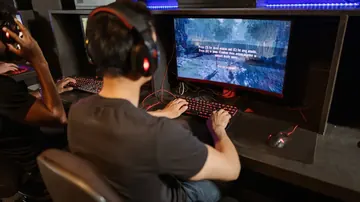
Focused PC gamer at desktop monitors in a gaming venue 5.0 (1) Gaming

How to Make a Circle in Minecraft (Block by Block)

July 16, 2026 Nasir A. AwanBy Nasir A. Awan

Build a clean Minecraft circle block by block. Mirror one quadrant, compare common sizes, and plan towers or spheres with verified block counts in Java or Bedrock.

Gamer comparing how the same field of view looks across two first-person games 5.0 (1) Gaming

Why the Same FOV Feels Different Across Games (HFOV vs. VFOV)

July 11, 2026 Nasir A. AwanBy Nasir A. Awan

The same FOV number can look zoomed in or wider across games because HFOV and VFOV measure different axes, while aspect ratio, 4:3 references, viewmodels, ADS, and camera behavior change the view players perceive.

Player holding a white PS5 controller with both thumbs near the analog sticks in front of a TV 5.0 (3) Gaming

Controller Deadzone Explained: Test Yours, Mask Stick Drift & Find the Right Setting

July 6, 2026 Nasir A. AwanBy Nasir A. Awan

A deadzone is the circle around an analog stick's center where input is ignored. Learn what inner and outer deadzones do, measure the value your stick actually needs with a 10-second browser drift test, use it to mask stick drift, and find where the setting lives in every major game and platform.

Gamer using keyboard and mouse during an actions per minute test 5.0 (1) Gaming

APM Test: Measure Actions Per Minute Without Spamming Keys

June 24, 2026 Nasir A. AwanBy Nasir A. Awan

Run an APM test that measures actions per minute, separates raw APM from useful input speed, and helps gamers improve without keyboard or mouse spam.

Focused gamer in a headset reacting at a PC, checking whether their reaction time is good for gaming 5.0 (2) Gaming

What Is a Good Reaction Time for Gaming? Average ms by Age and How to React Faster

June 21, 2026 Nasir A. AwanBy Nasir A. Awan

What is a good reaction time? Average adult is ~250 ms, good for gaming is under 250 ms, competitive under 200 ms, pro ~150-190 ms. See the age table and test yours.

A seated gamer holding a Sony controller in both hands, about to run a controller polling rate test 5.0 (1) Gaming

Controller Polling Rate Test: Check Your PS5/Xbox Hz (USB vs Bluetooth)

June 18, 2026 Nasir A. AwanBy Nasir A. Awan

Run a controller polling rate test online for PS5, Xbox, Switch and PC. See real Hz tiers, why USB beats Bluetooth, and what the browser reading actually measures.

Focused gamer at a desk during an aim trainer session, checking whether their mouse accuracy score is good 5.0 (1) Gaming

What Is a Good Aim Trainer Score? Average ms-per-Target, Hit % and Pixel Error

June 15, 2026 Nasir A. AwanBy Nasir A. Awan

What is a good aim trainer score? Average is ~450-550 ms per target, good is 300-400 ms, elite is under 250 ms. See hit-% and pixel-error tiers, then test yours.

Phone gyroscope test showing alpha beta gamma values and a no-app browser check 5.0 (2) Gaming

Does My Phone Have a Gyroscope? Test It in 10 Seconds (No App)

June 11, 2026 Nasir A. AwanBy Nasir A. Awan

Does my phone have a gyroscope? Rotate your phone in a browser test, read alpha beta gamma values, and separate missing hardware from blocked permissions, PUBG/CODM gyro settings, and Pokemon GO AR issues.

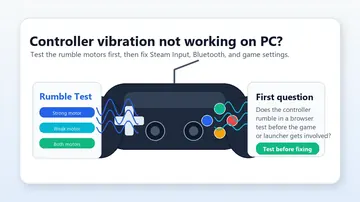
Controller vibration test showing rumble motor checks before fixing PC gamepad settings 4.3 (3) Gaming

Controller Vibration Not Working on PC? Test & Fix Rumble

June 11, 2026 Nasir A. AwanBy Nasir A. Awan

Controller vibration not working on PC? Test weak and strong rumble motors, then fix Steam Input, Xbox Accessories, DualSense audio, Bluetooth, and game settings in the right order.

Windows app

KeyboardTester.click is available from Microsoft Store

Install the official Windows app shortcut, or keep using the same free testing tools in your browser.

Download from Microsoft Store Download from Microsoft Store