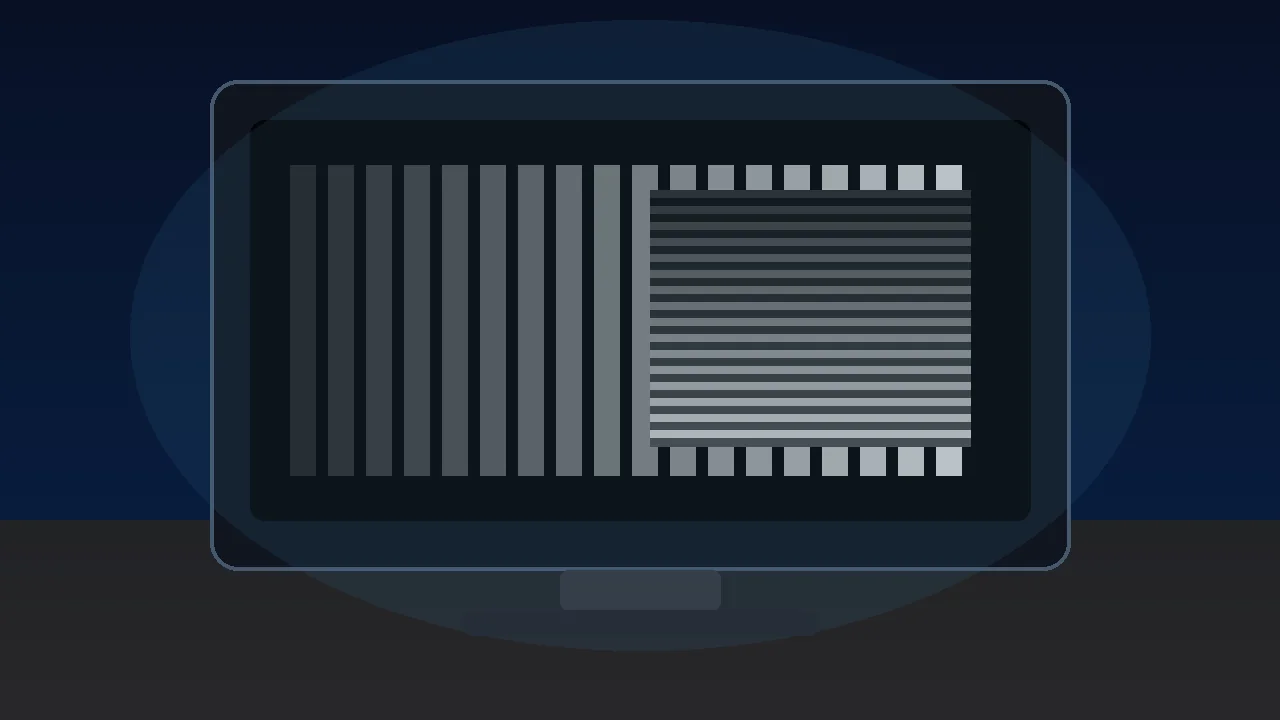

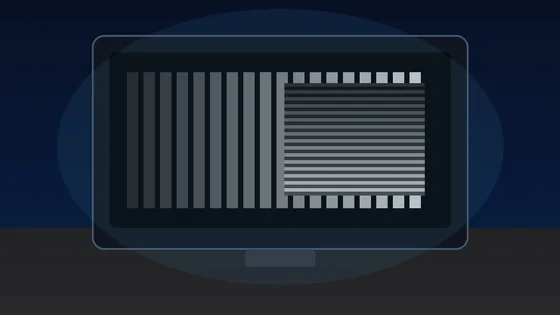




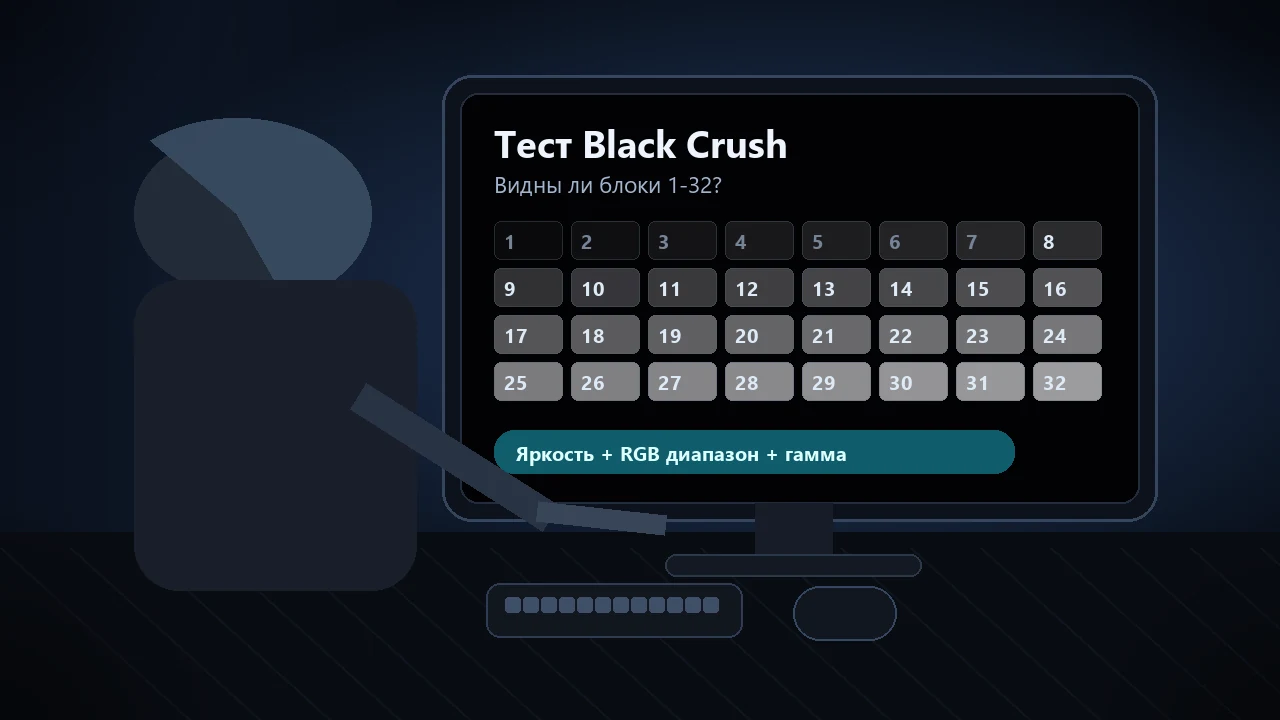
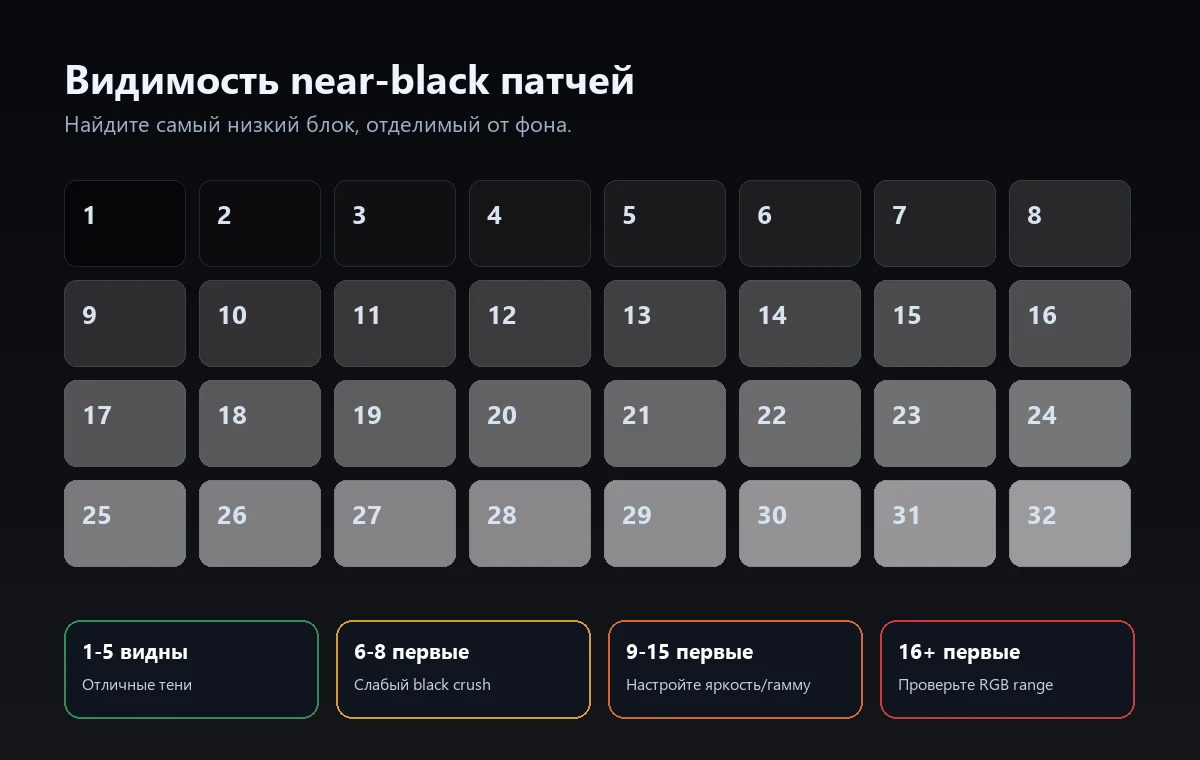
Коротко: Откройте тест уровня черного в затемненной комнате и найдите самый низкий номер патча, который отделяется от фона. Если 1-5 исчезают, а 6-8 видны, это слабый black crush. Если первым виден 9-15, проверьте яркость, HDMI black level, RGB range и гамму. Если виден только 16+, вероятна серьезная ошибка Full vs Limited или слишком агрессивная настройка OLED/HDR.
Black crush означает, что тёмные детали обрезаются и сливаются в один плоский чёрный. Это заметно в ночных сценах, тёмной одежде, пещерах и HDR-контенте на OLED, когда детали в тенях просто исчезают. В руководстве показано, как запустить тест, прочитать результат и по порядку исправить настройки до вывода о неисправности монитора.
Как запустить тест Black Crush
Сначала используйте один контрольный тест. Не настраивайте ползунки теней в играх, пока монитор не показывает темные патчи правильно в SDR.
- Откройте тест уровня чёрного: Разверните тест на весь экран и дайте глазам 30–60 секунд на адаптацию. Комната должна быть затемнённой, но не полностью тёмной.
- Оставьте обычные настройки просмотра: Используйте привычную яркость, режим SDR и тот вход, через который вы смотрите фильмы или играете. Для первого прохода отключите динамическую контрастность и агрессивные режимы подсветки теней.
- Найдите первый видимый патч: Определите патч с наименьшим номером, который едва отделяется от фона. Прищуривание, просмотр под углом или слишком яркое освещение делают результат менее точным.
- Меняйте по одной настройке: Отрегулируйте яркость, уровень чёрного HDMI, выходной диапазон видеокарты или гамму и повторите тот же тест. Остановитесь, когда патчи 2–5 едва заметны, но не исчезают полностью.
Как читать результат
Первые темные патчи не должны светиться. Они должны едва отделяться от фона, без серой дымки на всем экране.
| Первый видимый патч | Что это обычно означает | Что делать дальше |
|---|---|---|
| 1-3 | Отличная различимость теней; если чёрный выглядит серым, яркость может быть немного завышена. | Сравните результат с тестом диапазона RGB, чтобы не поднять уровень чёрного слишком сильно. |
| 4-5 | Норма или лёгкий black crush для многих мониторов, особенно в ярко освещённой комнате. | Для большинства задач это приемлемо, если в тёмных сценах сохраняется фактура. |
| 6-8 | Лёгкий black crush: самые тёмные градации скрыты. | Поднимите яркость на один-два шага, проверьте гамму и повторите тест. |
| 9-15 | Умеренный black crush: в играх и фильмах теряются детали в тенях. | Сначала проверьте уровень чёрного HDMI и соответствие Full/Limited RGB на видеокарте. |
| 16+ | Сильная потеря деталей или несоответствие диапазонов: большая часть тёмных оттенков обрезана. | Сбросьте режим изображения, согласуйте диапазон RGB и повторно проверьте SDR до настройки HDR. |
Порядок исправления black crush
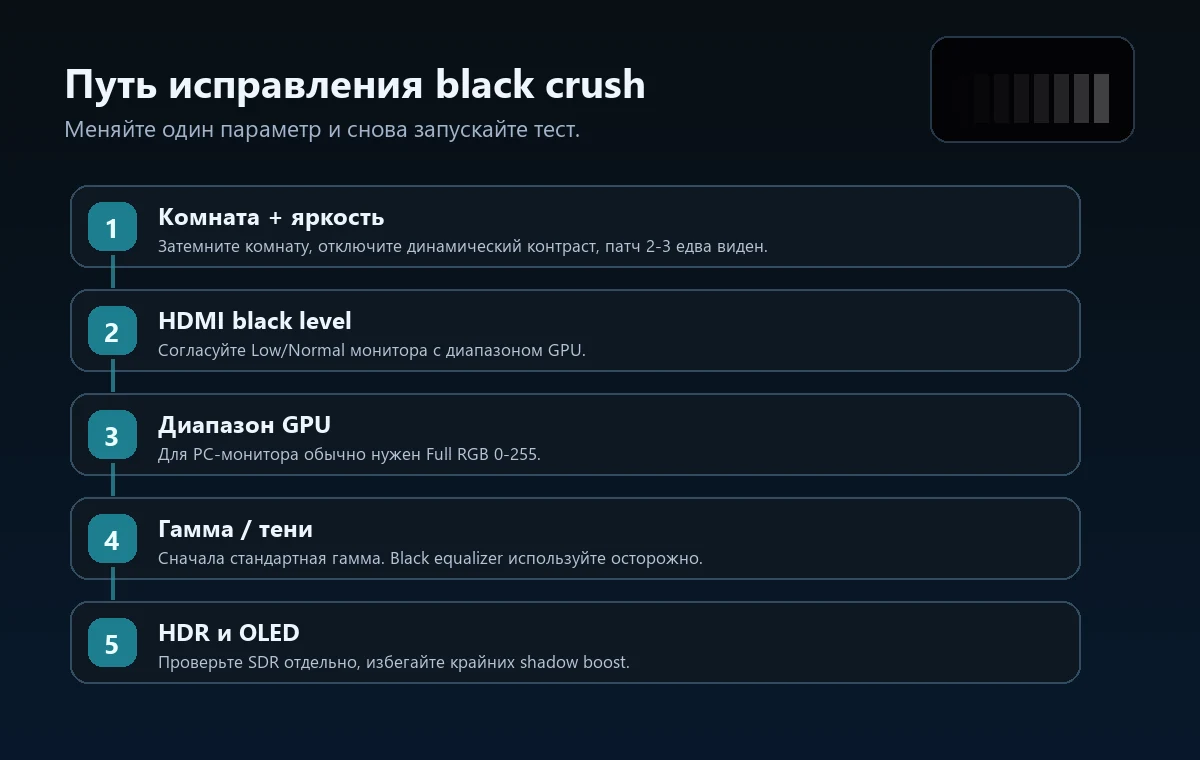
Меняйте по одной настройке и снова запускайте тест. Переходите дальше только если низкие патчи все еще пропадают.
Повышайте яркость, пока патч 2 или 3 не начнёт едва отделяться от чёрного, затем остановитесь. Если чёрный стал серым, яркость завышена или диапазон RGB не совпадает.
В меню монитора параметр может называться «Низкий», «Обычный», Limited, Full или «Уровень чёрного». Согласуйте его с настройкой видеокарты, а не выбирайте наугад.
Для компьютерного монитора обычно подходит Full RGB 0–255. Если одна сторона использует Limited 16–235, а другая Full, тени будут провалены либо чёрный станет серым.
Сначала выберите стандартное целевое значение гаммы. Высокая гамма затемняет полутона и тени; низкая раскрывает детали, но может сделать изображение плоским.
Сначала настройте SDR. Затем выставьте точку чёрного HDR и яркость в игре так, чтобы тестовый логотип был едва, а не отчётливо виден.
Если ничего не помогает, проверьте режим Standard или sRGB, отключив локальное затемнение, динамическую и ИИ-контрастность, а также стабилизатор чёрного.
OLED, HDR, VRR и стабилизатор чёрного
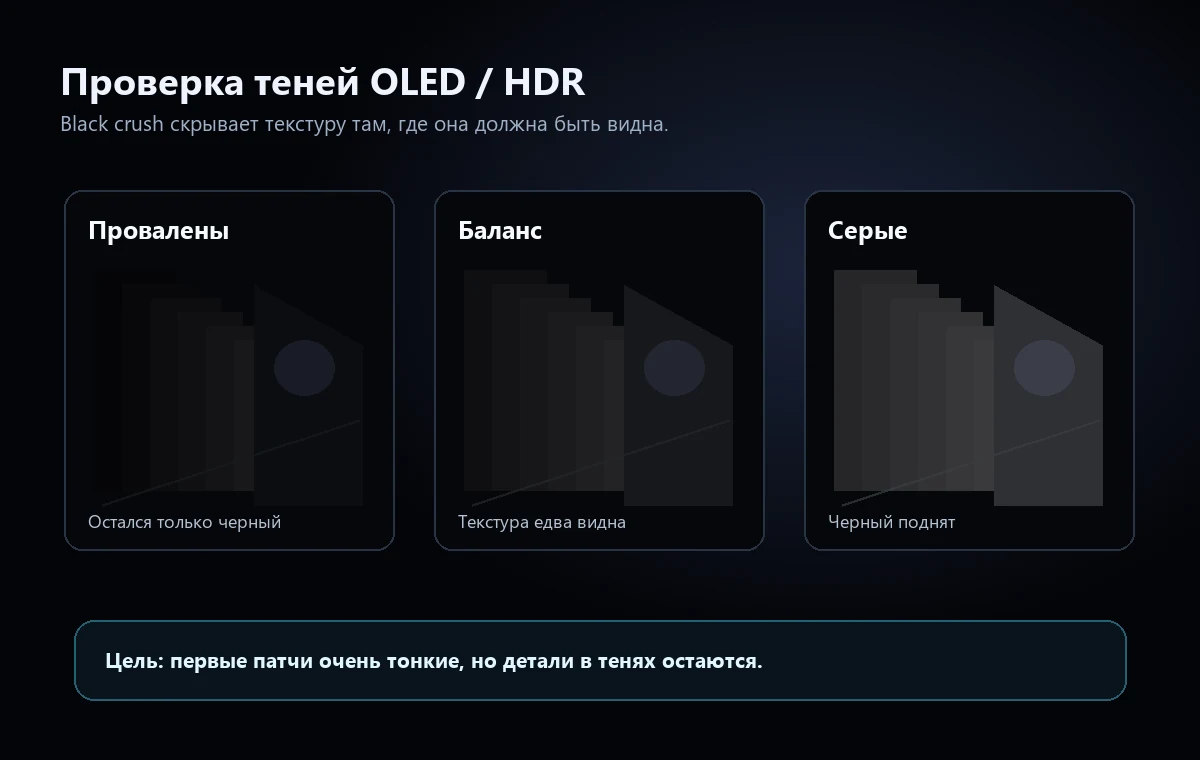
На OLED настоящий чёрный очень глубокий, поэтому ошибки в почти чёрных оттенках заметнее. Тональное отображение HDR, гамма, VRR и стабилизатор чёрного могут скрывать детали в тенях.
На OLED пиксель для настоящего чёрного выключается, поэтому переход к первой видимой градации может быть резким. Из-за этого ошибки калибровки near-black особенно заметны.
HDR может сжимать детали в тенях, если настройки Windows HDR, консоли и игры не согласованы. Сначала проверьте SDR, затем настраивайте HDR.
На некоторых мониторах обработка почти чёрных оттенков меняется при включении VRR или эквалайзера чёрного. Проверьте изображение с функцией и без неё.
Если детали пропадают только в одной области, дополнительно запустите тест равномерности экрана. Если всё изображение обрезается одинаково, вероятнее проблема в настройках.
Провал в чёрном или серый чёрный
Black crush и серый, выцветший чёрный — противоположные проблемы. В первом случае тёмные градации сливаются с чёрным, во втором уровень чёрного поднимается до серого. Чтобы не применить неверное исправление, проверяйте уровень чёрного и диапазон RGB отдельно.
| Симптом | Что видно | Вероятное решение |
|---|---|---|
| Провал в чёрном | Патчи с низкими номерами сливаются с чёрным фоном. | Немного поднимите яркость, согласуйте Full/Limited, уменьшите слишком высокую гамму и сбросьте стабилизатор чёрного. |
| Выцветший чёрный | Чёрный фон выглядит серым или затуманенным. | Исправьте несоответствие Full/Limited, снизьте яркость, проверьте HDR, локальное затемнение и отражения в комнате. |
| Засветка / свечение | Углы или края заметно светлее центра. | Используйте тест равномерности или руководство по засветке: настройками нельзя полностью убрать физическую засветку панели. |
Начните с теста уровня чёрного. Если патчи отображаются правильно, но чёрный всё равно выглядит неверно, прежде чем менять настройки во всех играх, запустите тест диапазона RGB и тест гаммы монитора. Полный порядок проверки гаммы 2,2 приведён в руководстве по тесту гаммы; меняйте только один уровень настроек за раз.
Видео: black crush на OLED и способы исправления
В видео показано, почему обработка почти чёрных оттенков на OLED может скрывать детали в тенях и как выглядят симптомы, которые помогает выявить этот тест.
Источники и заметки
Эти материалы подтверждают методику теста, правила чтения почти чёрных патчей и рекомендуемый порядок настройки. Результат зависит от типа панели, калибровки, драйвера видеокарты и освещения в комнате.
- TFTCentral — black crush и детали в тенях на OLEDОбъясняет, почему обработка почти чёрных оттенков на OLED может скрывать детали и как это проверить.
- Тест монитора EIZOБезопасные браузерные шаблоны для гаммы, градаций серого и уровня чёрного.
- Уровни чёрного Blur Busters TestUFOБраузерный эталон для проверки видимости тёмных патчей.
- KTC — причины black crushПрактический разбор настроек уровня чёрного, яркости и гаммы, которые вызывают потерю теней.
- Обсуждение black crush в Reddit OLED GamingРеальные примеры чтения почти чёрных патчей на современных игровых OLED-дисплеях.
- Тест уровня чёрного KeyboardTester.clickВнутренний тест, который используется в этом руководстве.
Связанные инструменты
Посчитайте почти чёрные патчи и проверьте, обрезаются ли детали в тенях.
Тест диапазона RGBНайдите несоответствие Full и Limited RGB, из-за которого чёрный проваливается или становится серым.
Тест гаммы монитораПроверьте, не делает ли гамма тени слишком тёмными или чрезмерно плоскими.
Тест равномерности экранаОтделите неравномерность панели от общих настроек уровня чёрного.
Связанные руководства
Используйте это руководство, если чёрный поднят, контрастность затуманена или изображение выглядит выцветшим.
Тест выгорания OLEDПроверьте временное остаточное изображение и постоянное выгорание отдельно от black crush.
Руководство по засветкеОпределите угловую засветку, IPS glow и дефекты, из-за которых стоит вернуть монитор.
Тест гостинга монитораНастройте разгон матрицы после правильной установки уровня чёрного.
Частые вопросы
- Что такое black crush?Это обрезание почти черных оттенков в чистый черный. Вместо отдельных теней вы видите одну темную область без деталей.
- Как понять, есть ли black crush?Запустите тест уровня черного и посмотрите первый видимый патч. Если первый видимый номер 9 или выше, экран скрывает важные детали в тенях.
- Нужно ли просто поднять яркость?Поднимайте яркость только до едва видимых первых патчей. Если черный стал серым, проверьте HDMI black level и Full/Limited RGB.
- Black crush нормален для OLED?Некоторые OLED сложнее обрабатывают почти чёрные оттенки, но сильную потерю деталей игнорировать не стоит. Сначала проверьте SDR, затем HDR и настройки игры.
- Заменяет ли браузерный тест калибровку?Нет. Это практическая диагностика, а не измерение колориметром. Но она быстро показывает, обрезает ли текущая цепочка темные оттенки.
- Чем black crush отличается от выцветшего чёрного?При black crush несколько тёмных градаций превращаются в чистый чёрный и детали исчезают. При выцветшем чёрном весь уровень чёрного поднимается и выглядит серым. Решения различаются, поэтому проверьте и уровень чёрного, и диапазон RGB.
Начните с теста уровня чёрного. Если патчи отображаются правильно, но чёрный всё равно выглядит неверно, прежде чем менять настройки во всех играх, запустите тест диапазона RGB и тест гаммы монитора. Полный порядок проверки гаммы 2,2 приведён в руководстве по тесту гаммы; меняйте только один уровень настроек за раз.