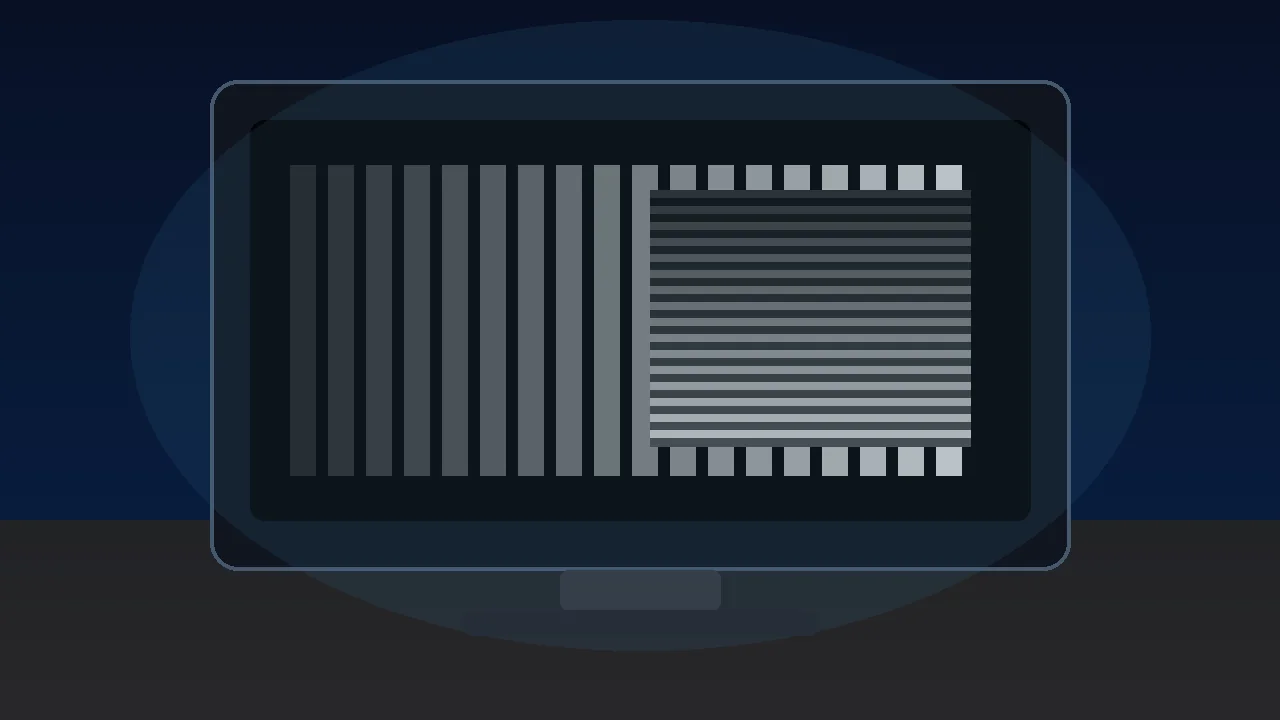

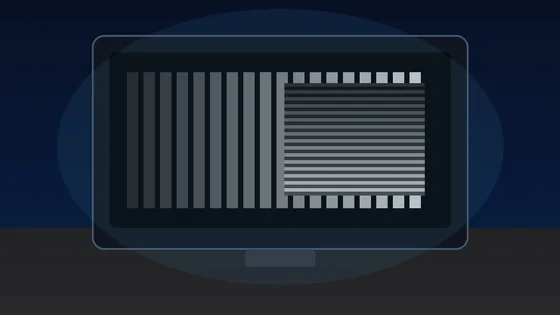



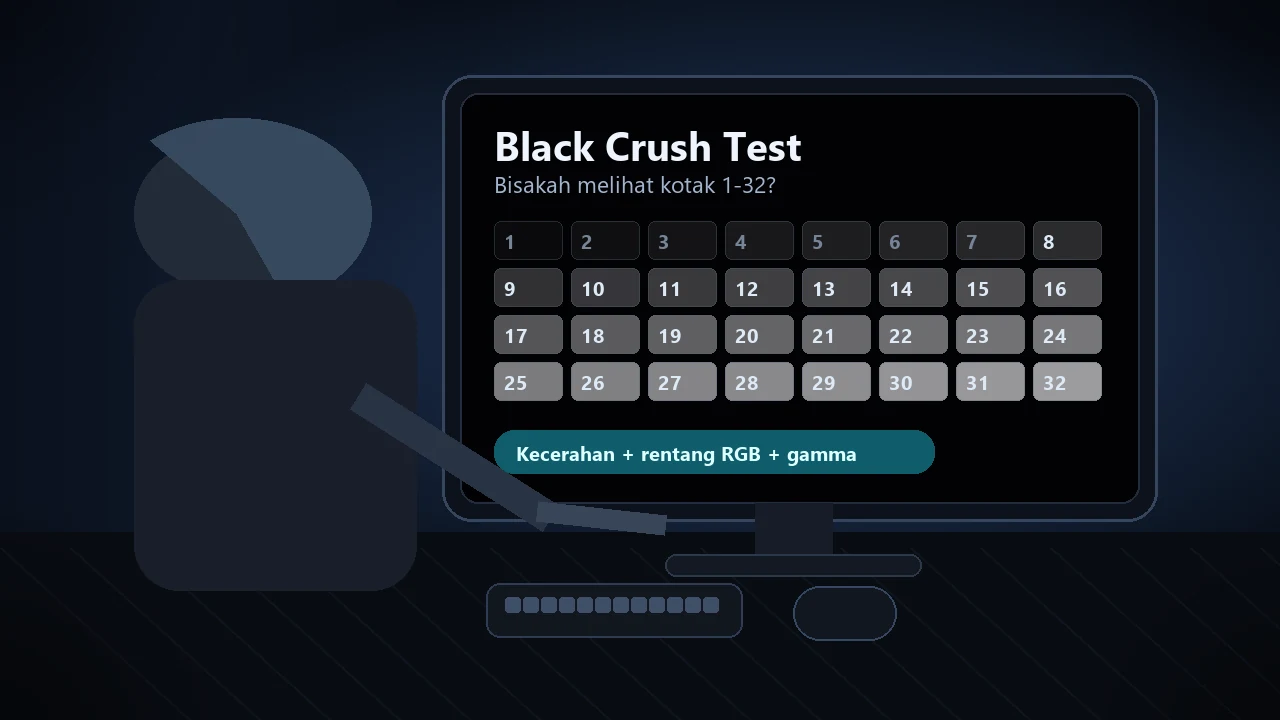
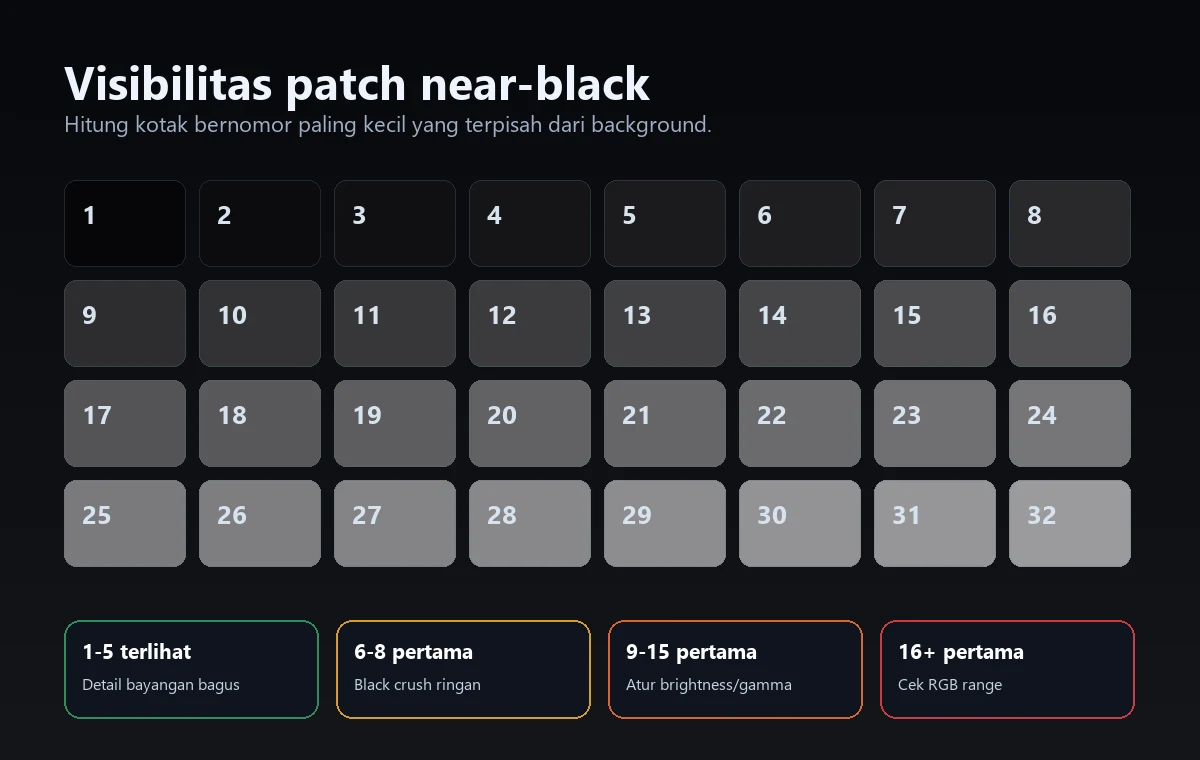
Jawaban cepat: Buka Black Level Test di ruangan redup dan cari kotak bernomor paling kecil yang bisa dibedakan dari background. Jika 1-5 hilang tetapi 6-8 terlihat, black crush masih ringan. Jika yang pertama terlihat 9-15, atur brightness, HDMI black level, RGB range, dan gamma. Jika hanya 16+ yang terlihat, curigai mismatch Full vs Limited atau setting OLED/HDR yang terlalu agresif.
Black crush terjadi ketika detail gelap dipotong menjadi hitam rata. Gejalanya terlihat di adegan malam, game horor, baju gelap, gua, atau konten OLED HDR saat detail bayangan hilang. Panduan ini menunjukkan cara tes, membaca hasil, dan memperbaiki setting secara berurutan sebelum menganggap monitor rusak.
Cara Menjalankan Black Crush Test
Gunakan satu tes terkontrol lebih dulu. Jangan mengutak-atik slider shadow di game sebelum monitor bisa menampilkan patch near-black dengan benar di SDR.
- Buka tes level hitam: Jalankan pemeriksa black level dalam layar penuh, lalu biarkan mata beradaptasi selama 30–60 detik. Redupkan ruangan, tetapi jangan membuatnya gelap total.
- Gunakan pengaturan menonton biasa: Pakai brightness, mode SDR, dan input yang biasanya digunakan untuk game atau film. Matikan dynamic contrast dan mode black stabilizer yang ekstrem pada pengujian pertama.
- Cari patch pertama yang terlihat: Temukan kotak bernomor paling rendah yang hanya sedikit terpisah dari background. Menyipitkan mata, melihat dari samping, atau membuat ruangan terlalu terang akan mengurangi kegunaan hasil.
- Ubah satu pengaturan setiap kali: Atur brightness, HDMI black level, rentang output GPU, atau gamma, lalu ulangi tes yang sama. Berhenti saat patch 2–5 tampak samar tetapi tidak hilang sepenuhnya.
Cara Membaca Hasil
Patch near-black tidak harus terang. Yang dicari adalah pemisahan yang sangat tipis dari background, bukan layar hitam yang berubah abu-abu.
| Kotak pertama yang terlihat | Arti yang biasanya | Langkah berikutnya |
|---|---|---|
| 1-3 | Detail bayangan sangat baik; jika hitam tampak abu-abu, brightness mungkin sedikit terlalu tinggi. | Bandingkan dengan tes rentang RGB agar level hitam tidak terangkat berlebihan. |
| 4-5 | Normal atau black crush ringan pada banyak monitor, terutama di ruangan terang. | Masih baik untuk kebanyakan penggunaan jika tekstur dalam adegan gelap tetap terlihat. |
| 6-8 | Black crush ringan; tingkat bayangan paling gelap mulai tersembunyi. | Naikkan brightness satu atau dua tingkat, periksa gamma, lalu tes ulang. |
| 9-15 | Black crush sedang; game dan film akan kehilangan detail bayangan. | Periksa HDMI black level dan kecocokan Full/Limited RGB pada GPU terlebih dahulu. |
| 16+ | Black crush berat atau rentang tidak cocok; banyak detail gelap terpotong. | Reset mode gambar, samakan rentang RGB, lalu uji SDR lagi sebelum HDR. |
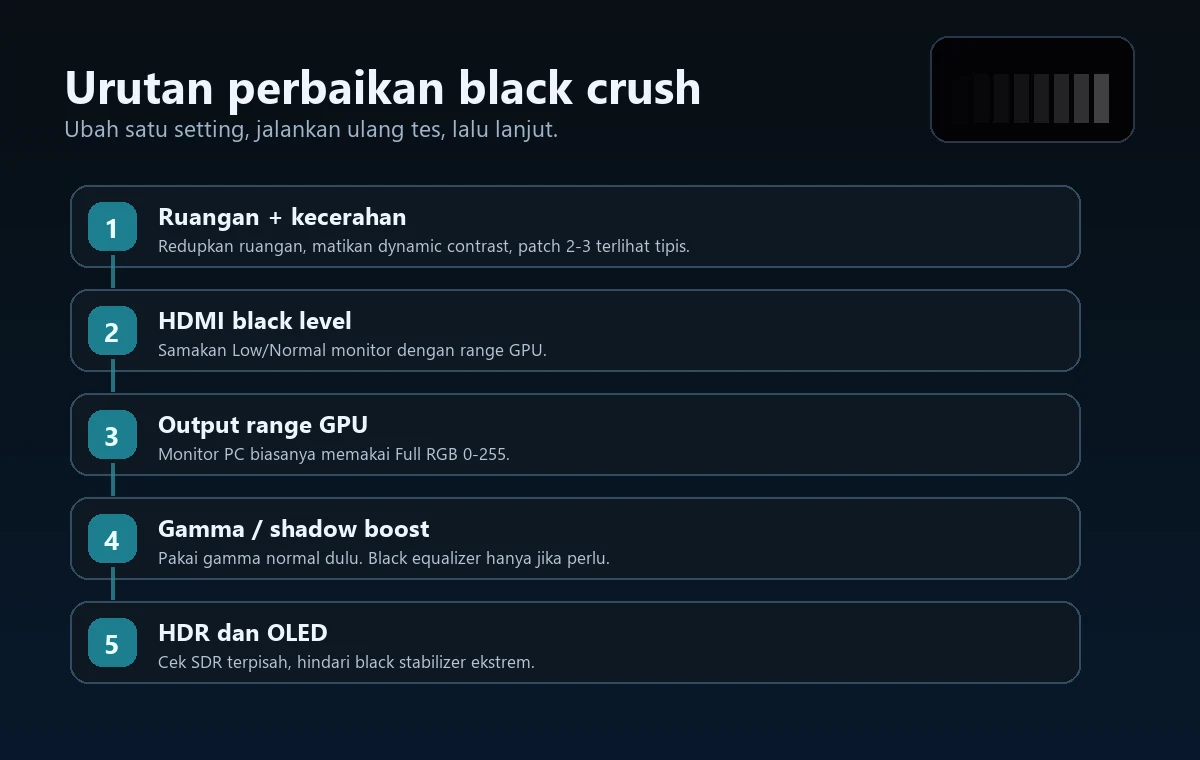
Urutan Perbaikan Black Crush
Ubah satu setting, jalankan ulang tes, lalu lanjut hanya jika patch nomor rendah masih hilang.
Naikkan brightness sampai patch 2 atau 3 hanya sedikit terpisah dari hitam, lalu berhenti. Jika hitam berubah abu-abu, brightness terlalu tinggi atau rentang RGB tidak cocok.
Menu monitor dapat menamainya Low, Normal, Limited, Full, atau Black Level. Samakan dengan pengaturan GPU, jangan menebak.
Untuk monitor PC, Full RGB 0–255 biasanya paling sesuai. Jika satu sisi memakai Limited 16–235 dan sisi lain Full, bayangan bisa terpotong atau hitam terlihat pudar.
Mulai dengan target gamma standar. Gamma tinggi menggelapkan midtone dan bayangan; gamma rendah membuka detail tetapi dapat membuat gambar tampak datar.
Kalibrasi SDR lebih dulu. Setelah itu, atur black point HDR dan brightness game agar logo kalibrasi hanya sedikit terlihat, bukan terlihat jelas.
Jika belum berhasil, uji mode Standard atau sRGB dengan local dimming, dynamic contrast, AI contrast, dan black stabilizer dimatikan.
OLED, HDR, VRR, dan Black Stabilizer
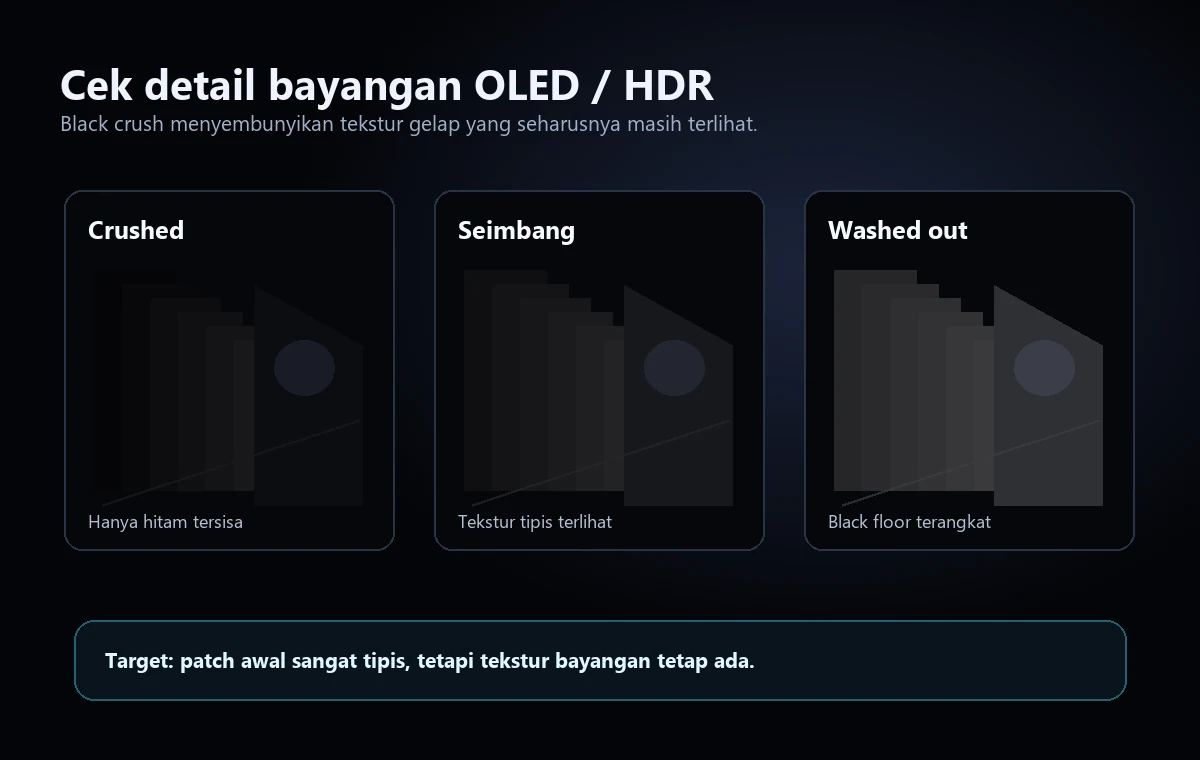
OLED membuat masalah near-black lebih mudah terlihat karena hitamnya sangat dalam. HDR tone mapping, gamma, VRR, dan black stabilizer bisa menyembunyikan detail bayangan jika terlalu agresif.
Pada OLED, piksel mati untuk menghasilkan hitam murni sehingga lompatan dari hitam ke tingkat pertama yang terlihat bisa mendadak. Karena itu, kalibrasi near-black yang buruk mudah dikenali.
HDR dapat menekan detail gelap ketika pengaturan Windows HDR, HDR konsol, dan slider game tidak selaras. Periksa SDR lebih dulu, lalu atur HDR.
Sebagian monitor mengubah perilaku near-black saat VRR atau black equalizer aktif. Tes ulang dengan mode tersebut hidup dan mati.
Jika hanya satu area kehilangan detail bayangan, jalankan juga tes keseragaman layar. Jika seluruh gambar terpotong merata, pengaturan lebih mungkin menjadi penyebabnya.
Black Crush vs Hitam Terlihat Abu-abu
Black crush dan hitam yang tampak abu-abu adalah dua masalah yang berlawanan. Yang pertama memotong detail menjadi hitam, sedangkan yang kedua mengangkat level hitam menjadi abu-abu. Agar tidak menerapkan perbaikan yang salah, uji black level dan rentang RGB secara terpisah.
| Gejala | Yang terlihat | Perbaikan yang mungkin |
|---|---|---|
| Black crush | Patch bernomor rendah menghilang ke dalam hitam. | Naikkan brightness dengan hati-hati, samakan Full/Limited, kurangi gamma yang agresif, dan reset black stabilizer. |
| Hitam pudar | Background hitam tampak abu-abu atau berkabut. | Perbaiki ketidakcocokan Full/Limited, turunkan brightness, lalu periksa HDR, local dimming, dan pantulan ruangan. |
| Kebocoran cahaya / glow | Sudut atau tepi tampak lebih terang daripada bagian tengah. | Gunakan tes keseragaman layar atau panduan backlight bleed; pengaturan tidak dapat menghapus kebocoran cahaya panel sepenuhnya. |
Mulai dengan tes level hitam. Jika patch sudah benar tetapi warna hitam masih tampak keliru, jalankan tes rentang RGB dan tes gamma monitor sebelum mengubah semua pengaturan game. Untuk alur pembacaan gamma 2,2 secara lengkap, gunakan panduan tes gamma monitor dan ubah satu lapisan pengaturan layar setiap kali.
Video: Black Crush OLED dan Cara Memperbaikinya
Video ini menjelaskan mengapa pemrosesan near-black pada OLED dapat menyembunyikan detail bayangan dan memperlihatkan gejala visual yang dicari dalam panduan ini.
Sumber dan Catatan Riset
Referensi berikut mendukung metode pengujian, cara membaca patch near-black, dan urutan pengaturan yang praktis. Hasil dapat berbeda menurut jenis panel, kalibrasi, driver GPU, dan pencahayaan ruangan.
- TFTCentral - black crush dan detail bayangan OLEDMenjelaskan mengapa pemrosesan near-black pada OLED dapat menyembunyikan detail bayangan dan cara mengujinya.
- Tes monitor EIZOPola browser aman untuk memeriksa gamma, skala abu-abu, level hitam, dan karakteristik layar lainnya.
- Black Levels Blur Busters TestUFOReferensi berbasis browser untuk memeriksa apakah patch gelap terlihat.
- KTC - penyebab black crushRingkasan praktis tentang black level, brightness, gamma, dan pengaturan monitor yang dapat menghilangkan bayangan.
- Diskusi black crush di Reddit OLED GamingContoh pengalaman pengguna saat membaca tes patch near-black pada monitor gaming OLED modern.
- Tes Level Hitam KeyboardTester.clickTes di situs yang digunakan dalam panduan ini.
Alat Terkait
Hitung patch near-black dan buktikan apakah detail bayangan terpotong.
Tes Rentang RGBTemukan ketidakcocokan Full dan Limited RGB yang membuat hitam terpotong atau pudar.
Tes Gamma MonitorPeriksa apakah gamma membuat bayangan terlalu gelap atau terlalu datar.
Tes Keseragaman LayarBedakan masalah keseragaman panel dari pengaturan black level secara keseluruhan.
Panduan Terkait
Gunakan panduan ini jika level hitam terangkat, kontras berkabut, atau gambar tampak pudar.
Tes Burn-In OLEDPeriksa image retention sementara dan burn-in permanen secara terpisah dari black crush.
Panduan Gamma MonitorIkuti langkah pembacaan gamma 2,2 saat bayangan terlalu gelap atau layar tampak pudar.
Tes Ghosting MonitorAtur overdrive setelah level hitam sudah benar.
Pertanyaan Umum
- Apa itu black crush?Black crush adalah kondisi ketika detail near-black terpotong menjadi hitam murni sehingga bayangan, baju gelap, atau adegan malam kehilangan tekstur.
- Bagaimana cara tahu monitor mengalami black crush?Jalankan black level test dan lihat kotak pertama yang terlihat. Jika angka pertama 9 atau lebih tinggi, layar menyembunyikan detail bayangan yang seharusnya masih terlihat.
- Apakah cukup menaikkan brightness?Naikkan brightness hanya sampai patch rendah terlihat tipis. Jika hitam berubah abu-abu, cek HDMI black level dan Full/Limited RGB karena ketidakcocokan rentang sering tampak seperti masalah brightness.
- Apakah black crush normal di OLED?Sebagian OLED memang lebih sulit di near-black, tetapi black crush berat tetap perlu diperbaiki. Tes SDR dulu, lalu atur HDR dan black point game.
- Apakah tes browser menggantikan kalibrasi profesional?Tidak. Ini tes diagnostik praktis, bukan pengukuran dengan colorimeter. Namun tes ini berguna untuk membuktikan apakah konfigurasi sekarang memotong detail bayangan.
- Apa bedanya black crush dan hitam yang pudar?Black crush mengubah beberapa tingkat bayangan menjadi hitam murni sehingga detail hilang. Hitam yang pudar justru mengangkat seluruh level hitam hingga tampak abu-abu. Solusinya berbeda, jadi periksa black level dan rentang RGB.
Mulai dengan tes level hitam. Jika patch sudah benar tetapi warna hitam masih tampak keliru, jalankan tes rentang RGB dan tes gamma monitor sebelum mengubah semua pengaturan game. Untuk alur pembacaan gamma 2,2 secara lengkap, gunakan panduan tes gamma monitor dan ubah satu lapisan pengaturan layar setiap kali.