









Fast Answer
Hum, hold, read. Open the free live note check in your browser, allow the microphone, and hum a steady note on "ah" or a closed-mouth "mmm" for two to three seconds. The screen shows the note name, the octave, the frequency in Hz, and how many cents sharp or flat you are. Humming gives a steadier reading than singing lyrics. If the octave looks wrong or the number keeps jumping, the fixes below take under a minute.
A melody is stuck in your head, a choir director asked for your range, or you want to know whether the note you are matching is really a G. You do not need to install an app, and you do not need someone with perfect pitch standing next to you. Any laptop or phone browser with a working microphone can name the note you are humming in seconds.
This guide shows the exact workflow: how to hum so the reading stays steady, how to read note names, octaves, and cents, why the number sometimes jumps around or lands an octave off, and how to use the same reading to practice singing in tune and to map your rough vocal range. It is based on the documented behavior of in-browser pitch detection and the cited music-standards sources; every step is reproducible on your own device. If the microphone itself misbehaves, start with the microphone troubleshooting guide instead.
What the reading means at a glance
Hum the same note twice before trusting any row. A single glitchy second is normal; a repeatable pattern is information.
| What you see | What it usually means | What to do |
|---|---|---|
| Steady note name, cents wobbling a little | A normal, healthy reading; small wobble is natural breath variation | Hold the note and read the octave and cents |
| Name flips between two neighboring notes | You are humming between two semitones, close to ±50 cents | Nudge the pitch up or down until cents settle near 0 |
| Right note, but the octave looks wrong | An octave error: the detector latched onto a harmonic of a quiet, low hum | Hum louder and move the mic closer, about 15-30 cm |
| Reading swings rhythmically back and forth | Vibrato or unsteady breath support; the swing itself is real | Hum a straight tone with slow, even airflow |
| Reading appears and disappears randomly | Background noise, or the hum is too quiet for the noise threshold | Close windows and fans, get closer, hum a bit stronger |
| No reading at all | The browser is not receiving usable microphone audio | Run a quick microphone check, then re-allow access |
Find your note in 10 seconds
The free pitch detector runs entirely in your browser: it listens through the microphone, finds the fundamental frequency of your voice in real time, and shows the nearest note across the full piano range from C0 to C8, the octave number, the exact frequency in Hz, and the deviation in cents. A scrolling graph keeps the last 10 seconds of pitch history, so you can hum first and read afterwards. Your audio is analyzed on your device and never uploaded.
The detection method is autocorrelation, the same family of algorithms used by most tuner apps: the browser compares your waveform against delayed copies of itself and finds the period at which it best matches. That is why it works on any sustained voiced sound, and also why it reads exactly one note at a time; chords and two singers at once will confuse it.
- 1. Open and allow. Start the live note check and allow microphone access when the browser asks.
- 2. Hum, do not whisper. Hum a comfortable note on "ah" or a closed-mouth "mmm". Whispering has no pitch to detect.
- 3. Hold it for 2-3 seconds. Steady beats loud. Watch the note name and cents settle.
- 4. Read all four values. Note name, octave, Hz, and cents together tell the whole story; the Hz value is your tiebreaker if the octave ever looks suspicious.
One honest limitation up front: a browser reading through a consumer microphone is excellent for naming notes and practicing, but it is not a calibrated instrument-grade tuner, and it cannot judge whether your voice sounds good. It measures pitch, nothing else.
How to hum for a steady reading
The single biggest upgrade to a jumpy reading is technique, not equipment. Humming works better than singing words because every consonant and vowel change disturbs the waveform the detector is tracking. A sustained "ah" or a gentle closed-mouth "mmm" produces a clean, periodic signal that locks in almost immediately.
Distance and environment matter next. Stay roughly 15-30 cm from the microphone: close enough that your fundamental dominates, far enough that you do not overload the input. Pick the quietest room available; a fan, traffic, or a laptop cooler can inject enough noise to make the detector hesitate. If you are unsure how noisy the room actually is, measure it first with the room-noise meter - a reading well above a quiet-room level explains a lot of unstable results.
- Start from your speaking voice. Say "ah", then let it settle into a hum at the same comfortable height. That is the easiest note to hold steady.
- Keep airflow slow and even. Pushing air harder raises volume, but uneven pressure bends the pitch. Think of a long, lazy sigh on one note.
- Avoid slides and scoops. Land on the note directly instead of sliding up into it; the graph will show the scoop as a rising curve.
- Skip vocal fry. The creaky, rattling low register is irregular by nature and reads as noise or a wild low value.

How to read the result: note names, octaves, Hz, and cents
Western music names notes with the letters A to G plus sharps and flats, and numbers the octaves so that each new number starts at C. Middle C is C4, and the A above it, A4, is the international tuning reference: ISO 16, the standard for musical pitch, fixes A4 at exactly 440 Hz (ISO 16:1975). Every other note is derived from that anchor. For scale, a full 88-key piano spans A0 at 27.5 Hz up to C8 at 4186 Hz (HyperPhysics, Georgia State University); most human voices live in a narrow band inside that range.
Cents describe how far you are from the nearest note. One semitone - the distance between two adjacent piano keys - is divided into 100 cents, so a full octave is 1200 cents (HyperPhysics). A reading of +20 means you are 20% of the way up toward the next note: sharp. A minus value means flat. The note name alone can look perfect while the cents value shows you drifting; that is exactly what makes the cents number the most useful part of the display for singers.
What the cents value means in practice
Practical guidance for sustained notes, not laboratory thresholds - context and style always matter.
| Cents from the note | How it reads | What it means for practice |
|---|---|---|
| Within ±5 | On the note | A professional-level target for held notes; do not expect it constantly |
| ±5 to ±15 | Close | Usually heard as in tune, especially with other voices or instruments around |
| ±15 to ±30 | Noticeably sharp or flat | Audible on sustained notes; a good zone to practice shrinking |
| Beyond ±30 | Toward the wrong note | Closer to the neighboring semitone than to the target; re-anchor on the reference |
Why the note reading jumps around
A jumping reading almost always has a physical explanation, and most of them are not faults. Vibrato is the classic case: if your voice naturally oscillates, the detector faithfully reports a pitch that swings a few dozen cents up and down several times per second. That is your voice, not a bug. Pitch slides, breathy onset, and running out of air near the end of a note all show up the same way - the graph is telling the truth.
The second family of causes is the signal path. Browsers apply voice-call processing to microphone input: automatic gain control, noise suppression, and echo cancellation are standard, documented audio constraints (MDN Web Docs). These are designed for speech in video calls, and they can pump the level or briefly suppress parts of a sustained musical tone. A quiet room, a steady hum, and a closer microphone give the processing less to react to.
Octave errors deserve their own mention because they look so alarming: you hum a low note and the display shows the right letter one octave up. Low voices often produce a second harmonic that is stronger than the fundamental, and an autocorrelation detector can briefly latch onto it, doubling the reported frequency. Two cures work in practice: hum louder so the fundamental dominates, and bring the microphone closer to capture more low-end energy. The Hz value confirms which octave you actually produced.
Am I singing in tune? A simple practice loop
Once the reading is steady, the same screen becomes a practice partner. The loop is short: pick a target note, play it as a reference from any instrument, keyboard app, or tuning fork, sing or hum it back, and watch the cents value converge toward zero. Do not chase the needle in a panic - make one small correction, hold, and read again. Over a few sessions the corrections get smaller because your ear starts predicting the result before the screen shows it.
A realistic expectation helps: sustained-note accuracy within a few cents is a professional-level target, and ensemble singing tolerates more. What matters for practice is the trend - if your average error shrinks week over week, you are objectively singing more in tune. And to be honest about scope: the cents number measures pitch accuracy on one held note. It says nothing about tone, rhythm, diction, or breath - so it cannot tell you whether you are a "good singer", only whether you are on the note.
- 1. Reference. Play the target note for a second or two, then stop it.
- 2. Reproduce. Hum the note back and hold it for three seconds.
- 3. Read. Note the cents value and its direction: sharp or flat.
- 4. Correct once. Adjust slightly, hold again, and compare. Repeat with different notes across your comfortable range.
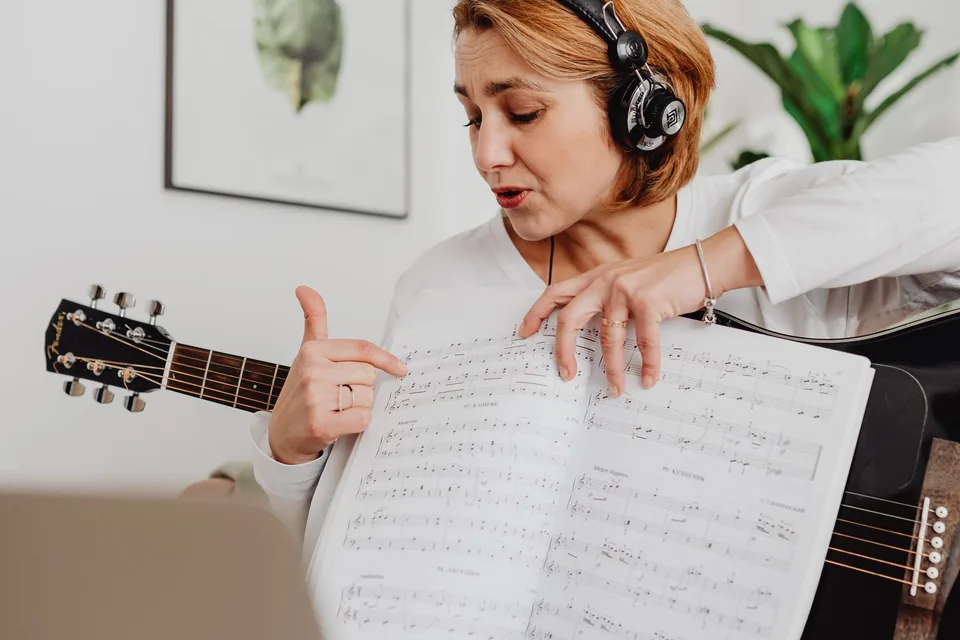
Video: matching pitch, from a music school
This short Berklee Online lesson demonstrates the listen-then-reproduce skill that the practice loop above trains, from the voice-teaching side. Use it together with the live reading: the video builds the ear, the cents value verifies the result.

Find your rough vocal range by humming
The same reading maps your range. Start at your comfortable speaking height and slide gently downward until the lowest note you can hold cleanly for two seconds - not a growl, not vocal fry. Write down the note and octave. Then work upward to the highest note you can hold without straining or flipping into a squeak, and write that down too. The pair, for example G2 to E4, is your current comfortable range. Morning and evening results differ, so measure twice before believing a number.
Your speaking voice is a useful anchor: across adults, conversational speech averages around 120 Hz for men - close to B2 - and around 210 Hz for women, close to G#3 (Traunmüller & Eriksson, 1995). Most people speak near the lower part of their singable range, which is why the low boundary usually arrives quickly and the high boundary takes more patience. As voice scientist Ingo R. Titze explains in Principles of Voice Production, where a voice sits is set by the length, mass, and tension of the vocal folds - it is anatomy, not merit. A range reading tells you where your instrument is today; it is not a voice-type classification, which also depends on timbre and where your voice is comfortable over time, and is a job for a teacher, not a browser.
Browser check vs tuner apps: when better gear is worth it
For naming a hummed note, checking whether you match a reference, and mapping a rough range, the in-browser reading with a built-in laptop microphone is genuinely enough - pitch detection needs timing information, not studio fidelity. Before spending anything, also rule out the cheap fixes: a quieter room and a closer microphone solve most unstable readings for free.
Paid tools earn their place at specific boundaries. A dedicated tuner app or DAW plugin is worth it when you need polyphonic detection for chords, offline use, or long-term pitch logging across practice sessions. An external USB microphone helps when your room is noisy, your voice is very low or very quiet, or the laptop microphone sits behind a fan vent - more low-end capture directly reduces octave errors. If a reference note from your speakers sounds wrong or weak before it even reaches your voice, check the playback side with the speaker frequency sweep; small laptop speakers roll off exactly the low notes low voices need to hear.
Check the rest of your audio chain while you are here
Every check below runs free in the browser, nothing installs, and your audio never leaves your device. Together they cover your voice, your microphone, your room, and your speakers.
Hum or sing and read the note, octave, Hz, and cents with a 10-second scrolling history.
Microphone TestSee a live waveform and peak meter to confirm the mic works before you blame your voice.
Decibel MeterMeasure how loud your room really is; background noise is the top cause of unstable readings.
Frequency Response TestSweep your headphones or speakers to hear which low and high notes they actually reproduce.
Related guides
Measure ambient noise with a browser decibel meter and learn how far to trust the reading.
Test Your Microphone OnlineA step-by-step mic check for when the note reader shows nothing at all.
Why Can't I Hear 17 kHz?High-frequency hearing fades with age; test where your own limit sits today.
Sources and references
Technical claims above follow these primary sources, checked July 24, 2026. The workflow itself is reproducible in any current browser with microphone access.
- ISO 16:1975 - Acoustics: Standard tuning frequency
The international standard fixing the note A4 at 440 Hz, the anchor for all note frequencies used here.
- HyperPhysics (Georgia State University): Cents
Definition of the cent: 100 cents per equal-tempered semitone, 1200 per octave.
- HyperPhysics (Georgia State University): The Piano
The 88-key piano range from A0 at 27.5 Hz to C8 at 4186 Hz, used for scale context.
- MDN Web Docs: MediaTrackConstraints
Documents the standard browser audio constraints - automatic gain control, noise suppression, and echo cancellation - that affect sustained tones.
- Traunmüller & Eriksson (1995): The frequency range of the voice fundamental
Mean conversational speaking fundamental of about 120 Hz for adult men and about 210 Hz for adult women.
- Ingo R. Titze: Principles of Voice Production
The standard voice-science text on how vocal-fold length, mass, and tension determine a voice's pitch.
FAQ
- Does humming work as well as singing for finding the note?
Yes - usually better. A hum on "mmm" or a sustained "ah" is a steady periodic signal without consonants or vowel changes, so the detector locks on faster and holds the reading more stably than with sung lyrics. The pitch of your hum is the same as the pitch you would sing on that breath.
- What note is my talking voice?
Speak a vowel and let it settle into a held tone, then read the display. Across adults, conversational speech averages around 120 Hz for men, near B2, and around 210 Hz for women, near G#3 (Traunmuller & Eriksson, 1995). Normal talking moves constantly, so only a held vowel gives a single readable note.
- Why does the reading show the right note but the wrong octave?
That is an octave error, a known failure mode of autocorrelation detection. Quiet, low voices often have a second harmonic stronger than the fundamental, and the detector briefly reports the doubled frequency. Hum louder, move the microphone closer, and use the Hz value to confirm the real octave.
- If I am within a few cents, does that mean I am a good singer?
It means you are accurately on that one sustained note, which is a real and trainable skill. Overall singing quality also involves tone, rhythm, breath control, diction, and expression - none of which a pitch reading measures. Use the cents value as a practice metric, not a verdict.
- Can it detect chords or two people singing at once?
No. The detection is monophonic: it finds one fundamental frequency at a time. Chords, harmonies, or background music make the reading unstable or wrong. Have one voice or one instrument sound at a time.
- Is a browser reading accurate enough to tune an instrument?
For naming notes and everyday practice, yes. For critical instrument tuning, a dedicated tuner is safer: browser microphone processing such as automatic gain control and noise suppression is designed for speech calls and can nudge sustained tones, and a consumer setup is not a calibrated reference.
The fastest way to know is still the ten-second version: open the note and cents reading, hum, hold, and read. Come back to the same page tomorrow and the numbers will tell you honestly whether the practice is working.





Reader discussion
Comments
Share what worked, what did not, or what you would test next. Every comment is reviewed before it appears.
Loading approved comments…
Leave a comment
No account or sign-in is required. Links and HTML are not accepted.