








Fast answer: Use this guide as a practical checklist for 5 best recent wireless keyboard launches in 2026: honest picks for gaming and work. Start with the main browser tool, confirm the result with one focused follow-up test, then change only one device, browser, or setting at a time so you know what actually fixed the issue.
If you search for the best wireless keyboard in 2026, you will mostly find the same old favorites, mixed with affiliate lists that pretend every board is great for everyone. This roundup is stricter. I only looked at recent wireless launches that have a clear official paper trail and some real reason to exist, whether that is better low-profile gaming performance, stronger custom potential, quieter acoustics, or a smarter everyday desk experience.
This is also not a gaming-only list. Wireless keyboard buyers split into two camps now: people who want cleaner gaming setups and people who want less cable clutter at work. So I included both. After you buy one, you can verify every key with a free Keyboard Tester, check rollover behavior with an N-Key Rollover Test, and catch combo problems with a Keyboard Ghosting Test.
For a matching wireless or esports mouse, use the best gaming mouse 2026 guide before you lock in the final desk layout.
My short version: the ASUS ROG Azoth X is the best all-around wireless board in this group, the Corsair VANGUARD AIR 99 WIRELESS is the most interesting premium gaming launch, and the Logitech Signature Slim Solar+ K980 is the easiest recommendation if your desk is more about work than ranked matches.
Price note: all pricing below was checked against official manufacturer pages on April 11, 2026. Some entries use a live store price, while others rely on the brand’s official launch MSRP because that is what the public source currently exposes most clearly.
Announced watchlist—not one of the five retail picks: Electronic Materials Office has revealed the ultra-thin Altar II, but it is still a pre-production Kickstarter project rather than a keyboard you can buy normally. Our source-based Altar II specifications and risk analysis separates its confirmed details from unverified claims and regional availability gaps.
Quick Comparison Chart
| Brand / Model | Launch timing | Layout | Wireless setup | Battery claim | Official price checked April 11, 2026 | Best for |
|---|---|---|---|---|---|---|
| ASUS ROG Azoth X | April 12, 2025 | 75% | RF 2.4 GHz, Bluetooth 5.1, USB-C | Up to 1600+ hours in 2.4 GHz with RGB and OLED off | $224.99 sale price on ASUS Store (list $299.99) | Best overall wireless board |
| Corsair VANGUARD AIR 99 WIRELESS | March 17, 2026 | 99% | SLIPSTREAM 2.4 GHz, Bluetooth, USB | About 29 to 55 hours depending on lighting and LCD use | $259.99 | Premium low-profile gaming |
| Razer BlackWidow V4 Tenkeyless HyperSpeed | July 8, 2025 | TKL | HyperSpeed 2.4 GHz, Bluetooth for up to 3 devices, USB-C | Up to 980 hours in power-saving mode | $149.99 | Wireless hot-swap TKL gaming |
| Logitech Signature Slim Solar+ K980 | September 24, 2025 | Full size | Bluetooth and Logi Bolt, Easy-Switch for 3 devices | Up to 4 months in total darkness once fully charged | $99.99 launch MSRP | Work-first wireless productivity |
| MSI STRIKE PRO WIRELESS | 2025 launch window | Full size | 2.4 GHz, Bluetooth, USB | Up to 1500 hours in Bluetooth with lighting off | $169.99 on MSI official store listing | Quiet full-size wireless mechanical |
1. ASUS ROG Azoth X

ASUS announced the ROG Azoth X on April 12, 2025, and it is still the most complete wireless keyboard in this group. The official spec stack is hard to ignore: tri-mode connectivity, hot-swappable ROG NX Snow Mechanical Switches V2, a gasket mount, five-layer dampening, FR4 plate, OLED display, and official battery guidance of 1600+ hours in 2.4 GHz mode with RGB and OLED off. The ASUS Store price I checked was $224.99, with a struck-through list price of $299.99.
- Why it stands out: it balances enthusiast keyboard priorities and mainstream wireless convenience better than almost anything else announced recently.
- What I like: the 75% layout is practical, the acoustics are taken seriously, and it feels like a board you can both game on and enjoy typing on.
- What to watch: it is still expensive — though nowhere near the luxury keyboard collector tier, where boards run $1,000 to $8,900 — and it is not a hall-effect board. If your whole reason for upgrading is rapid-trigger tuning, other boards in this list are more specialized.
Honest take: If you want one wireless keyboard that can credibly do almost everything well, this is the one I would buy first.
2. Corsair VANGUARD AIR 99 WIRELESS
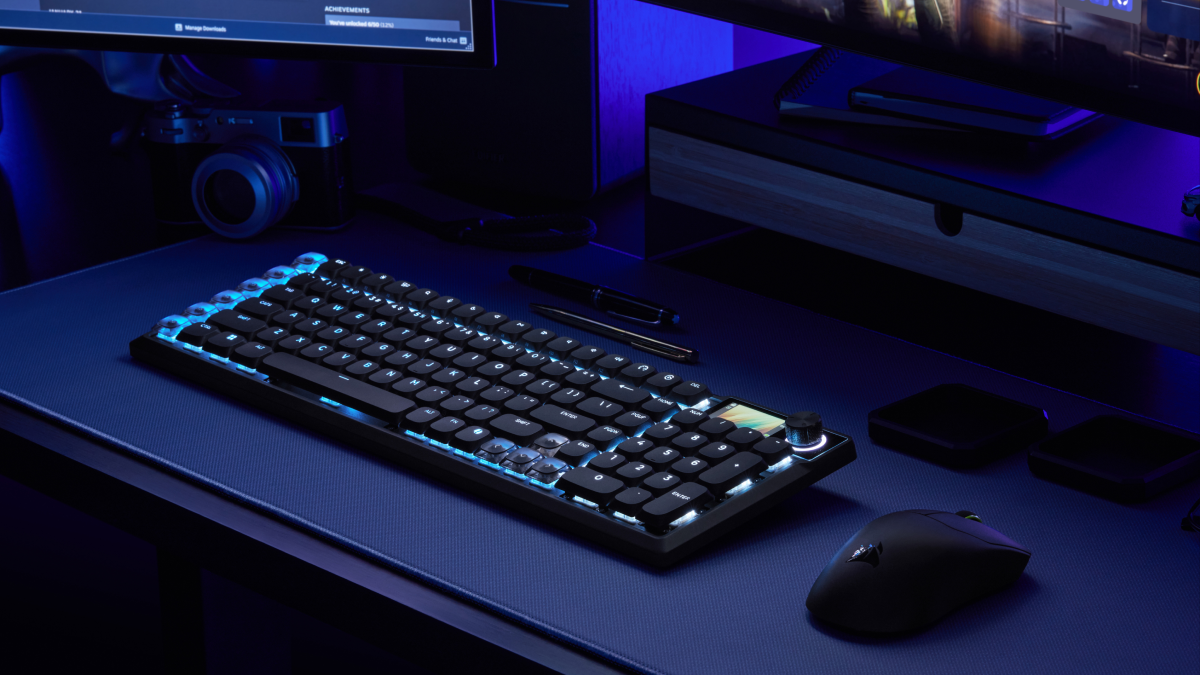
Corsair launched the VANGUARD AIR 99 WIRELESS on March 17, 2026, and it is one of the most aggressive low-profile wireless gaming boards released in the last year. Officially, you get a 99% layout, pre-lubed CORSAIR OPX low-profile optical switches, 8,000 Hz hyper-polling, FlashTap SOCD handling, 6 programmable SD-keys with Elgato Stream Deck integration, gasket mounting, five layers of sound dampening, and tri-mode connectivity. Current official price was $259.99.
- Why it stands out: there are not many wireless boards trying to combine ultra-thin design, 8K polling, sound tuning, and productivity controls all at once.
- What I like: it feels more ambitious than the usual low-profile keyboard launch, and the 99% layout is a smart compromise for people who still want a numpad.
- What to watch: battery life is the weak point relative to the rest of this roundup. Official Corsair guidance lands around 29 to 55 hours depending on LCD and lighting settings, which is fine for a feature-heavy board but nowhere near class-leading.
Honest take: This is a premium pick for people who want their wireless gaming board to feel new, not just cable-free. The price is high, but at least the feature list is actually doing some work.
3. Razer BlackWidow V4 Tenkeyless HyperSpeed
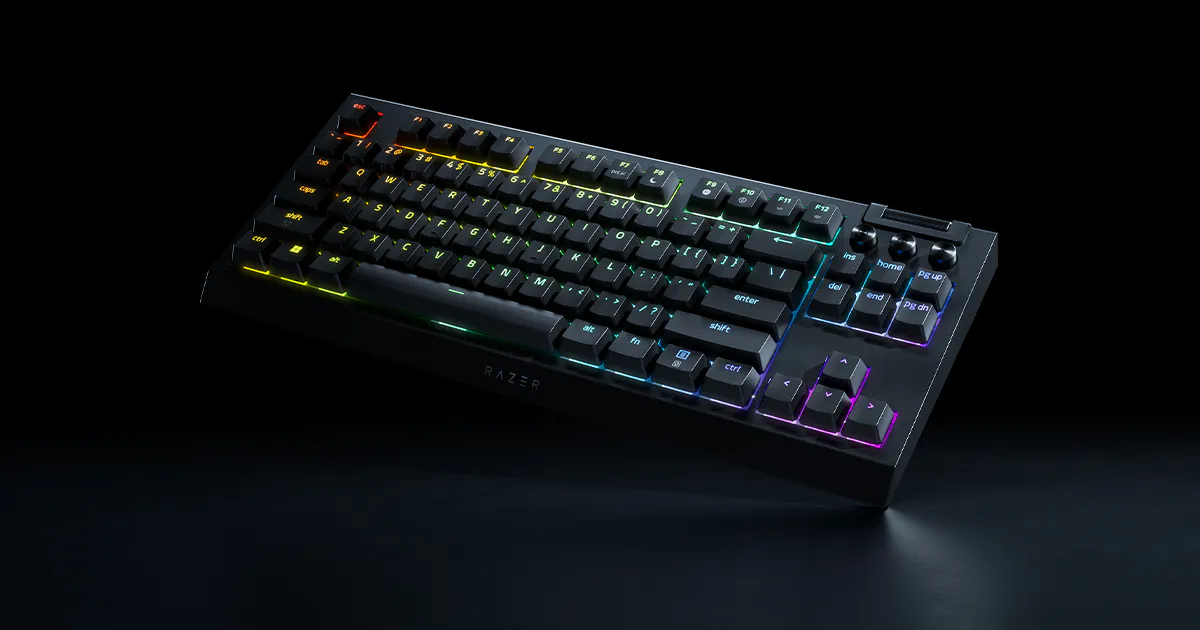
Razer launched the BlackWidow V4 Tenkeyless HyperSpeed on July 8, 2025, and it is easily one of the better value-heavy wireless gaming launches of the last year. The official product page gives you HyperSpeed 2.4 GHz, Bluetooth support for up to three devices, hot-swap support for 3-pin and 5-pin switches, Razer Orange Tactile Switches Gen-3, and up to 980 hours of battery life in power-saving mode. Official U.S. price checked April 11, 2026 was $149.99.
- Why it stands out: it brings custom-friendly features to a mainstream wireless gaming price point without turning into a gimmick board.
- What I like: hot-swap plus TKL plus huge battery life is a very practical combination, and the wireless versatility is strong.
- What to watch: the stock keycaps are doubleshot ABS, not PBT, and the optional 4K wireless upgrade still requires a separate HyperPolling dongle.
Honest take: For a lot of gaming-focused buyers, this is the easiest keyboard here to justify. It does not feel cheap, and it avoids premium-price bloat better than some rivals.
4. Logitech Signature Slim Solar+ K980

Logitech announced the Signature Slim Solar+ K980 on September 24, 2025, and it is the most straightforward non-gaming recommendation in this article. The official launch coverage says it is powered by Logi LightCharge, works for up to four months in complete darkness once fully charged, supports Easy-Switch across up to three devices, and offers a full-size, laptop-style typing experience with customizable shortcut keys and an AI Launch key. Official launch MSRP was $99.99.
- Why it stands out: it solves the most annoying part of wireless productivity gear, which is remembering to charge it.
- What I like: the value is strong, the full-size layout is practical, and Logitech did not overcomplicate the idea.
- What to watch: this is not a gaming keyboard. There is no backlighting, no hot-swap path, and no reason to buy it for competitive play.
Honest take: If your real goal is a cleaner desk and fewer interruptions, this is more useful than many fancier wireless boards that cost twice as much.
5. MSI STRIKE PRO WIRELESS
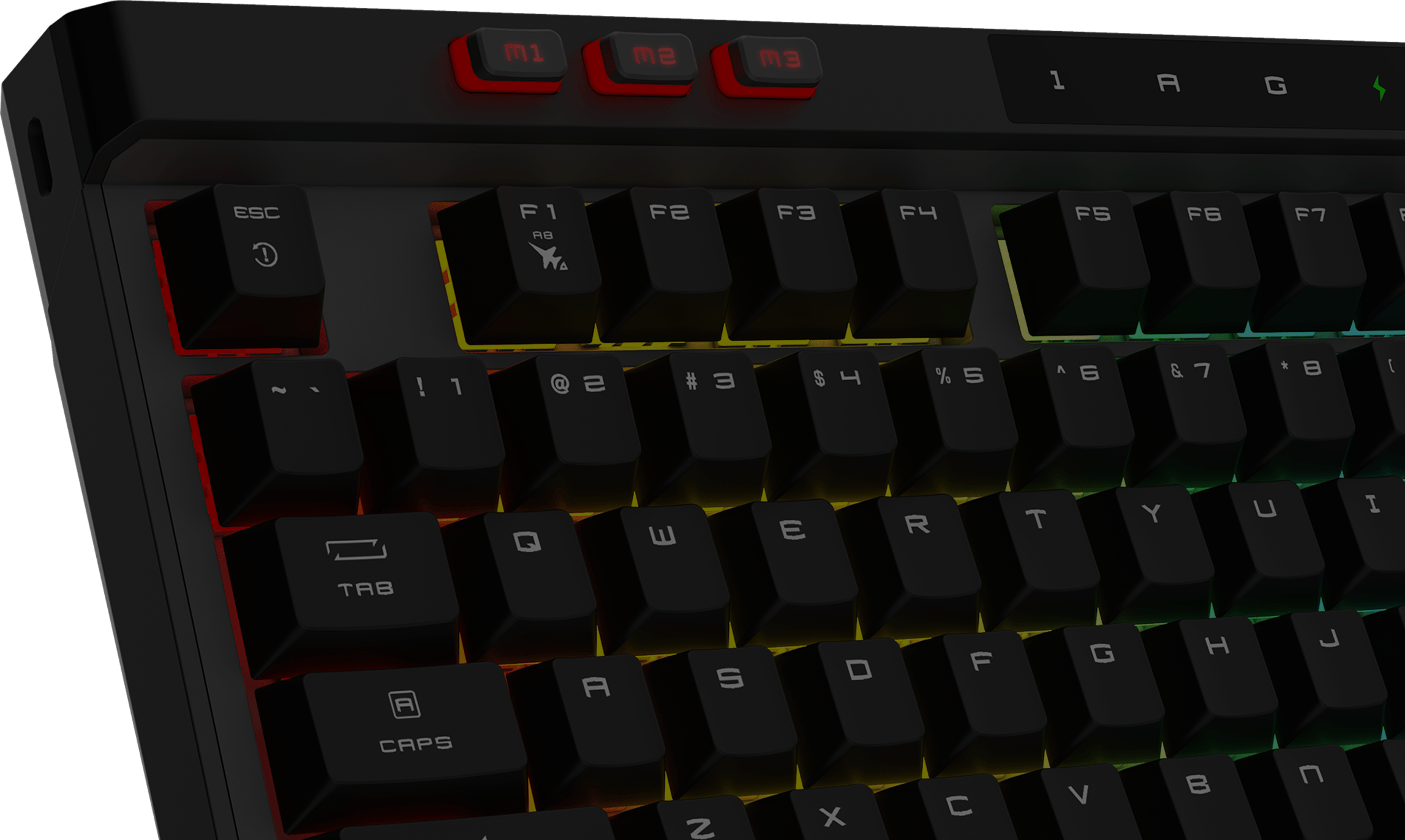
MSI’s STRIKE PRO WIRELESS is part of the company’s current 2025 wireless keyboard rollout, backed by a standalone official launch page, a live product page, and a U.S. store listing. The pitch is different from the louder gaming boards above: Kailh Midnight Pro Silent Tactile switches, multi-layer sound dampening, hot-swappable 5-pin support, tri-mode connectivity, a 4200 mAh battery with up to 1500 hours in Bluetooth mode with lighting off, dedicated media controls, and a magnetic memory foam wrist rest. MSI’s official U.S. store listing showed $169.99.
- Why it stands out: it targets the people who want a full-size wireless mechanical board without turning every keystroke into a room event.
- What I like: the quiet-switch angle is genuinely useful, and MSI paired it with hot-swap support instead of locking buyers into one feel forever.
- What to watch: MSI still does not have the same keyboard credibility as ASUS, Logitech, or Razer. Also, the public MSI pages do not surface launch timing as cleanly as the other brands, which is a small but real research annoyance.
Honest take: This is the sleeper pick if you want a quieter full-size wireless mechanical keyboard and you do not care whether the loudest keyboard communities are talking about it.
Which one would I buy?
- Best overall wireless keyboard: ASUS ROG Azoth X
- Best premium wireless gaming board: Corsair VANGUARD AIR 99 WIRELESS
- Best value gaming-focused wireless pick: Razer BlackWidow V4 Tenkeyless HyperSpeed
- Best wireless work keyboard: Logitech Signature Slim Solar+ K980
- Best quiet full-size wireless option: MSI STRIKE PRO WIRELESS
If I had to choose just one for the widest range of readers, I would buy the ASUS ROG Azoth X. It is expensive, but it is the least compromised board in the group. If your setup is mostly about office work or general home use, I would save the money and take the Logitech Signature Slim Solar+ K980 instead.
If wireless is not a hard requirement, compare these picks against the gaming keyboard launch roundup — several wired boards there out-spec these at the same price. Completing a desk refresh? The recent gaming headphone launches are reviewed the same way.
Test your keyboard after buying it
Specs tell you what a keyboard should do. They do not tell you whether your actual unit arrived healthy, whether rollover behaves the way you expect, or whether one key starts acting strange after a few days. After buying any wireless keyboard above, I would do four checks:
- Run the Keyboard Tester to confirm every key actually registers.
- Use the N-Key Rollover Test if you play games that rely on multiple simultaneous inputs.
- Open the Keyboard Ghosting Test to see whether combos disappear under load.
- Take a quick Typing Test to decide whether the switch feel and layout actually suit your daily use.
If something feels off later, the Stuck Key Test is where I would start.
FAQ
What is the best recent wireless keyboard overall?
For the broadest mix of gaming, typing feel, build quality, and wireless flexibility, I would give that to the ASUS ROG Azoth X.
Which recent wireless keyboard is best for office work?
The Logitech Signature Slim Solar+ K980 is the cleanest office-first pick because it is solar-powered, full-size, multi-device, and much cheaper than premium gaming boards.
Are wireless gaming keyboards finally as good as wired ones?
For most users, yes. Modern 2.4 GHz gaming boards are fast enough that shape, switch feel, and software quality matter more than the cable question. Wired still wins for simplicity, but wireless is no longer the automatic compromise it used to be.
Sources and research notes
- Corsair official launch coverage and the VANGUARD AIR 99 WIRELESS product page
- Razer newsroom launch coverage and the Razer BlackWidow V4 Tenkeyless HyperSpeed product page
- ASUS ROG official launch coverage and the ROG Azoth X product page
- Logitech official press release, the Logitech launch article, and the K980 business datasheet
- MSI official STRIKE PRO WIRELESS launch page and the MSI product page
Inference note: MSI’s public pages do not expose a clean exact launch date in the accessible text view, so I treated it as a 2025 launch-window product based on MSI’s official launch materials and current live listings. Everything else above uses explicit dates from official manufacturer pages.
All launch timing, feature claims, and prices above were checked against official manufacturer sources on April 11, 2026. Prices can move with sales, bundles, region changes, or stock shifts.
Quick Action Checklist
- Test once in a clean browser tab.
- Retest after changing ports, wireless mode, or device settings.
- Use the focused tool that matches the symptom, not only the general tester.
- Keep screenshots or notes when comparing hardware.
Helpful Video
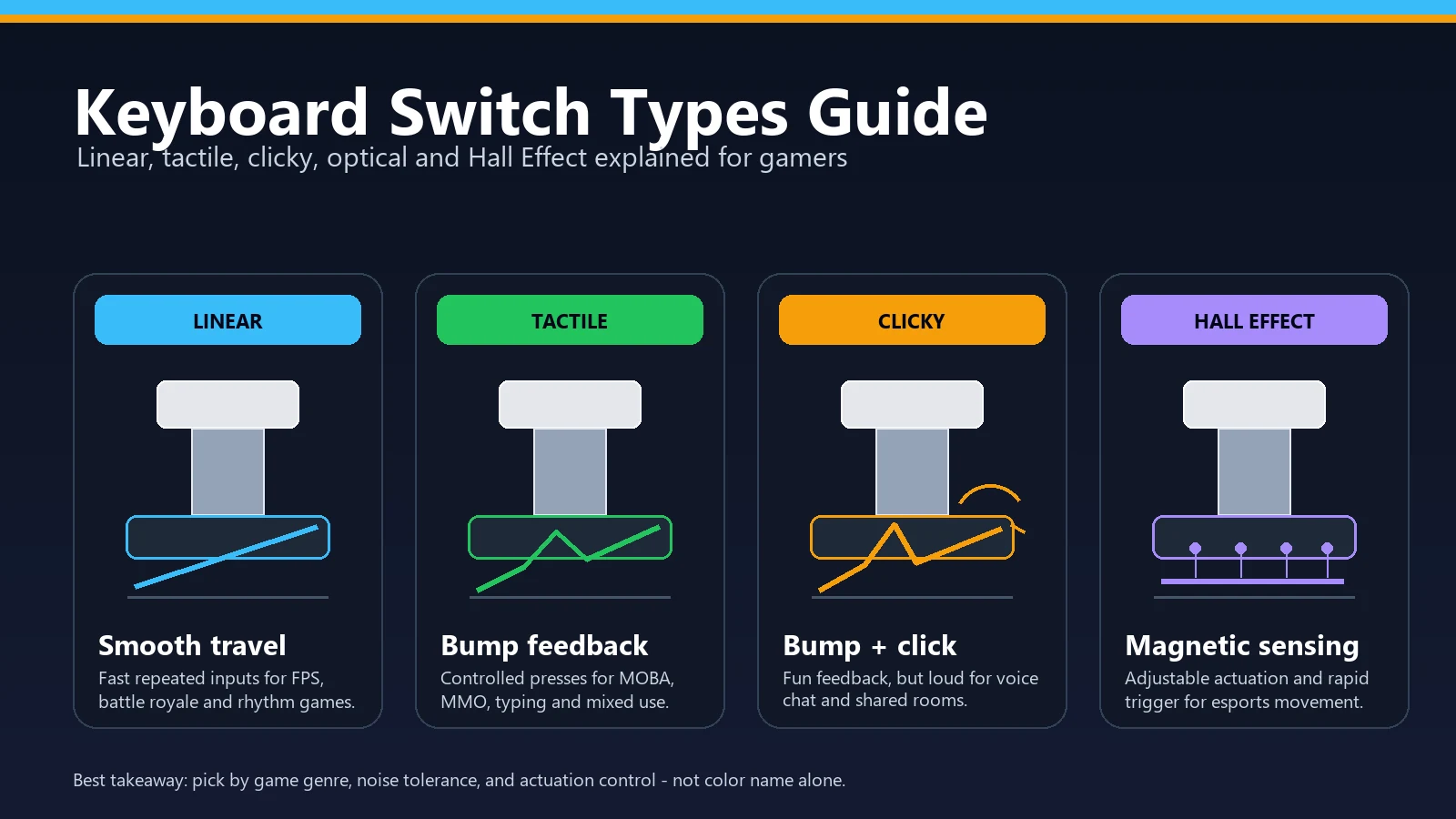
This related video supports the checks and decisions covered in this guide.






Reader discussion
Comments
Share what worked, what did not, or what you would test next. Every comment is reviewed before it appears.
Loading approved comments…
Leave a comment
No account or sign-in is required. Links and HTML are not accepted.