

Skip to tool
KeyboardTester.click

Tool categories

Internet Stability Test

Internet Stability Test

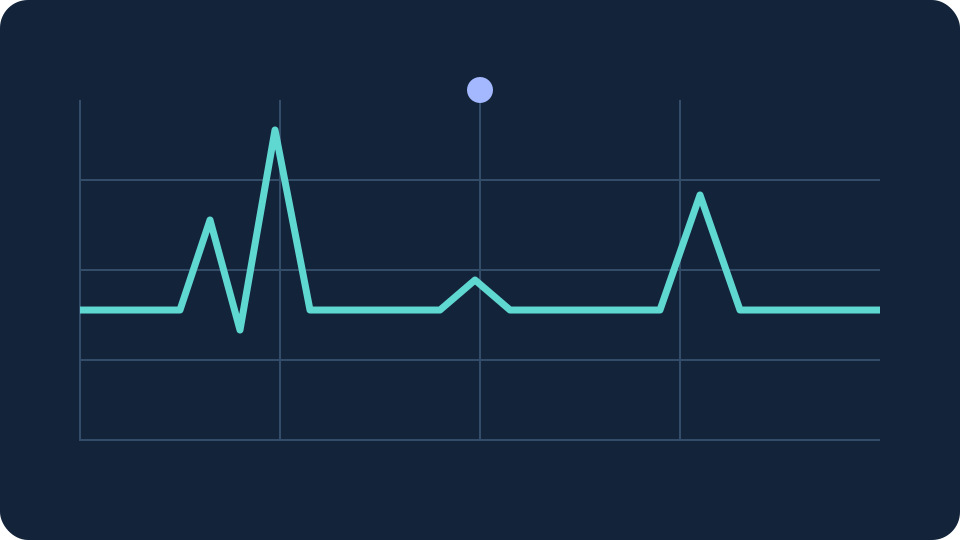
Monitor internet stability for gaming and video calls. Track request failures, latency spikes and delay variation with a live graph and downloadable results.

Download from Microsoft Store Download from Microsoft Store

Internet Stability Test

This network stability test sends one small HTTPS request every two seconds to KeyboardTester.click. Round-trip time includes the connection, browser and server response; it is not ICMP ping or a speed test.

A failed HTTPS request is not proof of packet loss or an ISP fault. VPNs, browser scheduling, server load and the route to this server affect results. Hidden tabs stop the test rather than creating false outages.

Status: Ready

Successful requests
—
Median round trip
—
95th percentile
—
Successive-delay variation
—
Failed requests
—
Active test time
—

Test server: KeyboardTester.click · HTTPS · 2 s · timeout 5 s

Requests reach this site as normal web traffic. Results stay in page memory and are exported only when you choose; no session measurements are uploaded.

Rate Internet Stability Test: 5.0 (1 rating)

Internet Stability Test is a free, browser-based online utility that lets you monitor internet stability for gaming and video calls.

  • Cost: Free, no signup
  • Install: None — runs in the browser
  • Privacy: Runs locally, no uploads
  • Platforms: Windows, macOS, Linux, Android, iOS
  • Time: Under a minute

Internet Stability Test

How to use this test

This network stability test sends one small HTTPS request every two seconds to KeyboardTester.click. Round-trip time includes the connection, browser and server response; it is not ICMP ping or a speed test.

01 Start test Choose a duration and keep this tab visible. Stop other downloads for a clean baseline, or leave normal activity running to examine real usage.
02 Comparison Run once on Wi-Fi and once with Ethernet from the same device. Compare median delay, the 95th percentile and failed requests under similar conditions.
03 Export results Use the graph to locate spikes and export the session before closing the page. Repeat at the time your calls or games usually disconnect.
A failed HTTPS request is not proof of packet loss or an ISP fault. VPNs, browser scheduling, server load and the route to this server affect results. Hidden tabs stop the test rather than creating false outages.

Tool FAQ

Common questions

What does this test measure?

This network stability test sends one small HTTPS request every two seconds to KeyboardTester.click. Round-trip time includes the connection, browser and server response; it is not ICMP ping or a speed test.

Is this a Wi-Fi stability test?

It can compare Wi-Fi with Ethernet, but a browser cannot isolate the wireless link from the rest of the route. Keep the device, test server and conditions consistent.

What is a good stability result for gaming?

Consistent low delay with few spikes and no failed requests is preferable. This server is not your game server, so its numbers cannot guarantee gaming latency. Compare repeated sessions rather than relying on a universal score.

Privacy

Requests reach this site as normal web traffic. Results stay in page memory and are exported only when you choose; no session measurements are uploaded.
Windows app

KeyboardTester.click is also on Microsoft Store

Install the official Windows shortcut or keep using the same free browser tools.

Download from Microsoft Store Download from Microsoft Store

More tools to try

Explore Utility tools & stories

28 tools · 2 Web Stories

View all
Man in eyeglasses fitting a side panel onto an open PC case under colorful light 01 / 10 DDR5 buying math Pay $120 more for 2 nanoseconds? CL30 vs CL36 looks big on the box. The real difference is 2 nanoseconds.
Open full story Read full guide Card 1 of 10 in CL30 vs CL36: Worth Paying More?
Man looking frustrated while holding a smartphone in an office 01 / 10 Phone vibration test Your phone stopped buzzing Before you book a repair, find out whether it is the motor or just a setting.
Open full story Read full guide Card 1 of 10 in Phone Not Vibrating?

Web Story

Opening story…

Utility guides and reviews

View all
More Utility guides